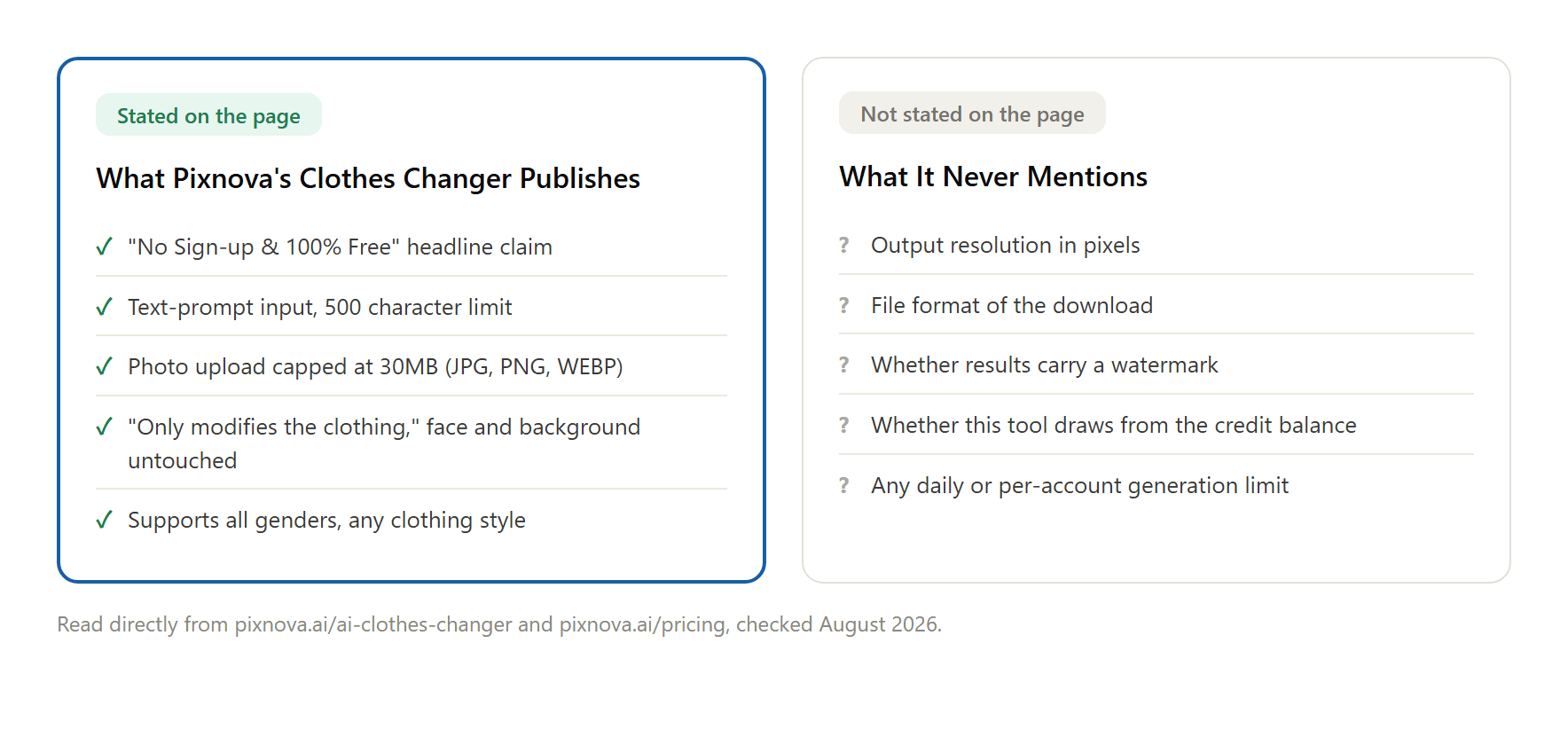
Land on Pixnova's clothes changer page and the headline does a lot of the selling for you: no sign-up, 100% free, upload a photo, type what you want the person wearing, click swap. That much is true, and it's worth saying plainly before anything else. What the same page never gets around to is the part most people check before they trust a result: what size does the file come out at, does it carry a watermark, and does this particular tool even touch the credit balance sitting on the pricing page next door. A Pixnova AI clothes changer alternative search usually starts right there, in that gap between a confident headline and a page that goes quiet on specifics. Here's what Pixnova actually publishes, what it leaves out, and how Atlas Cloud's free clothes changer handles the same request with the spec written up front.
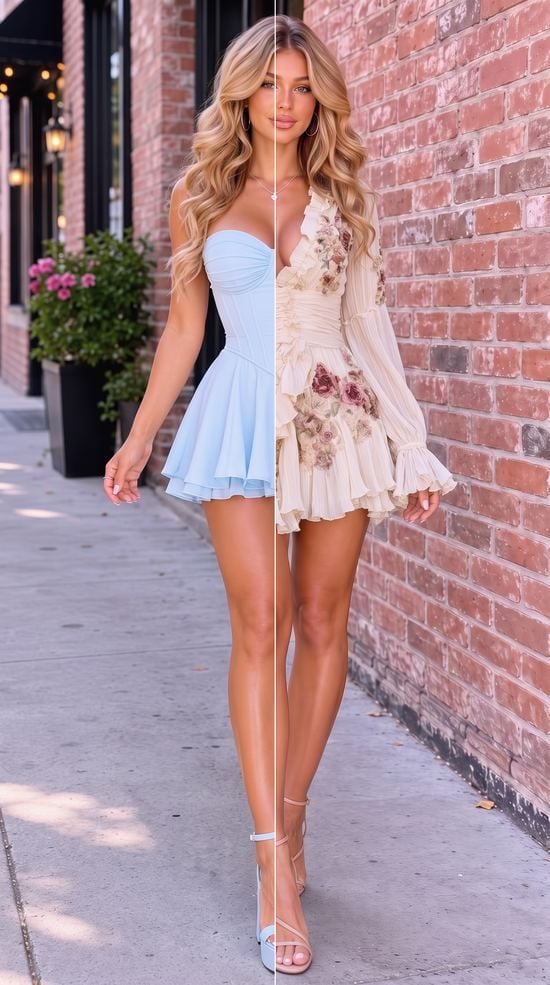
The dividing line is the only edit. Everything else, the pose, the brick wall, the light, is Atlas Cloud's free clothes changer holding steady while it swaps just the outfit.
Key Takeaways
- Pixnova's clothes changer page claims no sign-up and 100% free access, but the same page never states an output resolution, file format, or watermark policy.
- Atlas Cloud's free AI clothes changer runs one full-resolution swap at 1328×1776, no watermark, with the spec published instead of left to guesswork.
- Pixnova's credit packs are described as going toward its AI video generator, and the pricing page doesn't say whether the clothes changer draws from that balance at all.
- A direct test shows why the spec matters: a 1536×2752 input photo comes back at just 424×768, and the person in the result doesn't match the person uploaded, despite the page's claim that it only touches the clothing.
- Developers scaling past a one-off swap get an exact per-image price from Atlas Cloud's playground before a request runs, something Pixnova's image tools don't publish.
What Pixnova's AI Clothes Changer Actually Does
Pixnova AI runs a large catalog of tools under one account, everything from Seedance 2.0 and GPT Image 2 wrapped into video and image generators to a dedicated clothes changer, hairstyle changer, and photo editor. The clothes changer itself works the way most text-driven editors do now: upload a photo, type a description of the outfit into a field capped at 500 characters, and the tool renders the swap. In practice that cap bites faster than it sounds: a genuinely detailed outfit description, fabric, cut, color, styling, can run past 500 characters before the sentence is even finished. Pixnova's own copy on that page states the tool "only modifies the clothing," leaving face and background as they were, and that it supports any gender and virtually any style through the prompt alone.
The headline sits right at the top: "AI Clothes Changer Online (No Sign-up & 100% Free)." No account wall, no forced login before the first result. That's a real point in Pixnova's favor and one this article isn't going to argue away. Where the page goes quiet is everything downstream of the swap itself: it doesn't say what resolution the download comes out at, what format it saves in, or whether the result carries a watermark.
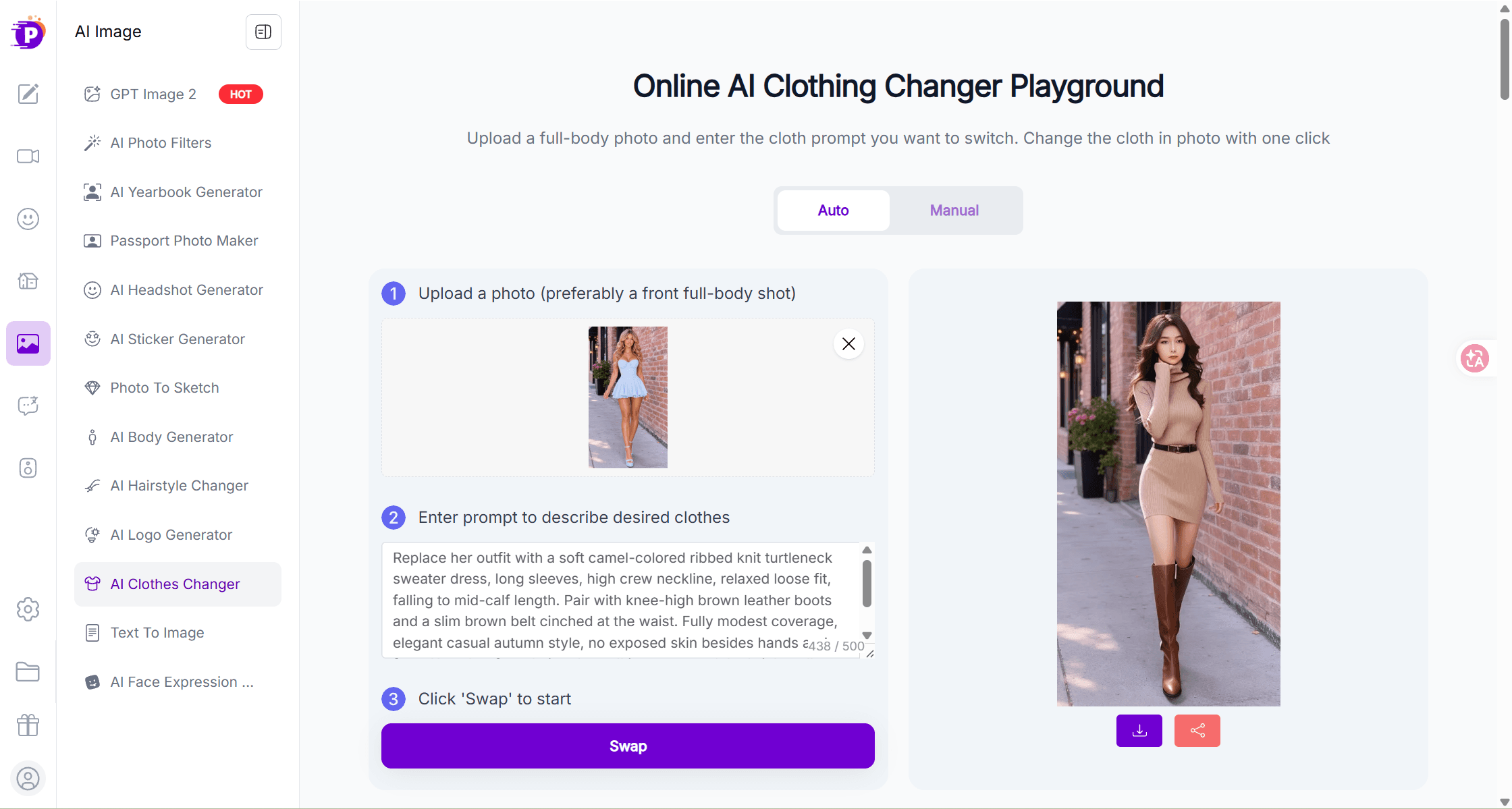
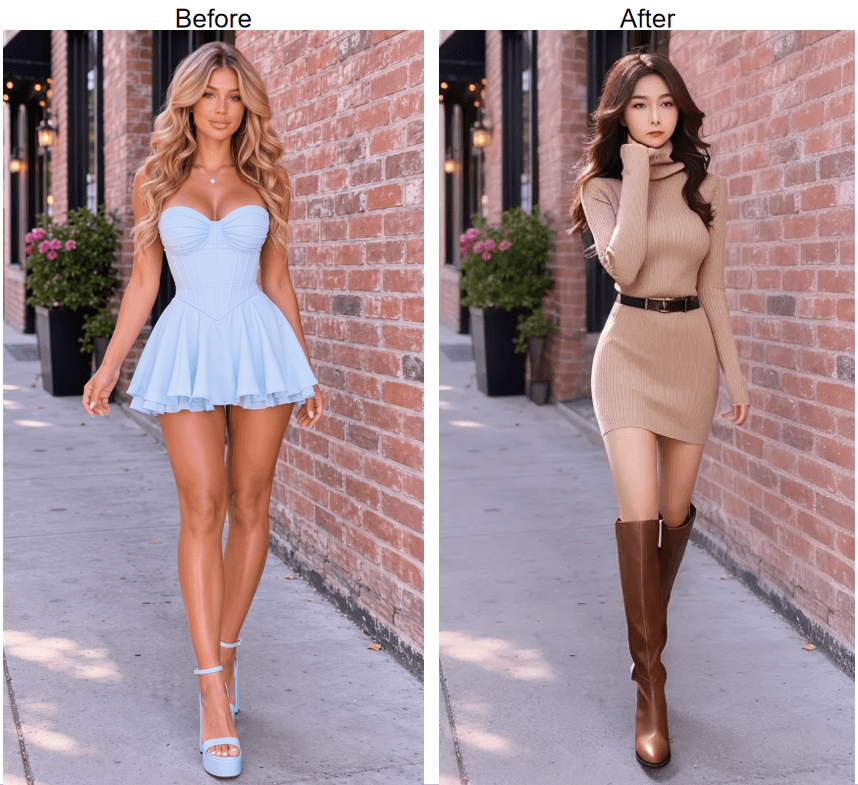
Testing this directly makes the silence concrete. Upload a 1536×2752 photo with a detailed outfit prompt, and two things come back that the product page never mentions anywhere. The download lands at 424×768, a small fraction of the input's resolution. And the person in the result isn't the person in the photo: different face, different hair, a different woman entirely, despite the tool's own claim that it "only modifies the clothing in the original image and will not alter any other content."
Run a Free AI Clothes Changer Swap on Atlas Cloud Instead
Atlas Cloud's Free Change Clothes AI tool asks for the same two things Pixnova does: one photo, one sentence describing the outfit. Type "a floor-length silver-white ball gown with a fitted embroidered bodice and a full flowing tulle skirt," hit run, and the model redraws only the clothing, holding the face, pose, and background steady.
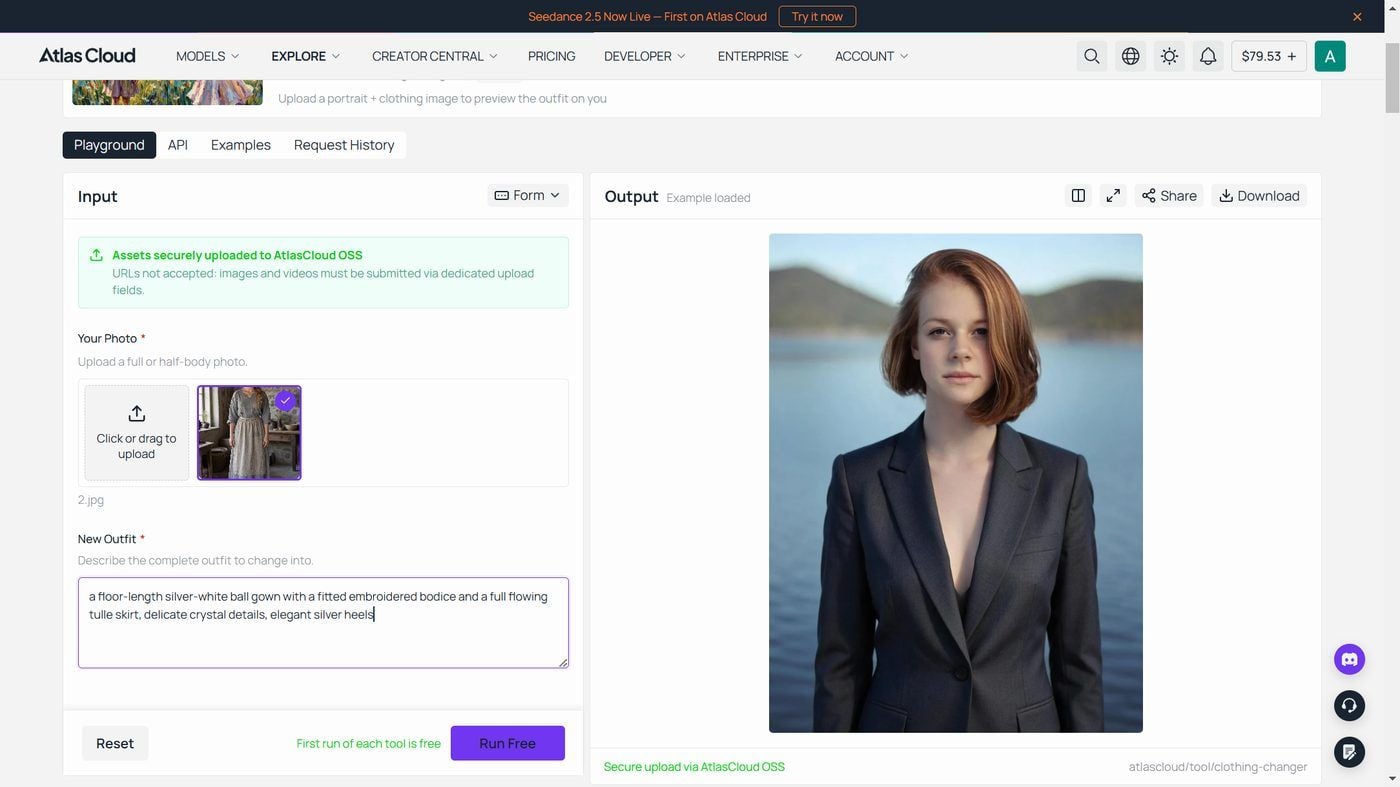
The spec is stated on the same page, not buried in a support article: results land at 1328×1776 with no watermark on the file, in roughly 40 seconds. That model, Seedream v5.0 Pro Edit, belongs to the same ByteDance model family Atlas Cloud hosts, and it's available in the playground directly for anyone who needs more than one run. The free tool sits next to a dozen or so other single-purpose utilities in Atlas Cloud's AI tools collection, each one built around its own hosted model.
Scaling Up: Change Clothes with Pixnova AI at Volume via Seedream v5.0 Pro Edit
A single photo and a single sentence covers a casual outfit check. It doesn't cover a boutique prepping thirty product photos in an afternoon, and that's where the gap between a consumer tool and direct model access starts to matter. When you change clothes with Pixnova AI on its own page, there's no published way to run that at scale outside the browser tab. Seedream v5.0 Pro Edit, the model behind Atlas Cloud's free tool, is available two other ways built for exactly that.
Method 1: Run It in the Playground
Open the Seedream v5.0 Pro Edit playground, upload the photo, and write the outfit change as a plain instruction, the same way the free tool does it but with more control over output size and up to ten reference images if a style board is involved. Pick the 1.5K or 2K output tier and run it. The playground shows the exact price for that combination before the request goes out, so there's no balance to estimate against ahead of time.
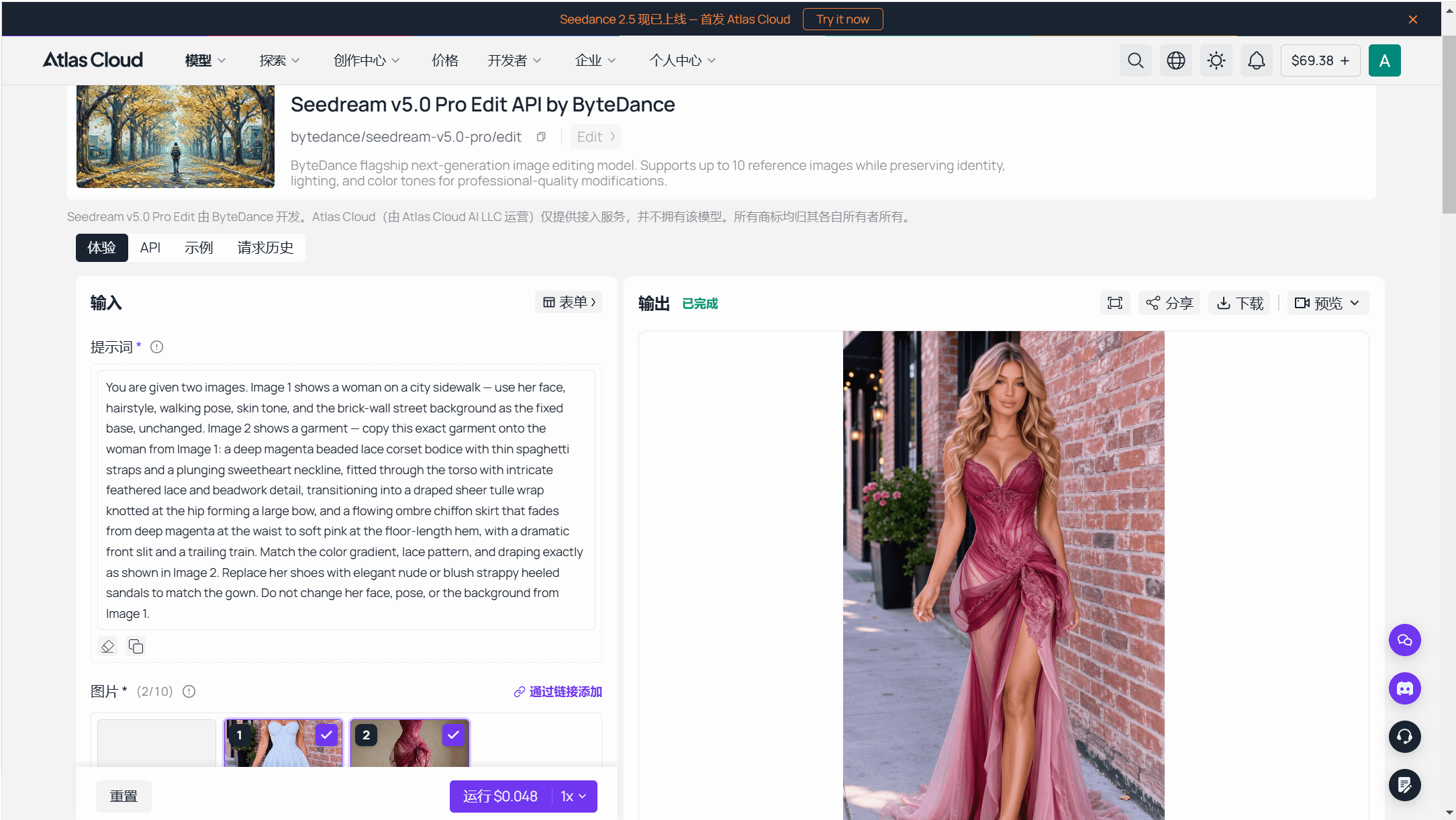
Method 2: Call the API Directly
For a real batch, the same request moves into code.
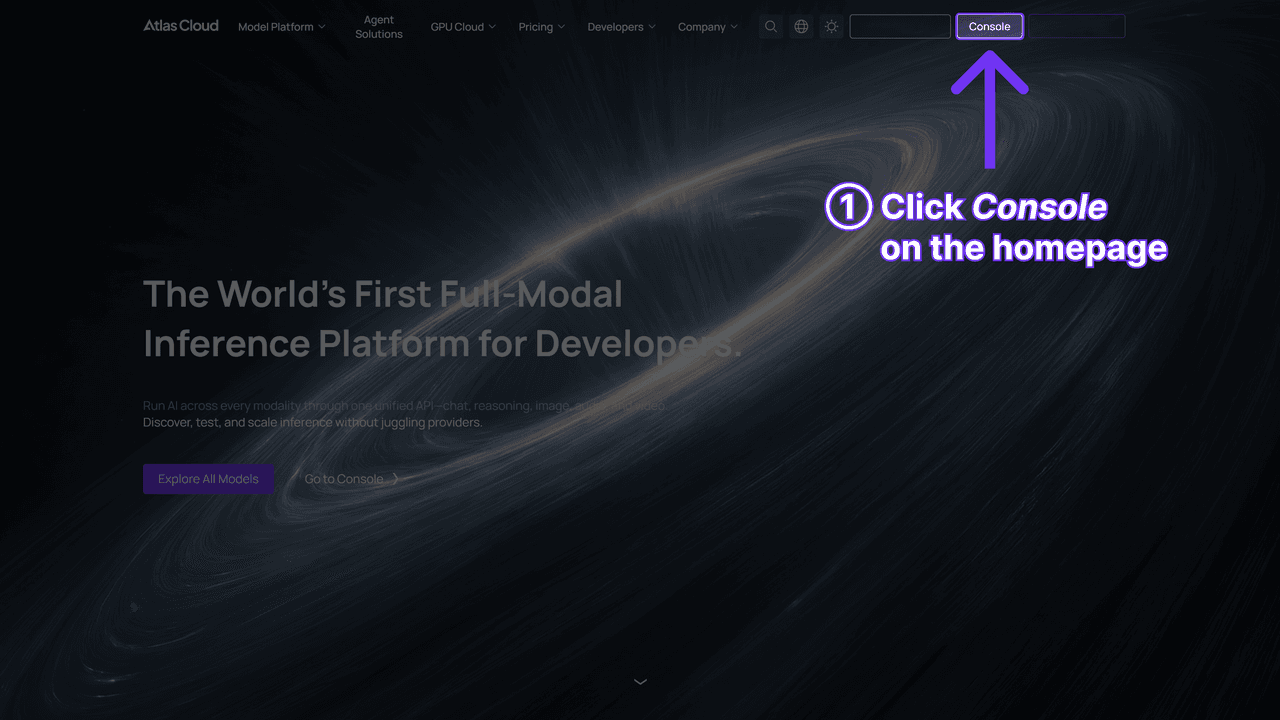
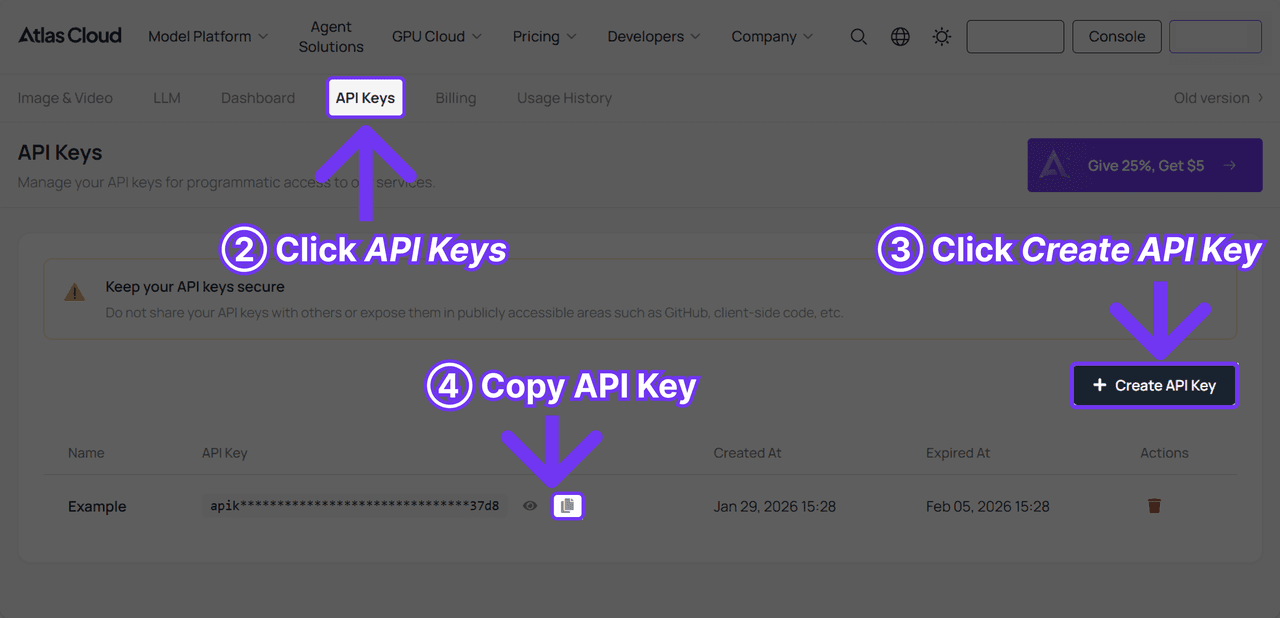
Step 1: Create an API key. Generate one from the Atlas Cloud console. It's a server-side key, and the same one authenticates every model on the platform, not just this one.
Step 2: Check the request shape. The API documentation lists the parameters this model accepts, and the API tab on the model page shows the same shape filled in with a working example.
Step 3: Send the request and poll. Submit the photo and the outfit instruction, then poll the prediction id the response returns:
plaintext1curl -X POST https://api.atlascloud.ai/api/v1/model/generateImage \ 2 -H "Content-Type: application/json" \ 3 -H "Authorization: Bearer $ATLASCLOUD_API_KEY" \ 4 -d '{ 5 "model": "bytedance/seedream-v5.0-pro/edit", 6 "prompt": "Change the outfit to a tailored charcoal business suit with a white shirt. Keep the face, hair, pose, and background unchanged.", 7 "images": [ 8 "https://your-cdn.com/product-model.jpg" 9 ], 10 "size": "1328*1776" 11 }'
Once status comes back completed, the finished image sits in outputs. Thirty product photos run this way come out to thirty billed generations, a number known before the batch starts rather than drawn against a shared pool meant for a different feature entirely.
What Pixnova's Pricing Page Leaves Out
Pixnova sells five one-time credit packs, from 1,600 credits for $7.99 (down from $9.99) up to 100,000 credits for $194.35 (down from $299), each one currently discounted between 20% and 35%. Its own FAQ states plainly that "billing is a one-time payment, not a recurring subscription," and that free claimed credits expire the same day they're claimed rather than carrying over. What the page never resolves is the question that actually matters for the clothes changer: those credits are described as going toward the AI video generator, and nothing on the pricing page states whether the image tools, clothes changer included, draw from that same balance or run on a separate free allowance entirely.

That silence compounds a separate one. Some third-party reviews of Pixnova describe free-tier restrictions on resolution and watermark-free downloads that the clothes changer's own page doesn't mention anywhere. Whether that applies to this specific tool or to a different part of the platform isn't something Pixnova's page settles either way, so it's worth downloading one result and checking it directly before building a workflow around the assumption that "100% free" means unrestricted on every dimension.
Pixnova AI Outfit Changer vs Atlas Cloud: Side-by-Side Comparison
Set next to each other, the two tools start from a similar place: a photo in, a text description of the new outfit, a swap out. What actually separates them shows up once you look past that first click, in what each company built around it.
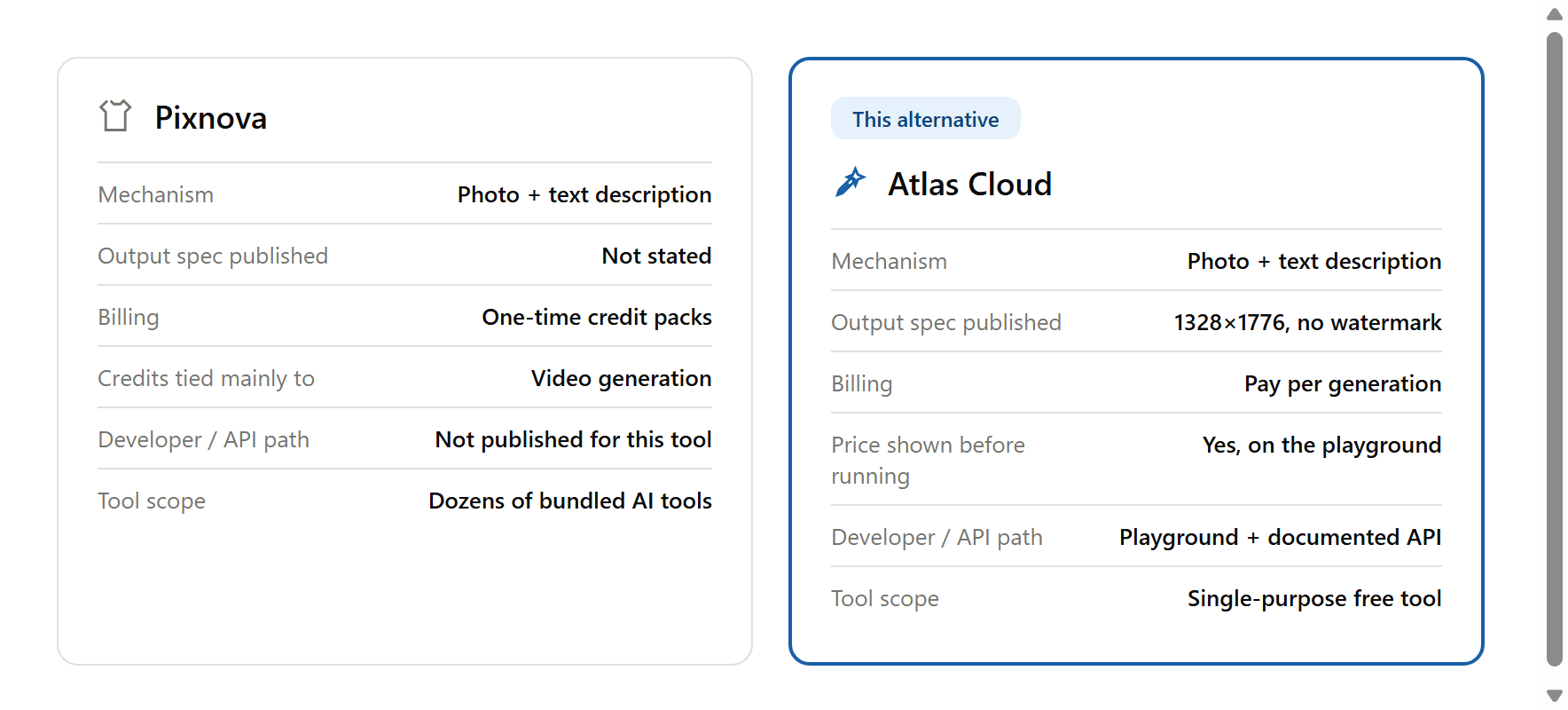
Pixnova's clothes changer is one tab inside a much larger catalog, sharing an account and a credit system with the video generator, the room planner, and the lip-sync tools sitting next to it. Atlas Cloud's free tool works the other way around: a single page built on one model, with a direct path into that model's own playground and API the moment a casual check turns into something bigger. Neither approach is wrong on its own. It just means a Pixnova result comes wrapped inside a much bigger product, and an Atlas Cloud result comes with a straight line back to the infrastructure that made it.
Is It Worth Switching From Pixnova's AI Clothes Changer?
None of this is an argument for abandoning Pixnova outright. It really is free, really does skip the sign-up wall, and for someone testing a single outfit idea once, that's already enough.
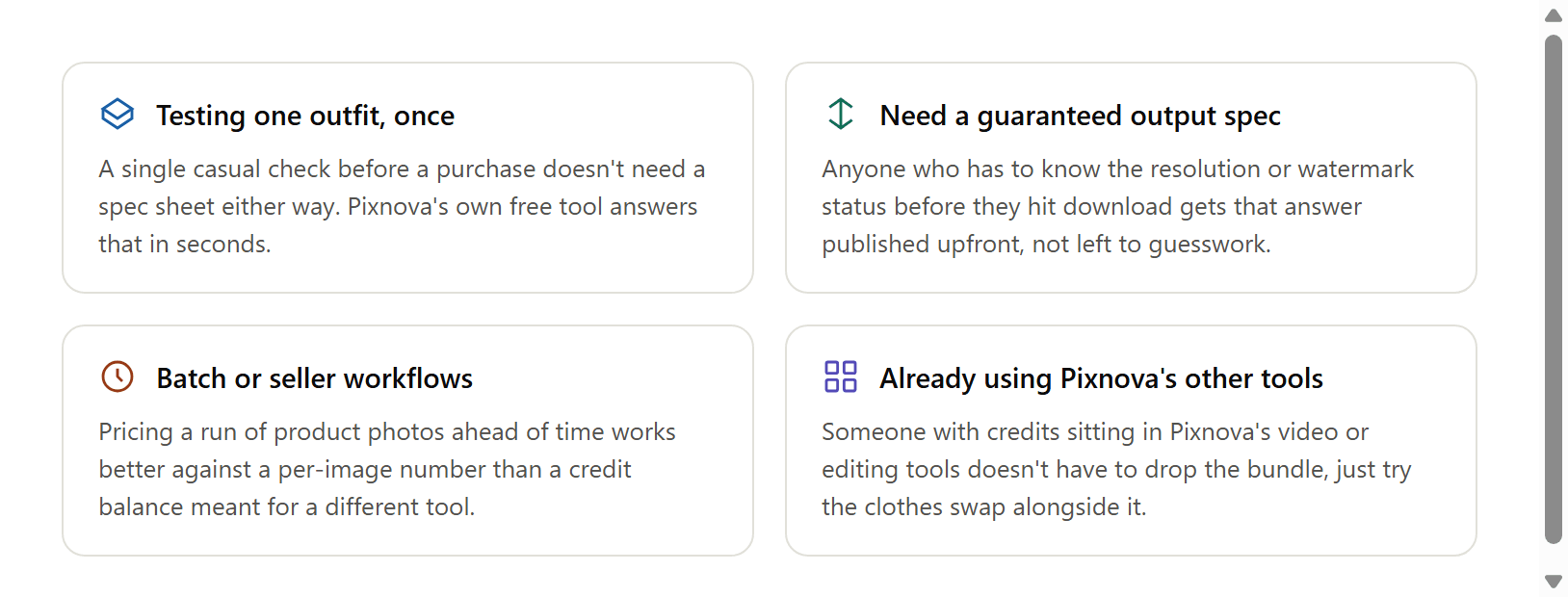
The case for switching gets stronger in specific spots. Anyone who wants that spec question settled before they commit to a file gets it settled without digging. A seller pricing out a batch of product photos has an easier time planning against a number that's actually published. And someone who's already sitting on Pixnova credits from its video or editing tools doesn't have to give any of that up just to try the clothes swap somewhere the output is spelled out in advance.
Frequently Asked Questions
What is Pixnova AI's clothes changer?
It's one tool inside Pixnova's larger AI platform. Upload a photo, type a description of the outfit you want the person wearing, and the tool renders the swap while leaving the face and background as they were.
Is Pixnova's AI clothes changer really free with no sign-up?
Its own page states "No Sign-up & 100% Free," and that headline matches what a first visit shows: no account wall before the first swap. What the page doesn't state is the output resolution, file format, or watermark policy on that free result.
What else does Pixnova AI's platform include besides the clothes changer?
A large catalog spanning video tools (including Seedance 2.0 and image-to-video generators), image tools (GPT Image 2, Nano Banana AI, a hairstyle changer), room design tools, and lip-sync generators, all under one account and one credit system.
Is there a free Pixnova AI clothes changer alternative?
Yes. This free clothes changer on Atlas Cloud runs a full-resolution swap at 1328×1776 with no watermark, with the output spec stated on the same page.
Does Pixnova offer an API for its clothes changer?
Pixnova's pricing page doesn't publish an API or per-image price for its image tools. Its credit system is built around one-time packs described as going toward video generation.
How much does Atlas Cloud's API cost per clothes-change image?
Checked against Atlas Cloud's pricing calculator on August 26, 2026: Seedream v5.0 Pro Edit runs $0.045 per image at the 1.5K output tier and $0.09 at 2K, both covering the first reference photo, with no active discount on the model at the time of writing.
Does Pixnova's clothes changer keep the same face and resolution?
Not reliably in testing. A 1536×2752 input photo returned a 424×768 result, and the person's face and hair in the output didn't match the uploaded photo, despite Pixnova's own page stating the tool only modifies clothing.
Conclusion
Pixnova's clothes changer earns its headline. It skips the sign-up wall, it's genuinely free to try, and for a quick outfit check it does what it says. What the page doesn't do is tell you what you're actually getting back: no stated resolution, no watermark policy, no clear line connecting the credit packs on its pricing page to the tool you just used.
Setting up a pixnova ai clothes changer alternative mostly comes down to whether that gap bothers you enough to act on it. A single free run on Atlas Cloud settles a one-off outfit question with the output spec already on the page. Anyone moving real volume gets a firmer answer from the developer docs than from either company's pricing page, and the 9 best AI clothes changers roundup and the outfit swap guide are the next stops for a wider comparison or better prompts.





