

A shopper can zoom into your product photo until the stitching blurs and still not know how the chiffon moves on a walk. A virtual dressing room closes that gap, and if you sell through Google Shopping, Google already runs one with your images.
This guide covers the store side: three formats for your own pages, what each asks of you, and how Atlas Cloud turns one garment photo into an on-model clip. Shopping rather than selling? Our virtual try-on guide covers that side.
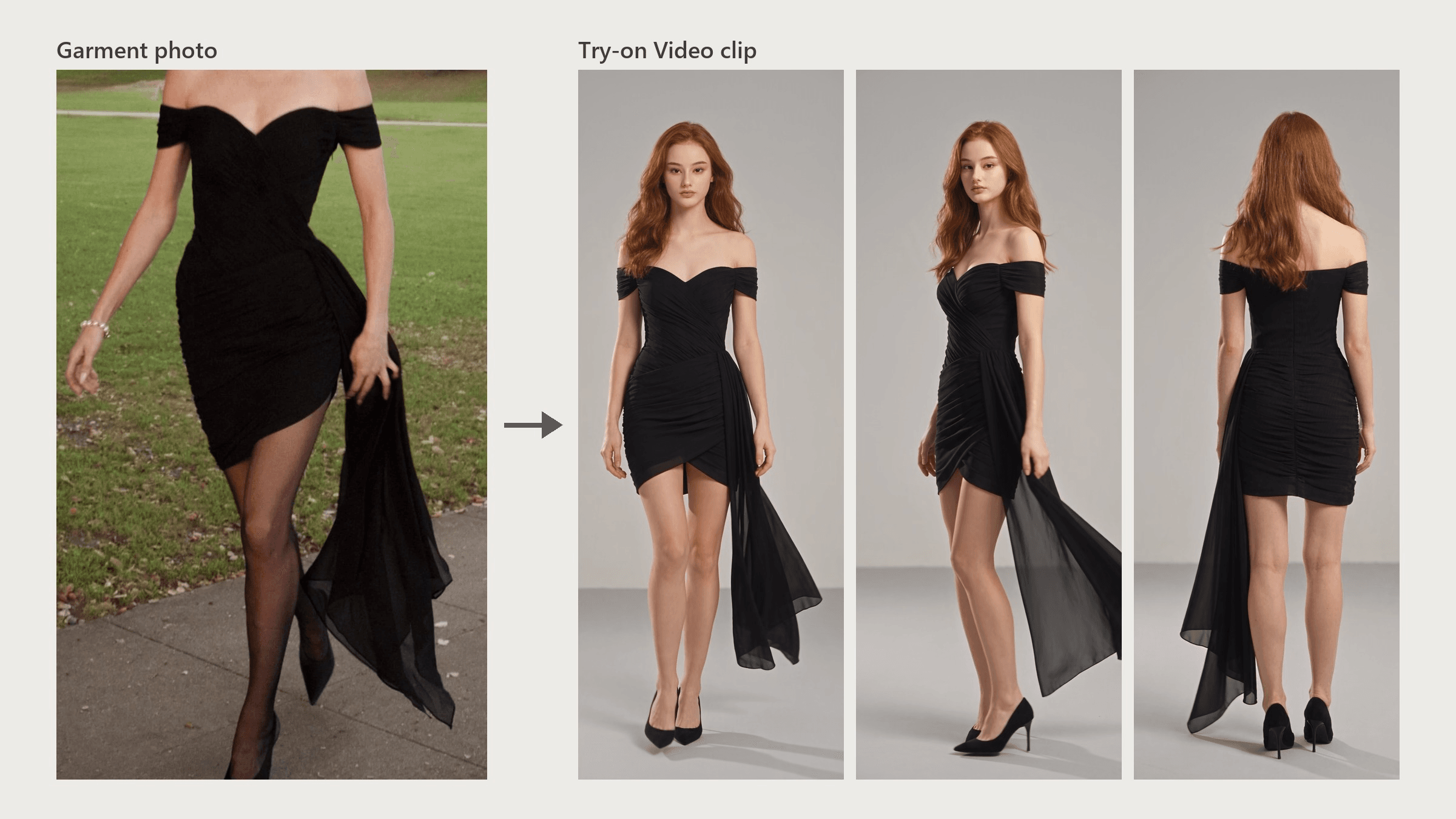
Key Takeaways
- A virtual dressing room for a store comes in three formats: live AR, still photo try-on, or try-on video.
- Google automatically opts brands with a shopping feed and high-quality images into its try-on, so your photos already feed one.
- AR virtual fitting room software fits rigid items like glasses and shoes, which need a 3D model per product.
- Kling virtualtryon returns a still image per garment, and motion takes a second image-to-video step.
- Try-on Video turns one garment photo into an on-model clip without asking shoppers for a photo.
What a Virtual Dressing Room Means When You Sell the Clothes
Two kinds of retail software get lumped together. Size tools such as True Fit and Fit Analytics recommend which size to order. A virtual dressing room shows how a garment looks on a body, and that's the job this guide covers.
For apparel sellers on Google, the look side already exists. Google's Merchant Center help page says: "All brands with a shopping feed and high quality imagery are automatically opted into Apparel Try-On." Since July 2025, US shoppers can also try items on a full-length photo of themselves. That flow pulls garment images from your site through Google Image Search, and domain owners can opt out.
The open decision is what runs on your own product pages. You have three formats: live AR through the shopper's camera, a still photo on a model, or a short try-on video.
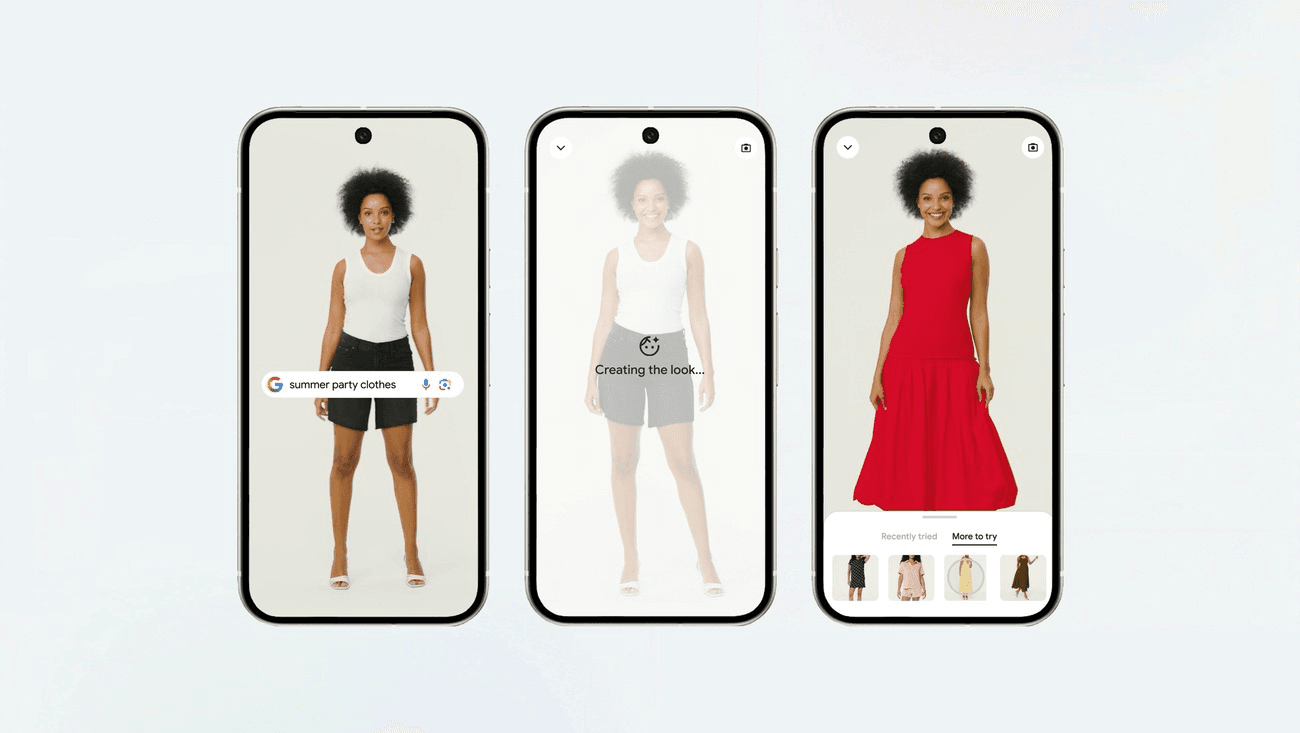
Image from Google's July 2025 announcement of try on in Search, Google Shopping and Google Images.
Try-On Video: A Virtual Dressing Room Built From One Garment Photo
Video puts the movement back. The Try-on Video workflow takes one garment photo and returns a vertical clip of a model walking, turning and showing the back. Here is the black dress from the top of this page at 1080P.
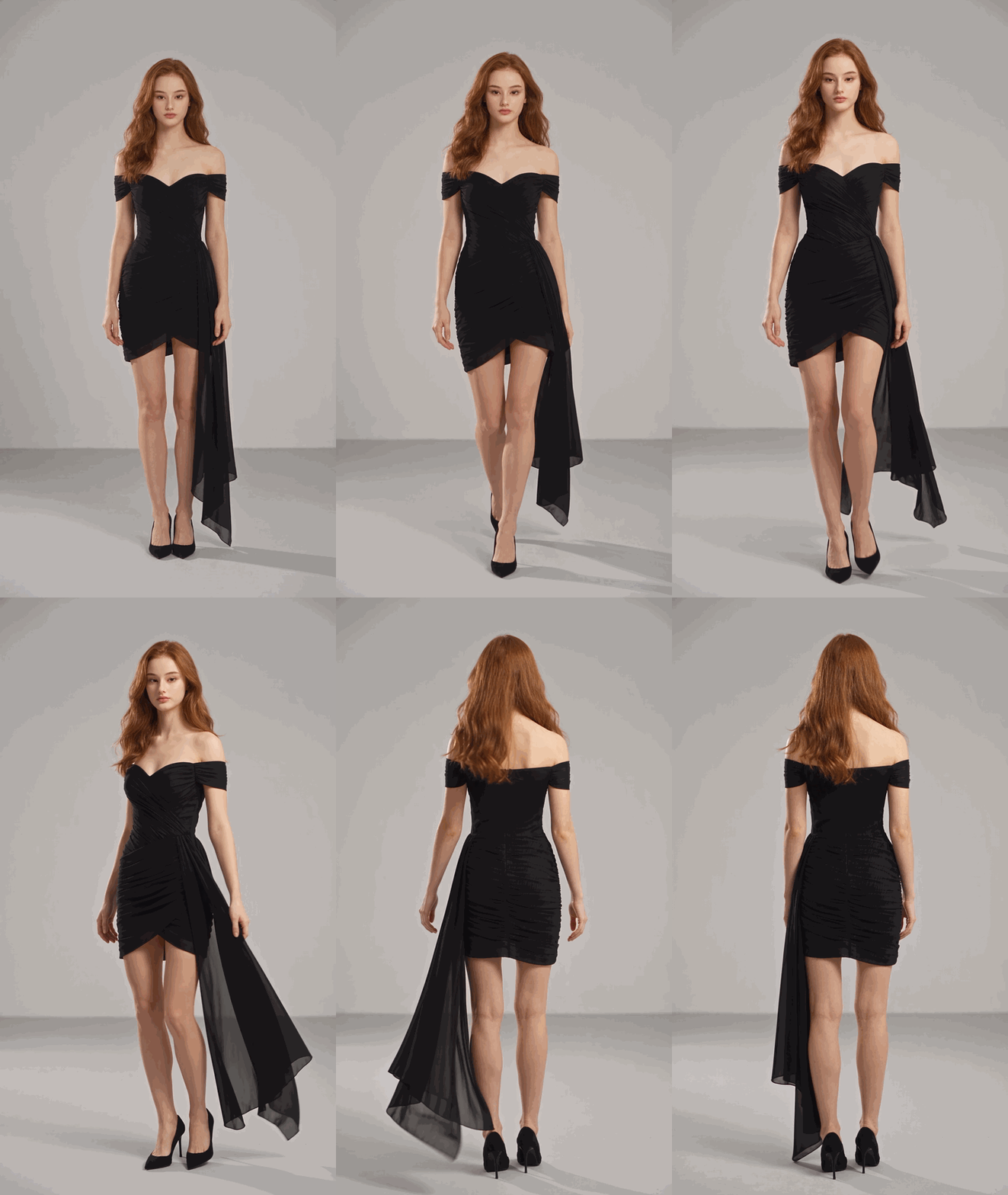
Cut, fabric, hardware and print all come from the garment photo, which is why the ruched bodice and asymmetric hem carry into the clip. A model photo is optional; without one, the workflow designs an adult model to suit the product. The shopper just presses play.
Method 1: Four Steps in the Browser
Sign in, open the workflow page, and fill four fields. The numbers match the screenshot below.
- Product image. Upload one garment photo, up to 10MB. A mannequin shot works, and so does a photo of someone wearing the piece, as long as the prompt tells the workflow to ignore that person.
- Prompt. Say who wears it, where, and what they do on camera, then list the selling points and anything to leave out. Here is the brief behind the clip above:
plaintext1Black off-the-shoulder cocktail dress for women aged 25 to 45. Selling points: a ruched sweetheart bodice, an asymmetric hem, and a sheer chiffon panel that falls from her left hip, on the right side of the frame when she faces the camera, and trails behind her when she walks. The model is the woman from the model image: keep her face and her long wavy auburn hair, worn loose. Ignore the person in the product image and use only the dress from it. No necklace, no bracelet, no tights, no hair bow, no earrings. Pair the dress with simple black pointed heels. Show her full length, head to heels, in every shot. Style: clean e-commerce video on a plain light-grey studio backdrop with soft side light so the ruching and the chiffon folds stay visible. The model walks three steps toward the camera, turns once to show the back, and the chiffon panel swings as she turns. No text on screen.
- Model image. Optional. Upload a front-facing photo to keep the same face across every product.
- Settings and duration. Choose 9:16, 1080P and 1x, set a length between 4 and 15 seconds (ours ran 8), then press Run.
Method 2: Keep One House Model Across the Catalog With the API
A catalog needs the same face on every product page. Through the API that becomes a loop: one fixed model image, a new product image for each SKU. Both clips below came from the same model photo.
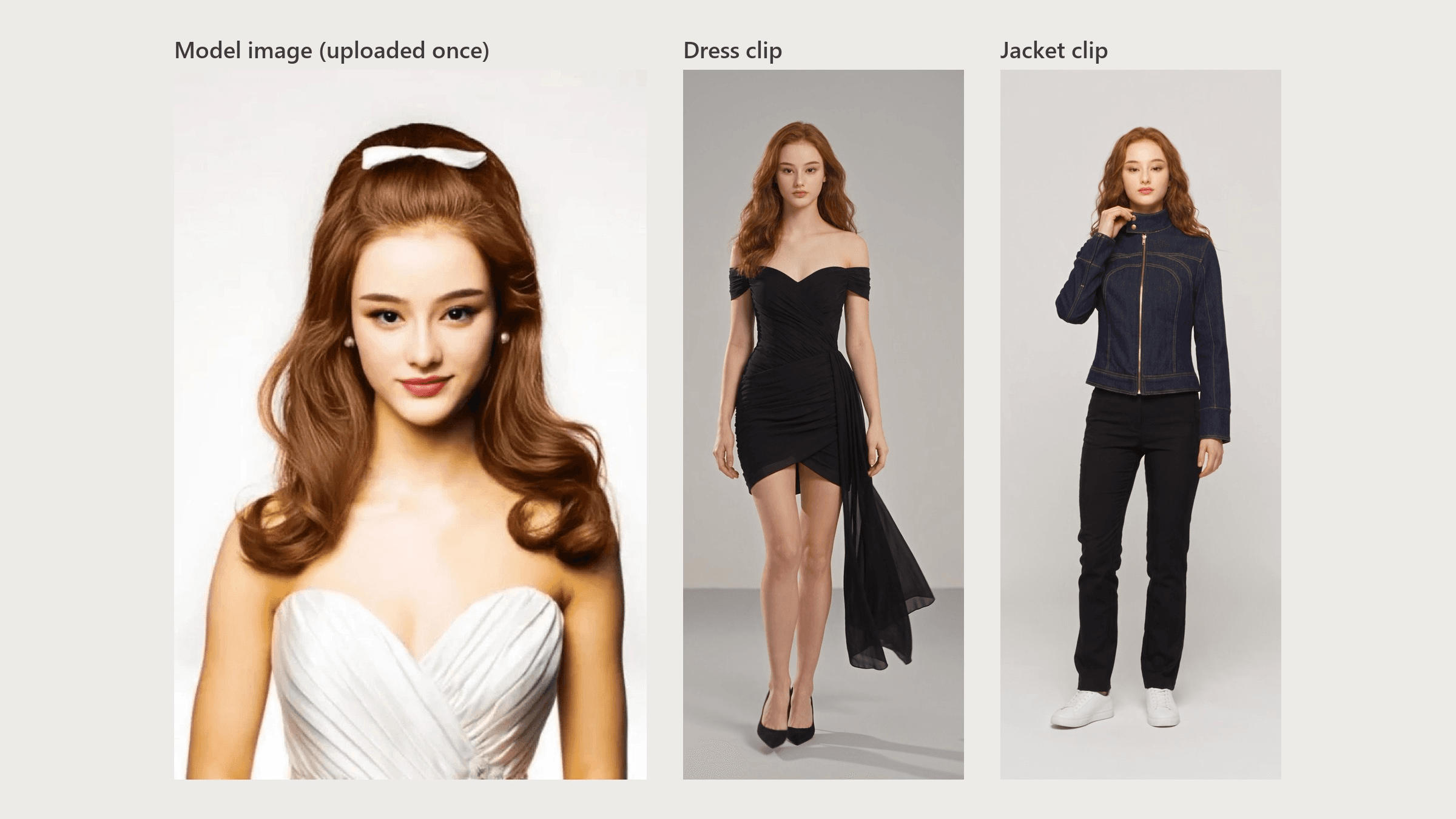
Step 1: Create an API key. Generate a key in the Atlas Cloud console and keep it on your server.
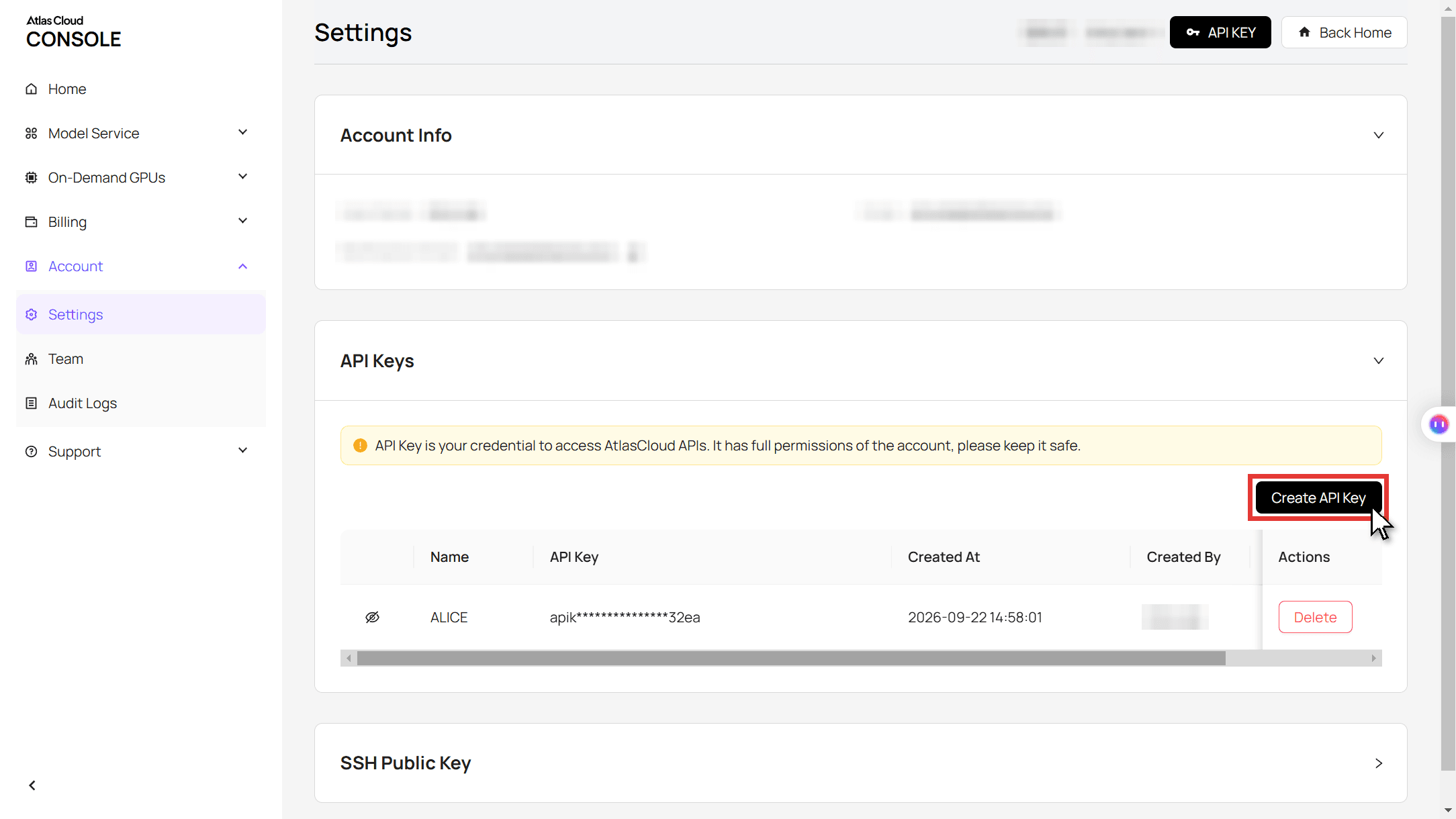
Step 2: Check the request format. The API documentation covers authentication and the polling contract.
Step 3: Submit a job and poll it.
plaintext1curl -X POST https://api.atlascloud.ai/api/v1/model/generateVideo \ 2 -H "Content-Type: application/json" \ 3 -H "Authorization: Bearer $ATLASCLOUD_API_KEY" \ 4 -d '{ 5 "model": "atlascloud/studio/virtual-try-on", 6 "product_image": ["https://your-cdn.com/sku-1042-denim-jacket.jpg"], 7 "model_image": ["https://your-cdn.com/house-model.jpg"], 8 "user_prompt": "Dark indigo denim jacket for women aged 25 to 40. The model is the woman from the model image. She walks toward the camera, turns up the collar with one hand, then turns to show the back. No text on screen.", 9 "duration": 8, 10 "ratio": "9:16", 11 "resolution": "1080p", 12 "generate_audio": "yes", 13 "count": 1 14 }'
plaintext1curl https://api.atlascloud.ai/api/v1/model/prediction/<prediction_id> \ 2 -H "Authorization: Bearer $ATLASCLOUD_API_KEY"
Loop over your product feed with the model image held constant and a new product image and prompt per SKU. When the status reads completed, the clip URL sits in outputs. The same API key works for every model on Atlas Cloud.
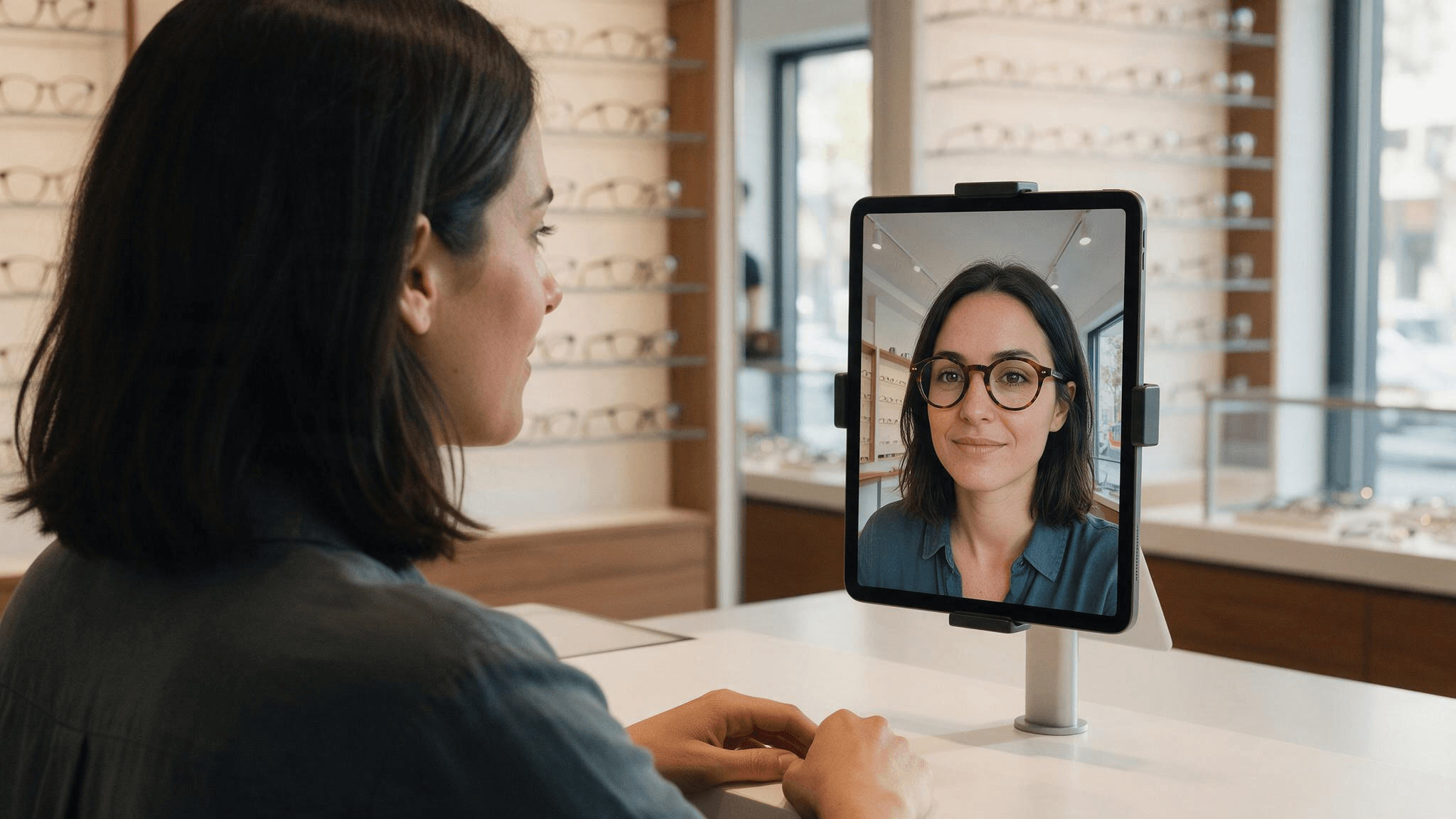
AR Virtual Fitting Room Software for Real-Time Try-On
Live AR runs through the shopper's camera: the software tracks a face or foot and pins a 3D product to it in real time. It suits rigid items such as eyewear, makeup, sneakers and watches, and every product needs its own 3D file (Shopify takes GLB and USDZ). The apps reflect that: Perfect Corp's YouCam app on the Shopify App Store lists up to 10 makeup and eyewear categories, with no clothing among them.
The payoff is real for the right catalog. A Journal of Marketing study of a cosmetics retailer's app linked AR use to "higher sales for brands that are less popular, products with narrower appeal, and products that are more expensive," with a stronger effect on customers new to the online channel or the product category.
The camera also carries legal weight. Illinois' Biometric Information Privacy Act requires written notice and a written release before collecting face geometry, with liquidated damages of $1,000 per negligent violation and $5,000 per intentional or reckless one, or actual damages if higher.
In Svoboda v. Amazon, the Seventh Circuit upheld class certification over Amazon's makeup and eyewear try-on, which, when shoppers preview on their own image, "activates the camera on their device to capture their facial geometry." A try-on video made with your own model doesn't involve the shopper's face at all.
Kling Virtual Try-On: What a Still-Photo Dressing Room Returns
Still photo try-on sits in the middle: a garment image goes in, an image of a model wearing it comes out. Kling's Virtual Try-On, powered by the Kolors image generation model, reached version 3.0 on September 15, 2026. It accepts flat-lay, mannequin and on-model garment photos and returns one still image. Kling's guide adds that "You can use Kling AI to further generate dynamic model showcases," so motion is a second step through an image-to-video model.
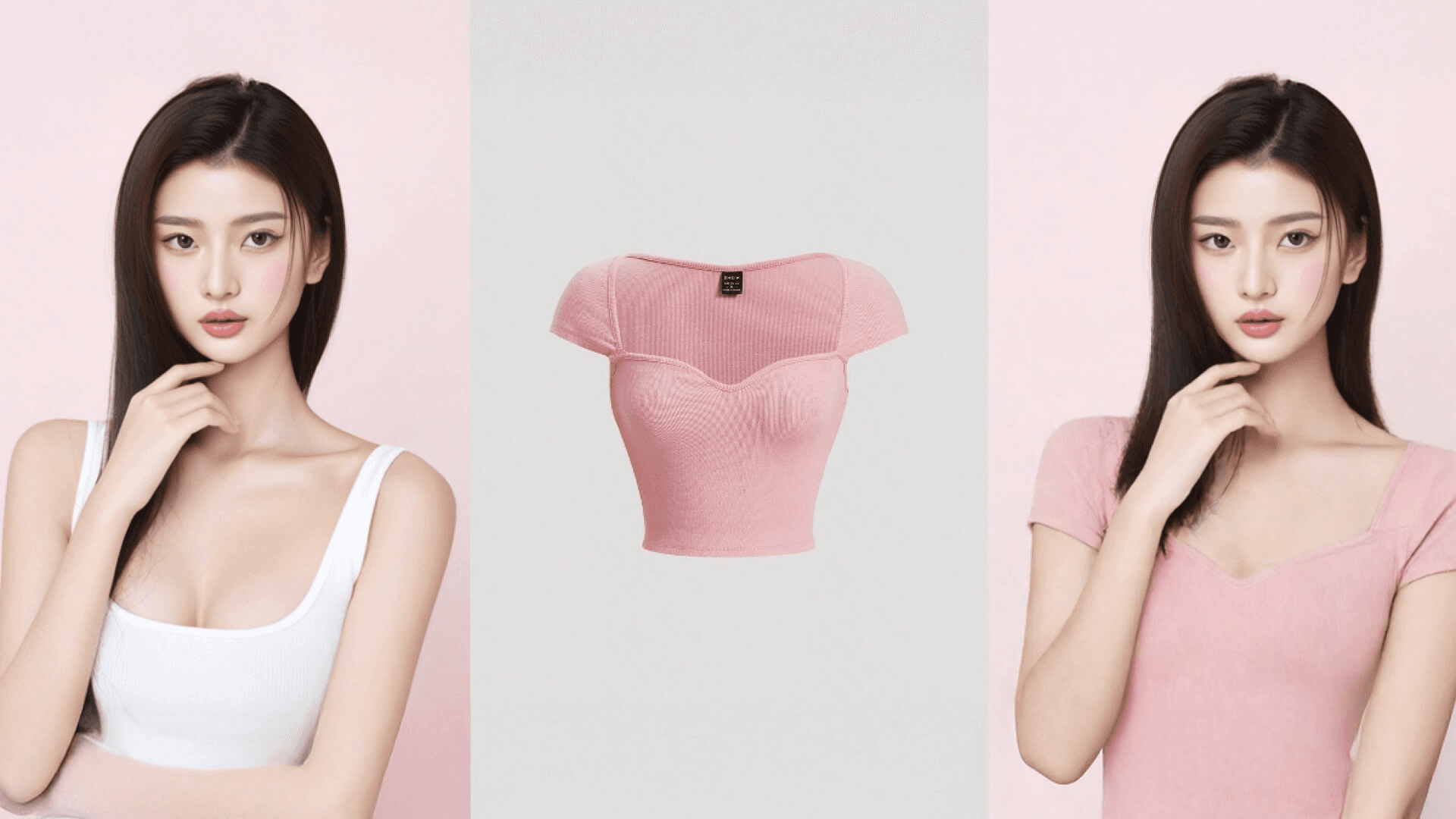
Example image from Kling AI's virtual try-on guide.
Stills suit basics where drape barely matters, like tees, knit tops and jeans. Like any look-based try-on, they show appearance rather than fit; Google's help page for its own feature says try-on "does not determine or guarantee the actual fit." For still on-model images from your own garment photos, our flat lay photography guide walks through that route.
Virtual Try-On for Ecommerce: Matching the Format to Your Category
Choose by what your product does when it moves and what you can supply for each SKU.
| Format | What the shopper does | What you supply | How it's billed | Best categories | Captures the shopper's face? |
|---|---|---|---|---|---|
| Live AR | Opens the camera | A 3D model per product | Monthly app plan, tiered by catalog size | Eyewear, makeup, shoes, watches | Yes, through the camera |
| Still photo try-on | Views a model image, or uploads a photo on Google | Garment photos | Per image | Tees, knitwear, denim, basics | Only if they upload their own photo |
| Try-on video | Presses play | One garment photo, plus an optional model photo | Per second of video | Dresses, outerwear, anything with drape | No |
A clip can travel beyond your store. Google Merchant Center's video_link attribute takes 6 to 240 seconds in 9:16, 16:9 or 1:1 at 720p or higher, and Shopify product media accepts up to 10 minutes and 1 GB. Amazon takes them too, with one rule for AI-generated people covered in the FAQ. Video sits alongside the listing images marketplaces require, which our Amazon image requirements guide lists.
Then test it like any page change: show the clip to half your product page traffic for a few weeks and read returns by reason code. A clip should shrink not-as-pictured returns; too-small returns belong to a size tool.
FAQ
Is a virtual dressing room the same as a virtual fitting room?
In practice, yes. Vendors use the two names interchangeably for software that shows how clothes look on a body, and Google calls its version Apparel Try-On. The label tells you little about the format behind it, so ask whether a product runs on the camera, a photo or a video before you compare prices.
How much does virtual fitting room software cost?
It depends on the format. On the Shopify App Store, YouCam lists $379 a month for 100 makeup and eyewear SKUs, and Zakeke's lowest paid plan is $69.90 a month for 10 products, plus a 1.9% fee on sales made through the app.
Apparel AR also needs a 3D model per garment; for scale, one fashion 3D studio quotes from about $780 and 6 to 10 days per finished piece, delivered as shop-ready renders. Kling's still try-on API costs $0.112 per 1K image. A Try-on Video clip is billed per run, $5.32 for 8 seconds at 1080P, with no monthly plan.
Can I upload an AI try-on video to Amazon?
Yes. Amazon's shoppable video guide lets accounts active for more than three months upload product video, brand registered or not. The same guide says that if a video "includes photorealistic AI-generated people, you must tag that video with the appropriate metadata before uploading it to Amazon," using the contains-synthetic-performer tag. That tag covers people entirely generated by AI; real people altered with AI tools don't take it, so check which case your clip falls into.
Does a virtual dressing room reduce returns?
It can cut returns from garments that look different than expected, but published proof is thin. The academic evidence that does exist concerns fit: Gallino and Moreno's 2018 randomized field experiments in Manufacturing & Service Operations Management found that virtual fit information raised conversion rates and order value and cut the fulfillment costs of returns. Many visual try-on figures come from vendors, so treat them as claims until your own test agrees.
Conclusion
Google already shows your garments on models, so the question for your store is which format to add next. Live AR earns its 3D files and consent overhead on glasses, makeup and shoes. Still try-on covers basics. Fabric that moves, like that chiffon panel, needs video.
Start with the best seller customers say looks different in person. Run it through Try-on Video with your house model, put the clip on the product page, and compare returns after a month. That one test will tell you more about your virtual dressing room than any vendor pitch.





