No labels. Two images. Which one do you pick? Within 48 hours of Seedream 5.0 Pro's July 8 launch, that exact challenge was circulating on X — and the surprise was how often the crowd couldn't tell the newcomer from OpenAI's flagship. The Seedream vs GPT Image 2 question isn't settled by a spec sheet. It's settled by what happens after the first render, and by how much you're willing to pay per image once revisions pile up.
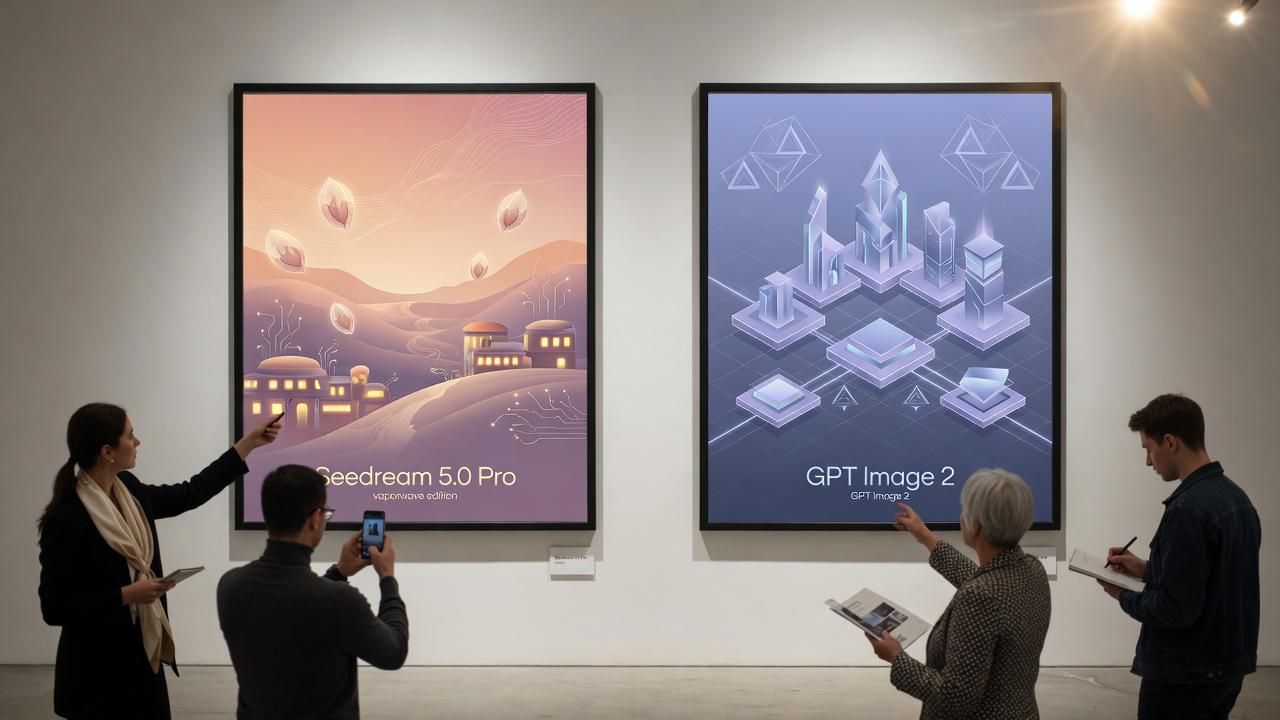
This piece pulls together the same-prompt community tests, verified pricing from both official catalogs, and a week of Reddit reaction. Read together, they point one way: for the design work most people actually ship, Seedream 5.0 Pro is the stronger default.
Key takeaways
- Price: Seedream 5.0 Pro $0.054/image ($0.108 at 3K); GPT Image 2's 3K High is $0.43 — 4× more at matching resolution.
- Prompt portability is solved — ChatGPT-written prompts reproduce on Seedream unchanged.
- Seedream owns repeatable design work — 10 references, identity-preserving edits, 15-language text, layer separation. GPT Image 2's edge is narrow: English typography.
- Week-one verdict: most real design work → Seedream; GPT Image 2 for the concept-and-text sliver.
What Do the Seedream 5.0 Pro vs GPT Image 2 Blind Tests Show?
The most shared format is the unlabeled pair. In HiAPI's blind test on X, the setup was deliberately hands-off: GPT-5.6 Sol wrote the prompt, the same text went to both GPT Image 2 and Seedream 5.0 Pro, and followers were asked to pick a side before the model names were revealed. That's an AI image generation blind test in its purest form, one prompt, zero human steering, audience judgment only.
The prompt compatibility angle matters more than the vote count. In a separate prompt comparison test by @chisa1st, prompts written for ChatGPT were fed to Seedream 5.0 Pro unchanged, and reproduction quality stayed high. The flagged weakness: consistency with a personal reference model lagged behind, which the tester marked as the important caveat. A third tester, Ash on X, ran selfie edits through Seedream 5 Pro and noted realistic skin texture up close.
| Community test | Setup | Takeaway |
|---|---|---|
| HiAPI blind pair | GPT-5.6 Sol wrote one prompt, both models rendered it, no labels | Judgment lands on the image alone; brand loyalty can't vote |
| @chisa1st compatibility run | ChatGPT prompts reused on Seedream 5.0 Pro verbatim | High reproduction, weaker reference-person consistency |
| Ash's selfie edit | Close-up selfie edits via a third-party app | Realistic skin texture, 2K files compress to ~600KB |
Want to see Seedream 5.0 Pro and GPT Image 2 on the same prompt yourself? Atlas Cloud's model comparison runs them side by side in one pass — identical prompt, per-image price shown before you generate — so you can weigh finish against cost.
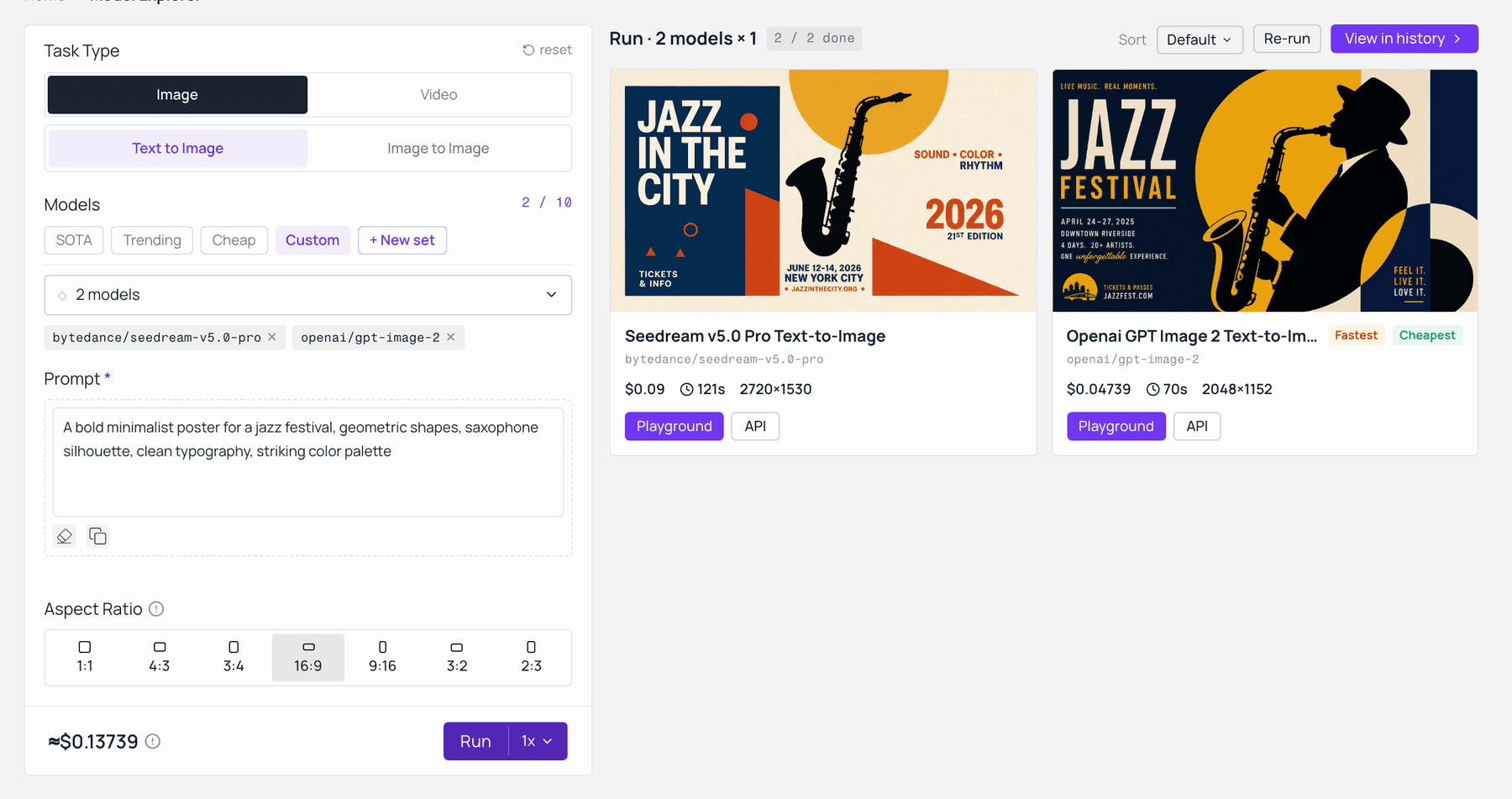
Seedream 5.0 Pro and GPT Image 2 on the identical prompt in Atlas Cloud’s model comparison — same prompt, per-image price shown before you generate. Captured live on the model-explorer.
Read those three tests together and a pattern forms. Prompt portability between the two models is now high enough that switching costs are close to zero, so the real decision moves downstream: what happens after the first render, when you need edits, references, or exact text.
Spec Sheet: What Each Model Brings to Design Work
Specs first, opinions after. Both models are current-generation flagships, and the differences cluster around control rather than raw quality.
| Seedream 5.0 Pro | GPT Image 2 | |
|---|---|---|
| Developer | ByteDance | OpenAI |
| Max resolution | 2K class (~2.7K long edge at launch) | Any resolution, max edge 3840px |
| Reference images | Up to 10, first one free | Supported, billed as high-fidelity input tokens |
| In-image text | 15 native languages | Strong Latin and CJK rendering |
| Layered output | Splits an image into 10+ editable layers (text, subject, background) | Not published |
| Editing | Identity, lighting, and color-preserving edits | Natural-language edits |
| Atlas Cloud price | From $0.054/image, $0.108 at 3K | $0.00974 (1K Low) to $0.43316 (4K High) |
Per ByteDance's launch materials, layer separation shipped as a day-one capability: the model can split a finished poster into more than 10 independent layers — text, subject, background, decorations — restoring occluded background areas in the process. On the OpenAI side, the official image generation guide confirms GPT Image 2 accepts arbitrary resolutions up to a 3840px edge and always processes reference images at high fidelity, which quietly raises input costs on edit-heavy workflows.
One asymmetry hides in the reference-image billing. On ByteDance's official API, Seedream 5.0 Pro includes the first reference free and charges ¥0.02 (about $0.003) for each additional one. GPT Image 2 meters references through input tokens at $8.00 per million for image input, per OpenAI's published pricing. For a ten-reference product shoot, that's roughly three cents of reference fees on Seedream versus a token bill that scales with image size on GPT Image 2.
How to Run an AI Image Generation Blind Test Yourself
Don't take X's word for it. The whole point of a blind test is that your prompt, your style, and your production constraints decide the winner, and replaying one takes about five minutes.
Both models sit behind one API key on Atlas Cloud, a full-modal inference platform hosting 300+ models with day-0 access and pay-as-you-go billing. The Seedream 5.0 Pro playground runs text-to-image and edit variants in the browser, and the OpenAI model lineup on Atlas Cloud covers the GPT Image family from GPT Image 1 Mini up to GPT Image 2. Paste the same prompt into both, hide the tab titles, and judge the pair cold.
Three prompts expose the gap fastest, and each one targets a different production risk:
| Probe prompt | What it exposes |
|---|---|
| Dense infographic brief | Layout logic and in-image text accuracy |
| Product shot with 2-3 reference images | Identity consistency across renders |
| Poster headline in two languages | Typography under multilingual pressure |
If your work leans toward any of these, the blind test stops being a coin flip almost immediately.
Where Seedream 5.0 Pro Wins the Design Loop, and the One Lane It Cedes
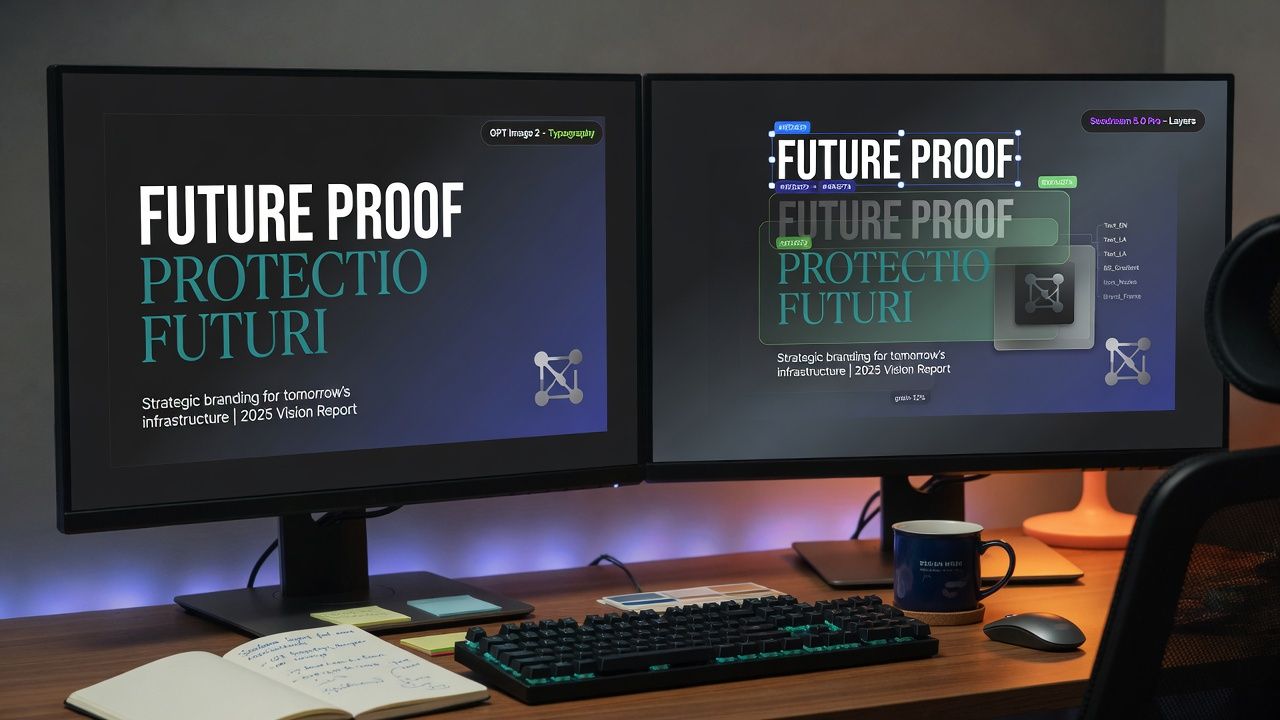
Seedream 5.0 Pro takes the round that decides most projects: control. Ten reference images against a token-metered input pipeline, editing that preserves identity and lighting instead of re-rolling the whole frame, and a layered-output mode that hands designers separated elements rather than a flattened JPEG. For iteration-heavy design work, those aren't nice-to-haves; they're the workflow. Every revision on GPT Image 2 means re-billing the render and its high-fidelity reference tokens; every revision on Seedream is a targeted edit at the same base rate. Design is a revision loop, not a single render, and that's the loop Seedream owns.
The one lane GPT Image 2 still holds is English typography. Its accurate rendering across Latin and CJK scripts is why branding and UI copy default to it, and Seedream 5.0 Pro vs ChatGPT Image comparisons keep conceding that specific slice. But it is a slice: most design work isn't a headline set in perfect English, and where Seedream contests text at all — multilingual layout across 15 native languages — it competes directly. If your deliverable lives or dies on flawless English lettering, keep GPT Image 2 in the mix. For everything else on the board, the control advantages compound faster than the typography gap ever costs you.
The community has already priced this split, and the math leans one way. A cost-focused thread on r/generativeAI lands on routing by job: GPT Image 2 for the narrow concept-and-text slice, Seedream models for scenes, texture, and everything iterative, with the poster estimating roughly 60% savings at scale from routing alone. That thread compared the earlier Seedream tiers; Pro widens the gap, since its identity-preserving edits and layer separation pull even more of the workflow onto the cheaper side of the ledger.
The verified numbers back the routing math. On Atlas Cloud's live catalog (checked July 10, 2026), Seedream 5.0 Pro runs $0.054 per image at base and $0.108 at 3K, while GPT Image 2 — token-billed by resolution, quality, and aspect ratio — works out to $0.43118 for a 3K High render on the same catalog, and $0.165 to $0.211 per High-quality image direct from OpenAI. That's a 4x gap at matching 3K resolution, and revision-heavy pipelines pay it again on every re-roll, which is where most design budgets actually die. GPT Image 2's draft lane stays genuinely cheap at $0.00974 per 1K Low image, so the honest split is drafts down OpenAI's ladder, finished work on Seedream.
What Does Reddit Say About Seedream vs GPT Image 2 After Week One?
The launch thread mixes real praise with unfiltered complaints. In the r/singularity announcement thread, which drew about 190 upvotes and 41 comments in its first two days, early testers called Pro a clear step up from Seedream 5.0 Lite after first runs on third-party hosts. The sharpest caveat in the thread wasn't about image quality at all: one tester reported that API providers were still returning a single flattened image in week one, so confirm your provider exposes layer separation before building a workflow around it.
Seedream took its own launch-week hits, and one of them is real: the 2K ceiling. Users who had 4K on Seedream 4.5 read Pro's ~2.7K long-edge maximum as a step back, and at launch it is one — if your deliverables are 4K-native, check the current ceiling before switching. Output quality drew mixed comparisons against 4.5 for some use cases, and some third-party hosts ran tighter moderation than the model itself; those two read more like week-one noise than structural limits. Whether Pro justifies its price against its own predecessor is a separate fight, covered in the [INTERNAL-LINK: Is Seedream 5.0 Pro worse than 4.5 analysis → sibling post, not yet published]. The more telling signal points the other way: the launch pulled in testers who said they'd historically avoided Chinese models and still rated Pro's output well above the alternatives they'd been using. That's sentiment, not migration data, but week-one curiosity was flowing toward ByteDance's stack, not away from it.
There's also a context nobody in either camp controls: several high-visibility commenters in the launch thread were mid-complaint about Google quietly degrading Nano Banana Pro and were actively shopping for a replacement. Launch-week sentiment for both models is being shaped by refugees from a third one. For a fuller read on that three-way dynamic, the 2026 AI image API benchmark puts all three families through the same tests, and the [INTERNAL-LINK: Seedream 5.0 Pro vs Nano Banana 2 realism comparison → sibling post, not yet published] covers the Google matchup in depth.

Frequently Asked Questions
Can GPT Image 2 prompts run on Seedream 5.0 Pro unchanged?
Largely yes. A July 2026 prompt comparison test on X fed ChatGPT-style prompts to Seedream 5.0 Pro verbatim and reported high reproduction quality. The tester's one flagged gap was reference-person consistency, so identity-locked workflows should re-test with their own reference images before switching.
Is Seedream 5.0 Pro cheaper than GPT Image 2?
At matching quality, clearly yes. Seedream 5.0 Pro starts at $0.054 per image on Atlas Cloud, with the 3K tier at $0.108. On the same catalog, GPT Image 2 ranges from $0.00974 (1K, Low quality) to $0.43316 (4K, High); at 3K High it runs $0.43118, four times Seedream's price at matching resolution. OpenAI's direct High tier costs $0.165 to $0.211. Only GPT Image 2's rough-draft Low tiers undercut Seedream.
Which handles text better, Seedream 5.0 Pro or ChatGPT Image?
For flawless English lettering, GPT Image 2 still leads, with accurate rendering across Latin and CJK scripts that branding work leans on. That's a narrow lane, though: Seedream 5.0 Pro renders in-image text across 15 native languages and competes directly on multilingual layouts. Unless your deliverable is a text-critical English headline, the typography gap rarely decides the job, and Seedream's editing and reference advantages more than offset it.
How many reference images does Seedream 5.0 Pro support?
Up to 10 per generation, with the first included free and each additional reference billed at ¥0.02 (about $0.003) on ByteDance's official API. GPT Image 2 also accepts reference images but bills them as high-fidelity input tokens at $8.00 per million, so costs scale with image size.
What resolution does each model output?
Seedream 5.0 Pro launched as a 2K-class model with roughly 2.7K on the long edge. GPT Image 2 accepts any resolution up to a 3840px maximum edge, with both edges in multiples of 16px, so it holds the raw-resolution advantage for very large output.
Conclusion
The blind test format spread for a reason: with one prompt and no labels, neither model gives itself away at a glance. That's the point — Seedream 5.0 Pro now matches OpenAI's flagship on the raw image, then pulls ahead everywhere the raw image stops mattering. It owns the revision loop, references, identity-preserving edits, and day-one layer separation, at a starting price that undercuts GPT Image 2's finished-work tiers by 4x to 8x. GPT Image 2 holds one lane, English typography, and a cheaper rough-draft ladder for draft-volume work. For the design work most teams actually ship, that makes Seedream 5.0 Pro the default and GPT Image 2 the specialist you reach for on a text-critical job. Run the same-prompt test on your own workload if you want to confirm it, but the evidence already points one way — spin up both behind a single key on Atlas Cloud and let your own revisions cast the deciding vote.





