

AIのハロウィン写真で最も難しい部分は、多くの場合、そこに写る人物です。キャンドルライトのポートレートを頼んだのに、見知らぬ人の顔、余分な手、あるいは残しておきたかった特徴をすべて隠す衣装が出てくることがあります。これらのハロウィンAI写真プロンプトは、ポートレート、ペット、パーティーシーン、写真修正のためのコピーしてすぐ使える12のアイデアを提供し、被写体を認識できる状態に保つ必要がある場合に参照写真を使うための明確な指示も含みます。写真に合うプロンプトをコピーし、括弧内の詳細を置き換え、最初の結果の後は一度に1つだけ変更してください。
主なポイント
- 特定の人物やペットを写す必要がある場合は、鮮明な参照写真を使います。想像上のシーンが欲しい場合はテキストだけを使います。
- 被写体、設定、衣装や小道具、光源、カメラのフレーミング、そして同じままにすべき詳細を指定します。
- 以下のChatGPT、Gemini、Atlas Cloudのプロンプトの1つから始め、シーン全体を書き直すのではなく、1つの問題だけを修正します。
- 生成した写真を共有する前に、顔、手、ペットの体の構造、目に見える文字を確認します。
適切な開始写真を選ぶ
自分自身のハロウィン版が欲しい場合は、顔がはっきり見える明るく照らされた写真から始めます。ソース画像は、生成ツールに保持すべき具体的なものを与えます。服装、設定、照明の変更を求めつつ、顔の構造、肌の色、髪型、その他の識別できる特徴は認識可能なままにすべきだと指定します。これはモデルへのリクエストであり、保証ではありません。自分のポートレートとして投稿する前に出力を確認してください。
集合写真の場合は、写るべき全員が含まれる写真をアップロードします。人数を正確に述べ、各人物がどこに立っているかを特定します。ツールが顔を変更または追加した場合は、その1つの詳細だけを修正します。プロンプトは、ソースで顔が隠れている人物を確実に復元することはできません。
架空の呪われた通りやハロウィンの静物画が欲しい場合は、アップロードを省略します。テキストから画像生成では、フレーム全体を指定する自由があります。写真参照は、特定の人物、ペット、物体、構図が必要な場合にのみ使います。この使い分けは、よくある間違いも防ぎます。つまり、モデルが一度も見たことのない顔を保持するようテキストのみのプロンプトに求めることです。
| 目的 | 最適な入力 | 最初に指定するもの |
|---|---|---|
| 自分自身のハロウィンポートレートを作る | 鮮明なポートレート1枚 | どの顔の特徴とポーズを認識可能なまま保つ必要があるか |
| 集合写真をパーティーシーンに変える | グループ全員の写真 | 正確な人数と各人物の位置 |
| ペットに衣装を着せる | 鮮明なペット写真 | 種、毛の模様、安全で無理のない衣装の詳細 |
| シーンをゼロから作る | テキストプロンプト | 被写体、設定、光、フレーミング、雰囲気 |
個人写真向けのChatGPTハロウィン写真プロンプト
ChatGPT Imagesは、書かれた指示に従ってアップロードされた写真を編集できます。その後、結果に対するさらなる変更を記述できます。公式のOpenAI画像ガイドでは、アップロードして編集する流れと追加編集の両方が説明されています。ここでのプロンプトは、画像ごとに1つの目に見える変更に焦点を当てているため、リクエストを確認しやすくなっています。
1. キャンドルライトのアーキビストのポートレート
成人1人の鮮明なポートレートをアップロードします。これは、顔を覆わずに雰囲気のある衣装を楽しみたい人向けのハロウィンポートレートです。
plaintext1Edit the uploaded photo into a believable Halloween portrait. Keep this person's recognizable facial structure, skin tone, hairstyle, age appearance, and expression. Dress them as a midnight archivist in a dark velvet jacket with a small antique key on a chain. Place them among tall library shelves, with one warm desk lamp and cool blue light from a distant window. Frame the photo from the waist up at eye level, like a 35 mm editorial photograph. Keep both hands natural and visible. No mask, face paint, writing, logo, or extra people.
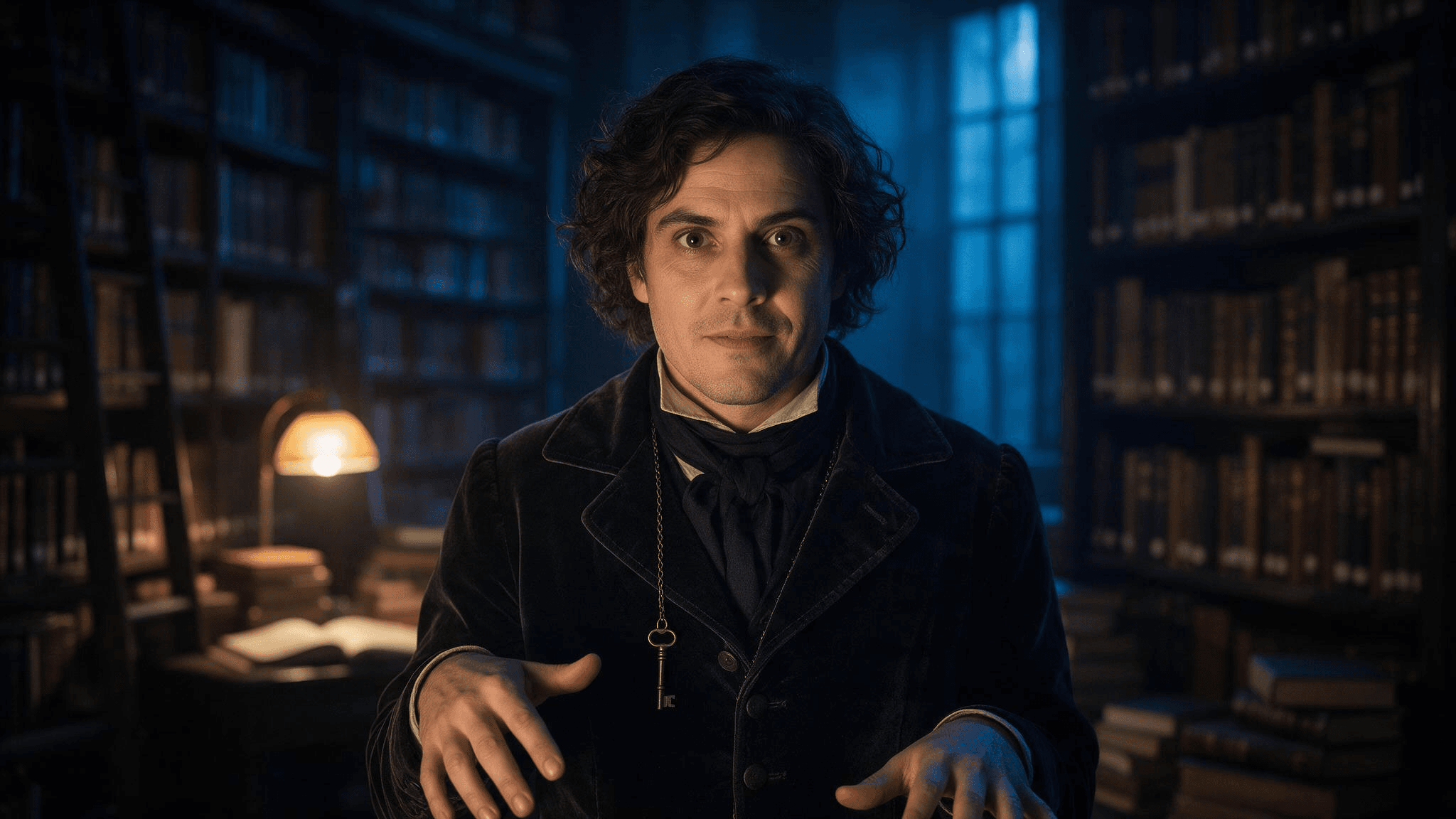 アーキビストの指示による結果例。自分の写真として編集を共有する前に、アップロードしたポートレートと顔を比較してください。
最初の画像で顔が変わってしまった場合は、短い追加指示を送ります: Keep the lighting and jacket. Restore the eyes, nose, mouth, and hair from my uploaded photo; do not alter my face. 狭い範囲の編集は、別の完全なシーンリクエストより判断しやすいです。
2. パーティーに到着する友人たち
別々に切り抜いた顔写真ではなく、グループ全員が写った1枚の写真を使います。面白いのは共有された瞬間であり、無関係な衣装ポートレートの集合ではありません。
plaintext1Turn the uploaded group photo into a candid Halloween party arrival. Preserve the exact [number] people, their relative positions, recognizable faces, skin tones, hairstyles, and body proportions. Give each person a distinct, simple costume accessory: [person at left: detail], [person in center: detail], [person at right: detail]. Put them on a townhouse stoop with carved pumpkins and warm porch light at blue hour. Keep the camera height, natural expressions, and friendly group spacing from the source. Do not add or remove anyone. No masks over faces, duplicate limbs, text, or logos.
貼り付ける前にすべての括弧を埋めてください。友人が4人いる場合は、4つの位置を指定します。そうでなければ、モデルはどの指示が誰に属するかを推測しなければなりません。
3. 小さな夜番をするあなたのペット
モデルにペットの体を人間のキャラクターに変えるよう求めるのではなく、ペットに軽いアクセサリーを付けます。顔と毛並みが、その写真をあなたのペットらしく感じさせます。
plaintext1Edit this photo of my [dog/cat] into a playful Halloween pet portrait. Preserve the pet's face, breed or body type, coat colors, distinctive markings, and natural four-legged anatomy. Add a lightweight navy cape and a small felt moon on the collar; leave the ears, eyes, and paws unobstructed. Place the pet beside a pumpkin on a familiar-looking porch. Use gentle evening light and an eye-level camera angle. Keep the result photographic, with no human hands, extra paws, lettering, or brand marks.
4. 写真を損なわずに1つの詳細を修正する
最初の3つのプロンプトのいずれかの後、シーンはうまくいっているが1つの要素だけがうまくいかない場合に、この修正指示を使います。括弧を実際の問題に置き換えます。
plaintext1Keep the current image's composition, subject, costume, color, and lighting. Change only [the specific incorrect detail]. Match the corrected area to the surrounding photo. Preserve the person's or pet's identity from the uploaded reference. Do not introduce new objects, people, or text.
エラーは正確に説明します。remove the extra finger on the hand holding the lantern は make it better よりも編集ツールにとって作業を小さくします。修正後の画像で、要求した領域外の変更がないか確認します。
明確な参照を使ったGemini AIハロウィン写真プロンプト
Geminiは、書かれたプロンプトから画像を生成し、アップロードされた画像を参照や編集入力として使用できます。詳しくはGeminiアプリ ヘルプに説明されています。役に立つGemini AIハロウィン写真プロンプトは、どの部分がアップロードから来て、どの部分が創作なのかを述べます。これらの4つのプロンプトはChatGPTのセットとは異なるシーンを扱っているので、一方のツールが常に優れているという主張ではなく、すでに持っている写真で選んでください。
5. 日没後のカボチャ畑のポートレート
plaintext1Using my uploaded portrait as the identity reference, create a waist-up photograph of the same adult at a pumpkin patch just after sunset. Keep the face shape, skin tone, hair, and visible freckles or other distinctive features recognizable. Replace the background with rows of pumpkins, a distant wooden fence, and a few warm lanterns. Dress the subject in a practical dark coat and a subtle crescent-moon brooch. Natural blue-hour sky, warm lantern light on the face, moderate depth of field, eye-level camera. Do not change the person's age appearance or add face paint, text, or other people.
6. 同じ人物での衣装テスト
このプロンプトは、衣装のアイデアを作る前に判断するためのものです。ツールが意図したフレーミングを理解できるよう、体と衣服が十分に写っている写真を使います。
plaintext1Use my uploaded full-length photo as the reference for the same person. Show a realistic Halloween costume concept: a vintage stargazer wearing a midnight-blue coat, brass star map accessories, and a narrow belt of small paper constellations. Keep the same face, skin tone, hairstyle, body proportions, and standing pose. Show the full outfit against a simple neutral wall in soft studio light so the clothing is easy to inspect. The costume must look wearable, with practical seams and no floating objects. No mask, face paint, text, logo, or extra people.
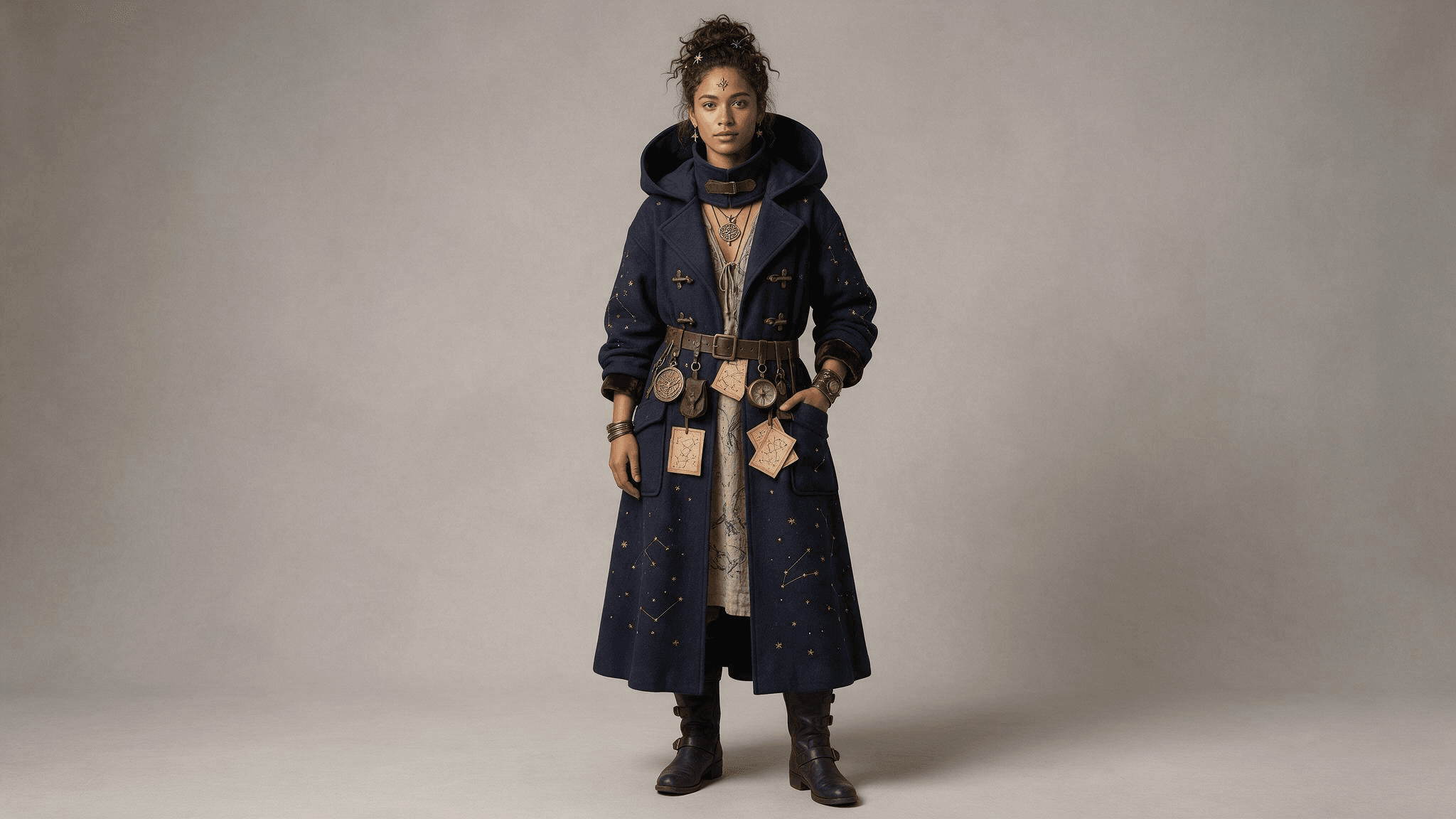 全身の結果により、コート、ベルト、アクセサリーを確認しやすくなります。アップロードした写真と顔や比率を比較してください。
7. 設定を変更した家族写真
plaintext1Use the uploaded family photo as the reference. Preserve the exact [number] people and their positions, recognizable faces, approximate ages, skin tones, and natural proportions. Change only the setting and small accessories: put the family on an autumn front porch with pumpkins, paper bats, and warm window light. Add one simple costume accessory to each person as follows: [list each person by position and accessory]. Keep the original camera perspective and friendly expressions. No new faces, missing people, masks, unreadable signs, or extra hands.
すべての顔を個別に確認します。1枚の画像に写る人数が多いほど、全体の雰囲気だけで判断するのではなく、出力をソースと比較することが重要になります。
8. 2つ目の視覚参照を使ったペットのポートレート
欲しいアクセサリーの写真がある場合は、ペットの写真と一緒にアップロードし、各画像が何のためのものかを伝えます。Googleは、Geminiが複数のアップロード画像から作業できると述べています。利用可否と結果はアカウントとモデルによって異なる場合があります。
plaintext1Use image 1 only for my pet's identity and image 2 only for the shape and color of the small costume accessory. Create a realistic Halloween photo of the same pet sitting beside a pumpkin indoors. Preserve the pet's face, coat pattern, size, and natural anatomy from image 1. Adapt the accessory from image 2 so it fits comfortably and does not cover the eyes, ears, nose, or mouth. Warm lamp light, eye-level camera, uncluttered background. Do not copy any people or background from image 2. No text, extra limbs, or human-like paws.
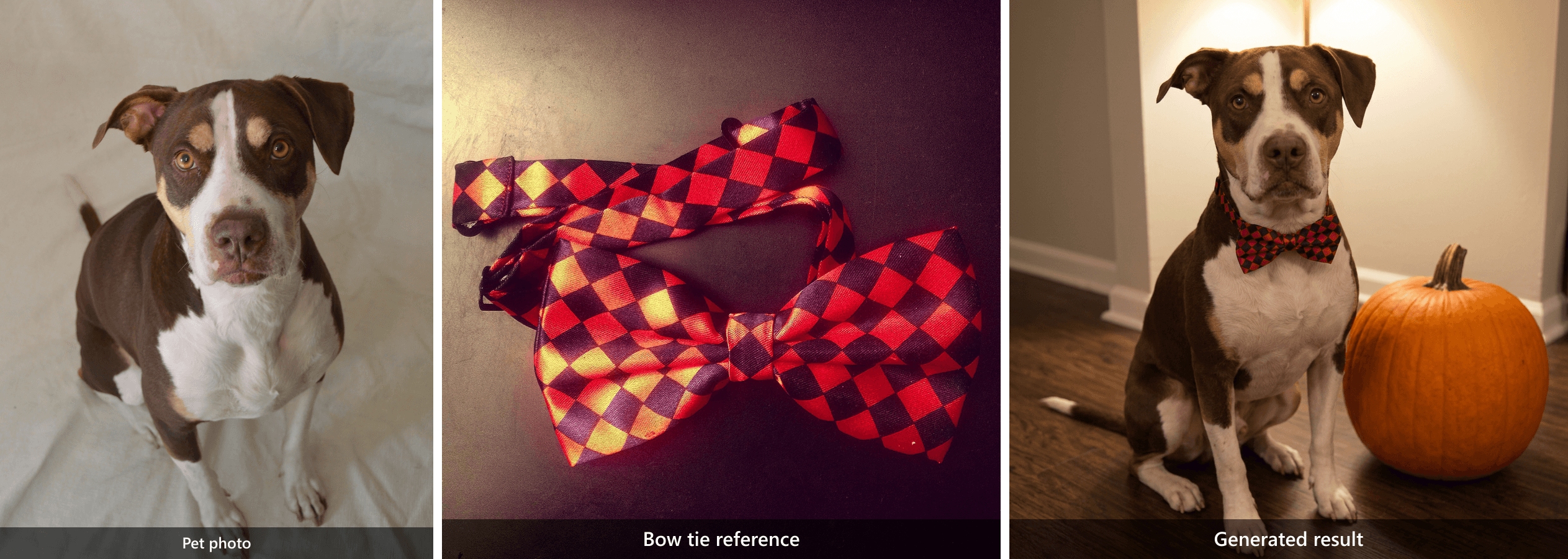 2つの異なる入力が1つの結果を生み出します。犬は ペット写真から来ており、赤と黒の模様は 蝶ネクタイの参照から来ています。
白紙のキャンバスから新しいハロウィン写真を作る
これらのプロンプトは個人写真のアップロードを必要としません。創作したハロウィンシーン、架空のポートレート、投稿用の季節画像が欲しいときに機能します。また、映画のキャラクターや make it spooky のような曖昧な指示に頼らずにハロウィン向けAIプロンプトを書く方法も示します。
9. 真夜中の図書館の番人
plaintext1Create a photorealistic editorial portrait of a fictional adult midnight library keeper caught opening an old book between tall wooden shelves. A dark velvet jacket and one antique key on a chain; both hands turn a single page naturally. Shelf edges lead the eye toward the subject, with a blurred book spine in the near foreground. One warm desk lamp lights the face while cool blue dusk enters through a high window. Waist-up composition at eye level, 35 mm lens feel, natural skin texture, worn wood grain, restrained film grain, warm amber and blue-gray color palette. No mask, face paint, extra fingers, floating objects, writing, logo, or watermark.
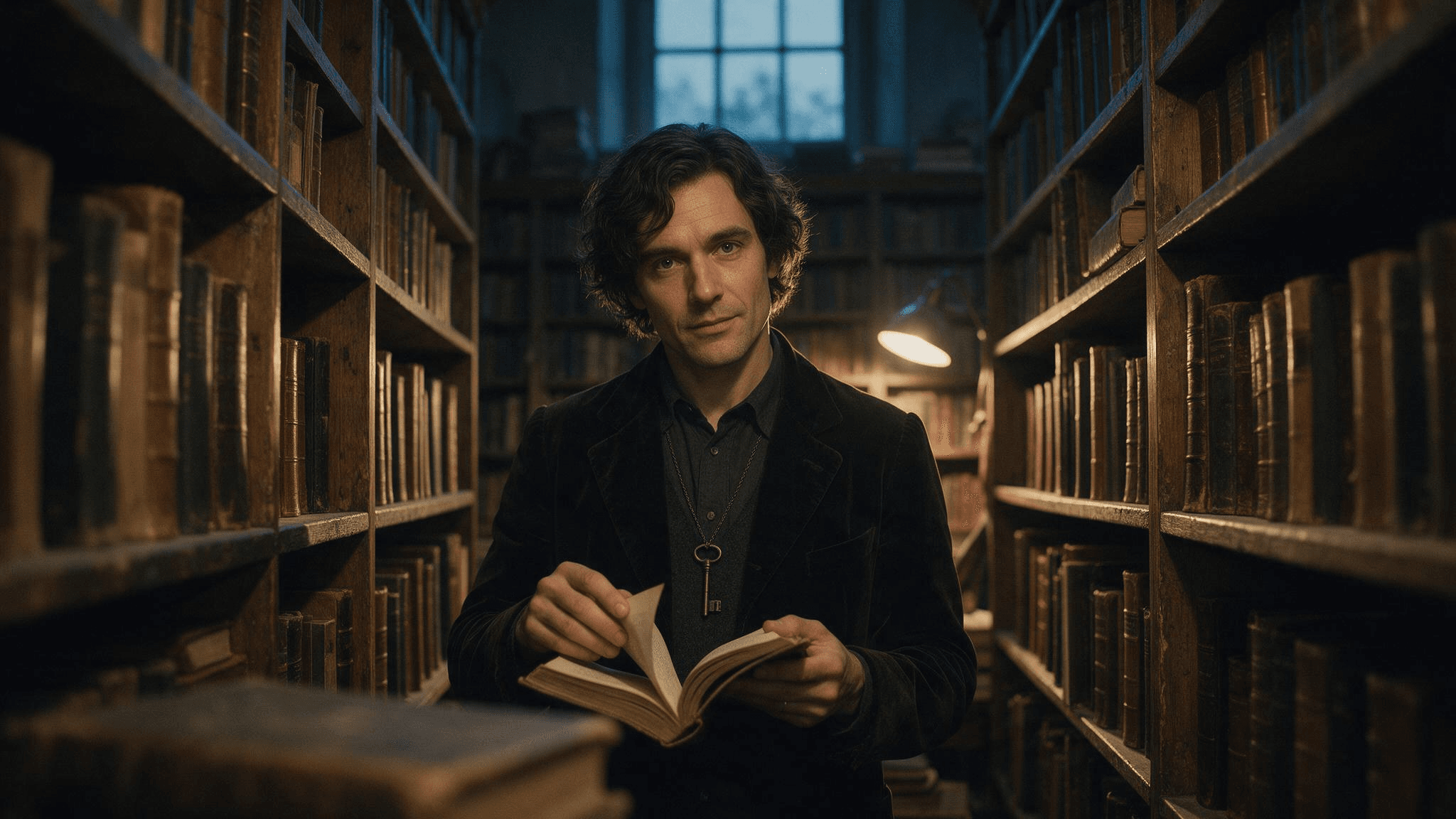 テキストのみの結果: 架空の番人、開いた本、アンティークの鍵、棚、暖色と寒色の照明が1つのフレームに見えます。
10. 閉店後のベーカリー
plaintext1Create a photorealistic editorial still life inside a small neighborhood bakery after closing on Halloween. Three decorated pumpkin pastries sit on a worn wooden counter, one just broken open with a thin curl of steam rising, beside a folded linen cloth and a brass bell. The counter edge leads toward the pastries; a blurred flour-dusted tray sits in the near foreground. Through the window, cool blue dusk and a few softly blurred porch lanterns are visible. A warm pendant lamp lights the pastries from above. Frame at counter height with a 35 mm lens feel, natural food texture, restrained film grain, warm amber and blue-gray color palette. No people, floating decorations, readable signs, logos, labels, or watermark.
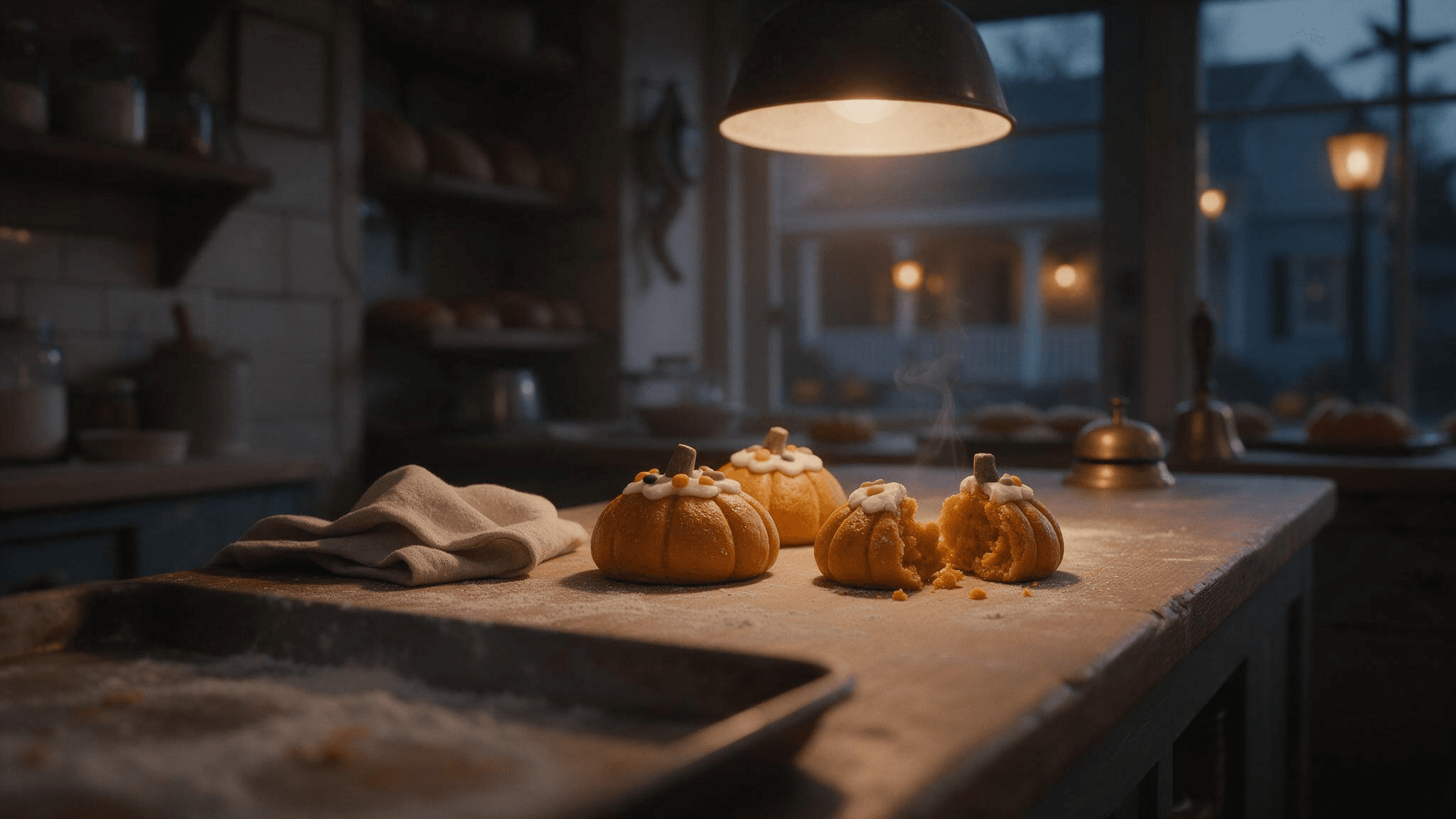 静止画の結果: カウンター、3つのペストリー、割ったペストリー、暖かいペンダントライト、青い夕暮れが、設定の詳細がフレームを形作る様子を示しています。
同じベーカリーのアイデアは、短いモーション例としても機能します。ここでは、視界が窓の方へ開く前に手がペストリーを並べ、静止画像のゆっくりしたズームよりも多くの情報を視聴者に与えます。
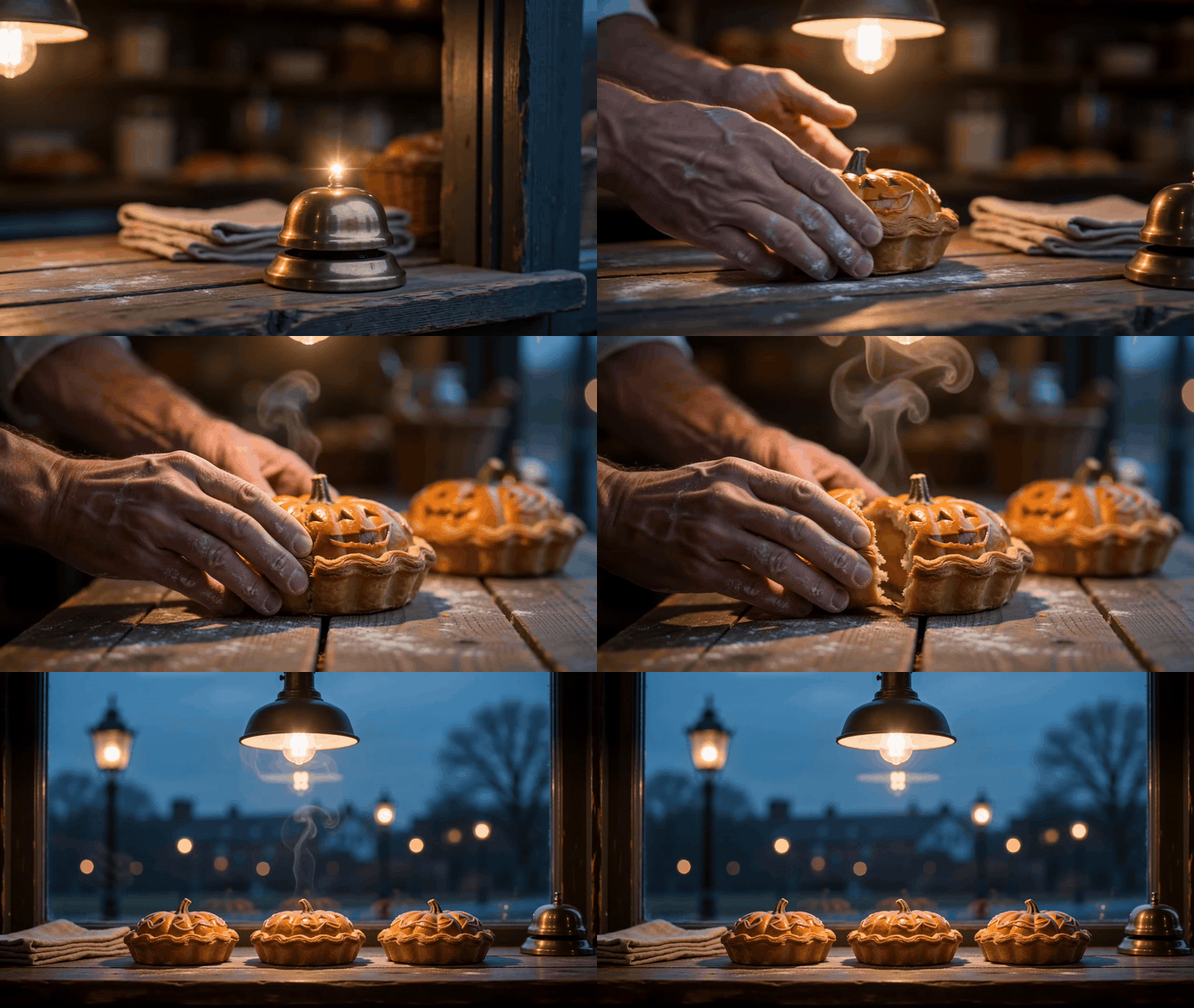
ベーカリープロンプトのモーション変化で、ペストリーの配置とより広いカウンターの眺めを示しています。
11. 街区で最後の家
plaintext1Create a photorealistic Halloween exterior of one old but welcoming townhouse at blue hour. A short stone path leads from the lower foreground to a front porch with exactly three carved pumpkins, a glowing window, and a few handmade paper bats. One damp leaf skitters across the path as a gust catches it, with other leaves settled along the edge. Photograph from across the street at eye level with a 35 mm lens feel, using the path as a leading line and a softly blurred fence post in the near foreground. Cool blue dusk balances warm light from the porch and window; restrained film grain and realistic architectural proportions. No people, cars, lettering, billboards, floating objects, or watermark.
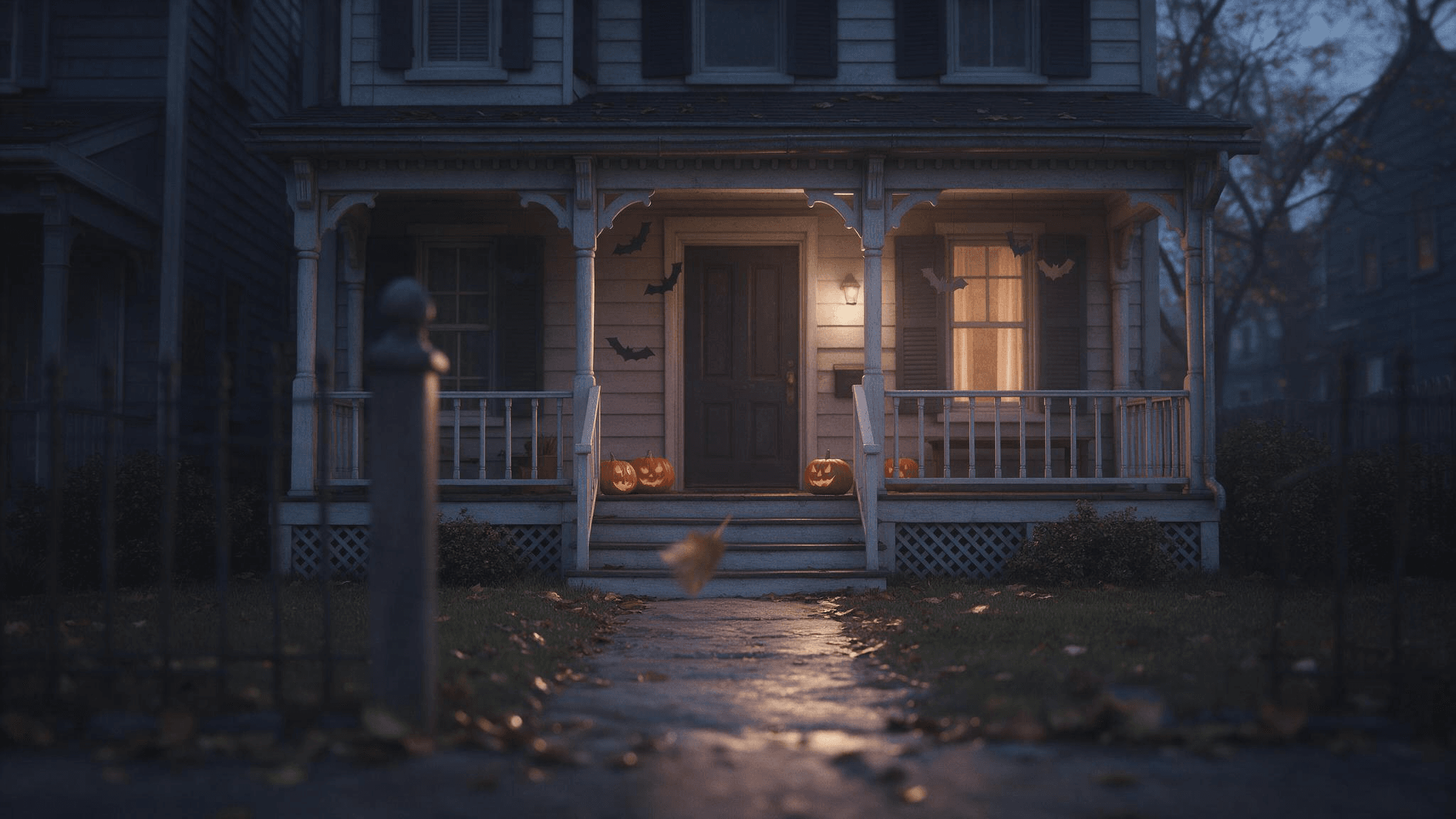 結果はポーチの照明とドアへ向かう道を捉えています。要求した3つのカボチャより多く含まれているように見えるため、生成画像を使う前にオブジェクトの数を確認してください。
12. 雨に濡れたパーティー招待状の背景
plaintext1Create a photorealistic editorial photo of a rain-darkened cobblestone lane leading to a small Halloween gathering. Warm light spills from an open doorway at the far end; a few pumpkins and autumn leaves sit along the walls. Keep the upper third dark and visually quiet so I can add invitation text later in a separate editor. Eye-level 35 mm lens feel, realistic wet reflections, cool blue-gray shadows and warm amber practical lights, restrained film grain. No people close to camera, generated letters, logos, or watermark.
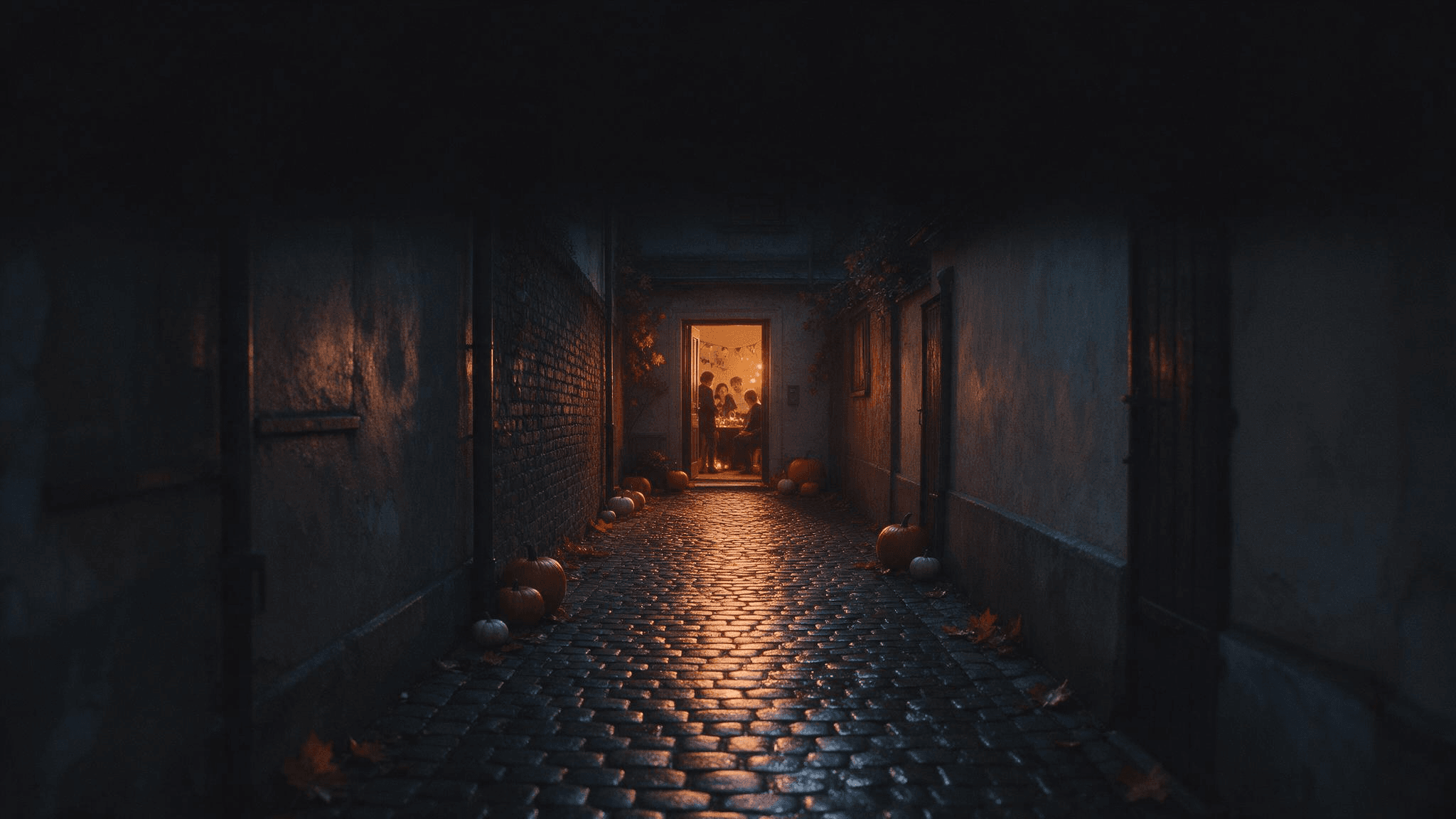 暗い上部のスペースは、後で別のエディターで追加する招待状テキスト用に空けておきます。
イベントの詳細は後でテキストエディターで追加します。画像プロンプトは空白を求めているのであり、スペルミスや修正困難につながるAI生成文字を求めているわけではありません。
各プロンプトをより効果的にする
最も再利用しやすいハロウィン写真プロンプトは、簡潔なクリエイティブブリーフです。被写体と動作に1文、設定に1文、照明とカメラに1文、失いたくない詳細に1文を書きます。アップロードの場合、最後の文で身元と人数を指定します。テキストから画像生成の場合は、構図と不要な追加要素を指定します。
一般的な形容詞を、目に見える指示に置き換えます。Spooky は霧、ホラー化粧、暗い部屋、幽霊のいずれかを意味する可能性があります。Cool blue dusk outside the window and a warm lamp on the face は、雰囲気がどこから来るのかをモデルに正確に伝えます。Vintage は、ベルベットのジャケット、真鍮の鍵、木の棚を指定するとより明確になります。
除外指定は控えめに使います。長い no 節のリストは、主要なアイデアを押し出してしまう可能性があります。この特定の写真を台無しにするエラーを優先します。ポートレートで隠れた顔、グループ内の余分な人物、ペットの模様の変化、招待状背景の文字などです。後で画像を確認します。ネガティブ指示は検証手順ではありません。
最初の結果が近い場合は、1つの変数を変更します。keep everything else; move the lantern to the left of the subject または retain the same face; make the background less crowded を試してください。被写体自体が間違っている場合は、ソース写真に戻り、保持リクエストを明示します。ソース写真がぼやけている場合は、さらにプロンプト節を積み重ねる前に、より鮮明な入力を使います。
Googleのハロウィン画像の例は、写真が幽霊のようなポートレートや季節のシーンを固定する方法を示しています。創造的な原則は応用できます。入力から何を残し、モデルが何を再発明してよいかを指定します。それは、照明、ポーズ、ソース画像が自分のものと一致しない長いトレンドプロンプトをコピーするより役に立ちます。
Atlas CloudのImage Generatorでプロンプトを試す
同じブリーフで異なるホスト型画像モデルを試したい場合は、Atlas Cloudから始めて、AI Image Generatorを開きます。このページは、テキストから画像生成、参照ガイド付き生成、プロンプトベースの編集をサポートしています。モデルセレクターでは、必要な結果に合った画像モデルでブリーフを試せます。上記の4つの架空シーンプロンプトはテキストから画像生成にすぐ使えます。個人写真プロンプトには、アップロード画像を受け付けるワークフローが必要です。
1つのプロンプトを貼り付け、モデルとアスペクト比を選び、結果をフルサイズで確認します。ポートレートの場合は、目、手、衣装の端を確認します。シーンの場合は、要求したオブジェクト数と、光が実際に説明された光源から来ているかを確認します。プロンプトが強い被写体を生み出すもののフレーミングが弱い場合は、被写体の説明を保ち、カメラの文だけを修正します。これにより、次の結果を最初の結果と比較できる状態に保てます。
創作した顔を実在人物の変換写真として提示しないでください。認識できる人物が必要な場合は、使用する権利のある写真を提供し、出力と比較します。特に結果を公開するつもりの場合は、許可なく他人のポートレートをアップロードしないでください。
よくある質問
これらのハロウィンAI写真プロンプトには自撮り写真が必要ですか?
特定の人物を保持するプロンプトだけが、その人物の写真を必要とします。鮮明なポートレートは、顔が見やすいため、強くフィルターをかけた自撮り写真よりもうまくいくことがよくあります。プロンプト9から12は、テキストだけで架空のシーンを作成します。
AIハロウィンポートレートで顔が変わるのはなぜですか?
プロンプトが凝った衣装、新しい角度、ドラマチックな光、保持された同一性を同時に求めている可能性があります。鮮明なソース写真から始め、顔を見える状態に保ち、最初の編集では変更を少なくします。同一性の指示が成功したと仮定するのではなく、結果を確認します。
同じプロンプトをChatGPT、Gemini、Atlas Cloudで使えますか?
シーンの説明は応用できますが、入力ワークフローが重要です。use my uploaded photo と言う指示には、画像対応の編集または参照モードが必要です。白紙のキャンバスシーンはテキストから画像生成に入れられます。ツールのコントロールとモデルの動作は異なるため、最初の出力を使って小さく具体的な修正を行います。
弱い結果を改善する最速の方法は何ですか?
最も重要なエラーを1つ特定します。被写体が間違っている場合は、参照または被写体の文を改善します。雰囲気が間違っている場合は、実際の光源と時間帯を指定します。構図が間違っている場合は、カメラの高さ、フレーミング、被写体がフレーム内のどこに位置するかを述べます。すでに機能している部分はそのままにします。
今日提供できる画像に合う、これらのハロウィンAI写真プロンプトを1つ選んでください。鮮明なソース写真、または的確に説明されたシーンのほうが、長い不気味な形容詞のリストよりも効果を発揮します。





