
 Atlas Cloud is now an authorized U.S. reseller of Dreamina Seedance 2.5 and Seedream 5.0 Pro.Atlas Cloud is now an authorized U.S. reseller of Dreamina Seedance 2.5 and Seedream 5.0 Pro.
GPT 6 Astra is OpenAI’s most intelligent and aligned model, built for demanding computer use, web browsing, software engineering, cybersecurity, science, and professional work. Its judgment supports complex workflows across code, research, and digital tools. Atlas Cloud provides Astra and Astra Codex through one OpenAI-compatible key, with standard rates from $10 per million input tokens and $50 per million output tokens. Start building today.
GPT 6 Astra is developed by OpenAI. Atlas Cloud (operated by Atlas Cloud AI LLC) provides access to it and does not own it. All trademarks belong to their respective owners.
See how each GPT 6 Astra endpoint supports conversational, content generation, and personalized AI workflows.
| Modality | Description |
|---|---|
| GPT 6 Astra API (Text) | GPT 6 Astra processes text prompts and returns generated text through a creative and intuitive model profile. Choose it for natural conversations, content generation, and personalized AI experiences. |
| GPT 6 Astra Codex API (Text) | For the GPT 6 Astra Codex endpoint, text requests produce text responses using the verified creative and intuitive profile. It suits conversational, content creation, and personalized experience workflows that require a separate model endpoint. |
GPT 6 Astra brings a 1,050,000-token context, five reasoning levels, text and image understanding, computer use capabilities, two Atlas model endpoints, and transparent tiered pricing into one OpenAI-compatible integration.
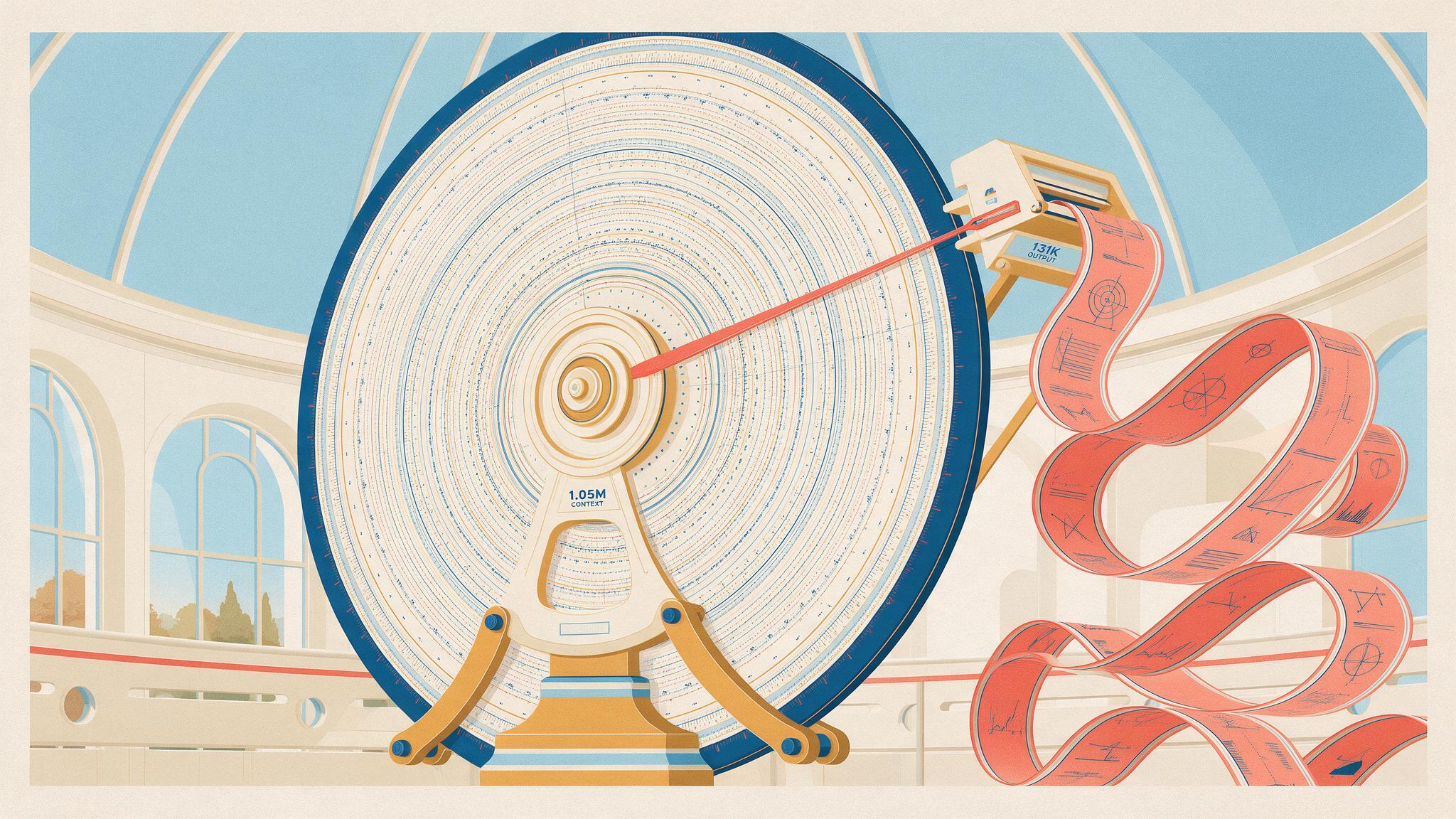
GPT 6 Astra accepts up to 1,050,000 tokens of context and can return as many as 131,072 output tokens. Feed it extensive repositories, research collections, or long conversation histories in a single request. The expanded working span reduces the need to fragment source material into many disconnected calls, making it well suited to large reviews, sustained analysis, and complex project context.
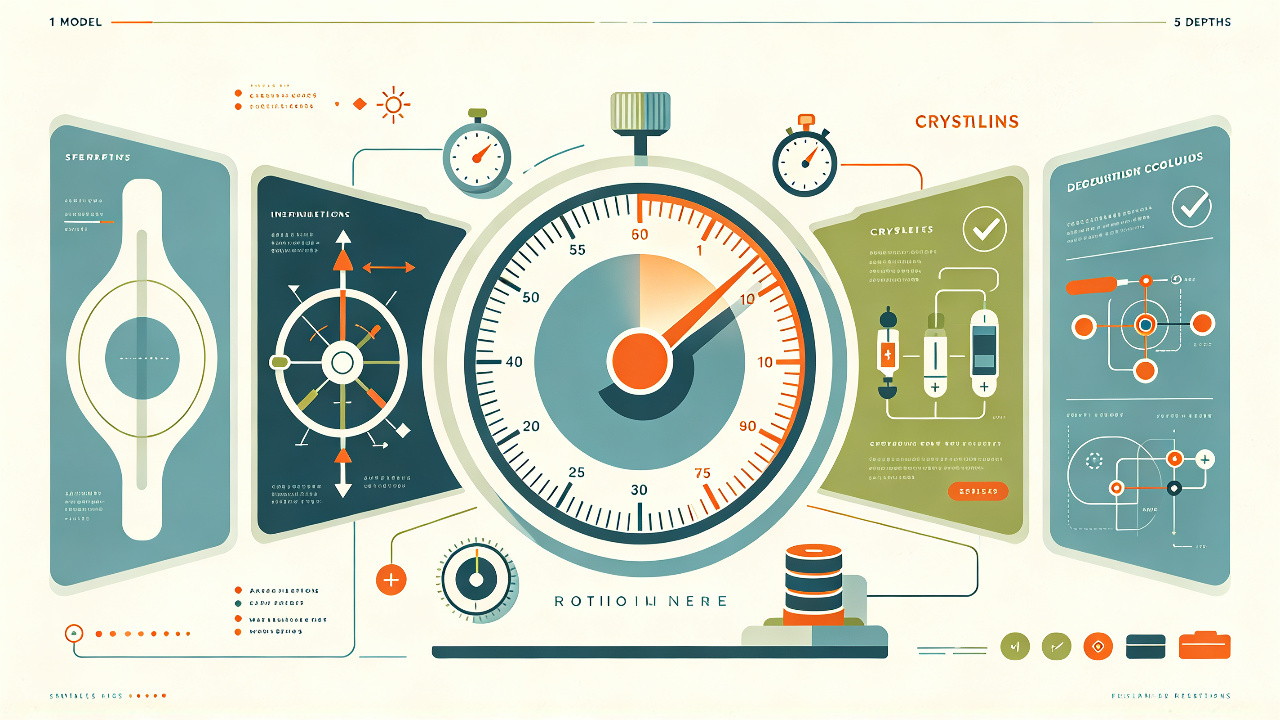
Five reasoning effort levels let you tune how much deliberation each request receives: low, medium, high, xhigh, and max. Choose a lighter setting for straightforward work, then raise the effort when planning, scientific analysis, or difficult debugging demands deeper consideration. This request level control helps teams balance response speed, token use, and solution depth without changing models.

OpenAI positions Astra at the state of the art for computer use and browsing. When your application supplies the required tools and permissions, the model can interpret interface state, plan multi step actions, and respond to results across a longer workflow. That combination fits browser research, operational assistance, and software driven tasks where judgment matters as much as the next click.

Atlas Cloud exposes both openai/gpt-6-astra and openai/gpt-6-astra-codex through one OpenAI-compatible key. Each carries a 1,050,000-token context window and up to 131,072 output tokens, with the same verified tiered pricing. Switch model IDs as your workflow changes while keeping the integration and authentication path consistent. This gives teams a practical route to compare the general and Codex variants inside one stack.

Text and image inputs let Astra reason over prose, screenshots, diagrams, and mixed visual documents while producing text responses. Pair visual evidence with written instructions so the model can connect what it sees with the task you describe. Developers can use that combined input path for document review, interface analysis, chart interpretation, and other workflows where text alone leaves important context behind.
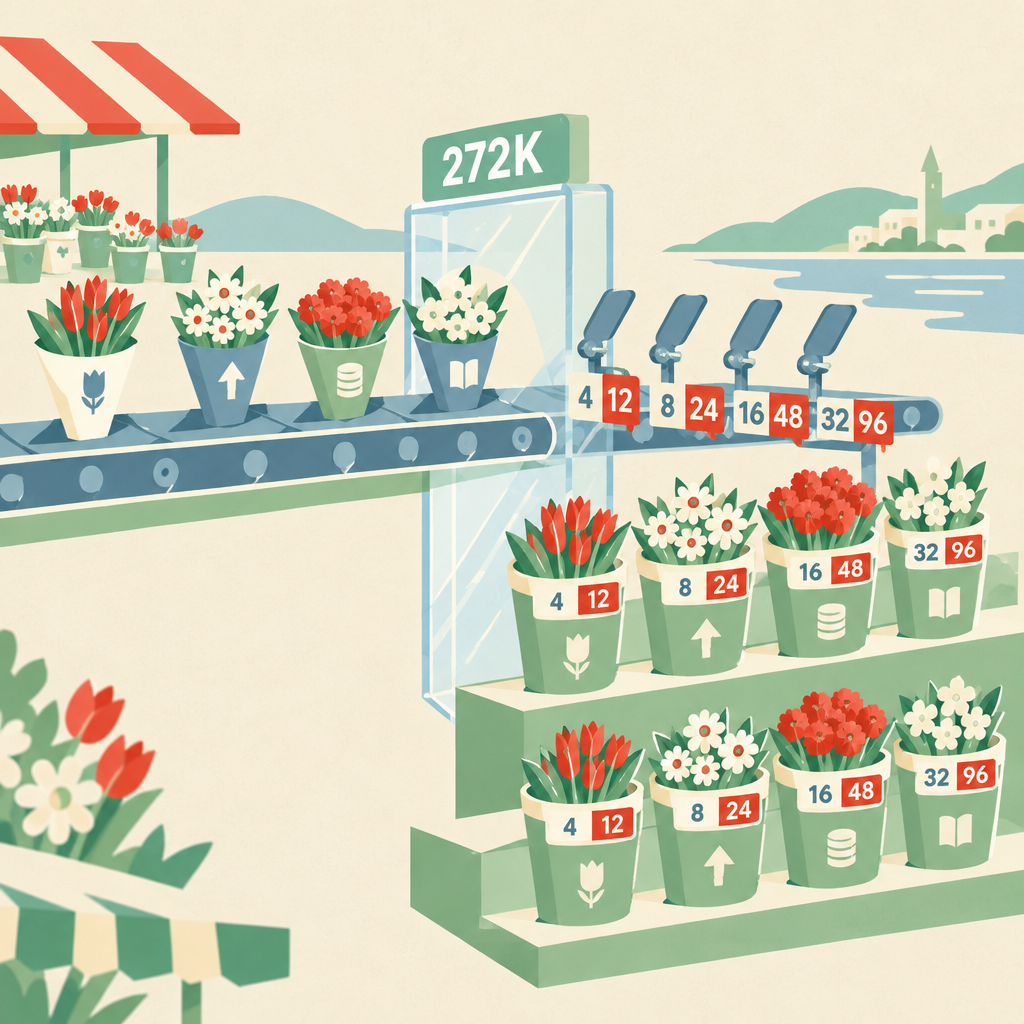
Atlas Cloud uses transparent tiered, pay as you go pricing for both Astra variants. For prompts up to 272,000 input tokens, standard rates are $10 per million input tokens, $50 per million output tokens, $12.50 for cache creation, and $1 for cache reads. Above that threshold, the corresponding rates are $20, $75, $25, and $2, helping developers estimate long context costs before deployment.
Compare how GPT 6 Astra and two leading alternatives turn identical prompts into polished, interactive HTML experiences.
Create a complete, single-file interactive HTML webpage titled “Midnight Letterpress Accident Laboratory.” Output only the finished HTML document, with all CSS and JavaScript inline. It must open and work directly in a modern browser with no external dependencies, CDNs, libraries, fonts, image links, SVG files, or other assets. This is a responsive webpage, not a fixed 16:9 image or canvas composition; it must adapt gracefully to desktop, tablet, and mobile screens. Build a tactile experimental letterpress simulator in which the user composes a print by dragging individual lead type blocks onto a central sheet, rotating and repositioning them, then tuning ink amount, press pressure, and paper humidity before pulling a huge mechanical impression lever. The printed result must procedurally respond to those parameters: excess ink causes bleeding and clogged counters, low ink creates dry broken edges, pressure changes indentation and deformation, humidity increases feathering and paper-fiber damage, imperfect type placement creates misregistration, and repeated impressions produce offset shadows and ghost images. Allow multiple color passes using only vermilion red, ultramarine blue, and acid yellow, with realistic overprint blending, visible layer ordering, per-layer visibility, step-by-step undo/redo, and the ability to lift the paper corner to reveal the evolving print beneath. Freeze the main visual drama around the instant when the press roller has just risen and the finished print is about to be revealed. The central paper must feel like a theatrical stage. Arrange type blocks, ink rollers, tweezers, registration pins, scraps, gauges, and controls in an asymmetric ring around it. Use an off-white bone-paper and lead-gray foundation, illuminated by a warm-white work lamp shining diagonally from the upper left. Render everything through CSS, HTML elements, Canvas, and procedural textures in a rough physical screen-print and handmade collage style: torn edges, fibrous paper grain, uneven pigment, halftone flecks, scratched metal, ink smears, tape fragments, slight perspective, imperfect registration, and layered shadows. Avoid glossy gradients, sterile SaaS styling, generic cards, neon cyberpunk colors, photorealistic imagery, emoji, stock illustrations, and perfectly clean vector geometry. Include a substantial movable type inventory with letters, punctuation, numerals, and several decorative blocks. Users must be able to drag blocks from the inventory onto the composing area, select multiple blocks, rotate them with handles or keyboard shortcuts, nudge them with arrow keys, delete or duplicate them, and edit textual content without losing the physical block appearance. Add snapping guides that can be toggled, but preserve small manual irregularities. Provide clear hover, active, selected, disabled, and focus states. Support pointer and touch interaction, sensible keyboard controls, accessible labels, and visible focus indicators. Create three tactile controls for ink amount, pressure, and humidity whose values update the paper preview, texture simulation, gauges, warning labels, and ambient machine behavior in real time. The system should reveal playful accident states at extreme combinations, such as violent ink blooms, doubled letters, slipped type, ragged fiber cracks, roller chatter, and splattered registration marks, while still keeping the composition legible. Add a compact experiment log that records each impression and its parameters. Users must be able to select a pass color, press the lever by dragging it through a convincing arc, watch a short but detailed press cycle, and then peel back the paper. The animation should include lever resistance, machine vibration, roller movement, paper compression, dust motes, slight lamp flicker, and a suspenseful pause before reveal. Respect prefers-reduced-motion. Make undo and redo genuinely functional across placement, rotation, parameter changes, printing, color passes, and reveal actions. Include Reset, Random Accident, Re-ink, Add Pass, Undo, and Redo controls, plus a concise onboarding hint that disappears after interaction. Seed the page with an intriguing partially composed poster so the first view is visually rich, but let every important element remain editable. Add subtle sound-like visual feedback without using audio assets. Ensure deterministic procedural texture where practical so undo restores the same appearance. The experience should feel ceremonial, handmade, tense, and mischievously uncontrollable rather than merely decorative. Prioritize polished interaction details, convincing parameter coupling, layered procedural printing artifacts, refined animation timing, and excellent responsive composition. Use semantic HTML and clean, well-structured vanilla JavaScript. The final response must contain only the complete executable HTML document.
Generated with GPT 6 Astra on Atlas Cloud
Generated with Gemini 3.1 Pro Preview on Atlas Cloud
Generated with GPT 5.6 Sol on Atlas Cloud
Create a complete, polished, single-file interactive HTML webpage titled “Midnight Ramen Soundscape Theater.” Output only the final HTML document with all CSS and JavaScript inline. It must run directly in a modern browser with no build step and no external dependencies, libraries, fonts, images, audio files, CDN resources, network requests, or linked assets. Build an expressive interactive scene set inside a surreal midnight ramen shop. The central object is one continuous bundle of elastic noodles rendered with Canvas, SVG, or a carefully integrated combination of both. The noodle bundle should travel diagonally across the foreground and feel physically tangible: users can grab it anywhere with the mouse or touch, drag it, stretch it, whip it, fold it over itself, and release it. Implement convincing spring physics with inertia, damping, gravity, multiple connected segments, collision response, and visible secondary motion. Keep the simulation stable even during aggressive dragging, rapid direction changes, viewport resizing, or repeated interactions. Arrange at least three distinct ramen bowls and several ingredients along a sweeping arc through the composition, creating a strong visual rhythm around the diagonal noodle. Each bowl should have its own illustrated broth pattern, color identity, label, and sound character. When the noodle touches or falls into a bowl, trigger a synchronized audiovisual response: a unique percussive beat synthesized with the Web Audio API, a rising steam burst, scallion-green particle sprays, broth ripples, small droplets, screen-print registration jitter, and animated handwritten Japanese-style onomatopoeia such as “ZURU!”, “PON!”, “JUU!”, or “BASHAN!” created from styled text rather than external fonts. Collision intensity must affect volume, pitch, particle count, ripple size, lettering scale, and animation force. Audio must begin only after the user’s first interaction and include a clear mute/unmute control. The climactic visual state should evoke a freeze-frame in which the noodle is stretched dramatically through the air while broth is suspended just before splashing. Support this with a “FREEZE THE SPLASH” control and the Space key: entering freeze mode should apply a brief punchy transition, suspend the physical scene without losing its state, emphasize airborne droplets and stretched noodle tension, display bold poster-like kinetic typography, and preserve subtle procedural line shimmer so the page still feels alive. Pressing Space or the control again should resume seamlessly. Add a reset control, a compact sound status indicator, and a restrained live “tempo/impact” readout driven by recent collisions. Keyboard controls must be discoverable in a small integrated help panel: Space toggles freeze, R resets, M mutes, and arrow keys apply directional impulses to the noodle. Use a visually sophisticated hybrid of vintage silkscreen poster design and procedural line animation. A deep indigo background should dominate, cut by localized stove-fire warmth around bowls and collision points. Use layered spot colors—vermilion red, ginger yellow, scallion green, warm cream, and near-black—with halftone textures, rough ink edges, slight color misregistration, bold graphic shadows, and animated contour lines. The result should feel handmade and theatrical rather than glossy or photorealistic. Include subtle ambient steam, flickering stove glow, drifting grain, and moving linework, but preserve strong contrast and readable controls. Avoid generic neon cyberpunk styling. Make the composition responsive across wide desktop, tablet, and mobile screens; this is a webpage, so do not force a fixed 16:9 aspect ratio. Adapt bowl placement, typography, controls, simulation bounds, and touch targets fluidly without cropping essential content. Use pointer events for unified mouse, pen, and touch handling. Prevent page scrolling only while the noodle is actively being manipulated. Respect prefers-reduced-motion by reducing ambient animation while keeping the core interaction functional. Maintain smooth performance through efficient particle pooling or strict particle limits, requestAnimationFrame, device-pixel-ratio-aware rendering with a sensible resolution cap, and resize-safe coordinate handling. Content and finish requirements: include an atmospheric title treatment, a short one-line invitation to interact, three or more labeled bowls, multiple visually distinct toppings, contextual handwritten sound words, polished control states, clear focus styles, accessible button labels, and an unobtrusive interaction hint that fades after first use. The opening scene should already look like a finished collectible poster before any interaction, while the active state should become a lively rhythmic toy with layered feedback and surprising emergent motion. Negative constraints: no external assets or dependencies; no image URLs; no prerecorded audio; no frameworks; no unfinished placeholders; no TODO comments; no broken controls; no fixed 16:9 canvas; no plain default UI; no generic gradient-only background; no emoji used as primary artwork; no excessive explanatory text; no autoplay audio; no uncontrolled particle growth; no fragile physics that explodes or produces NaN values; no interaction that works only with a mouse; and no output outside the single complete HTML document.
Generated with GPT 6 Astra on Atlas Cloud
Generated with Gemini 3.1 Pro Preview on Atlas Cloud
Generated with GPT 5.6 Sol on Atlas Cloud
GPT 6 Astra turns advanced reasoning, browsing, computer use, software engineering, multimodal analysis, and long context into practical workflows for developers, researchers, security teams, and professional knowledge workers.

GPT 6 Astra handles computer use and browsing tasks that require multiple coordinated steps. Deploy it for browser based operations, information gathering, and digital workflows where an agent must move from instruction to completion.

Across existing codebases, GPT 6 Astra can support complex software engineering work. Developers can use it to inspect context, debug issues, implement changes, and review results before integrating them into production workflows.

Turn large collections of sources into structured research with GPT 6 Astra’s browsing and long context capabilities. Analysts can compare evidence, retain project wide context, and produce clear findings for informed decisions.

When security work demands careful reasoning, GPT 6 Astra can examine code, configurations, and technical evidence. Use its findings to support vulnerability review, remediation planning, and documented handoffs for security teams.

Scientific teams can apply GPT 6 Astra to demanding analysis that combines text, images, and extensive context. It helps researchers organize observations, test lines of reasoning, and draft outputs for expert validation.

Bring lengthy documents, visual references, and project records into one professional workflow. With GPT 6 Astra, teams can reconcile materials and prepare reports, briefs, or decisions while preserving the surrounding context.
Compare GPT 6 Astra with leading multimodal models available on Atlas Cloud by input support, context capacity, output limit, and standard token pricing.
| Model | Input Types | Context Window | Max Output | Standard Price per 1M Tokens |
|---|---|---|---|---|
| GPT 6 Astra | Text, Image | 1,050,000 tokens | 131,072 tokens | $10 input / $50 output; over 272K prompt: $20 input / $75 output |
| GPT 6 Astra Codex | Text, Image | 1,050,000 tokens | 131,072 tokens | $10 input / $50 output; over 272K prompt: $20 input / $75 output |
| Gemini 3.1 Pro Preview | Text, Image, Video | 1,000,000 tokens | 64,000 tokens | $2 input / $12 output; over 200K prompt: $4 input / $18 output |
| Grok 4.6 | Text, Image | 500,000 tokens | 500,000 tokens | $2 input / $6 output; over 200K prompt: $4 input / $12 output |
| Kimi K3 | Text, Image, Video | 1,048,576 tokens | 1,048,576 tokens | $3 input / $15 output |
Get started in minutes — follow these simple steps to integrate and deploy models through Atlas Cloud's platform.
Sign up at atlascloud.ai and complete verification. New users receive free credits to explore the platform and test models.
Combining the advanced GPT 6 Astra models with Atlas Cloud's GPU-accelerated platform provides unmatched performance, scalability, and developer experience.
Low Latency:
GPU-optimized inference for real-time reasoning.
Unified API:
Run GPT 6 Astra, GPT, Gemini, and DeepSeek with one integration.
Transparent Pricing:
Predictable per-token billing with serverless options.
Developer Experience:
SDKs, analytics, fine-tuning tools, and templates.
Reliability:
99.99% uptime, RBAC, and compliance-ready logging.
Security & Compliance:
SOC 2 Type II, HIPAA alignment, data sovereignty in US.
GPT-6 Astra is OpenAI’s frontier model for demanding computer use, browsing, software engineering, cybersecurity, science, and professional work. Atlas Cloud provides usage based access to GPT 6 Astra and GPT 6 Astra Codex through one OpenAI compatible key.
Built for complex work, Astra supports reasoning, coding, browsing, computer use, research, and long context analysis. It accepts text and image inputs and produces text for agent workflows, document creation, and other demanding professional tasks.
Point an OpenAI compatible client at the Atlas Cloud endpoint, add your Atlas API key, and select openai/gpt-6-astra or openai/gpt-6-astra-codex. Atlas Cloud serves the family through the Chat Completions protocol, allowing familiar request and response structures to be retained.
Atlas Cloud supports text and image input with text output. The listed context window is 1,050,000 tokens, the maximum output is 131,072 tokens, and the knowledge cutoff is April 30, 2026.
Yes. Streaming is supported, and reasoning effort can be set to low, medium, high, xhigh, or max. Lower settings favor speed and reduced token use, while higher settings allow more reasoning for difficult work.
Standard pricing is $10 per million input tokens and $50 per million output tokens. Cached input costs $1 per million tokens, while cache creation costs $12.50 per million. For prompts above 272,000 tokens, the respective rates are $20, $75, $2, and $25 per million tokens.
Begin with low or medium reasoning effort and measure token use on representative tasks before increasing the setting. Prompt caching can reduce the cost of reusable input, while a lower cost model may be more suitable for routine or high volume requests.
Atlas Cloud lists two separate model IDs: openai/gpt-6-astra and openai/gpt-6-astra-codex. Both use the same verified pricing schedule, but the available backend facts do not establish a quantified capability or latency difference. Benchmark both on your own coding and general workloads before selecting a production default.
Choose Astra for difficult work where quality matters most, including agentic computer use, complex software engineering, long context analysis, and demanding scientific or professional tasks. For routine requests, high volume traffic, or workflows where latency matters, compare a smaller model on task success and total cost.
Seedance 2.5 API is now available on Atlas Cloud! It gives developers ByteDance's newest video model. It generates up to 30 seconds of native video in a single pass from text, a single image, or as many as 50 multimodal references, with synchronized audio and in-frame multilingual text. On Atlas Cloud you reach it through one key, with subject consistency and improved physics keeping long shots coherent. (Update: Seedance 2.5 1080P API Is Available NOW!)

Wan 3.0 API is the next generation of Alibaba's Wan video family, built to push long-form generation, multi-reference control, and audiovisual quality to new heights. Atlas Cloud already hosts Wan 2.7, 2.6, and 2.5, and Wan 3.0 runs on the same unified key with no separate setup. Start building today. Scroll down to the showcase to see what Wan 3.0 can create.
MiniMax H3 is MiniMax's multimodal video family for text, image, and reference guided creation. Across supported routes, it preserves subjects from reference media, offers flexible aspect ratios, and pairs generated sound with visuals through H3 Developer, with output profiles selected by endpoint. Atlas Cloud unifies the family behind one OpenAI-compatible key with transparent pay-as-you-go pricing from the standard rate of $0.038 per second. Start building today.
The gpt-image-2.5 family from OpenAI gives developers a choice of Flare and Sunburst for production image workflows. Render at arbitrary resolutions up to 3840x2160 and select from five quality tiers, including xhigh and max, to match specific output requirements. Atlas Cloud provides ready-to-use REST inference with no cold starts and standard pricing from $0.004 per generation. Start building today.
Seedream 5.0 Pro API gives developers ByteDance's controllable image editing model on Atlas Cloud. It places edits precisely with anchors and coordinates, separates images into editable layers, fuses multiple references, and matches exact colors and materials, with multilingual text at 2K and 3K. On Atlas Cloud you reach it through one key!
Seedance 2.0 is ByteDance’s production video model for precise shot creation. Turn prompts into video, animate a first-frame image with optional last-frame guidance, or shape results with reference media and optional web search. Atlas Cloud brings these workflows into one unified API with transparent pay-as-you-go pricing and one OpenAI-compatible key. Start building today.
The Kling 3.0 API brings Kuaishou's flagship video suite to Atlas Cloud through one OpenAI-compatible key. It spans two models, Kling 3.0 for AI Director storytelling, multilingual lip-sync, and precise on-screen text, and Kling 3.0 Omni (O3) for subject and voice cloning from a short video or image. Both generate native audio in the same pass, with output up to 4K. Build cinematic narratives, global marketing, multilingual ads, and serialized character content on reliable infrastructure.
Grok Imagine Video gives developers access to xAI’s video family for creating, animating, extending, and editing clips. Generate 1 to 15 second videos from prompts, guide people, objects, or styles with up to seven reference images, and work at 480p or 720p. Atlas Cloud brings these capabilities together through OpenAI-compatible endpoints with transparent pay-as-you-go pricing. Start building today.
Vidu Q4 is Vidu's latest flagship video model, designed for image-to-video and reference-to-video generation. It can animate a single still image and create automatic scene transitions, giving developers two input paths for different product workflows. Atlas Cloud provides dedicated API endpoints with published parameter schemas at the verified standard price of $0.04 per second. Start building today.
Gemini Omni 1.1 Flash is Google DeepMind’s natively multimodal video family for flexible production workflows. Edit existing footage through text instructions, maintain visual consistency with up to 10 reference images and 3 video clips, or extend a shot in chainable segments to 40 seconds. Access every workflow on Atlas Cloud with one OpenAI-compatible API key, pay-as-you-go pricing, and Day-0 availability. Start building today.
Nano Banana 2.1 is Google's image model family built on Gemini 3.6 Flash. It delivers Pro-level generation and editing at Flash-level speed, supports natural-language edits and merges across 1 to 14 input images, and maintains consistency for up to 4 characters and 10 objects. Through Atlas Cloud, developers can access the family with one OpenAI-compatible key, reliable uptime, and Day-0 availability. Start building today.
Build with the Nano Banana 2 API, powered by Google's Gemini 3.1 Flash Image model. It generates native 4K visuals up to 4096x2304 with accurate text rendering and consistent characters across up to 14 reference images for both generation and editing. On Atlas Cloud you reach it through one unified API alongside 300+ models, with pricing from $0.04 per image, 99.99% uptime, and free credits to start.
Guides, tutorials, and product updates to help you get the most out of Atlas Cloud.



