Atlas Cloud is now an authorized U.S. reseller of Dreamina Seedance 2.5 and Seedream 5.0 Pro.Atlas Cloud is now an authorized U.S. reseller of Dreamina Seedance 2.5 and Seedream 5.0 Pro.

xAI TTS v1 is xAI's high-fidelity text-to-speech model for converting written content into natural, expressive audio. It supports 20 languages and provides fine-grained delivery control for tailoring how speech sounds across applications. Access the model through Atlas Cloud with one OpenAI-compatible key and transparent pay-as-you-go pricing. Start building today.
xAI TTS V1 is developed by xAI. Atlas Cloud (operated by Atlas Cloud AI LLC) provides access to it and does not own it. All trademarks belong to their respective owners.
Atlas Cloud provides you with the latest industry-leading creative models.
Explore the family’s text-to-speech and speech-to-text capabilities for multilingual voice applications.
| Modality | Description |
|---|---|
| xAI TTS v1 API (Text to Speech) | Convert text into natural, expressive speech with sub-second latency across 20 languages and more than 80 voices. Fine-grained delivery control makes this endpoint suitable for voice assistants, localized narration, and responsive audio experiences. |
| xAI STT v1 API (Speech to Text) | Audio becomes accurate, formatted text with automatic language detection across more than 24 languages. Use word-level timestamps, speaker diarization, multichannel transcription, and inverse text normalization for meeting records, captions, and call analysis. |
xAI TTS v1 combines expressive speech tags, 20 supported languages, scripts up to 15,000 characters, five output codecs, adjustable streaming latency, and transparent character based pricing through one Atlas Cloud API key.
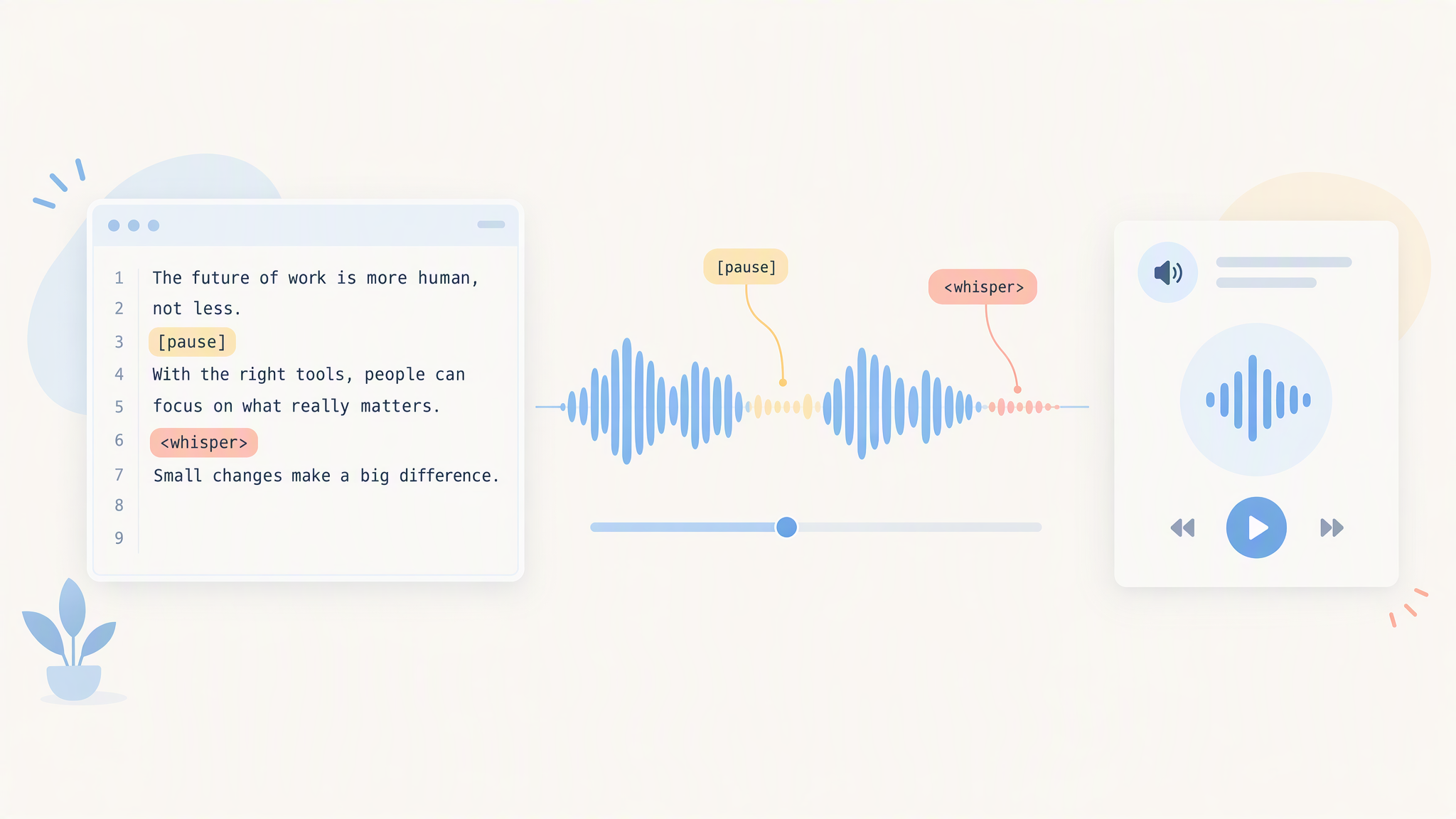
Direct xAI TTS v1 with inline tags such as [pause] and wrapping styles such as <whisper> to shape delivery inside the script. Vocal cues are interpreted during synthesis, so emotion, pacing, and emphasis do not require a separate editing pass. This control suits character dialogue, branded narration, support prompts, and any production that needs expressive timing.
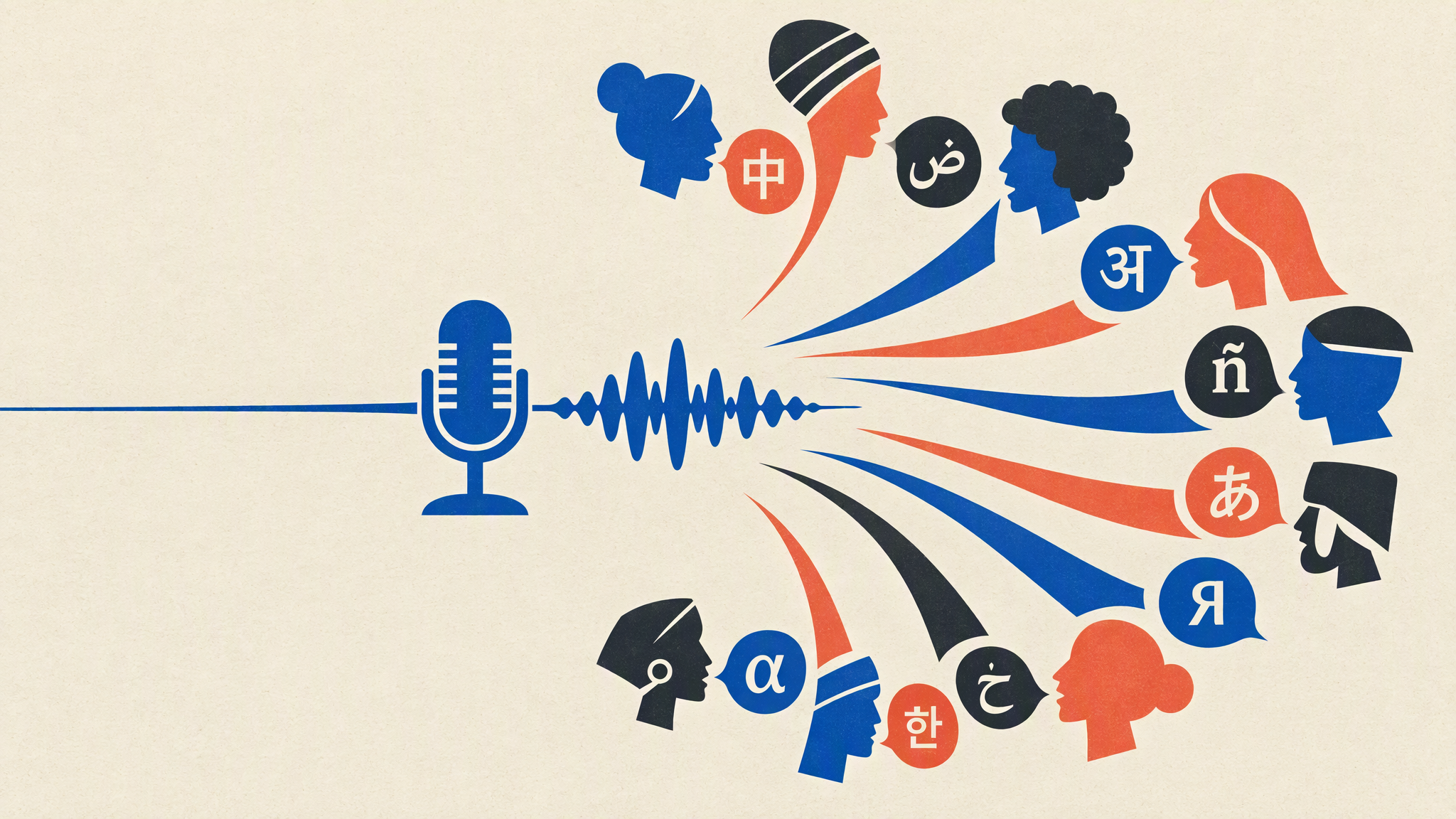
Choose from more than 70 voice identifiers in the current Atlas Cloud schema, with five multilingual voices designed to cover every supported language. Set one of 20 BCP-47 language options or use automatic detection, while other voices stay optimized for their native language. Localize assistants, tutorials, campaigns, and service messages without rebuilding the synthesis workflow for every market.
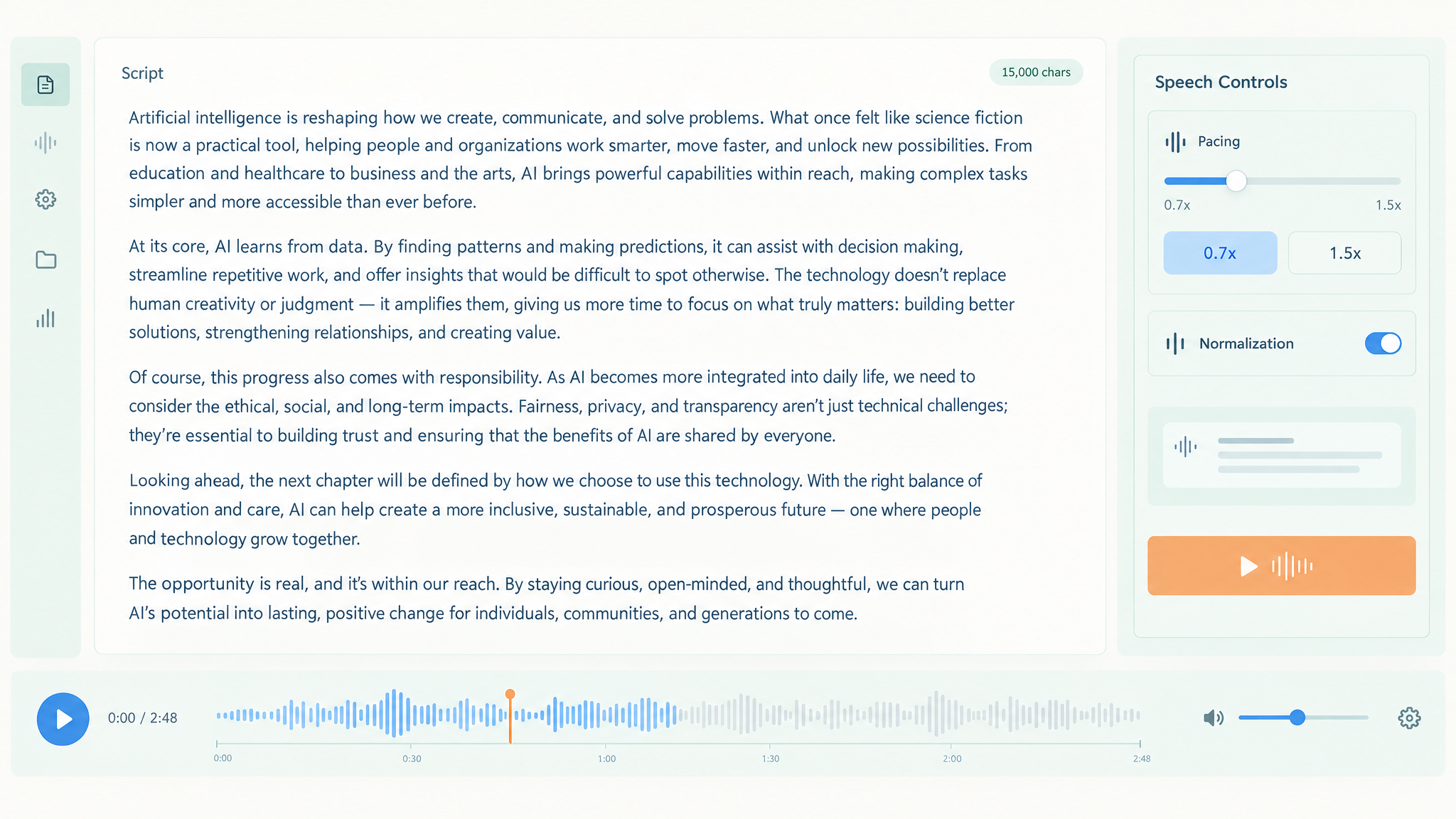
A single request accepts scripts up to 15,000 characters and lets you set speech speed from 0.7× to 1.5×. Optional text normalization turns written numbers, abbreviations, and symbols into spoken forms before synthesis. Use these controls to keep long narrations clear while matching the pacing of explainers, lessons, or voiceovers within one consistent API workflow.
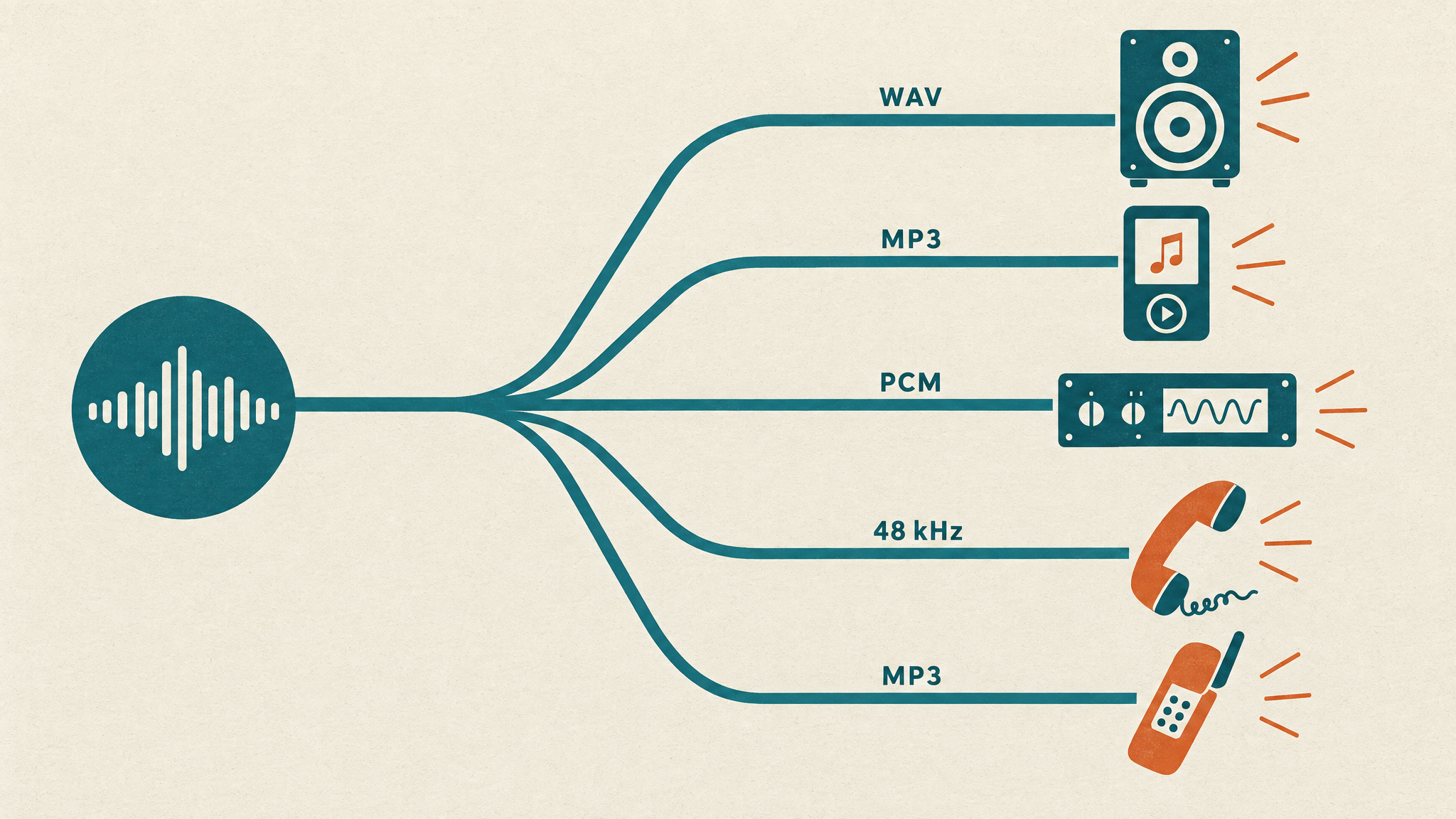
Export audio as MP3, WAV, PCM, μ-law, or A-law, with sample rates from 8 kHz to 48 kHz. MP3 output also supports bit rates from 32 kbps through 192 kbps, letting you balance fidelity and file size. Select studio settings for media production or telephony formats for call flows and embedded voice systems across downstream applications.
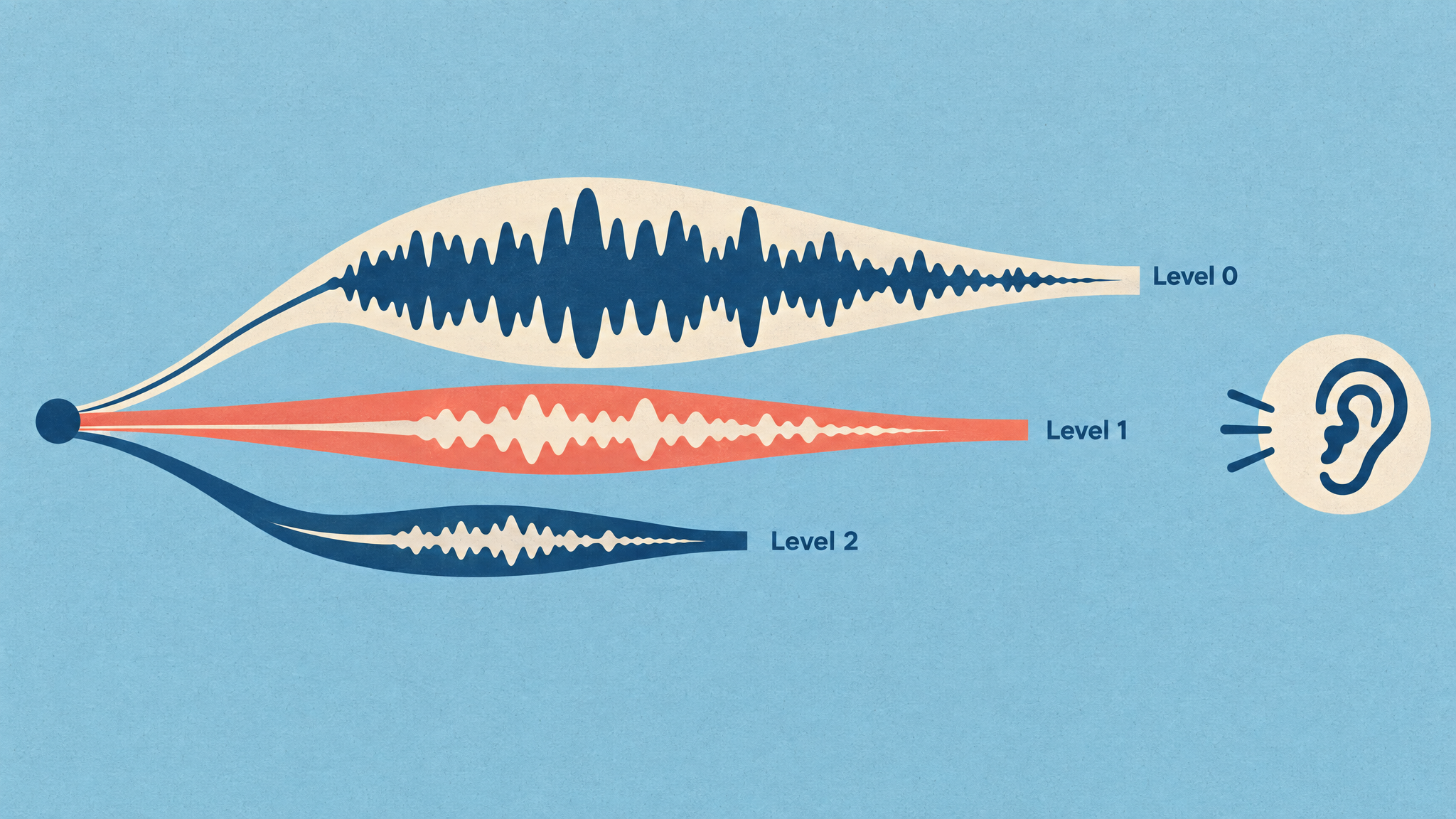
Three latency optimization levels let xAI TTS v1 trade first chunk size against output quality for streaming synthesis. Level 0 prioritizes audio quality, while Levels 1 and 2 progressively reduce time to first audio with increasing boundary tradeoffs. Choose the setting that fits responsive voice agents, live reading, or other latency-sensitive experiences where startup delay matters.
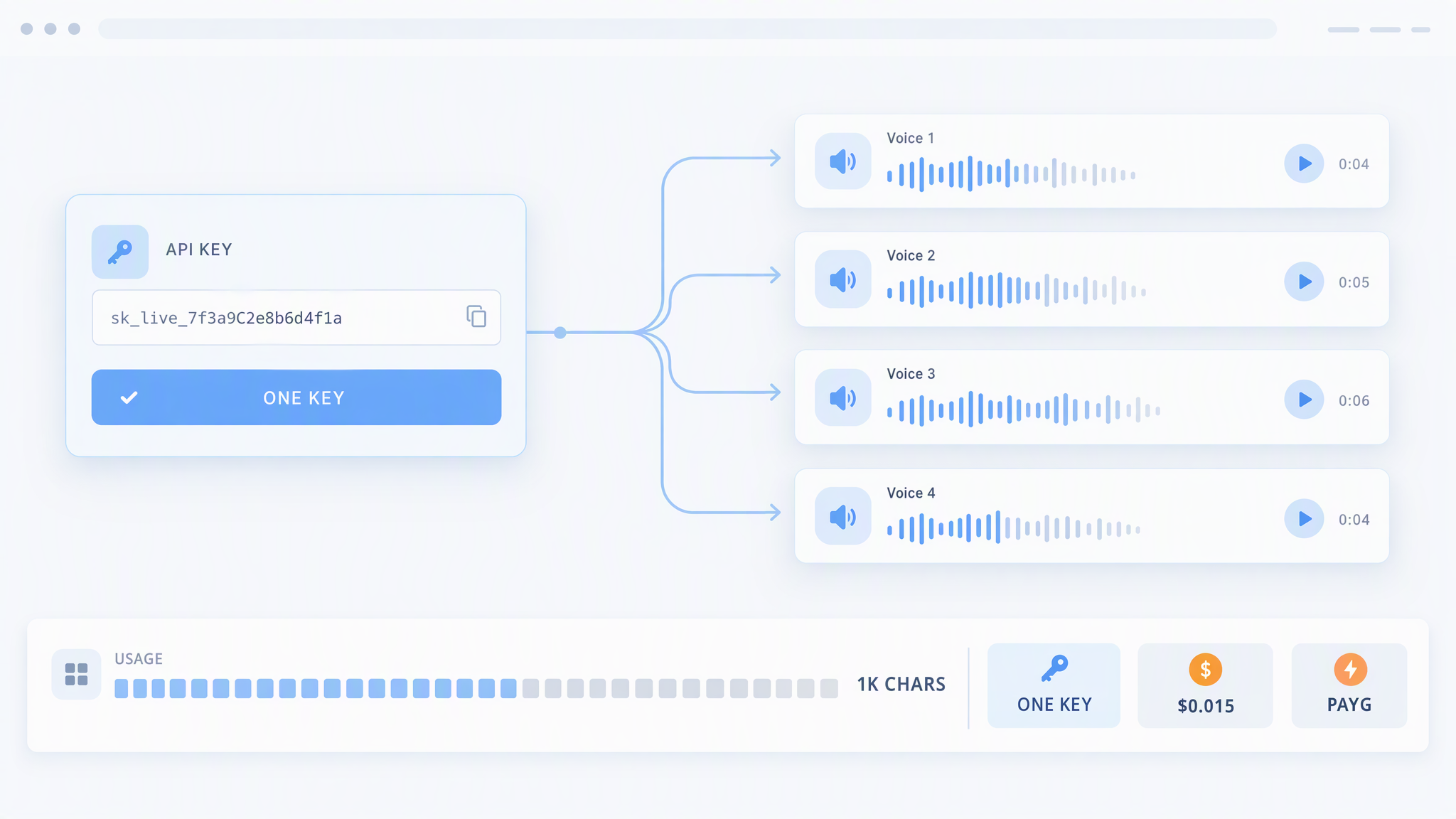
Run xAI TTS v1 through one Atlas Cloud endpoint and a single API key, with standard usage billed at $0.015 per 1,000 input characters. Unicode characters are counted consistently, including CJK characters, so cost estimates stay straightforward across languages. This pay-as-you-go model supports prototypes and production workloads while keeping spend proportional to request volume at scale.
See how three Atlas Cloud video models interpret identical prompts across cinematic dialogue, motion, composition, continuity, and visual storytelling.
Create a complete, polished, interactive single-file HTML webpage titled “Cloudborne Balloon Dispatch.” Output only the final HTML document, with all CSS and JavaScript inline. It must open and work directly in a modern browser with no build step and no external dependencies, libraries, fonts, CDNs, image URLs, APIs, or additional files. This is a responsive webpage, not a fixed 16:9 composition. Design an immersive dawn-era hot-air-balloon fleet control station that blends vintage aviation instruments, screen-printed topographic maps, tactile paper textures, brass controls, and modern real-time simulation. Use a carefully layered palette of cobalt blue, cream yellow, coral red, warm white, charcoal, and muted brass. Warm morning light should gradually brighten from the upper-left corner. Encode altitude, wind layers, and danger consistently through color, line weight, patterns, and clear legends. Create all visuals procedurally with HTML, CSS, Canvas, and inline SVG where useful. The central area must be a large animated top-down airspace map showing a canyon, contour lines, at least twelve individually identifiable balloons, several shifting wind layers, a moving cumulonimbus storm system, turbulence zones, and a floating lighthouse as the destination. Implement a genuine lightweight physics simulation: each balloon must track position, velocity, altitude, fuel, ballast, temperature, risk, and route history; wind direction and strength must vary by altitude and evolve over time; burners increase lift while consuming fuel; releasing ballast raises the balloon but permanently reduces ballast; cooling causes descent; canyon walls and storm cells create meaningful hazards. Balloons should move continuously and leave visible, fading flight trails. The objective is to guide the entire fleet safely to the lighthouse before resources or time run out. Include a prominent launch countdown at dawn with Start, Pause, Resume, Reset, and simulation-speed controls. Before launch, balloons should subtly sway while instruments twitch. After launch, animate wind particles, balloon motion, storm growth, trail drawing, warning pulses, and changing light. Users must be able to drag wind-direction nodes directly on the map to alter local airflow in real time, with immediate visual and physical feedback. Clicking a balloon must select it, highlight its route, center its data across the interface, and open a compact detail inspector. Provide tactile burner and ballast controls for the selected balloon, including press-and-hold burner behavior, a clearly consequential ballast-release action, keyboard shortcuts, and accessible buttons. Allow multi-select or fleet-wide commands for advanced play. Arrange a vertical sidebar of mission cards showing fleet objectives, active alerts, weather briefings, and per-balloon status summaries. Mission cards should update live and support filtering by safe, warning, critical, arrived, and lost states. Place a dense but readable telemetry strip along the bottom with smoothly scrolling Canvas charts for altitude, vertical speed, fuel, storm proximity, and fleet progress. Hovering or scrubbing charts should reveal synchronized values and highlight the corresponding moment on the selected balloon’s trail. Add vintage gauges, rotating needles, numeric readouts, warning lamps, stamped labels, map coordinates, altitude bands, a compact minimap or overview, and a clear legend. Use responsive layout behavior rather than merely shrinking the desktop composition. On wide screens, show sidebar, central map, inspector, and telemetry simultaneously. On tablets, collapse secondary cards into tabs or drawers. On mobile, prioritize the map and selected-balloon controls, provide large touch targets, stack telemetry panels, and preserve drag interactions. Ensure the page fills the viewport gracefully at varied aspect ratios and remains usable with mouse, touch, and keyboard. Make the simulation feel complete: include success and failure conditions, animated arrival docking at the floating lighthouse, collision or storm-loss feedback, contextual tooltips, first-use guidance, empty and disabled states, confirmation for irreversible ballast release, restart flow, status announcements, and a final mission report with statistics such as arrivals, losses, fuel efficiency, average risk, and elapsed time. Seed the initial state so the scenario is immediately interesting but still winnable. Use requestAnimationFrame for smooth animation and Canvas for the map and telemetry where appropriate. Keep rendering performant, use devicePixelRatio for crisp canvases, handle resize events correctly, and avoid console errors. Prioritize exceptional visual hierarchy, nuanced micro-interactions, convincing instrument behavior, linked state across every panel, and detailed finishing. Do not create a static mockup. Do not use placeholder rectangles, generic gradients as the entire design, fake nonfunctional controls, external assets, external fonts, alert() dialogs, excessive explanatory text, horizontal overflow, tiny unreadable labels, or interactions that work only with a mouse. Do not force a 16:9 canvas or fixed-size viewport. Every major visible control must function, and all displayed data must derive from the live simulation state.
Generated with Grok Imagine Video v1.5 Text-to-Video on Atlas Cloud
Generated with Seedance 2.0 Text-to-Video on Atlas Cloud
Generated with Grok Imagine Video v1.5 Developer Text-to-Video on Atlas Cloud
Create a complete, polished, single-file interactive HTML webpage titled “Midnight Automated Bakery,” using only inline HTML, CSS, and vanilla JavaScript. Output the entire runnable HTML document and nothing else. Do not use external libraries, frameworks, CDNs, fonts, images, SVG files, audio files, APIs, or network requests; all visuals, icons, sound-like feedback, effects, and game logic must be generated locally with HTML/CSS/JS. Build a fully playable order-scheduling game set inside an automated bakery at midnight. Dough pieces must continuously enter an isometric conveyor system with clearly differentiated shapes, recipes, required baking temperatures, baking durations, freshness limits, and point values. Organize the interface around a large central industrial oven, a looping conveyor network with switchable tracks, and side-mounted real-time instrumentation panels. Players must drag and reorder dough items in the oven queue, drag them between compatible slots where appropriate, click track switches to reroute incoming dough, click oven controls to adjust temperature or activate systems, and use clearly documented keyboard controls for temporary conveyor acceleration and emergency cooling. All mouse, touch, click, drag, and keyboard interactions must respond immediately and visibly. Implement real stateful gameplay rather than a static mockup. Include multiple simultaneous dough orders, conveyor movement, track routing, drag-and-drop collision and snap validation, capacity limits, per-item timers, oven temperature inertia, baking progress, underbaked/perfect/overbaked states, score, multiplier combo, lives or reputation, escalating difficulty, pause/resume, restart, and a concise interactive tutorial or help overlay. Recipes should create meaningful scheduling conflicts: different products should require different temperatures and durations, encouraging queue rearrangement and strategic cooling or acceleration. Perfectly baked bread should emerge golden, trigger a satisfying particle burst, illuminate the bakery display window, increase the combo, and update the order log. Mistakes should produce visibly charred bread, rising smoke and ember particles, warning lights, instrument shake, combo loss, and clear non-audio feedback. Provide an optional sound toggle, but simulate audio feedback visually and with Web Audio generated entirely in JavaScript when enabled; the game must remain fully understandable when muted. Use an original, cohesive visual language combining detailed isometric pixel art with precision industrial instrumentation. Contrast warm amber furnace light, copper highlights, glowing bread, and soft cream labels against a deep indigo midnight environment. Create depth with CSS-drawn machinery, tiled floors, pipes, vents, shadows, highlights, pixel-stepped edges, subtle scanlines, indicator lamps, segmented displays, gauges, warning stripes, and animated mechanical details. Make the central oven feel alive with a flickering chamber, doors, temperature dial, heat shimmer, and status lights. Animate conveyor belts, gears, dough movement, smoke, sparks, cooling vapor, window illumination, combo feedback, and panel transitions with performant CSS and JavaScript. Maintain crisp readability and strong hierarchy despite the dense control-room aesthetic. Include substantial, carefully arranged content: the playable bakery floor, incoming-order queue, oven queue, recipe reference, live score/combo display, temperature and throughput instruments, event log, control legend, status notifications, and end-game or shift-summary modal with detailed results and replay action. Add accessible labels, visible focus states, keyboard operability, reduced-motion support, and color-independent status cues. Make the layout responsive across desktop, tablet, and mobile browsers, intelligently rearranging panels and scaling the bakery while preserving usability. This is a webpage, so do not force a fixed 16:9 canvas or hard-coded viewport dimensions; use a fluid responsive layout that looks especially strong on common widescreen displays while also adapting gracefully to portrait screens. Prioritize completeness, game feel, reliable state management, accurate timing, robust drag handling, clear collision rules, polished transitions, and visual feedback. The page must work immediately when saved as a single .html file and opened locally. Avoid: static concept art, a nonfunctional dashboard, placeholder controls, fake drag interactions, broken timers, overlapping text, illegible tiny labels, excessive explanatory copy, generic flat cards, photorealistic imagery, external assets, external dependencies, embedded base64 images, network access, build steps, multiple files, fixed 16:9 dimensions, mandatory sound, autoplaying audio, browser alerts, console-only feedback, and unfinished TODO sections.
Generated with Grok Imagine Video v1.5 Text-to-Video on Atlas Cloud
Generated with Kling V3.0 Turbo Text-to-Video on Atlas Cloud
Generated with Grok Imagine Video v1.5 Developer Text-to-Video on Atlas Cloud
From responsive voice agents to multilingual narration, xAI TTS v1 turns product text into natural, expressive speech for support, storytelling, games, accessibility, and commerce experiences.

xAI TTS v1 turns text into natural speech with latency under one second for responsive conversational agents. Product teams can use it for virtual assistants, support flows, and spoken interfaces.

Reach users across 20 languages through natural speech and a catalog of more than 80 voices. Localized apps can present onboarding, updates, and guidance in a voice suited to each audience.

Shape narration through fine-grained delivery control and expressive speech that follows the intended mood of each scene. Publishers, podcasters, and learning platforms can create characterful stories, lessons, and long form listening experiences.

Give game characters distinct voices from a library of more than 80 options, then tune their delivery for each moment. Studios can voice dialogue, tutorials, companions, and dynamic narrative sequences.

Convert written content into natural speech for people who prefer or require audio access. Education teams, publishers, and product designers can add spoken articles, lessons, instructions, and interface guidance at scale.

Use expressive speech and fine-grained delivery control to present products, promotions, and order updates in a consistent voice. Commerce teams can create audio touchpoints for shopping assistants and customer communications.
Compare xAI TTS v1 with leading text-to-speech models available on Atlas Cloud by language coverage, request capacity, delivery controls, and standard pricing.
| Model | Languages | Max Text per Request | Delivery Controls | Standard Price |
|---|---|---|---|---|
| xAI TTS v1 | 20 | 15,000 characters | Speech tags and speed control | $0.015/1K characters |
| MiniMax Speech 2.6 Turbo | 40+ | 10,000 characters | Emotion, speed, and pitch controls | $0.06/1K characters |
| ElevenLabs v3 Text-to-Speech | 70+ | 5,000 characters | Audio tags and stability control | $0.10/1K characters |
Get started in minutes — follow these simple steps to integrate and deploy models through Atlas Cloud's platform.
Sign up at atlascloud.ai and complete verification. New users receive free credits to explore the platform and test models.
Combining the advanced xAI TTS V1 models with Atlas Cloud's GPU-accelerated platform provides unmatched performance, scalability, and developer experience.
Low Latency:
GPU-optimized inference for real-time reasoning.
Unified API:
Run xAI TTS V1, GPT, Gemini, and DeepSeek with one integration.
Transparent Pricing:
Predictable per-token billing with serverless options.
Developer Experience:
SDKs, analytics, fine-tuning tools, and templates.
Reliability:
99.99% uptime, RBAC, and compliance-ready logging.
Security & Compliance:
SOC 2 Type II, HIPAA alignment, data sovereignty in US.
xAI TTS v1 is a high fidelity text to speech model from xAI that turns written content into natural, expressive audio. Atlas Cloud provides it under the model ID xai/tts-v1.
Use it to create voices for conversational agents, narration, educational content, accessibility tools, localized media, and automated customer experiences. Its expressive delivery controls also suit character dialogue and scripted audio.
Create an Atlas Cloud API key and send a POST request to the shared audio generation endpoint with xai/tts-v1 as the model. Include the text and a required language value, using auto when automatic language detection is preferred.
Atlas Cloud lists support for 20 languages and more than 80 voices. Choose a language explicitly for predictable pronunciation, or use automatic detection when the input language may vary.
Place supported inline and wrapping speech tags in the text to add effects such as pauses, laughter, whispers, or slower delivery. You can also adjust speaking speed from 0.7 to 1.5 and enable text normalization for numbers, abbreviations, and symbols.
Choose MP3, WAV, PCM, μ-law, or A-law output according to your playback and processing needs. Supported sample rates range from 8 kHz to 48 kHz, while MP3 requests can use bit rates from 32 to 192 kbps.
Yes. The model is designed for sub-second synthesis and exposes three streaming latency optimization levels, from maximum audio quality to a smaller first audio chunk with a greater quality tradeoff.
Atlas Cloud charges the standard rate of $0.015 per 1,000 input characters on a pay as you go basis. Character counting uses Unicode characters, so one CJK character is counted the same way as one Latin character.
First, confirm that the request uses a valid Atlas Cloud API key, the xai/tts-v1 model ID, and a supported language value. Next, keep the text within the Atlas Cloud limit of 15,000 characters and verify that voice, codec, sample rate, bit rate, and speed values match the documented schema.
Seedance 2.5 API is now available on Atlas Cloud! It gives developers ByteDance's newest video model. It generates up to 30 seconds of native video in a single pass from text, a single image, or as many as 50 multimodal references, with synchronized audio and in-frame multilingual text. On Atlas Cloud you reach it through one key, with subject consistency and improved physics keeping long shots coherent. (Update: Seedance 2.5 1080P API Is Available NOW!)

Wan 3.0 API is the next generation of Alibaba's Wan video family, built to push long-form generation, multi-reference control, and audiovisual quality to new heights. Atlas Cloud already hosts Wan 2.7, 2.6, and 2.5, and Wan 3.0 runs on the same unified key with no separate setup. Start building today. Scroll down to the showcase to see what Wan 3.0 can create.
MiniMax H3 is MiniMax's multimodal video family for text, image, and reference guided creation. Across supported routes, it preserves subjects from reference media, offers flexible aspect ratios, and pairs generated sound with visuals through H3 Developer, with output profiles selected by endpoint. Atlas Cloud unifies the family behind one OpenAI-compatible key with transparent pay-as-you-go pricing from the standard rate of $0.038 per second. Start building today.
Seedream 5.0 Pro API gives developers ByteDance's controllable image editing model on Atlas Cloud. It places edits precisely with anchors and coordinates, separates images into editable layers, fuses multiple references, and matches exact colors and materials, with multilingual text at 2K and 3K. On Atlas Cloud you reach it through one key!
Seedance 2.0 is ByteDance’s production video model for precise shot creation. Turn prompts into video, animate a first-frame image with optional last-frame guidance, or shape results with reference media and optional web search. Atlas Cloud brings these workflows into one unified API with transparent pay-as-you-go pricing and one OpenAI-compatible key. Start building today.
The gpt-image-2.5 family from OpenAI gives developers a choice of Flare and Sunburst for production image workflows. Render at arbitrary resolutions up to 3840x2160 and select from five quality tiers, including xhigh and max, to match specific output requirements. Atlas Cloud provides ready-to-use REST inference with no cold starts and standard pricing from $0.004 per generation. Start building today.
The GPT Image 2 API gives developers access to OpenAI's latest image model, the successor to GPT Image 1.5. It generates and edits images with accurate text rendering across Latin and CJK scripts, plus strong composition for posters, mockups, and infographics. On Atlas Cloud you reach it through one unified API alongside 300+ models, with free credits, 99.99% uptime, and no OpenAI organization verification required.
Gemini Omni is Google DeepMind's natively multimodal video family for prompt guided creation and editing. Generate from text, animate still images, or revise existing footage with optional visual references while preserving untouched content. Flexible resolution, aspect ratio, and duration controls support varied production workflows. Atlas Cloud unifies access with transparent pay-as-you-go pricing. Start building today.
Grok Imagine Image is xAI's family for generating polished visuals and revising one or more reference images through natural language instructions. Its standard and quality endpoints cover text to image creation, single image changes, and indexed multi-image composition. Atlas Cloud brings these workflows into one API, with standard generation and editing priced at $0.02 per image. Start building today.
Google's most powerful creative models are all available on Atlas Cloud. Veo 3.1 delivers cinematic video generation, Nano Banana 2 powers high-fidelity image creation, and Gemini brings multimodal intelligence to every workflow. Access the full Google model suite through one API key with Day-0 availability and pay-as-you-go pricing.
The Seedance 2.0 Mini API is the lightest, lowest-cost tier of ByteDance's Seedance video line, built for teams where throughput and unit cost matter more than maximum polish. Use it for batch generation, rapid prototyping, and draft passes, all through one OpenAI-compatible key on Atlas Cloud.
From cinematic video generation to high-fidelity image creation, ByteDance's most powerful models are live on Atlas Cloud. Run Seedance and Seedream at scale with the lowest inference pricing and zero infrastructure overhead.
Guides, tutorials, and product updates to help you get the most out of Atlas Cloud.