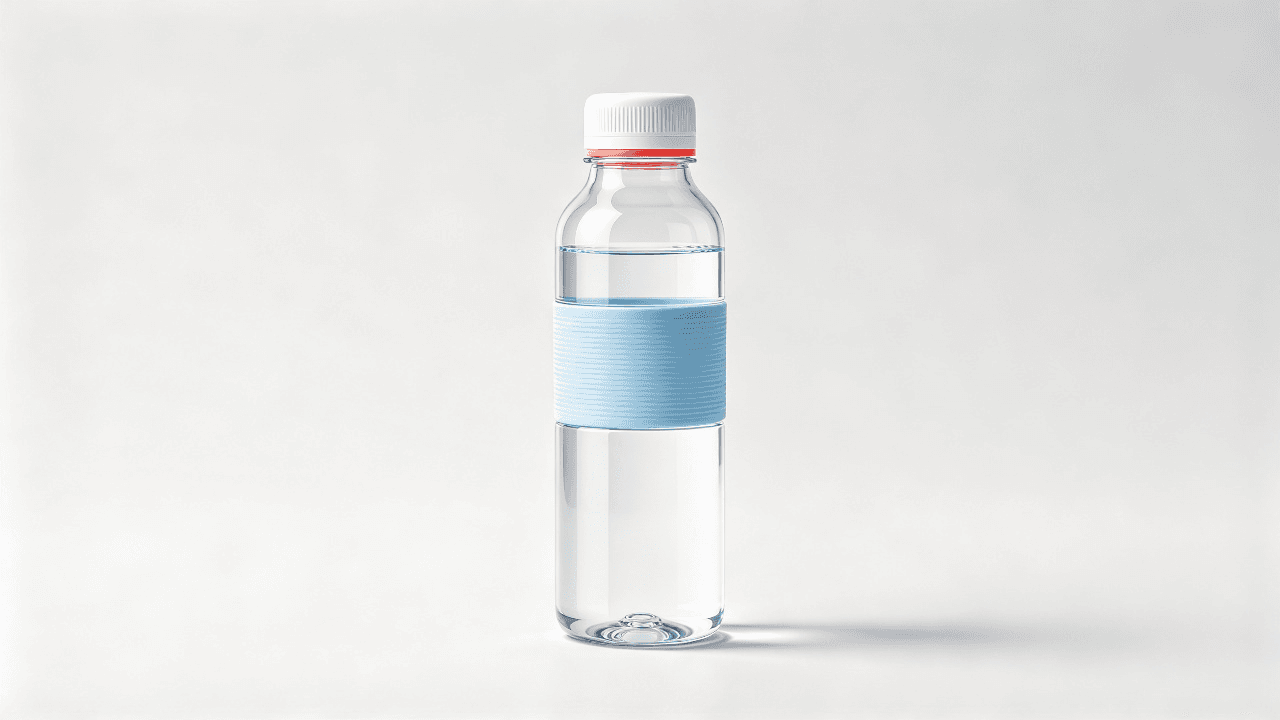
 Monday morning: one short product video is spending, the team needs new creative, and nobody wants a model to change the bottle, invent a benefit, or speak as a customer who does not exist. AI Video API for UGC Ads can help with the production bottleneck when the team treats it as a controlled creative-testing system.
This article shows a practical loop: lock one approved reference package, generate 3 hook variants, review every output, then test the accepted assets. It does not promise that synthetic UGC will outperform real creator content. It gives growth and engineering teams a way to create more testable variations without losing the audit trail.
AI Video API for UGC Ads: The Answer in 60 Seconds
An AI video API accepts a prompt and reference assets, creates an asynchronous job, and returns a video or a failure state. A production UGC-ad workflow is wider than that API call. It also needs a factual brief, consent records, claim approval, caption treatment, review decisions, asset IDs, and campaign measurement.
The useful unit is an accepted ad, not a generated file. Each accepted ad should point back to the product asset version, the person shown, the approved language, the generation job, the reviewer, and the media-platform asset ID. That record gives a team a way to diagnose a bad output instead of repeating an expensive guess.
Key takeaways
- Freeze product facts, authorized likeness, and approved claims before prompting.
- Change 1 creative variable per run. This article changes only the hook.
- Review generative output before it enters an ad account.
- Judge production economics by cost per accepted ad, then judge media by campaign results.
Video-creative automation is a practical concern, not a novelty. IAB reported that half of advertisers were already using GenAI to build video ads in its 2025 study. That describes adoption, not proof that any generated ad will work for a particular brand (IAB 2025 Digital Video Ad Spend Report, July 2025).
Why This Is Not a One-Click Ad Machine
An API that returns a clip is a useful media primitive. It cannot independently decide whether the product label is accurate, whether a person gave commercial consent, whether a spoken benefit is approved, or whether a platform-specific caption is readable. Those decisions belong to the team operating the workflow.
| Layer | Media-generation API | End-to-end UGC ad workflow |
|---|---|---|
| Main input | Prompt, references, settings | Approved facts, assets, script, references, campaign brief |
| Main output | Video job and result URL | Reviewable creative package and exported ad asset |
| Controls | Ratio, resolution, duration, model | Consent, claims, hooks, captions, review, naming, experiment IDs |
| Failure to catch | Product drift, invented wording, duplicate jobs | Rejection reasons and a route to correct them |
"One prompt produces an ad" leaves too many facts to chance. A product pack shot may contain a logo or label that needs to stay legible. A creator asset may have licensing limits. An offer may need an exact legal qualifier. A 9:16 cut also needs safe zones and platform-aware caption placement that a model should not be asked to guess.
Atlas Cloud is useful here as an operating surface rather than a magic button. Its AI video API catalog gives teams a route to model pages and asynchronous generation, while the surrounding contract remains yours. For the reference-led example below, Seedance 2.5 Reference-to-Video is the relevant model page.
Build a Testable Brief Before You Generate
Build a reference package that another operator can inspect without reading the full prompt history. The package should have a stable identifier and immutable versions for every asset that affects truthfulness.
- Product asset ID: the original, clear product image. Confirm shape, color, cap, label, materials, and visible functions.
- Creator or actor asset ID: a file backed by commercial-use permission for likeness and, if used, voice.
- Claim-sheet version: each spoken fact, offer, qualifier, and source owner.
- Hook ID: a short controlled label such as
problem,proof, oraudience. - Brand guardrails: banned comparisons, health claims, exaggerated outcomes, and fabricated testimonials.
The claim sheet should be boringly precise. It removes the temptation to use language that feels persuasive but cannot be supported.
| Do use an approved, checkable statement | Do not turn it into a personal outcome |
|---|---|
| "This 500 ml bottle is listed with a screw-top lid." | "I stopped leaking bottles forever." |
| "The included cap screws on." | "This solved my commute problem." |
| "Check the product page for current offer terms." | "Everyone needs this." |
An AI avatar is not categorically off limits. Use a synthetic presenter as a scripted demonstrator who states approved product facts. Do not frame that presenter as a verified customer, and do not generate a first-person story of using a product if no real person made that statement.
AI Video API for UGC Ads: A 3-Hook Production Workflow
Use this sequence: approved inputs → 3 job requests → polling → human review → deterministic captions → campaign test.
Keep product, person, location, offer, ratio, duration, and model constant. Replace only the opening angle. That creates a cleaner answer when a campaign result changes: the team can attribute the creative difference to the hook before it considers other variables.
No commercial product or creator assets were supplied for this article, so it does not present a fictional product or customer as a completed ad. The local test-playground browser session also stalled before navigation, so no generated output is claimed here. Use the workflow below with your own cleared inputs, and attach the real completed run to the job record before spend.
Step 1: Prepare Approved References
Prepare 1 clear product reference and 1 consented creator or actor reference. Inspect the inputs at 100% scale. If the product label, cap, or geometry is unclear before a run, a generated clip cannot make it clearer. Keep the original files, calculate an internal checksum if your system supports it, and store their versions in the request record.
Only replace the bracketed variables below with material that a brand has approved:
plaintext1[BRAND] 2[PRODUCT] 3[VERIFIED_PRODUCT_FACT] 4[APPROVED_PAIN_POINT] 5[APPROVED_OFFER_OR_CTA] 6[CREATOR_REFERENCE_IMAGE] 7[PRODUCT_REFERENCE_IMAGE]
Synthetic unbranded water-bottle reference for the controlled AI video API UGC ads demos
Reference image 1: the unbranded bottle used as the fixed product input for the visual demonstrations below.

Synthetic presenter reference for the controlled AI video API UGC ads demos
Reference image 2: the synthetic presenter used as the fixed person input for the visual demonstrations below.
AI Video API for UGC Ads: Step 2, Generate 3 Controlled Hooks
For this article, use an 8-second vertical 9:16 video with 2 references and 1080p output. The completed visual previews below are silent GIFs because their purpose is to show the changing opening and the visible cap action. If a production ad uses spoken claims, retain the source MP4 for review: a GIF cannot validate wording or lip sync. Start with one short probe if the model page or inputs are new to your team. Do not mistake that probe for a launch-ready ad.
Three controlled AI video API UGC ads job contracts that share approved inputs and change only the hook ID
Controlled-job diagram: every request inherits the same approved references and claim sheet while only hook_id changes. It is an explanatory diagram, not a platform screenshot or a completed run.
AI Video API for UGC Ads: Hook A, Problem-Led
plaintext1Create an 8-second vertical 9:16 UGC-style product demonstration, not a customer testimonial. Preserve the authorized creator in reference image 2 and preserve [PRODUCT] from reference image 1 exactly: same shape, color, cap, label placement, proportions, and materials. 2 3Shot 1, 0-2 seconds: handheld phone-camera framing, the creator looks into the camera in a bright real apartment entryway and holds the product at chest height. She says exactly: “[APPROVED_PAIN_POINT]” 4 5Shot 2, 2-6 seconds: a natural close-up as she demonstrates one visible, verified function of the product. Do not invent a feature that is not present in the approved claim sheet. 6 7Shot 3, 6-8 seconds: return to a medium handheld shot. She says exactly: “[APPROVED_OFFER_OR_CTA]” 8 9Natural American English voice, believable room tone, quick but calm creator-style pacing, slight handheld movement, one close-up and one return shot, realistic hands and product interaction. No subtitles, no on-screen text, no logo changes, no extra products, no fake review language, no exaggerated reactions.

Silent looping UGC-style problem-led preview: a presenter checks and screws the cap on the same unbranded water bottle
Rendered visual preview, hook_id: problem: the opening shows a cap check, followed by the same visible screw-cap action. This silent GIF does not validate the placeholder spoken lines in the production prompt.
Log this version as hook_id: problem. Before accepting it, compare the product and spoken sentence against the source package. A useful review note names the actual mismatch, such as “cap geometry changed” or “spoken offer differs from claims-v12.”
AI Video API for UGC Ads: Hook B, Proof-Led
plaintext1Create an 8-second vertical 9:16 UGC-style product demonstration, not a customer testimonial. Preserve the authorized creator in reference image 2 and preserve [PRODUCT] from reference image 1 exactly: same shape, color, cap, label placement, proportions, and materials. 2 3Shot 1, 0-2 seconds: handheld phone-camera framing. The creator introduces the product and says exactly: “Meet [BRAND] [PRODUCT].” 4 5Shot 2, 2-6 seconds: clean close-up demonstration of this verified product fact only: “[VERIFIED_PRODUCT_FACT]”. The camera briefly follows the product action from a second angle while keeping the same location, creator, lighting, and product. 6 7Shot 3, 6-8 seconds: the creator faces the camera and says exactly: “[APPROVED_OFFER_OR_CTA]” 8 9Natural American English voice, realistic room tone, creator-style pacing, authentic hand movement, product geometry must match reference image 1. No subtitles, no on-screen text, no before-and-after result claims, no invented customer experience, no extra branding.

Silent looping UGC-style proof-led preview: the presenter turns the screw cap on the same unbranded water bottle in close-up
Rendered visual preview, hook_id: proof: the opening moves straight to the screw cap, then shows the same bottle and presenter in the entryway. This eight-second silent GIF shows the visible cap action; it does not validate the placeholder spoken lines in the production prompt.
Log this version as hook_id: proof. The close-up should demonstrate a visible, documented function. It should not imply a broader benefit, an outcome, or a customer result.
AI Video API for UGC Ads: Hook C, Audience-Led
plaintext1Create an 8-second vertical 9:16 UGC-style product demonstration, not a customer testimonial. Preserve the authorized creator in reference image 2 and preserve [PRODUCT] from reference image 1 exactly: same shape, color, cap, label placement, proportions, and materials. 2 3Shot 1, 0-2 seconds: natural handheld framing. The creator looks directly at camera and says exactly: “For [TARGET_AUDIENCE], here is one detail worth checking.” 4 5Shot 2, 2-6 seconds: show [PRODUCT] in a real, simple use moment that proves only this approved fact: “[VERIFIED_PRODUCT_FACT]”. Use a quick close-up followed by a medium shot, with no scene change. 6 7Shot 3, 6-8 seconds: the creator returns to camera and says exactly: “[APPROVED_OFFER_OR_CTA]” 8 9Natural American English voice, believable room ambience, light handheld camera texture, practical UGC aesthetic, realistic hands, no captions, no on-screen text, no fake review phrasing, no unapproved claims, no altered product geometry.

Silent looping UGC-style audience-led preview: a presenter picks up the same unbranded water bottle beside a commuter tote and checks the cap
Rendered visual preview, hook_id: audience: the commuter-tote opening changes while the product, presenter, room, and screw-cap action stay consistent. This silent GIF does not validate the placeholder spoken lines in the production prompt.
Log this version as hook_id: audience. Keep the product, presenter, setting, offer, and output settings fixed so a later campaign test can isolate the audience-led opening.
AI Video API for UGC Ads: Step 3, Submit One Durable Job
Asynchronous media calls need a durable record before the request is sent. Generate an idempotency_key once for a planned creative. If a client times out, query the job by the external reference or idempotency key before sending a second request. A timeout tells you that the client lost visibility, not that the first generation failed.
This is a generic job contract, not copy-and-paste production code. Map it to your endpoint and internal database. Do not put API keys into the browser or article.
plaintext1{ 2 "external_ref": "ugc-2026-09-24-problem-v1", 3 "idempotency_key": "a-stable-uuid-per-planned-creative", 4 "product_asset_version": "product-bottle-v7", 5 "creator_consent_record": "consent-actor-42", 6 "claim_sheet_version": "claims-v12", 7 "hook_id": "problem", 8 "model": "bytedance/seedance-2.5/reference-to-video", 9 "ratio": "9:16", 10 "resolution": "1080p", 11 "duration": "8s", 12 "status": "submitted", 13 "accepted_by": null, 14 "final_asset_id": null 15}
AI Video API for UGC Ads: Step 4, Poll, Review, and Export
Poll with exponential backoff and a maximum time that matches your user experience. On success, write the returned job ID, output URL, resolved settings, and job timestamps. On a terminal failure, store the provider response and classify it. On an ambiguous client timeout, read before retrying. That small discipline avoids both duplicate spending and an unclear creative history.
Download accepted source media into your asset library, then add captions and CTA treatment with deterministic post-production. That gives the team control of safe zones and legal copy. Platform guidance from Meta favors creative built for the placement, including vertical 9:16 video, audio, and key content kept in safe zones. Treat it as platform guidance, not a guarantee of results (Meta Reels ads guidance, accessed September 2026).
Model and Cost Decisions
Reference-to-video is the right starting point when product geometry and an authorized person need stronger constraints than a text-only prompt can offer. It does not guarantee pixel-perfect preservation, spoken-word accuracy, or natural hands. The review gate exists because references reduce drift without eliminating it.
| Need | Recommended operation | Why it fits | Do not use it for |
|---|---|---|---|
| Hold a product and presenter while generating a UGC-style dialogue clip | Seedance 2.5 Reference-to-Video | Supports multimodal references, native audio, 1080p, and longer durations | Final legal copy that must be word-perfect |
| Validate creative shape cheaply | Run 1 short probe with the same model | Finds unusable references or settings before a full batch | A final ad or a cost estimate |
| Combine a product and model image without code | UGC Product Ad workflow | Lets a non-developer verify the workflow shape | API-job logging or production governance |
At the time of this run, Atlas Cloud’s model library listed Seedance 2.5 Reference-to-Video at $0.134 per second from $0.167 per second, a 20% displayed reduction. For 8 seconds, the displayed raw-generation arithmetic is about $1.07. Check the current model-page pricing before approving spend because a page’s price, discount, and configuration can change.
Raw generation price is only one component. Use this production calculation:
plaintext1Cost per accepted ad = 2(all generation charges + rejected generations + review/correction time + storage/egress) 3÷ approved ads
Do not convert that number into a predicted CPA, ROAS, or conversion rate. Media performance comes from the actual campaign, offer, audience, and landing page.
AI Video API for UGC Ads: Review Gate Before Spend
A reviewer should approve or reject the output against the source package, not against a vague impression that it looks convincing. A short rejection reason is useful data. It tells the next operator whether to change the prompt, the reference, the production step, or the product asset itself.
Use this launch checklist:
- Product color, size, logo, structure, and interaction match the source asset.
- The person shown has documented commercial likeness and voice permission.
- Every spoken line comes from the approved claim sheet.
- The clip does not imply an invented personal experience or customer endorsement.
- Lip sync, hands, and product interaction look credible enough for the placement.
- 9:16 framing, captions, safe zones, CTA, and legal copy are applied in controlled post-production.
- The team has checked disclosure and ad requirements for the target region and platform.
- Every rejection has a reason tied to the job and prompt version.
Review scorecard for 3 controlled AI video API UGC ads hooks with fidelity, spoken-claim, lip-sync, audio, and decision fields
Review-scorecard template: fill it only from a completed output and its source package. A template cannot clear an ad for launch.
The FTC’s consumer-review and testimonial rule took effect in 2024 and addresses deceptive or unfair conduct involving consumer reviews and testimonials. A synthetic face does not repair a false story. If an audience is likely to read a person’s words as their experience with a product, the team should treat that as testimonial territory and get legal review where appropriate (FTC Consumer Reviews and Testimonials Rule Q&A, accessed September 2026). This is operational guidance, not legal advice.
Run a Controlled Creative Test
Start with the 3 accepted clips beside real creator assets rather than declaring a replacement strategy. The comparison tells you whether the controlled hook changes are worth continuing for your audience and placement.
Keep these variables fixed for the 3 synthetic or real AI variants:
- Same product and product-asset version
- Same person or authorized synthetic presenter
- Same offer, landing page, objective, and audience definition
- Same placement family and campaign window
- A distinct
hook_idand campaign asset ID for every output
Measure in layers. Production metrics answer whether the system is usable: generation-failure rate, review-rejection rate, and time to accepted asset. Creative metrics answer whether the opening earns attention: thumb-stop or hold rate, interpreted with the definitions used by your platform. Media metrics answer the commercial question: CTR, landing-page views, and purchase or lead events where the tracking setup is valid.
Give the test enough operational discipline to learn. If Hook B wins, the team can carry its product fact into a new creator filming brief or a further AI variant. If every AI version loses to creator footage, that result still improves the production decision. An AI Video API for UGC Ads earns its place by making a traceable learning loop faster, not by replacing judgment.
Frequently Asked Questions About an AI Video API for UGC Ads
Is an AI video API the same as a UGC ad API?
No. An AI video API commonly produces a media job from a prompt, references, and settings. A UGC ad API may add scripts, avatar selection, product inputs, and an opinionated workflow. Neither definition removes your need for claim approval, consent, captions, review, and measurement. A growth team can build its own UGC workflow around a media-generation API if it keeps durable records for every input and output. The decision is less about labels and more about where your team needs control: asset truth, compliance workflow, editing, job observability, or campaign experimentation.
Can I use an AI presenter in an ad without creating a fake testimonial?
Yes, if the presenter acts as a scripted demonstrator and speaks approved product facts. Do not call that person a customer or present a generated first-person experience as genuine. Keep the story in the clip aligned with what the person, if real, actually agreed to say and what the product can support. Document permission for any real likeness or voice. For a synthetic presenter, document the source, the usage policy, and the planned language. Review rules can differ by country and advertising platform, so confirm the requirements that apply to the placement before spend.
What assets should I send to an AI video API for UGC ads?
Send the clearest possible product reference, a creator or actor reference backed by appropriate commercial permission, a claim-sheet version, a hook ID, and immutable asset versions. Add a brief that defines the product details that must stay fixed, the single approved action to show, the exact spoken language where necessary, and prohibited claims. Include requested output settings such as 9:16, 1080p, 8 seconds, and audio enabled. Do not treat references as an excuse to send unlicensed creator images, competitor footage, or a fuzzy product photo that hides the details you need to preserve.
How do I prevent duplicate charges when an AI video job times out?
Create one idempotency key for each planned job before submitting it and persist it with an external reference. If the client times out, query the provider and your own job store by that key before retrying. Only submit again when you can establish that no prior job was accepted. Record the provider job ID, timestamps, status, and terminal error response. Treat a network timeout as unknown state, not failed state. This pattern also helps support teams reconcile a charge with a specific creative request, model, settings, and result.
Should AI UGC ads use native audio, captions, or both?
Use both when the creative needs spoken dialogue and the placement can play with sound. Native audio carries the presenter’s delivery, while deterministic captions preserve accessibility and message clarity when sound is unavailable. Add captions after generation so the team controls spelling, legal language, CTA treatment, and safe-zone placement. Review the actual platform specification before export. A model can generate a plausible voice, but it should not be the final authority on the exact wording or on disclosure required for the market where the ad will run.
Can AI-generated UGC replace real creators?
Treat AI and real creator content as separate creative sources to test. Creator footage can carry a real person’s experience when it is truthful and properly disclosed. AI-generated UGC-style video can help a team explore hooks, product demonstrations, and format variations at higher frequency. Their relative performance depends on the audience, product, offer, production quality, and distribution context. Keep the comparison fair: same landing page, same offer, clear asset naming, and the same reporting window. Then decide from results and review risk, not from a promise that one production method will always win.





