The old answer to this question involved a ring light, a tripod, twenty takes, and an evening you did not get back. The 2026 answer fits in a form: upload a product photo, write one line about what you sell, and let an AI tool generate the presenter, the script, the voice, and the footage in a single pass. This guide covers how to make product TikTok videos that way, start to finish. The 15-second lamp ad below came out of that exact flow, and every step, menu, and price you see here was checked in late August 2026. Let's get into it.
Key Takeaways
- A UGC ad is paid advertising that keeps the look of user-generated content: footage that looks filmed on a phone, a person talking to camera, no studio polish.
- The category splits into three lanes: real customer posts boosted with permission, creator content licensed for ads, and UGC-style ads produced to imitate both.
- The results are documented, not folklore: TikTok case studies report a conversion rate above 55% for one Spark Ads campaign and a 50% CPA drop for another built on creator content.
- Ad libraries beat view counts for research. An ad that has been running for months is usually paying for itself; a viral clip may never have converted anyone.
- You can test the format without a creator: the free UGC Product Ad tool turns a product photo and a one-line brief into a voiced vertical ad.
Why Product Videos Behave Differently on TikTok
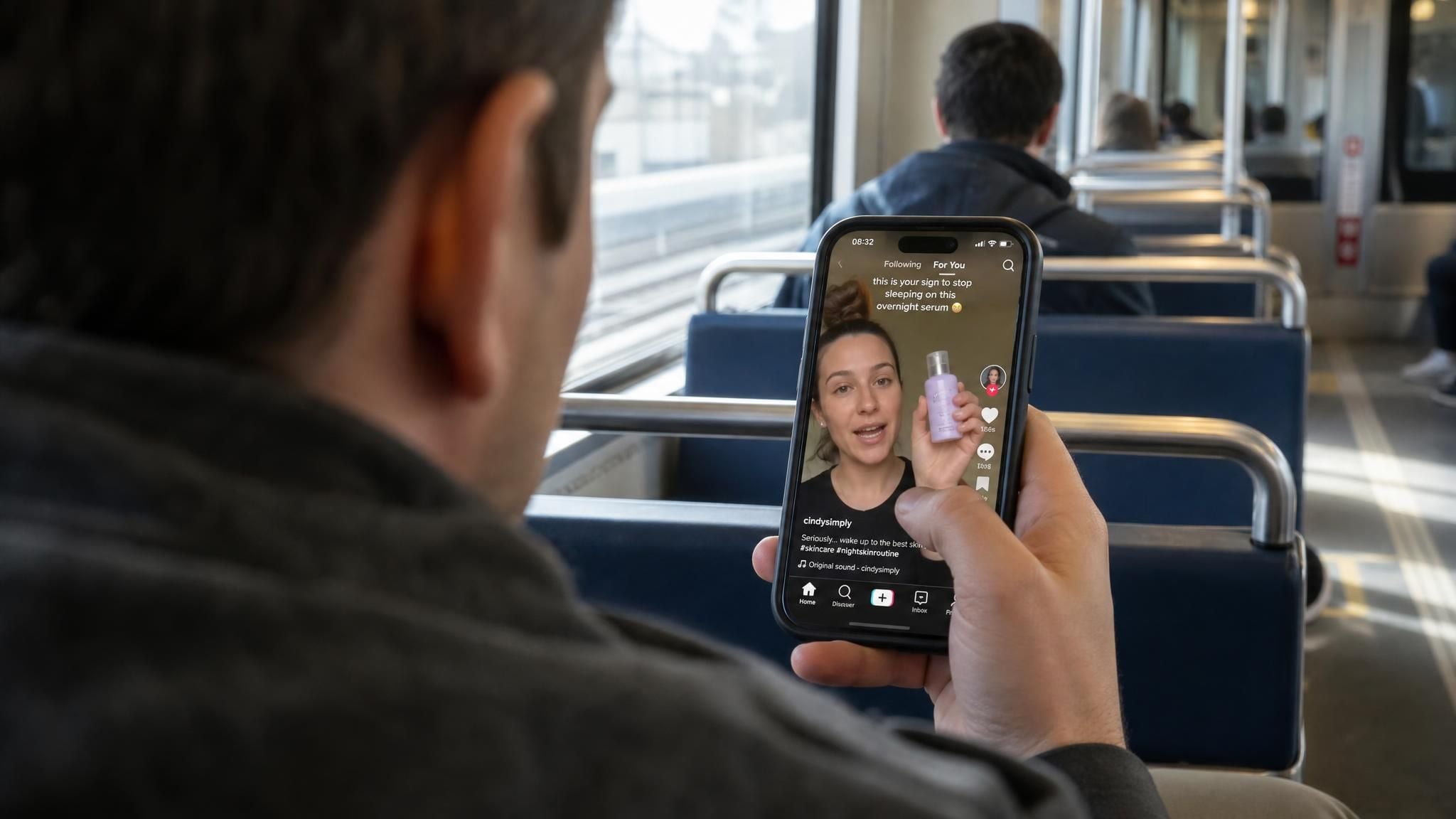
On TikTok, content that looks like a commercial tends to get swiped away. What travels is the opposite: a person on camera, phone-shot framing, talking about a product the way they would talk to a friend. Sellers have known this for years, which is why the creator-sourced version of this format became its own industry, and why the AI-generated version of it is now standard kit for ad accounts. If the term is new to you, the AI UGC explainer covers the format and the consumer data behind it.
For a seller, this changes the job description. Forget production value; the deliverable is a believable recommendation, delivered vertically, that earns three seconds of attention before the swipe. Everything in this guide is built around producing that artifact quickly and in volume.
Generate UGC-Style Product Ads on Atlas Cloud
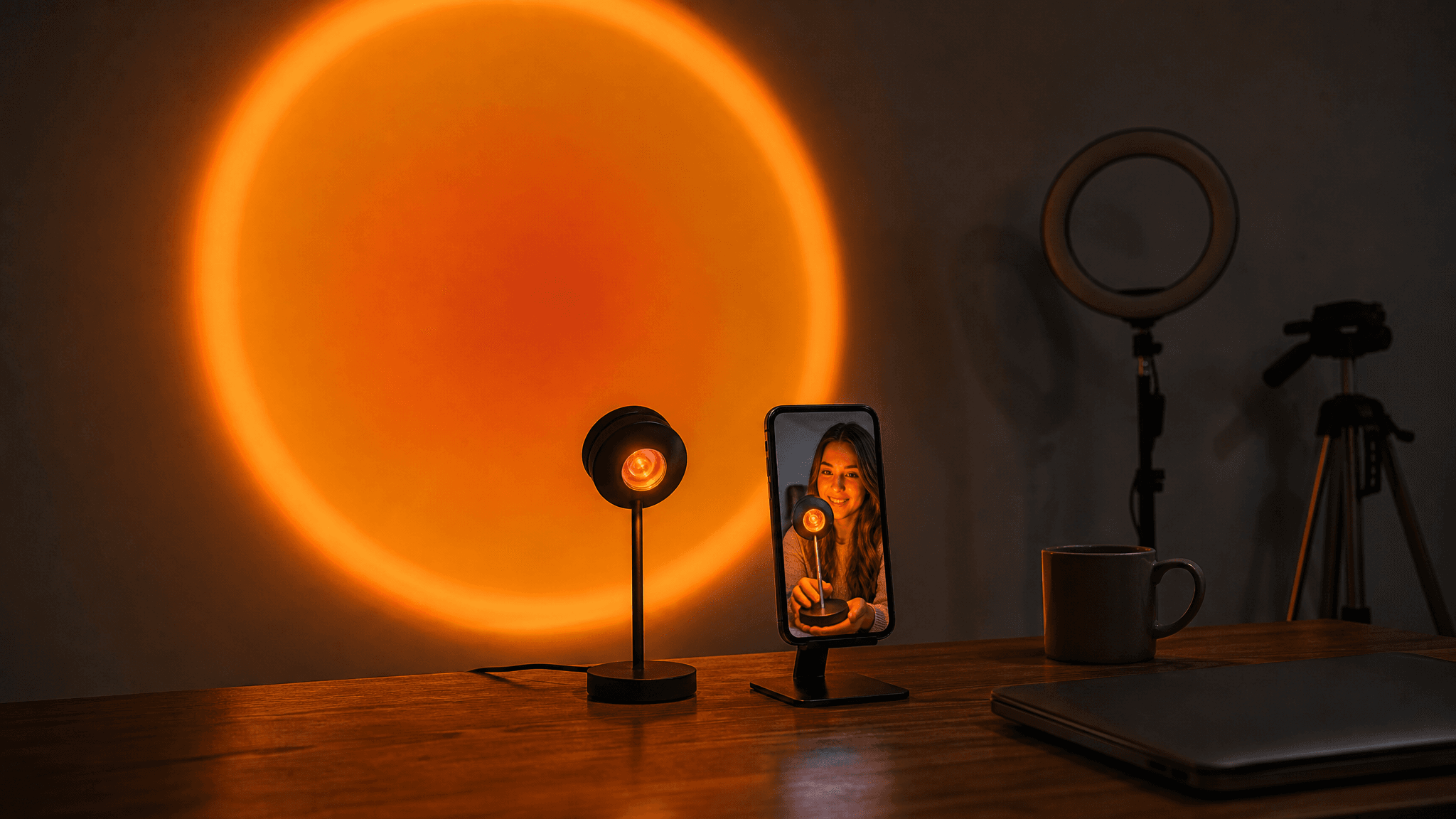
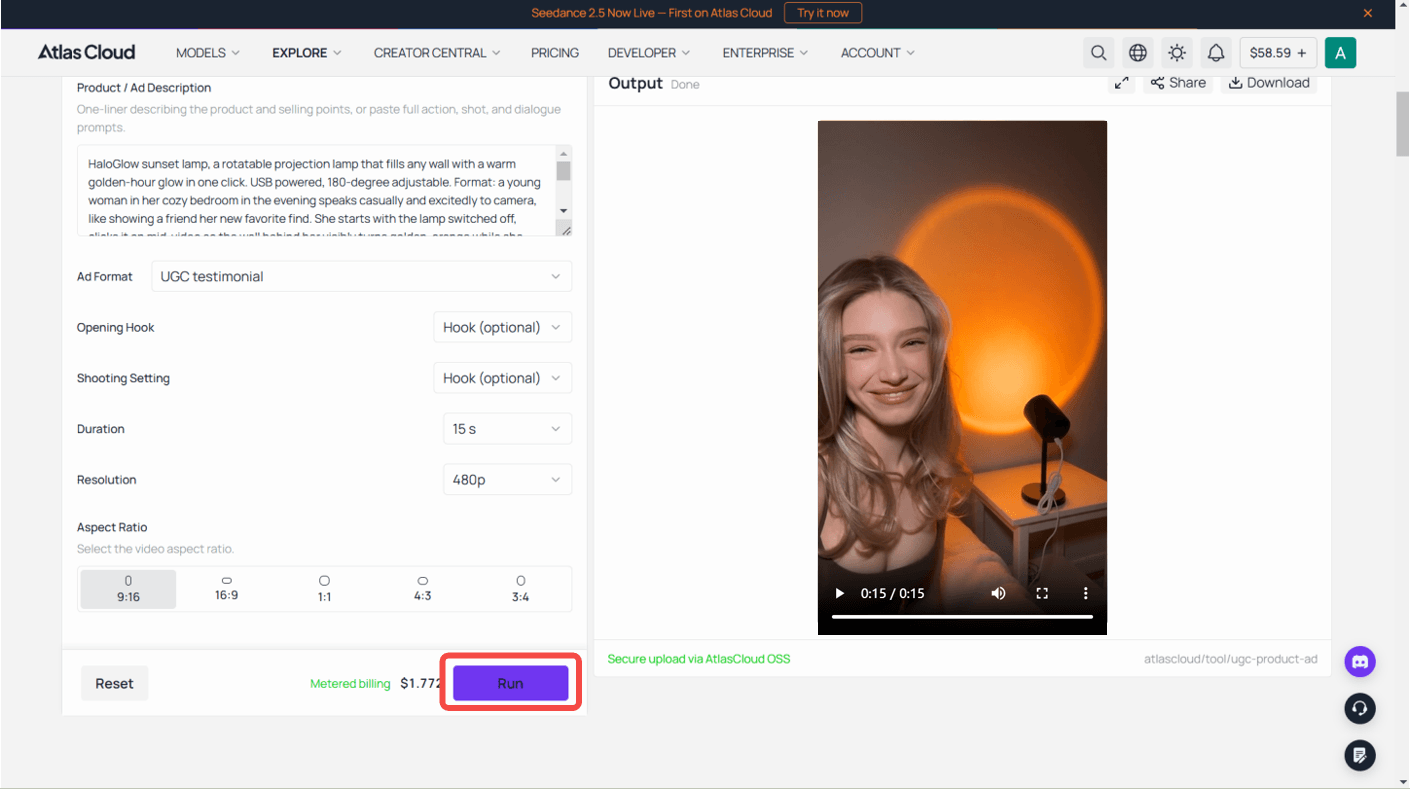
Here is the result before the theory. The clip below came out of the free UGC Product Ad tool on Atlas Cloud: two sunset lamp photos, a one-line brief, and a generated presenter recommending it to camera with voice and ambient sound included.
czng39uwDzU
Generated from three product photos and a one-line brief with the UGC Product Ad tool, August 2026.
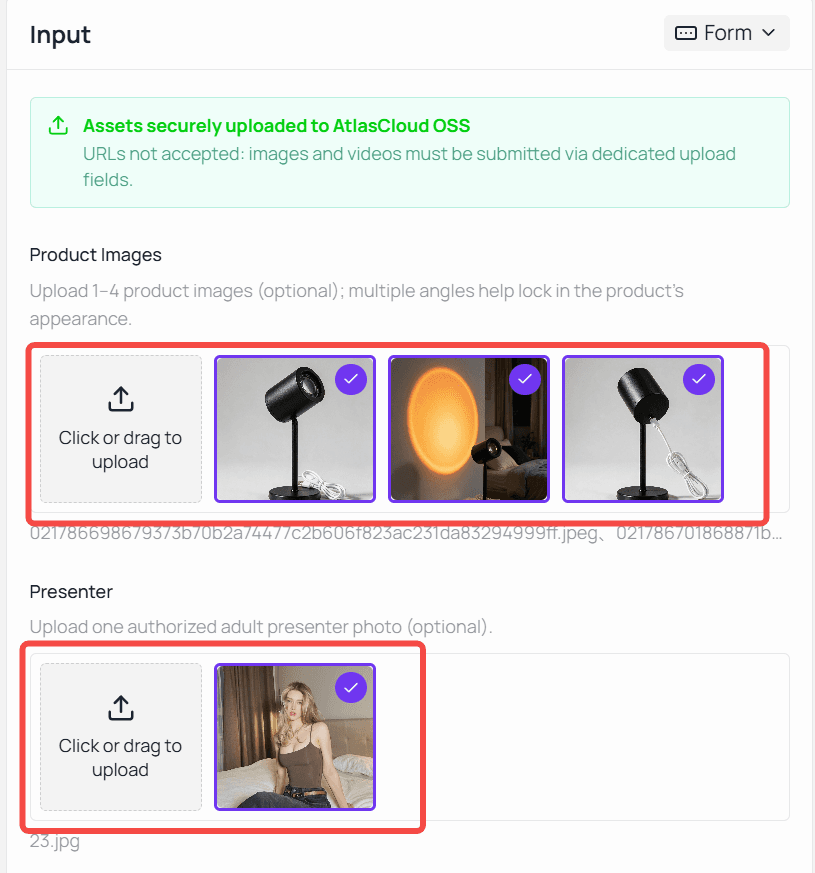
The tool takes up to 4 product photos, an optional photo of the presenter you want, and a single line describing the product. From there it is menus: 16 ad formats including creator recommendation, before-and-after, and unboxing, plus 11 hook styles and 11 scene settings. Clips run 4 to 15 seconds in five aspect ratios, with 9:16 covering TikTok and 1:1 covering feed placements elsewhere. Output currently renders at 480p, which sits comfortably inside a phone feed. It is one of several free utilities in the AI tools collection, so you can test the format on your own product before reading further.
This guide uses that tool for every screenshot because it covers the whole pipeline in one place. If you want to see how it stacks up against other platforms in the category, the UGC platform rankings compare ten of them on workflow speed.
How to Make Product Videos for TikTok, Step by Step
Three steps, one product. We are using a sunset lamp, a small projection lamp that turns a wall orange, because it photographs well and its effect is visible on camera. Substitute your own product; nothing below changes.
Step 1: Prep the Product Shot
The generated clip is built around your photo, so this file matters more than anything you pick later. Use a clean, well-lit shot with the product large in frame and no clutter behind it. For products that do something visible, include a second photo of the effect: for the lamp, that means one shot of the device and one of the glowing wall, which gives the generator both the object and the payoff to work with.
Selling apparel instead? The same prep problem has a free fix: the clothes changer tool puts your garment on a model photo from a text description, no studio involved. And if your catalog images need heavier surgery than a background swap, the ad creative playbooks cover image prep for ads in depth.
Step 2: Pick a Format and Write the Brief
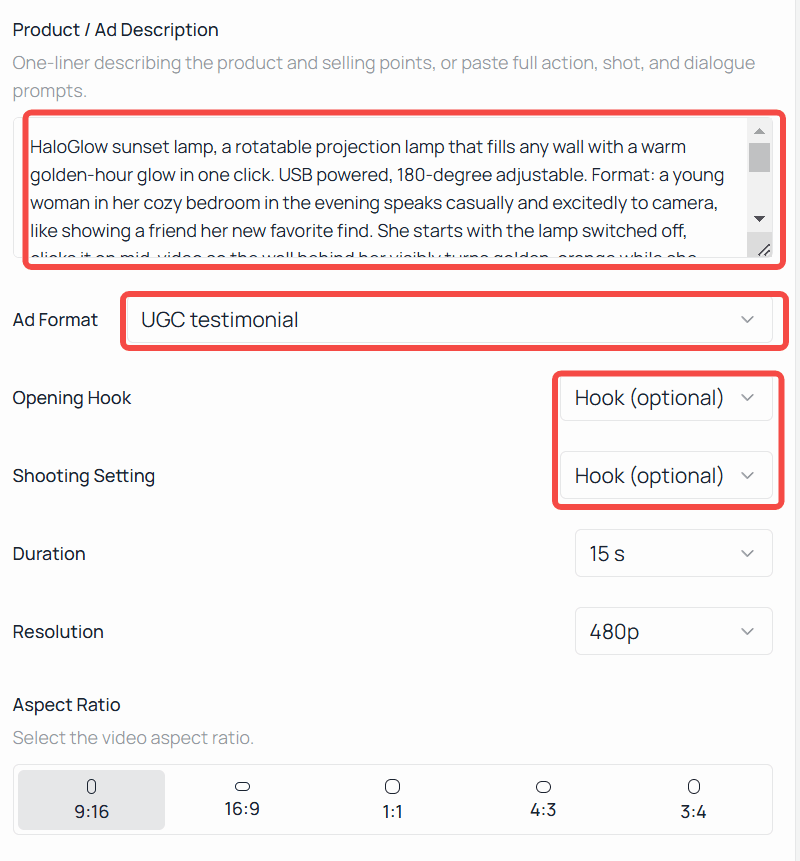
Format first. Creator recommendation is the default and the most broadly useful: a presenter speaks to camera and handles the product. Unboxing suits products where the reveal is the moment; before-and-after suits anything that changes something you can see. Then pick an opening hook and a scene. For the lamp we choose Pain point from the hook menu, since a room that looks boring on camera is the exact frustration this product erases; the rest of that menu, and how to pick from it, comes later in this guide. Keep the scene honest to where the product lives. A bedroom lamp belongs in a bedroom, not a studio.
The brief is one line, and it works best carrying five things: product name, what it is, two or three selling points, who it is for, and the tone. Here is the exact brief behind the demo clip:
plaintext1HaloGlow sunset lamp, a rotatable projection lamp that fills any wall with a warm golden-hour glow in one click. USB powered, 180-degree adjustable, makes every photo and video look cinematic. Speak casually and excitedly to people who love cozy room setups, like showing a friend how your room went from boring to dreamy. Mention it changed your whole evening routine.
Notice what it does not contain: no camera directions, no script. The tone instruction does that work. "Like showing a friend" produces different speech than "professional announcer," and it is the single highest-leverage phrase in the whole form.
Step 3: Generate, Review, Regenerate
Pick a duration and run it. For a first test, 15 seconds leaves room for an opening hook, a proper demonstration, and a call to action at the end; shorter runs are cheaper per attempt once you move past the free start and are fine for hook testing.
Review the result like a buyer, not a proud parent. Watch the product: is the shape right, is any label text mangled, does the color match what ships? Watch the presenter's hands during the product handoff, the spot where generated video most often gives itself away. Listen once with the sound off to check whether the clip still makes sense visually. If something misses, regenerate with a sharper brief line rather than rerolling blind; changing "mention it changed your evening routine" to "show the wall changing color while talking" fixes a specific problem instead of gambling on a new seed.
Scale Up With the Atlas Cloud API
Once a variant works, producing the next forty by hand stops making sense. The same generator behind the web tool is callable from code.
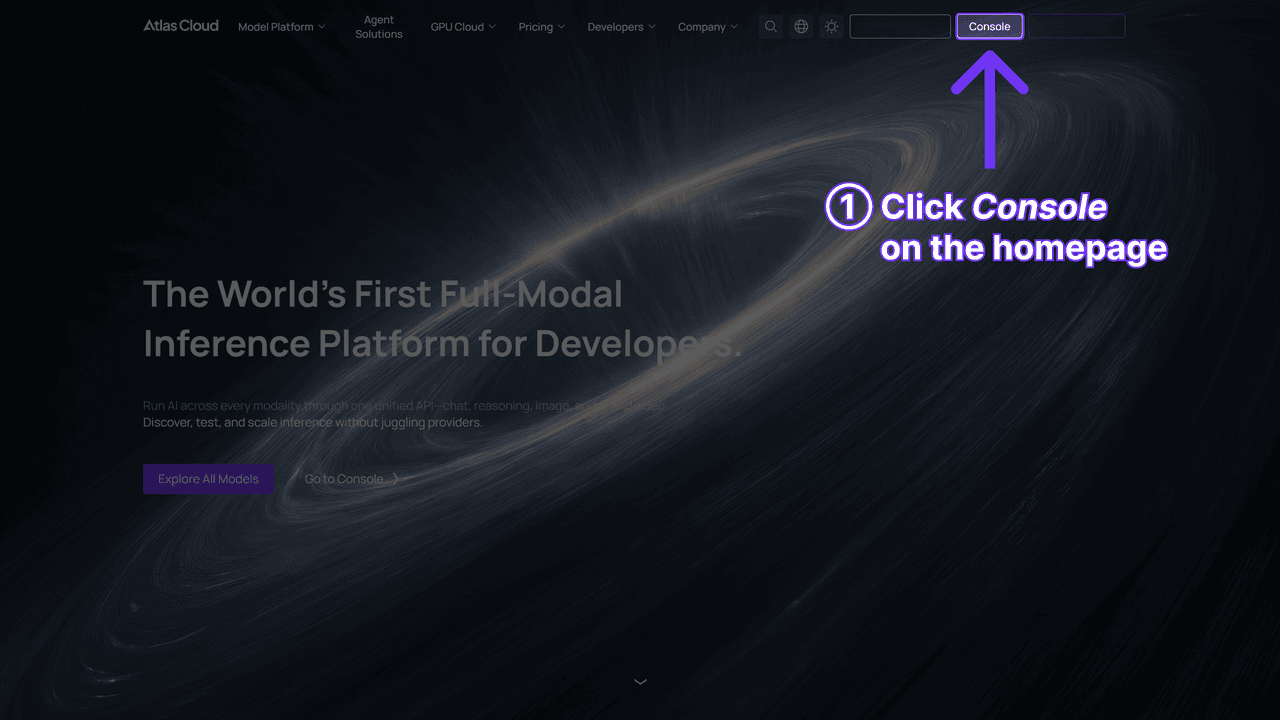
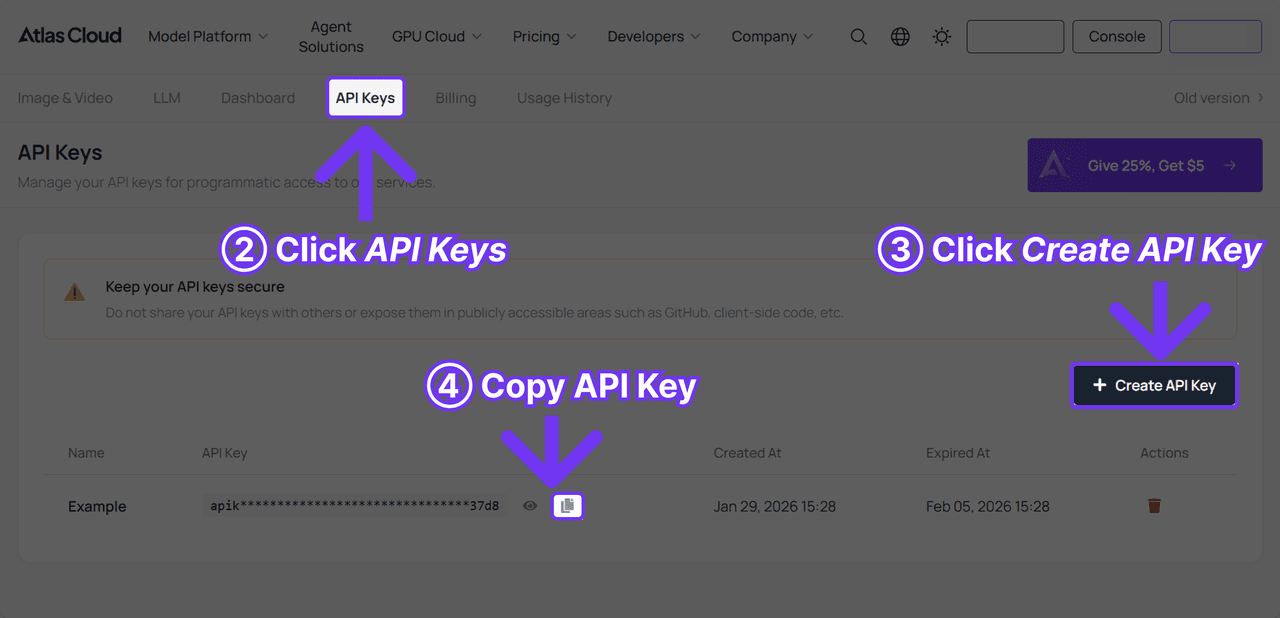
Step 1: Create an API key. Generate one in the Atlas Cloud console and keep it server-side. One key authenticates every model on the platform.
Step 2: Check the request shape. The API documentation covers authentication and polling. The UGC ad endpoint wants a product image, your one-line brief, and the format and timing choices you made in the web tool. Through the API, the format field takes three core values: creator recommendation, before-and-after, and unboxing. A count field returns up to two distinct variations per request, and an optional presenter photo lets you supply the same face for a whole campaign.
Step 3: Send the request and poll. Generation is asynchronous: the first call returns a request id, and you poll until the clip is ready.
plaintext1curl -X POST "https://api.atlascloud.ai/api/v1/model/generateVideo" \ 2 -H "Authorization: Bearer $ATLASCLOUD_API_KEY" \ 3 -H "Content-Type: application/json" \ 4 --data-raw '{ 5 "model": "atlascloud/studio/ugc-ad", 6 "product_image": "https://your-store.com/products/sunset-lamp.jpg", 7 "user_prompt": "HaloGlow sunset lamp, fills any wall with a golden-hour glow in one click. Casual, excited tone for cozy-room fans.", 8 "ad_type": "creator_recommendation", 9 "duration": 15, 10 "ratio": "9:16", 11 "resolution": "480p", 12 "count": 2 13 }'
plaintext1curl "https://api.atlascloud.ai/api/v1/model/prediction/<request_id>" \ 2 -H "Authorization: Bearer $ATLASCLOUD_API_KEY"
When status flips to completed, the outputs array holds the hosted video URLs. Loop the same call over a product list and a hook list, and this afternoon's catalog becomes next week's test matrix.
Make Your TikTok Product Videos Feel Native
A technically clean clip can still die in the feed. The difference is usually structure, and the structure of a short product ad is boringly consistent:
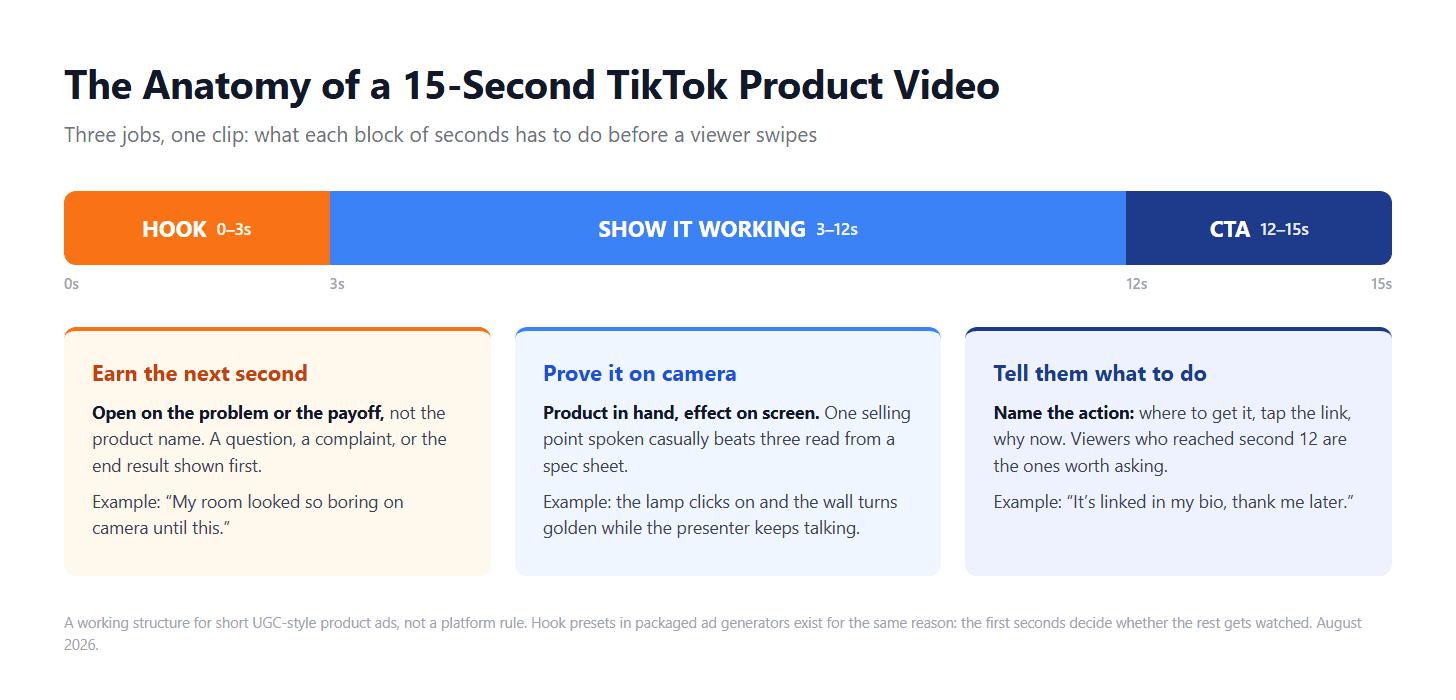
The hook deserves most of your iteration budget, and it is the one block the tool hands you a menu for: the Opening Hook picker carries 11 styles, from Pain point and Before/after reveal to Suspense, Shocking stats, Freebie, and Hot take. The rule for choosing among them is the same rule for writing one by hand. "My room looked so boring on camera until this" outperforms "Introducing the HaloGlow lamp" for the same reason a friend's recommendation outperforms a billboard: one opens a gap the viewer wants closed, the other opens an ad. That winning line is a Pain point hook, and the lamp also earns Before/after reveal, since a wall changing color is the payoff on camera. Lead with the buyer's problem or the visible result, never with the product's name.
Two more habits separate sellers who make TikTok product videos that travel from sellers who post once and quit. First, upload the clip natively instead of recycling a version with another platform's watermark, since recycled clips look like recycled clips. Second, treat every product as a batch: same photo, three different picks off that hook menu, two formats, posted across a week. You are not looking for the perfect video. You are looking for the variant the algorithm tells you is the perfect video.
Label It Before You Post
One step left, and skipping it is not worth the thirty seconds it saves. TikTok's policy, published in September 2023, asks creators to label AI-generated content that shows realistic images, audio, or video, and a generated presenter pitching your product is squarely that. The platform ships a built-in toggle for it, and a clear sticker or caption works as an alternative, per the TikTok announcement.
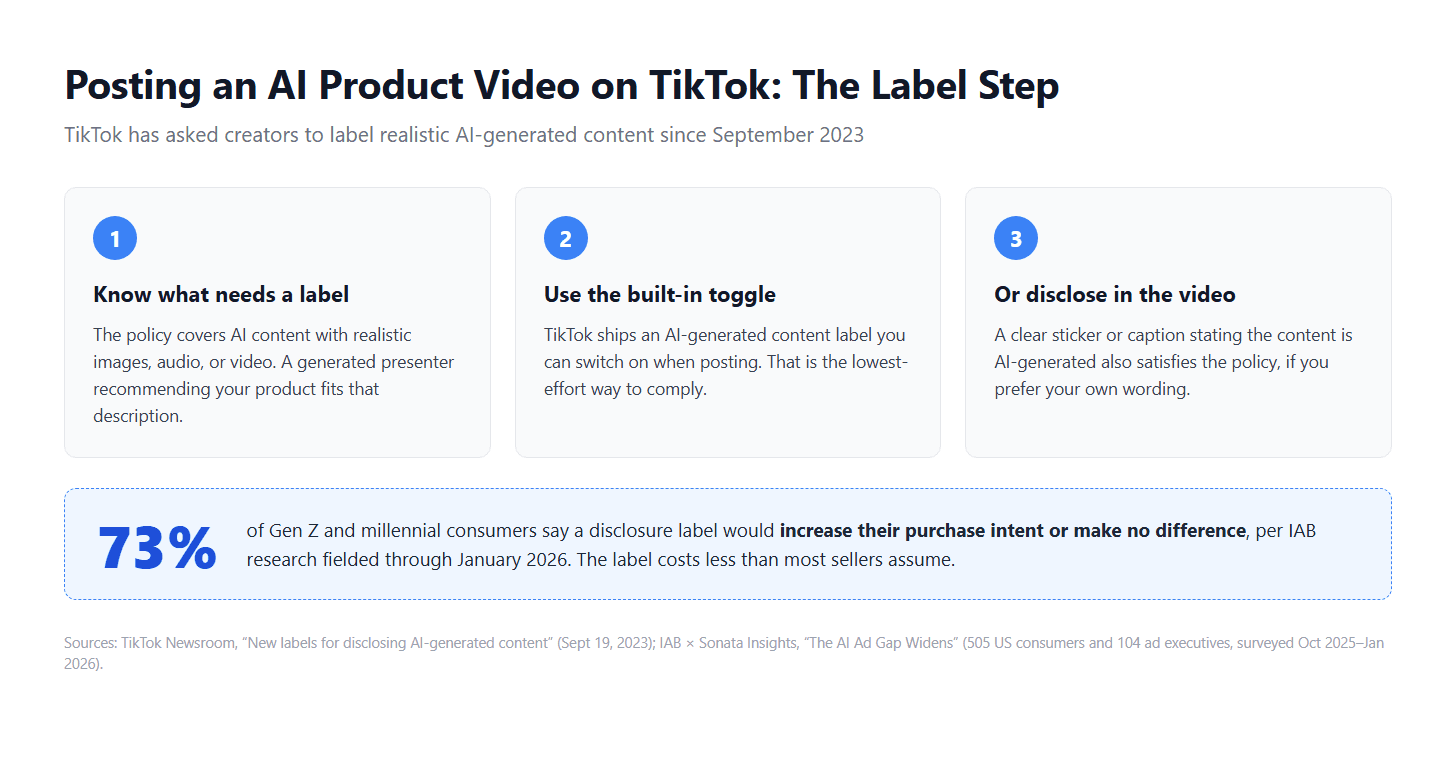
If the label feels like a competitive handicap, the data says otherwise. In the IAB study fielded through January 2026, 73% of Gen Z and millennial consumers said a disclosure label would increase their purchase intent or make no difference to it. For most viewers, the label is simply not the deal-breaker sellers fear.
Frequently Asked Questions
How much does it cost to make TikTok product videos with AI?
The UGC Product Ad tool starts free, so your first test costs nothing. Past that, generation is metered by clip length: a 15-second clip came to $1.77 when we checked in late August 2026, which works out to roughly $0.12 per second of finished video. The exact price shows on screen before you generate, so there is no surprise at the end.
How do I make TikTok product videos without filming anything?
Use the workflow in this guide: it is the standard way to make TikTok product videos with no camera, no set, and nobody on staff appearing on screen. You supply photos of the product; the presenter, voice, script delivery, and footage are all generated. The only filming-adjacent skill you still need is judging whether the output looks believable, and the review checklist in Step 3 covers that.
What is the best length for a TikTok product video?
The tool offers 4 to 15 seconds, and the honest answer is: test within that range. A 15-second clip fits the full hook, demonstration, and call-to-action structure, which makes it the safer first run. Shorter clips cost less per attempt and work well when the product's payoff is instant, like a lamp lighting up. Let watch-through data pick the winner rather than a rule of thumb.
Do I have to label AI-generated product videos on TikTok?
Yes. A generated presenter counts as the realistic AI content TikTok's policy covers, and the section above walks through the toggle and the caption alternative. Build the label into your posting routine from the first upload and it stops being a decision you have to remember.
Conclusion
A product TikTok video used to be a production. Now it is a photo, a sentence, and a review pass: prep a clean product shot, pick a format and scene that match where the product actually lives, write a one-line brief that ends with a tone instruction, and judge the output with a buyer's eye before it ships. When one variant earns attention, the API turns it into forty siblings without forty afternoons.
That is the whole method for how to make product TikTok videos in 2026. The format rewards volume and honesty over polish, so start with the free generation, label what you post, and give the winning variant the budget it just earned.





