
GPT Image 2.6 API: 50% Faster Image Generation with Animated GIF Output
The GPT Image 2.6 API gives developers OpenAI’s image model released on November 4, 2026, in two versions: Flare for fast iteration and Sunburst for detailed visual work. It generates images 50% faster than before and adds animated GIF output, SVG export, markup edits that target the area you circle, and a complexity setting. Atlas Cloud serves both models on one OpenAI-compatible key with pay-as-you-go pricing.
GPT Image 2.6 is developed by OpenAI. Atlas Cloud (operated by Atlas Cloud AI LLC) provides access to it and does not own it. All trademarks belong to their respective owners.
Explore the Leading GPT Image 2.6
Atlas Cloud provides you with the latest industry-leading creative models.


GPT Image 2.6 Flare API vs Sunburst API
Same features, two priorities. Choose by how fast you need results and how far you will edit them.
GPT Image 2.6 Flare API: Fast Iteration and Clean Layouts
GPT Image 2.6 Flare is built for interactive generation and editing, where someone is waiting on every result. At low quality it can return an image in as little as six seconds, which keeps drafts, variations, and in-app edits moving. OpenAI also improved Flare’s layout quality for posters, product imagery, and other professional visuals, so it can deliver finished marketing assets as well as rough concepts. Pair it with low complexity for the quickest edits.
GPT Image 2.6 Sunburst API: Detail That Holds Across Edits
GPT Image 2.6 Sunburst is the pick for detailed compositions and edits that run several rounds. It brings higher-quality generation, and at medium or high quality it keeps characters, products, and brand details more consistent from one edit to the next. Reach for it on campaign key visuals, product sets that must match, and a character that goes through several revisions. A practical split is to explore on Flare, then move the chosen direction to Sunburst for final renders.
Beyond Still Images: What the GPT Image 2.6 API Adds
Whether you call Flare or Sunburst, the GPT Image 2.6 API can animate a prompt into a GIF, export editable SVG, follow edits you mark on the image, and let you set how much the model plans before it renders.

Animated GIFs from One Prompt
Describe a subject, its motion, and the loop you want, and the GPT Image 2.6 API returns a finished animated GIF. Choose 2 to 64 frames and 20 to 2,000 milliseconds per frame, a range that suits brand mascots, social reactions, and storyboards that test character movement before video production.
Reuse Your Reference Set
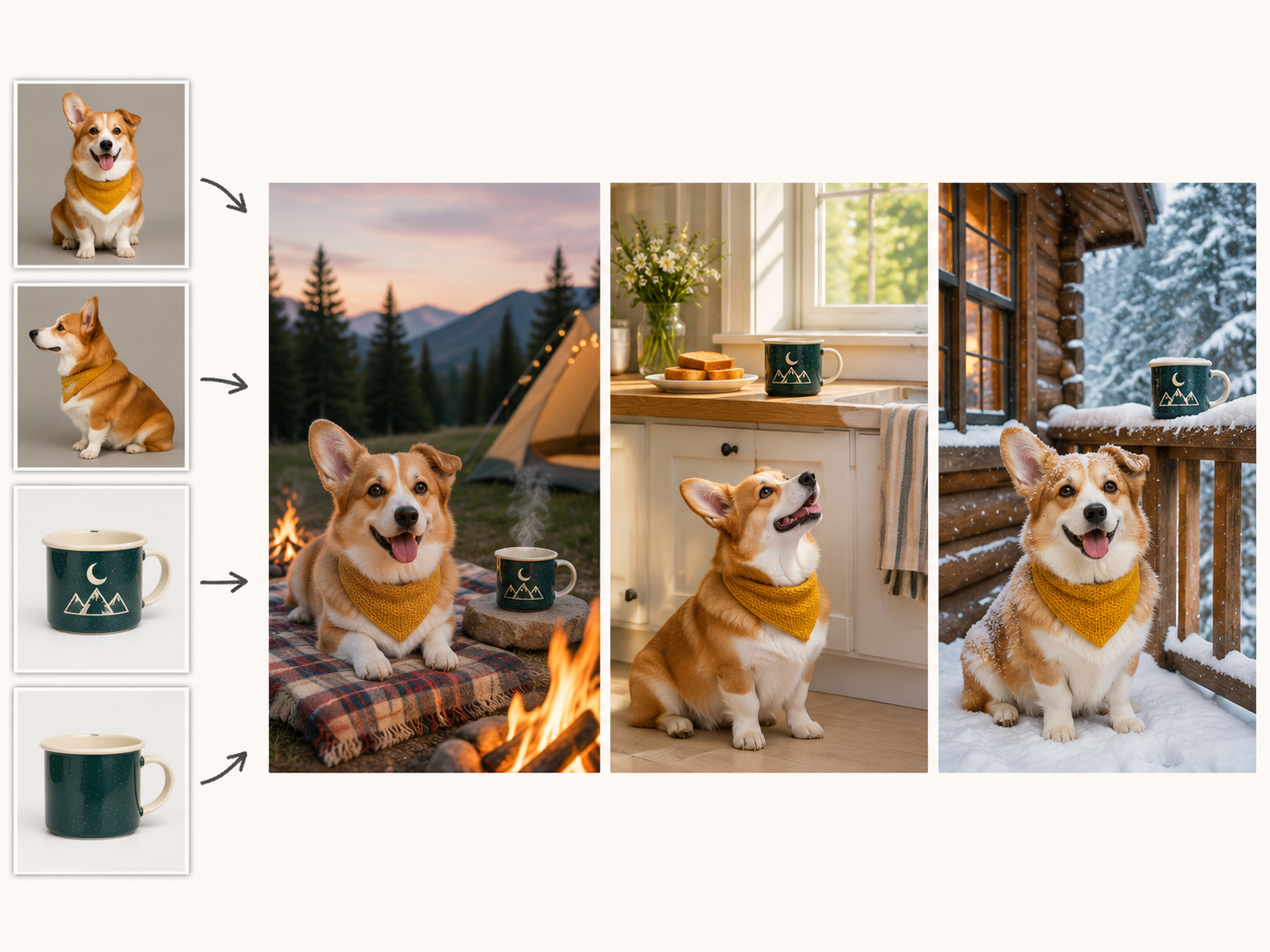
Upload photos of a character, product, or pet once, then point each new request at the same files by URL or file ID instead of sending them again. Every edit request accepts up to 16 reference images, and Sunburst at medium or high quality keeps those details more consistent as you revise.
Mark the Spot, Then Edit
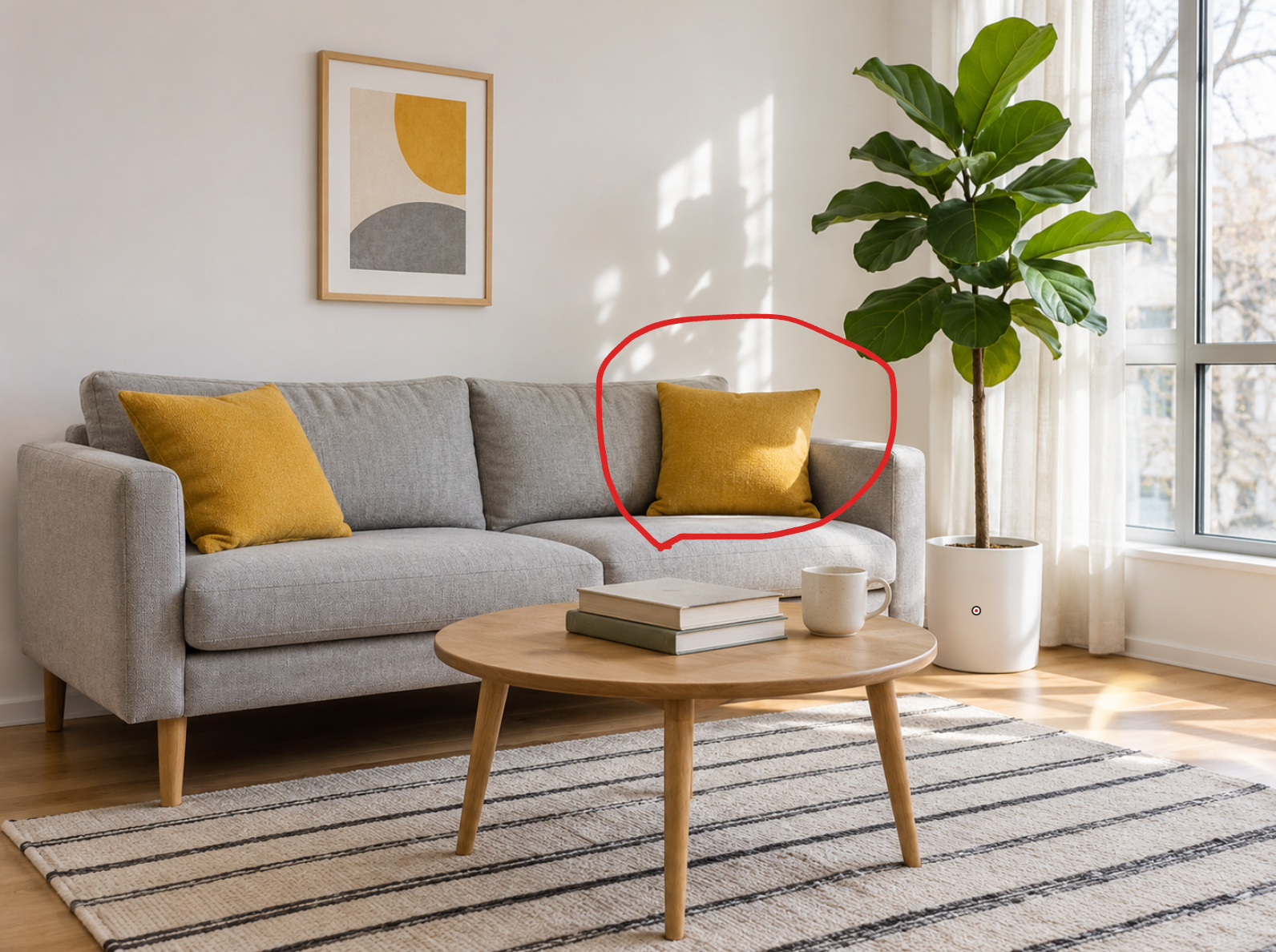
Draw circles or sketches on a transparent layer, send it as markup with the original photo, and say what should change. The model uses your marks to find where to edit, while any extra images you attach serve as references. Markup reaches the API with this release after debuting in ChatGPT.
Vector Files You Can Edit
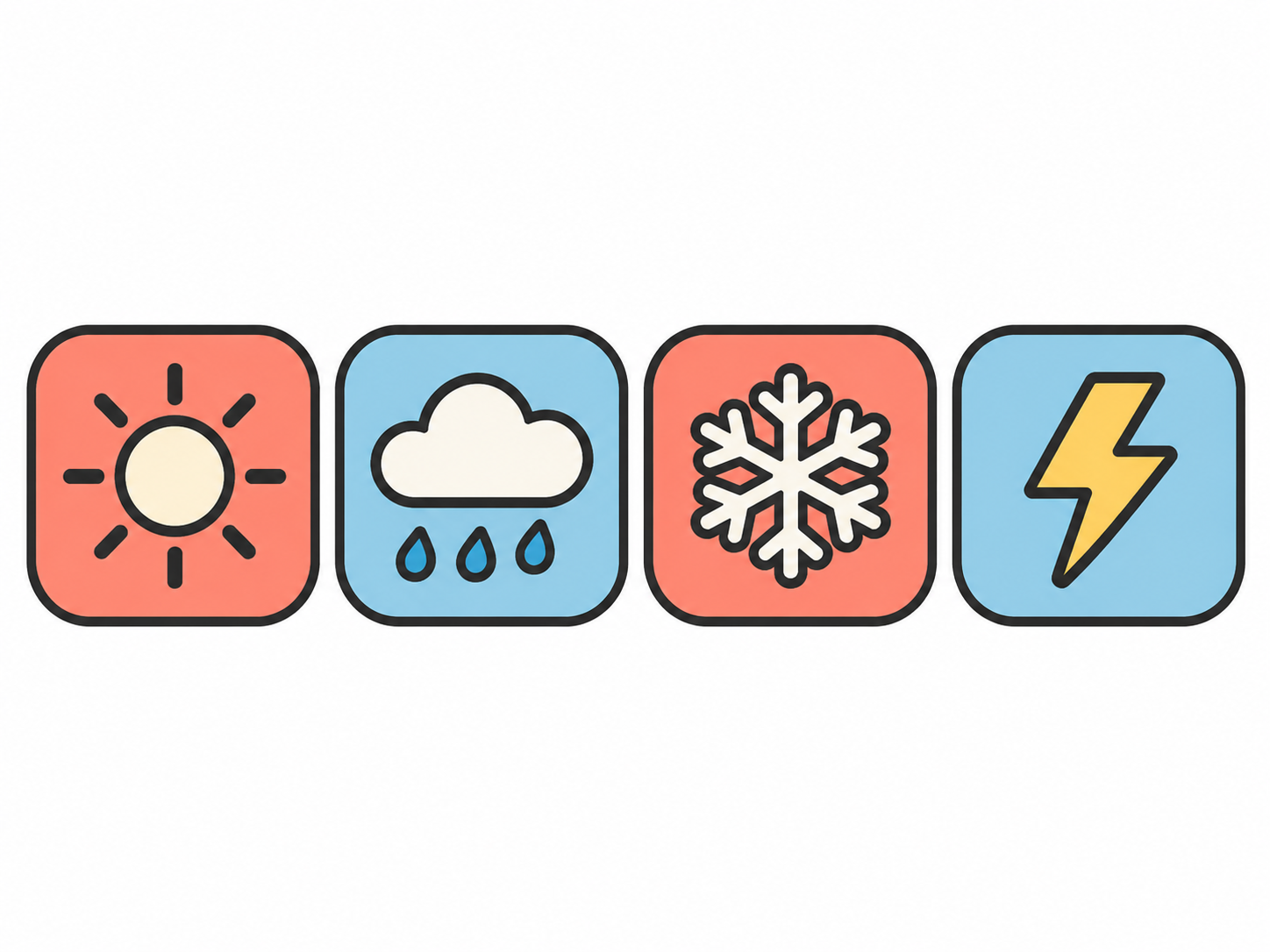
Need a logo or icon that scales cleanly? Set the output format to SVG and the GPT Image 2.6 API returns a static vector file with editable paths, shapes, and colors, ready for websites, apps, and print. SVG comes from the generation endpoint at one image per request.
Faster Drafts, Steadier Revisions
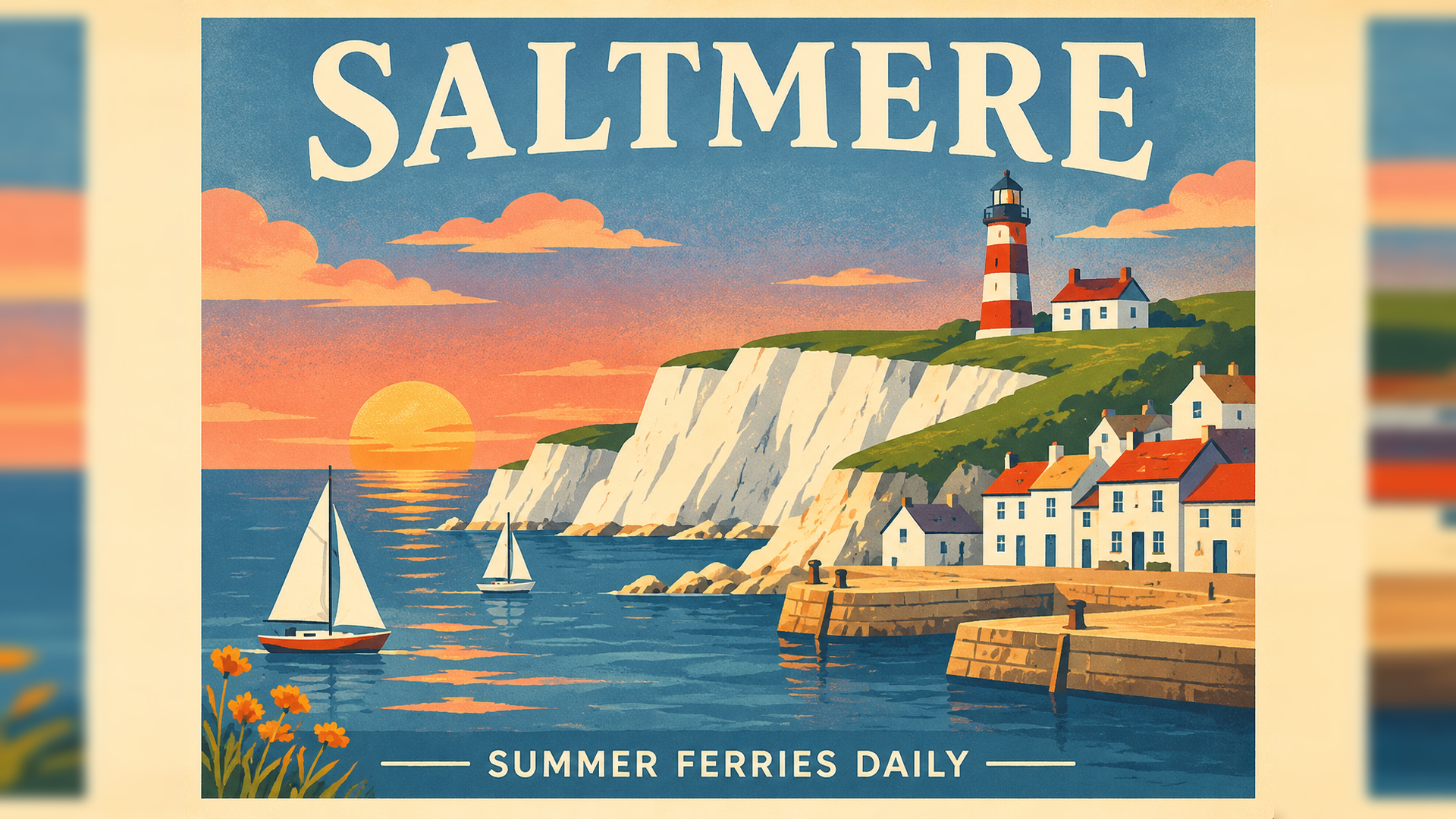
According to OpenAI, GPT Image 2.6 generates images 50% faster than before. At low quality, Flare can return an image in as little as six seconds and lays out posters and product shots more cleanly, while Sunburst at medium or high quality keeps characters, products, and brand details more consistent from edit to edit.
How to Use GPT Image 2.6 on Atlas Cloud
Get started in minutes — follow these simple steps to integrate and deploy models through Atlas Cloud's platform.
Create an Atlas Cloud Account
Sign up at atlascloud.ai and complete verification. New users receive free credits to explore the platform and test models.
Why Use GPT Image 2.6 on Atlas Cloud
Combining the advanced GPT Image 2.6 models with Atlas Cloud's GPU-accelerated platform provides unmatched performance, scalability, and developer experience.
Performance & flexibility
Low Latency:
GPU-optimized inference for real-time reasoning.
Unified API:
Run GPT Image 2.6, GPT, Gemini, and DeepSeek with one integration.
Transparent Pricing:
Predictable per-token billing with serverless options.
Enterprise & Scale
Developer Experience:
SDKs, analytics, fine-tuning tools, and templates.
Reliability:
99.99% uptime, RBAC, and compliance-ready logging.
Security & Compliance:
SOC 2 Type II, HIPAA alignment, data sovereignty in US.
GPT Image 2.6 FAQ
The GPT Image 2.6 API is OpenAI’s image generation and editing model, released on November 4, 2026, in two versions: Flare for fast iteration and Sunburst for detailed visual work. Both accept text and image inputs and return images. This release adds animated GIF output, SVG export, markup-guided edits, and a complexity setting, and OpenAI reports that it generates images 50% faster than before.
Flare is built for interactive work and can return an image in as little as six seconds at low quality, with improved layouts for posters and product imagery. Sunburst produces higher-quality images and, at medium or high quality, keeps characters, products, and brand details more consistent across edits. Both versions share the same inputs, features, and OpenAI token rates, so the choice comes down to speed versus detail.
According to OpenAI, GPT Image 2.6 generates images 50% faster than before, and Flare improves layout quality for posters and product imagery. The API adds animated GIF and SVG output on the generation endpoint, plus a complexity setting that controls how much the model plans. Markup-guided edits also reach the API with this release, and they work with GPT Image 2.5 as well.
OpenAI says GPT Image 2.6 generates images 50% faster than before. At low quality, Flare can return an image in as little as six seconds, while higher quality tiers, higher complexity, and dense prompts take longer, up to two minutes for complex requests. For the fastest results, pair Flare with low quality, low complexity, and JPEG output.
Per token, no. Both GPT Image 2.6 versions bill image output at $30 per million tokens, the same rate as GPT Image 2.5. Per image, the lower tiers cost more because they use more tokens: OpenAI’s calculator puts a 1024x1024 image at about $0.025 on low and $0.043 on medium, versus about $0.006 and $0.013 for GPT Image 2.5, while high, xhigh, and max cost the same on both. For high-volume drafts that do not need the new features, GPT Image 2.5 remains the cheaper option.
Yes. Set the output format to SVG on the generation endpoint, and the GPT Image 2.6 API returns a static vector file with editable paths, shapes, and colors, suited to logos, icons, and illustrations. Each SVG request returns one image and does not support streaming or the edit endpoint. The model first renders a reference image and then writes the SVG, so the cost covers both steps.
Complexity controls how much the model plans a scene before rendering, separate from the quality setting that controls detail and fidelity. It accepts low, medium, or high and defaults to high when you leave it out. OpenAI recommends low for most editing tasks, such as changing a background or a sign, and medium or high for scenes with dense text, many elements, or tight constraints. Higher complexity can add latency and unwanted changes, so compare results for your task.
Markup is a transparent PNG of circles, sketches, or notes laid over the first input image, sent with a prompt that describes the change. A mask is an alpha-channel image that guides the edit toward a region, and the model may not follow its exact shape. The two cannot be combined in one request. The markup layer must match the first image’s dimensions, and each is limited to 16,777,216 pixels, with a 50 MB cap on the annotation file.
OpenAI notes that GPT Image models can still struggle with precise text placement, with keeping recurring characters or brand elements consistent across separate generations, and with placing elements exactly in layout-sensitive compositions. Complex prompts can take up to two minutes. Check small text and fine details before an asset ships, and use Sunburst with reference images when consistency matters.
Yes. Atlas Cloud serves its models, including GPT Image 2.5, through one API key with pay-as-you-go billing, and GPT Image 2.6 Flare and Sunburst run on the same account. Switching between versions means changing the model name in your request, so you can draft on one model and finish on another without new credentials.
Explore More Families
Kling 4.0
The Kling 4 API delivers Kling 4.0, the video model Kuaishou released on October 15, 2026. It generates up to 30 seconds in a single pass, follows up to 10 keyframes, blends 15 images, videos, and subjects through Omni Reference, and adds stereo audio with lip sync. Atlas Cloud serves all four endpoints, including video editing, on one OpenAI-compatible key from $0.11 per second. Start building today.

Seedance 2.5
The Seedance 2.5 API gives developers ByteDance Seed’s joint audio and video model, generating 4 to 30 seconds in one pass from text, a first frame, or up to 50 references across images, video, and audio. It edits selected regions, extends clips, and follows white-model and green-screen inputs. Atlas Cloud, an authorized U.S. reseller, adds a 480p draft mode, native 1080p finals, and enhanced 4K delivery with pay-as-you-go pricing.
Wan 3.0
Wan 3.0 is Alibaba’s newest video model, producing up to 30 seconds of 1080p video at 30fps with audio in one generation. Steer it with a text prompt, a first frame, up to 10 reference images, or a document. Standard costs less per second, while Prime keeps the same capabilities and returns results faster. Both run on the same Atlas Cloud key as Wan 2.7, 2.6, and 2.5.
GPT Image 2.6
The GPT Image 2.6 API gives developers OpenAI’s image model released on November 4, 2026, in two versions: Flare for fast iteration and Sunburst for detailed visual work. It generates images 50% faster than before and adds animated GIF output, SVG export, markup edits that target the area you circle, and a complexity setting. Atlas Cloud serves both models on one OpenAI-compatible key with pay-as-you-go pricing.
MiniMax H3
MiniMax H3 is MiniMax's multimodal video family for text, image, and reference guided creation. Across supported routes, it preserves subjects from reference media, offers flexible aspect ratios, and pairs generated sound with visuals through H3 Developer, with output profiles selected by endpoint. Atlas Cloud unifies the family behind one OpenAI-compatible key with transparent pay-as-you-go pricing from the standard rate of $0.038 per second. Start building today.
GPT Image 2.5
GPT Image 2.5 is OpenAI’s image generation and editing model, released on September 8, 2026 in two API versions. Flare is the default, with up to 50% lower latency than GPT Image 2, while Sunburst takes longer to give finer control over detailed edits. Both support up to 16 reference images, five quality tiers, transparent backgrounds, and custom sizes up to 3840px. Atlas Cloud serves the GPT Image 2.5 API at OpenAI’s per token rates, or at a flat price per image by 1K, 2K, or 4K tier.
Seedream 5.0 Pro
Seedream 5.0 Pro API gives developers ByteDance's controllable image editing model on Atlas Cloud. It places edits precisely with anchors and coordinates, separates images into editable layers, fuses multiple references, and matches exact colors and materials, with multilingual text at 2K and 3K. On Atlas Cloud you reach it through one key!
Seedance 2.0
Seedance 2.0 is ByteDance’s production video model for precise shot creation. Turn prompts into video, animate a first-frame image with optional last-frame guidance, or shape results with reference media and optional web search. Atlas Cloud brings these workflows into one unified API with transparent pay-as-you-go pricing and one OpenAI-compatible key. Start building today.
Kling V3.0
From Kuaishou, the Kling V3 API family supports text, image, and reference video workflows. Transfer motion while preserving character identity, guide generation with visual references, and edit videos through natural language commands. Atlas Cloud offers Standard and Pro endpoints for different production needs. Update: Kling V4 is now available on Atlas Cloud. Explore it on the[Kling V4](https://www.atlascloud.ai/zh/models/kling-v4) page.
Grok Imagine Video
Grok Imagine Video gives developers access to xAI’s video family for creating, animating, extending, and editing clips. Generate 1 to 15 second videos from prompts, guide people, objects, or styles with up to seven reference images, and work at 480p or 720p. Atlas Cloud brings these capabilities together through OpenAI-compatible endpoints with transparent pay-as-you-go pricing. Start building today.
Vidu Q4 Preview
Vidu Q4 is Vidu's latest flagship video model, designed for image-to-video and reference-to-video generation. It can animate a single still image and create automatic scene transitions, giving developers two input paths for different product workflows. Atlas Cloud provides dedicated API endpoints with published parameter schemas at the verified standard price of $0.04 per second. Start building today.
Gemini Omni 1.1 Flash
Gemini Omni 1.1 Flash is Google DeepMind’s natively multimodal video family for flexible production workflows. Edit existing footage through text instructions, maintain visual consistency with up to 10 reference images and 3 video clips, or extend a shot in chainable segments to 40 seconds. Access every workflow on Atlas Cloud with one OpenAI-compatible API key, pay-as-you-go pricing, and Day-0 availability. Start building today.
Recommended Articles
Guides, tutorials, and product updates to help you get the most out of Atlas Cloud.


