
Grok Imagine Image 2.0 Natural Language Image Editing
Built by xAI, Grok Imagine Image 2.0 combines polished text-to-image generation with natural-language editing for reference-based workflows. Produce 1K or 2K outputs, move from a prompt to a finished visual, and refine existing images with direct instructions. Atlas Cloud brings every supported endpoint under one OpenAI-compatible API key with transparent pay-as-you-go pricing and simple integration. Start building today.
Grok Imagine Image 2.0 is developed by xAI. Atlas Cloud (operated by Atlas Cloud AI LLC) provides access to it and does not own it. All trademarks belong to their respective owners.
Explore the Leading Grok Imagine Image 2.0(4)




Compare Grok Imagine Image 2.0 Endpoints
Choose between prompt-based generation and reference-guided editing across standard and developer endpoints.
| Modality | Description |
|---|---|
| Grok Imagine Image 2.0 Developer Edit API (Image Editing) | Transform up to three reference images with natural-language editing instructions. Select 1K or 2K resolution and low or medium quality for product refinements, creative variations, and iterative visual updates. |
| Grok Imagine Image 2.0 Developer Text-to-Image API | Natural-language prompts become polished images at either 1K or 2K resolution. Fourteen aspect ratios and low or medium quality tiers support marketing graphics, concept art, social content, and other format-specific assets. |
| Grok Imagine Image 2.0 Text-to-Image API | Create polished visuals directly from natural-language prompts with output available in 1K or 2K. Its 14 aspect ratios and selectable low or medium quality tiers accommodate campaigns, design exploration, illustrations, and platform-ready imagery. |
| Grok Imagine Image 2.0 Edit API (Image Editing) | Upload as many as three reference images, describe the desired changes in natural language, and receive edited image output. Resolution options of 1K and 2K with low or medium quality suit asset revisions, visual adaptations, and content iteration. |
How Grok Imagine Image 2.0 Shapes Every Frame
Grok Imagine Image 2.0 turns detailed prompts and up to three reference images into polished 1K or 2K visuals, with flexible framing, selectable quality tiers, and one Atlas Cloud API for generation and editing.
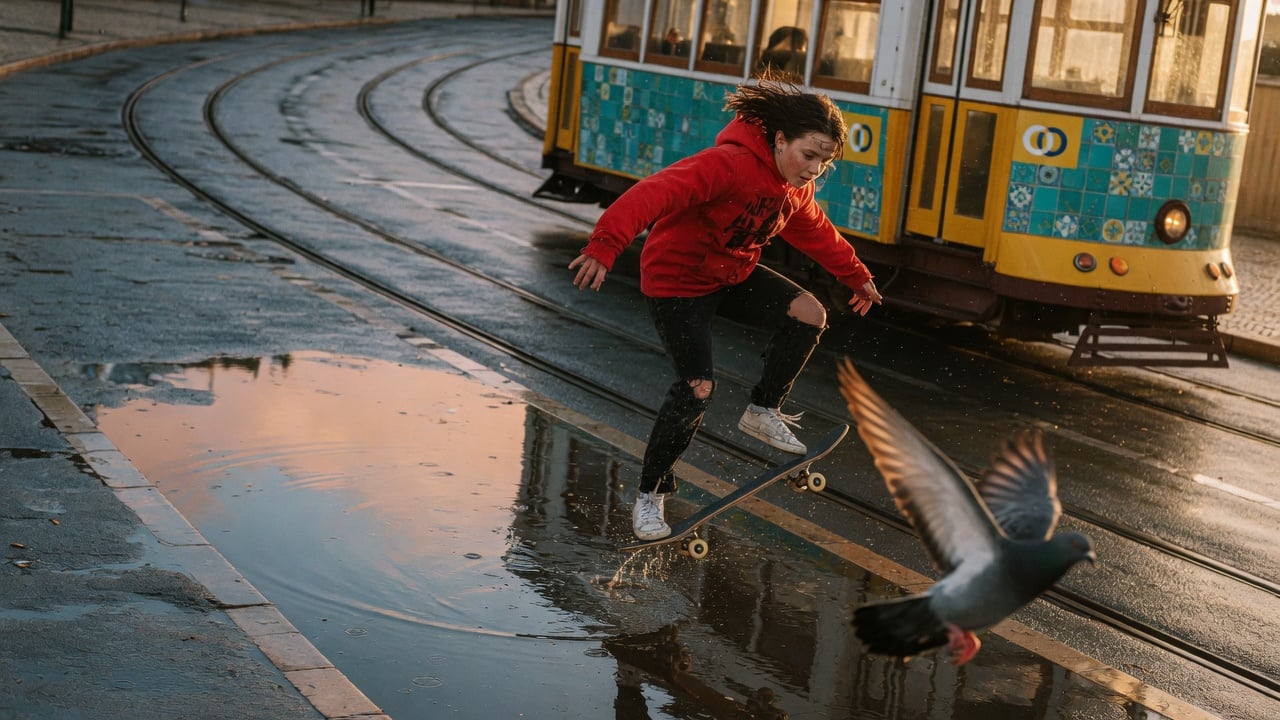
Grok Imagine Image 2.0 Prompt Control
Grok Imagine Image 2.0 turns natural language prompts into polished visuals at 1K or 2K resolution. Detailed directions can coordinate subjects, environments, composition, style, and typography within one request. Choose from 14 aspect ratio options to frame everything from square product art to ultrawide campaigns. This control suits developers building design tools, content pipelines, and prompt driven creative products.
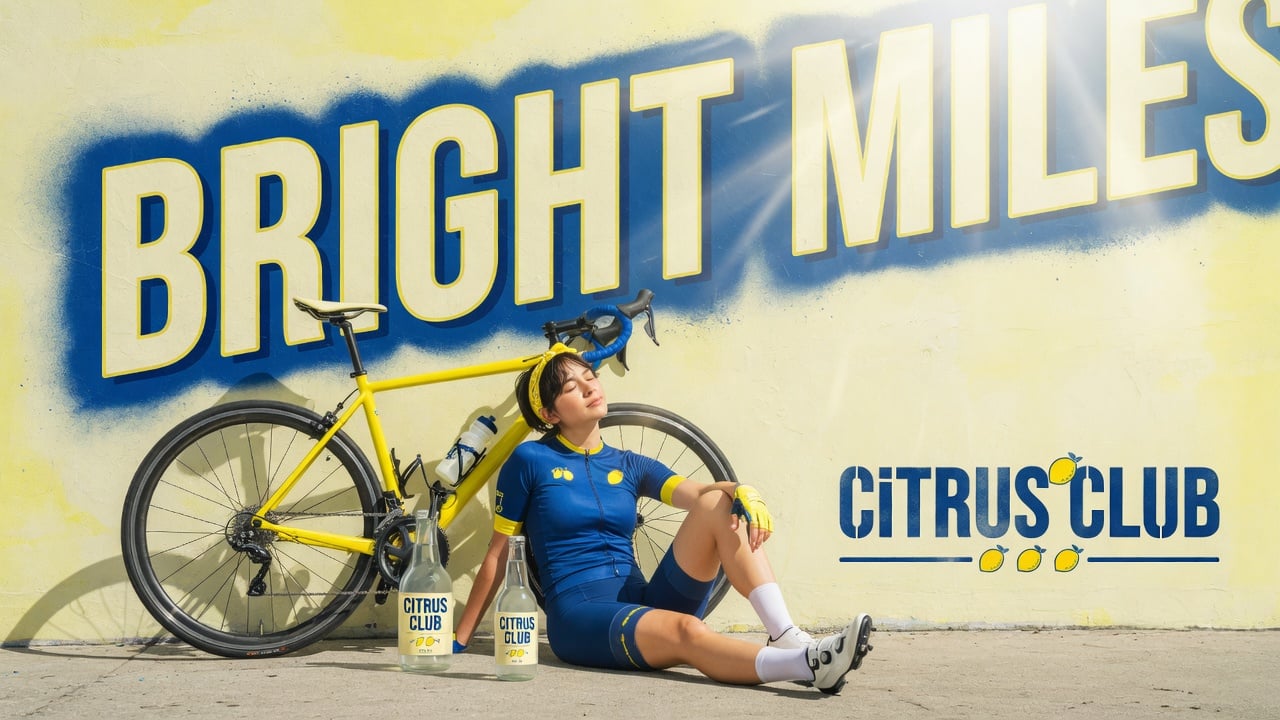
Typography Built Into the Image
Typography is planned as part of the composition, helping dense, multi part visuals stay coherent and small text remain sharp. Direct the wording, hierarchy, imagery, and layout through a single prompt. At 2K, fine print and material texture have more room to resolve. Use it for wide campaign graphics, product packaging concepts, editorial layouts, and infographic style assets.
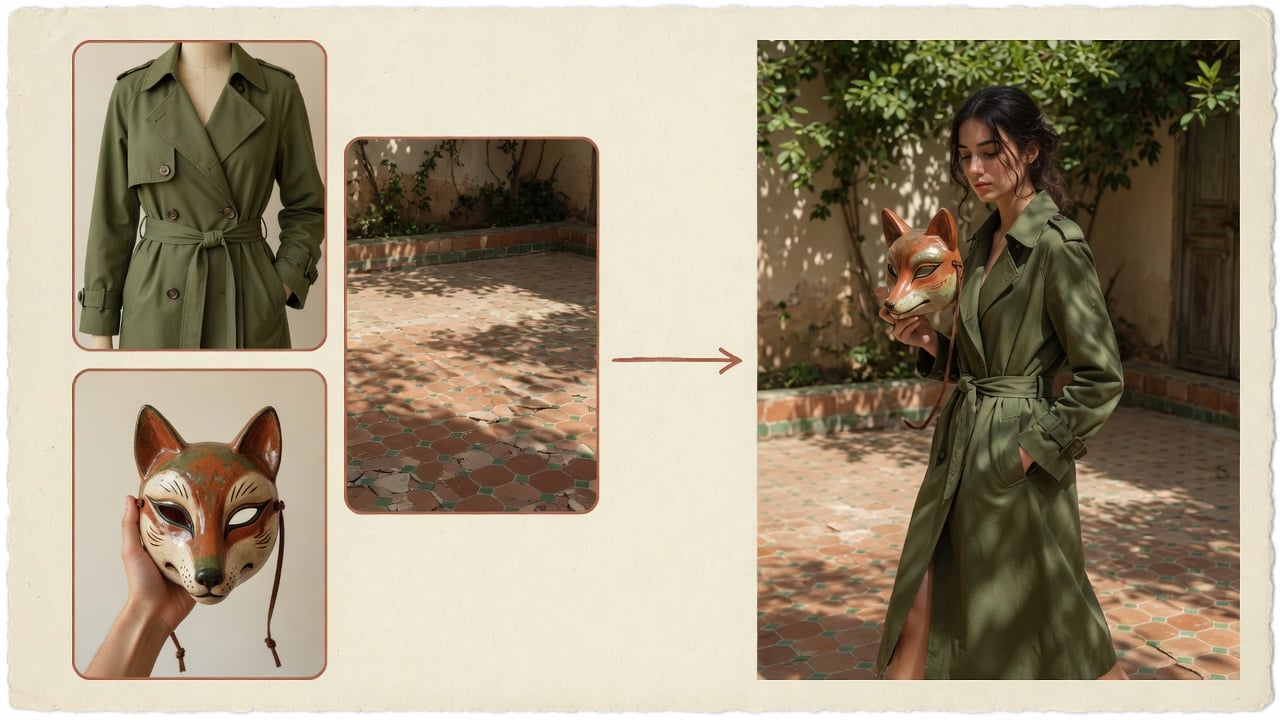
Three Reference Image Editing
Edit as many as three reference images with natural language instructions in one request. Identify each source as <IMAGE_0>, <IMAGE_1>, or <IMAGE_2>, then describe the elements to combine or change. Outputs can be rendered at 1K or 2K with low or medium quality. The workflow fits product variations, art direction, and composite concepts that need recognizable source material.
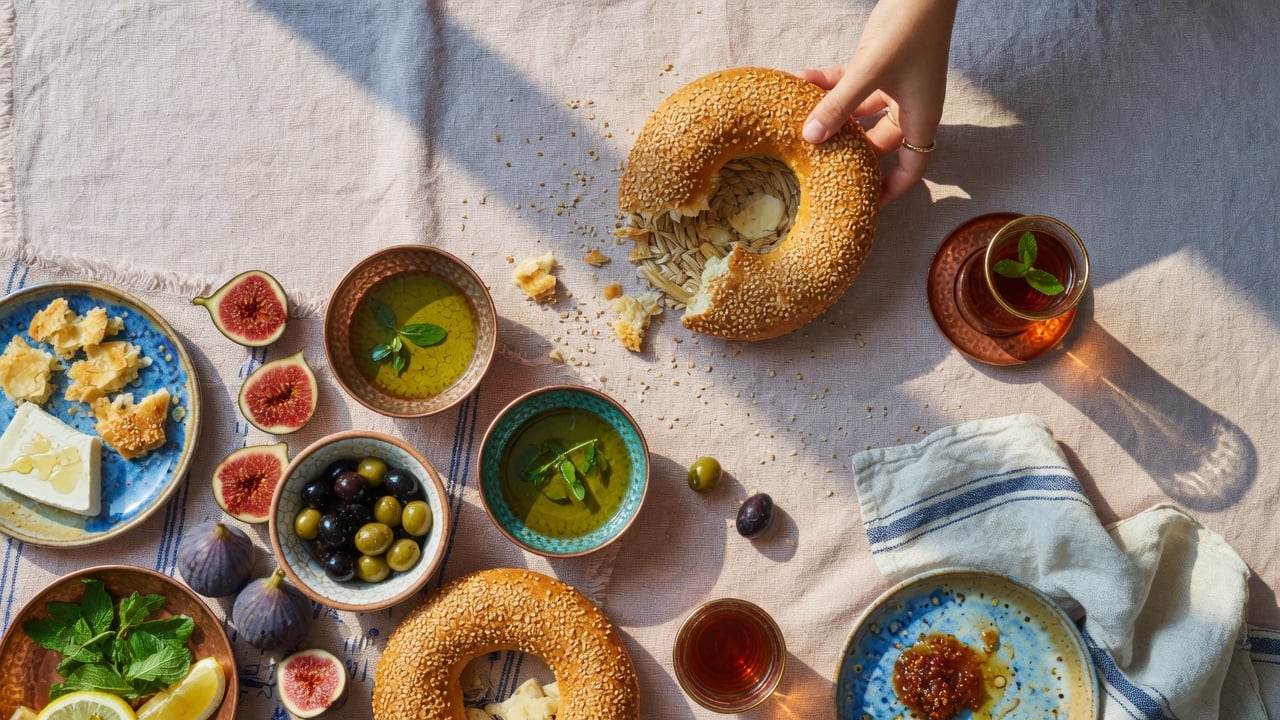
Grok Imagine Image 2.0 Quality Controls
Select low quality for faster exploration or medium quality for the model's best output, then choose 1K or 2K resolution per request. Both generation and editing expose the same quality and resolution controls. Produce up to four outputs when a prompt needs alternatives. This flexibility supports draft to final workflows without switching models or rebuilding the integration.

One Atlas Cloud Image API
Atlas Cloud places text generation and image editing behind one image generation endpoint and API key. Standard pay as you go pricing begins at $0.04 per output image, while each source image is billed at $0.01. Return image URLs or request Base64 output for direct application handling. It is a practical foundation for production pipelines that need clear costs and fewer integrations.
Grok Imagine Image 2.0: One Prompt, Three Visions
See how Grok Imagine Image 2.0 and two Atlas Cloud alternatives interpret the same prompts across editorial photography and richly textured still life.
A young fashion model in a cobalt blue tailored suit strides through a sunlit Mediterranean train station as a departing train sends loose ticket stubs swirling around her, captured at the decisive instant she turns toward the camera with windblown hair. Bold golden hour side backlight creates a luminous rim along her hair and sharp diagonal shadows across the platform. Use repeating arches as a frame within a frame, with foreground luggage softly out of focus and strong leading lines receding toward the train. Restrained blue and amber palette, natural skin texture, crisp wool fabric, weathered stone, subtle film grain, editorial fashion photography, 85mm lens, slight motion blur in the flying paper, wide 16:9 aspect ratio, full-bleed
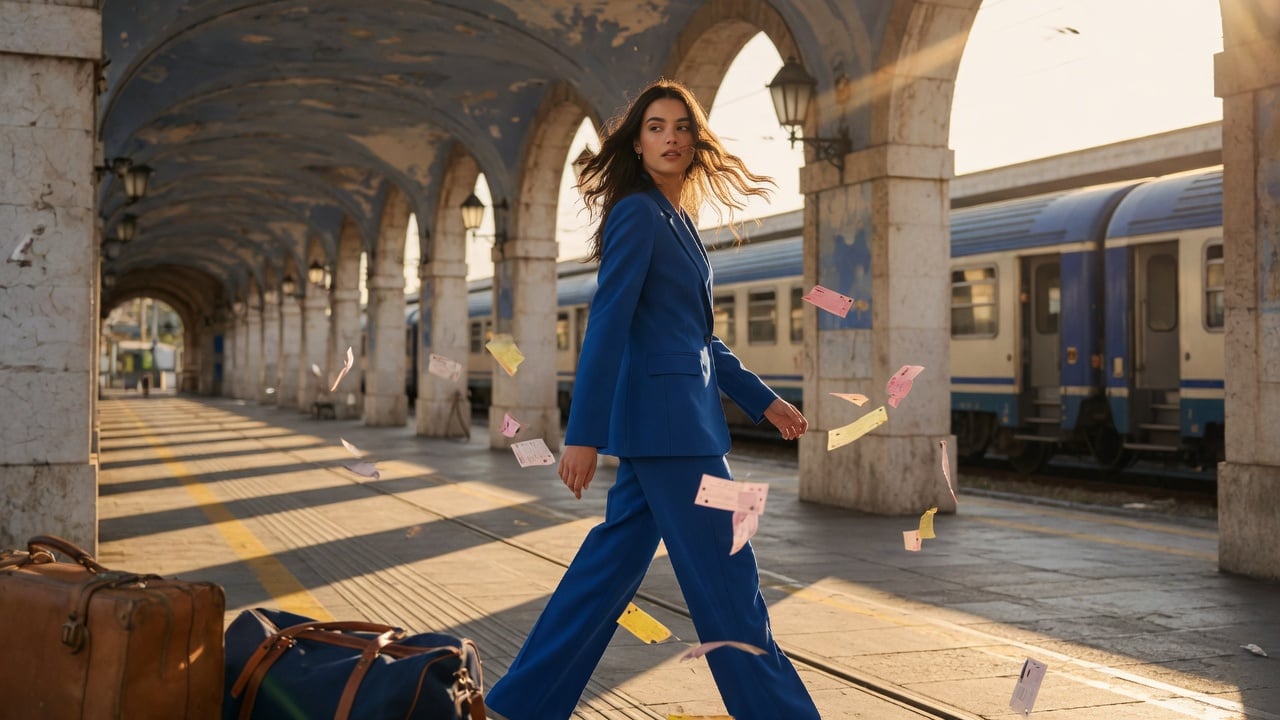
Generated with Grok Imagine Image 2.0 Developer Text-to-Image on Atlas Cloud
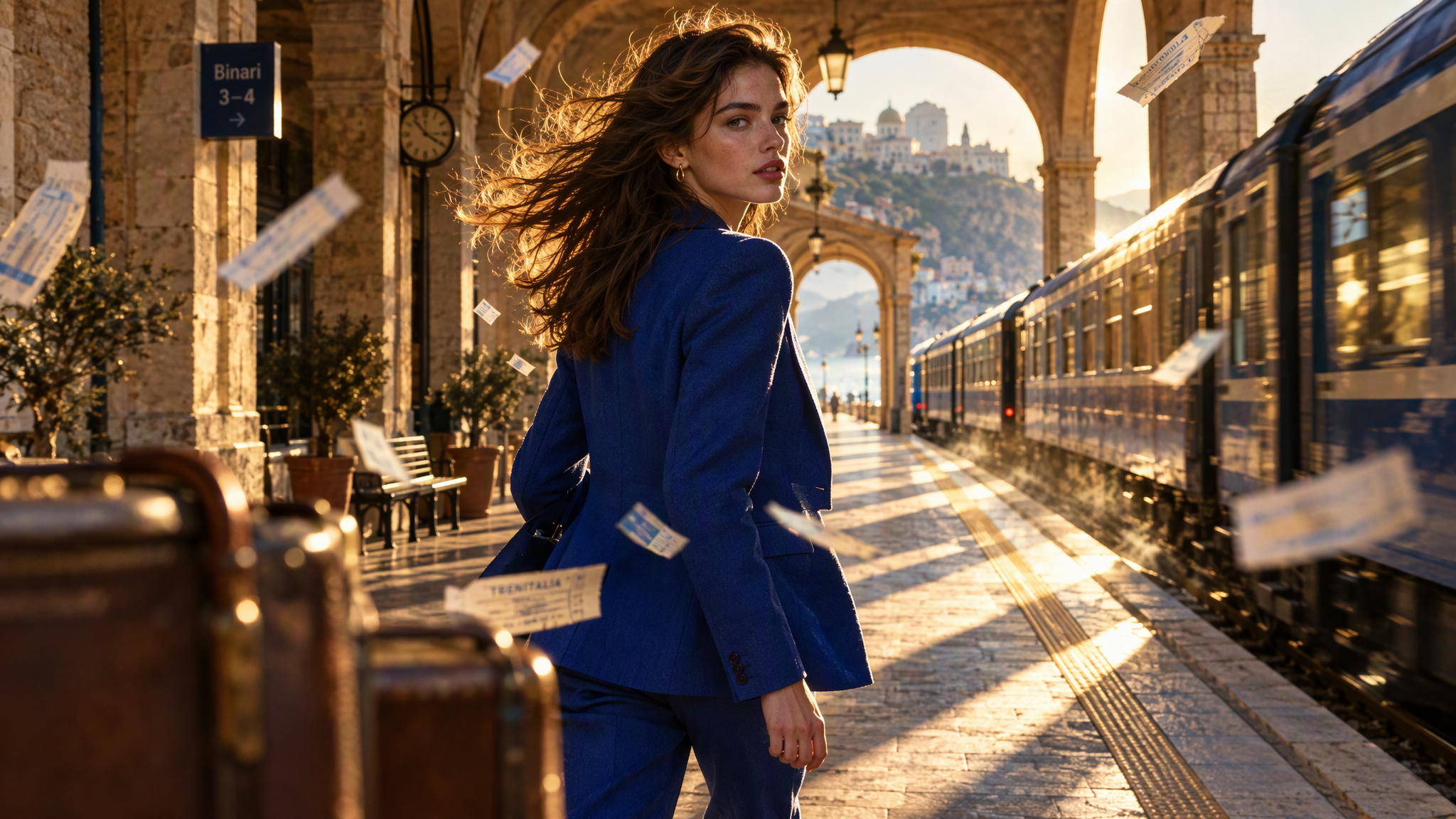
Generated with Seedream v5.0 Pro Text-to-Image on Atlas Cloud
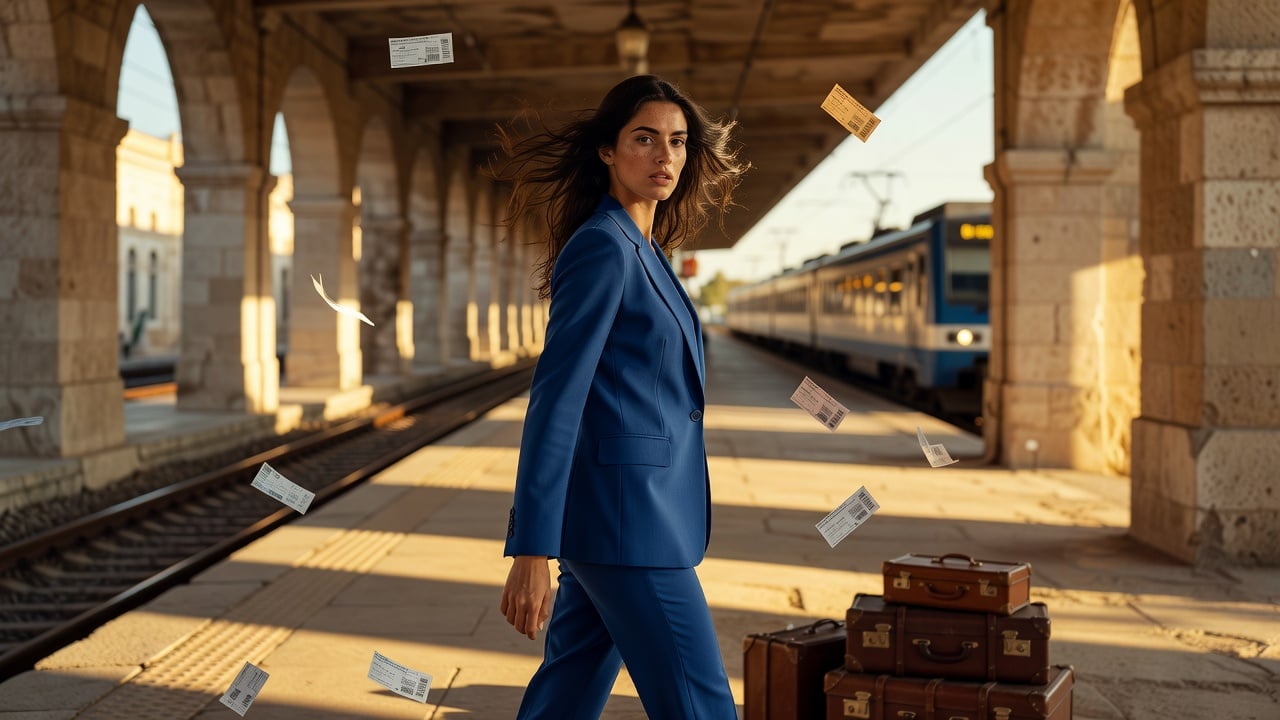
Generated with Grok Imagine Image Quality Text-to-Image on Atlas Cloud
A candid youth documentary photograph of a high-school wind ensemble rehearsing on a campus rooftop in the afternoon, captured at the exact comedic moment when a sudden powerful gust tears an entire stack of sheet music into the air; dozens of creased white pages sweep across the frame like startled birds, one teenage girl rising onto her toes and stretching desperately to catch a page while her uniform skirt and hair whip in the wind, a boy beside her still playing with puffed cheeks in earnest concentration, and the curved polished bell of his brass horn clearly reflecting the other students scrambling after the runaway scores. Multiple young musicians react naturally with surprise, laughter, and awkward mid-motion gestures, their instruments retaining believable mechanical complexity, finger positions, valves, tubing, and spatial relationships. Japanese overexposed analog film photography, spontaneous decisive-moment storytelling, slightly low-angle horizontal grab shot; rooftop railing and taut laundry lines form two strong converging leading lines, while large out-of-focus music sheets crossing the near foreground create layered depth and partial occlusion. Directional noon hard sunlight cuts crisp, graphic shadows across the concrete, with a boldly overexposed pale sky and bright highlights. Strict three-color palette of clear sky blue, school-uniform white, and warm brass gold. Preserve tiny beads of sweat, realistic skin texture, rumpled cotton uniforms, paper fibers and fold marks, weathered rooftop concrete, subtle film grain, mild lens bloom, and restrained motion blur on flying pages, hair, and reaching hands. Energetic, chaotic, funny, youthful, observant, and completely unstaged; natural skin, clean color separation, no greasy over-rendering, no HDR, no plastic skin, no muddy colors, no artificial glow, no cinematic epic effects. 35mm film camera, 28mm wide-angle lens, fast candid shutter with selective motion blur, high-key exposure, wide landscape composition, wide 16:9 aspect ratio, full-bleed.
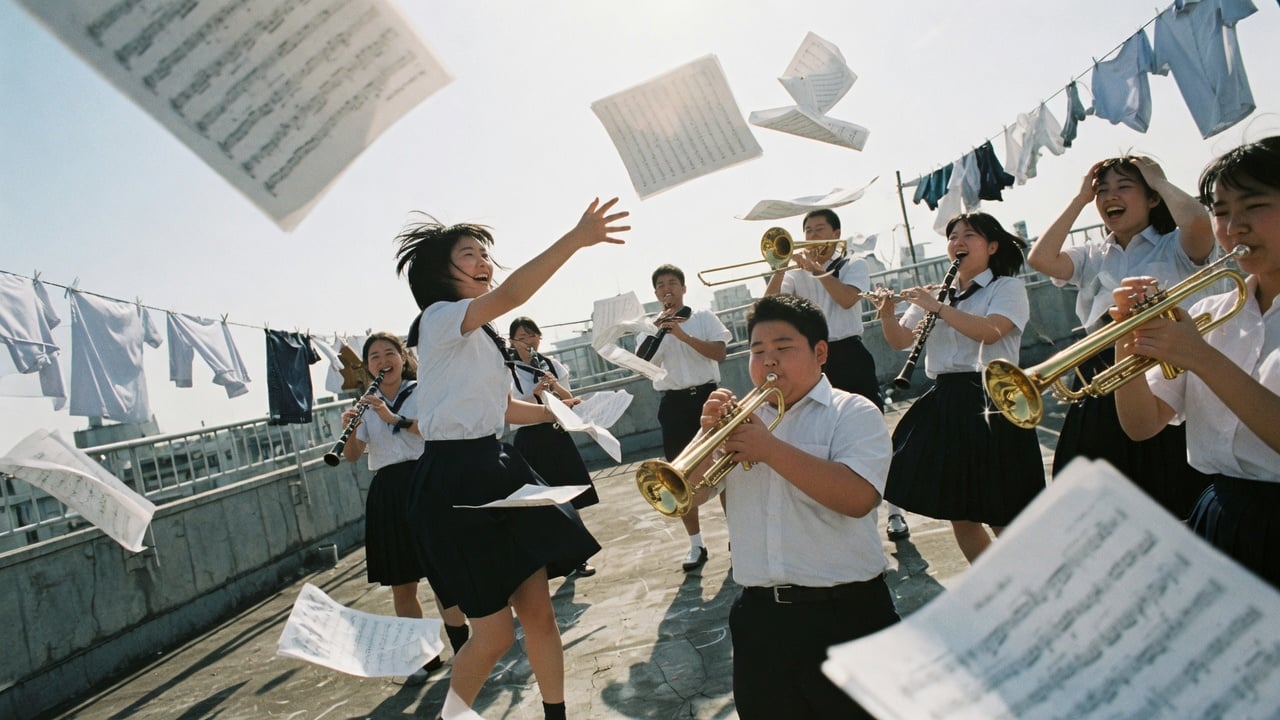
Generated with Grok Imagine Image 2.0 Developer Text-to-Image on Atlas Cloud
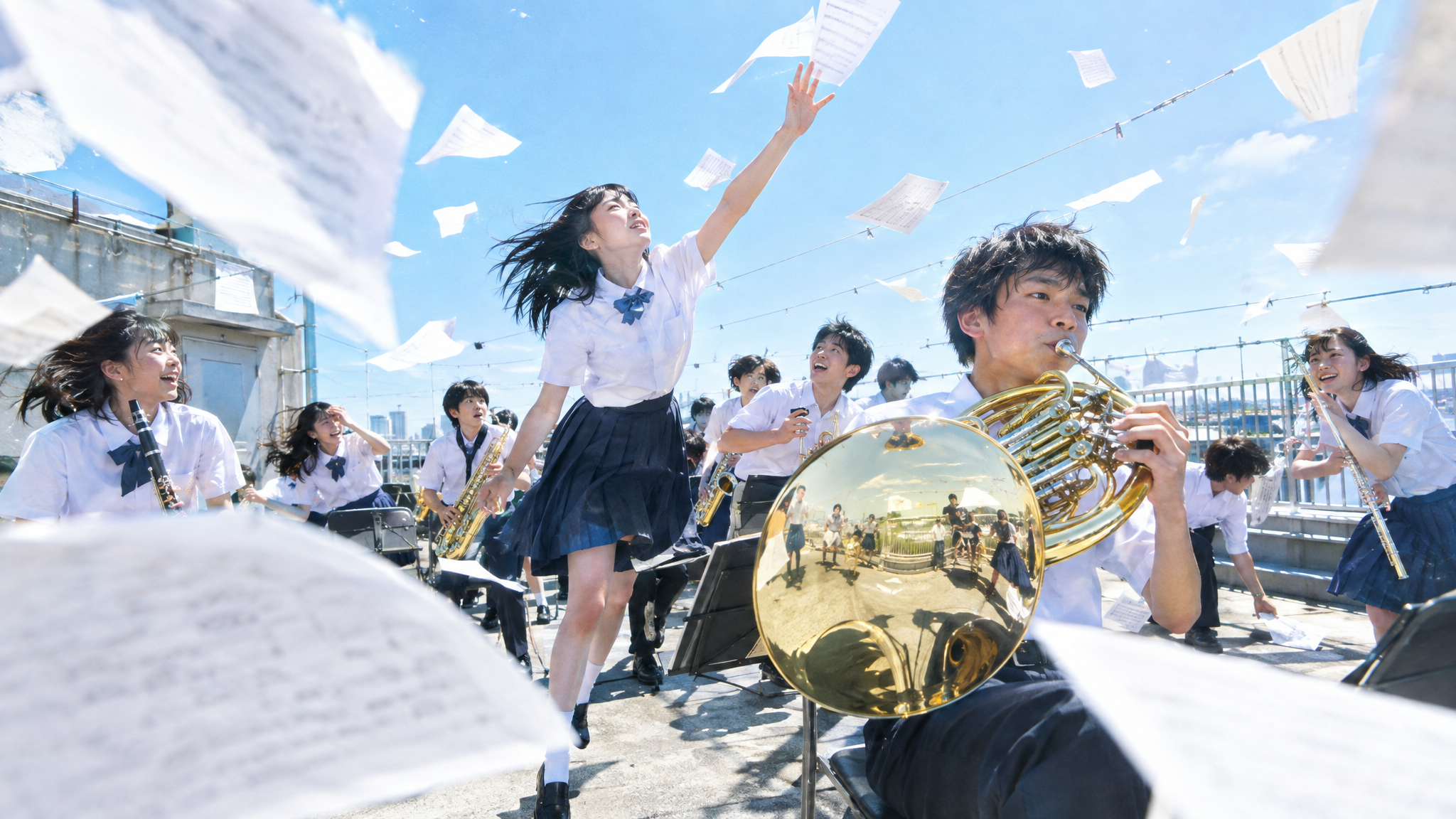
Generated with Seedream v5.0 Pro Text-to-Image on Atlas Cloud
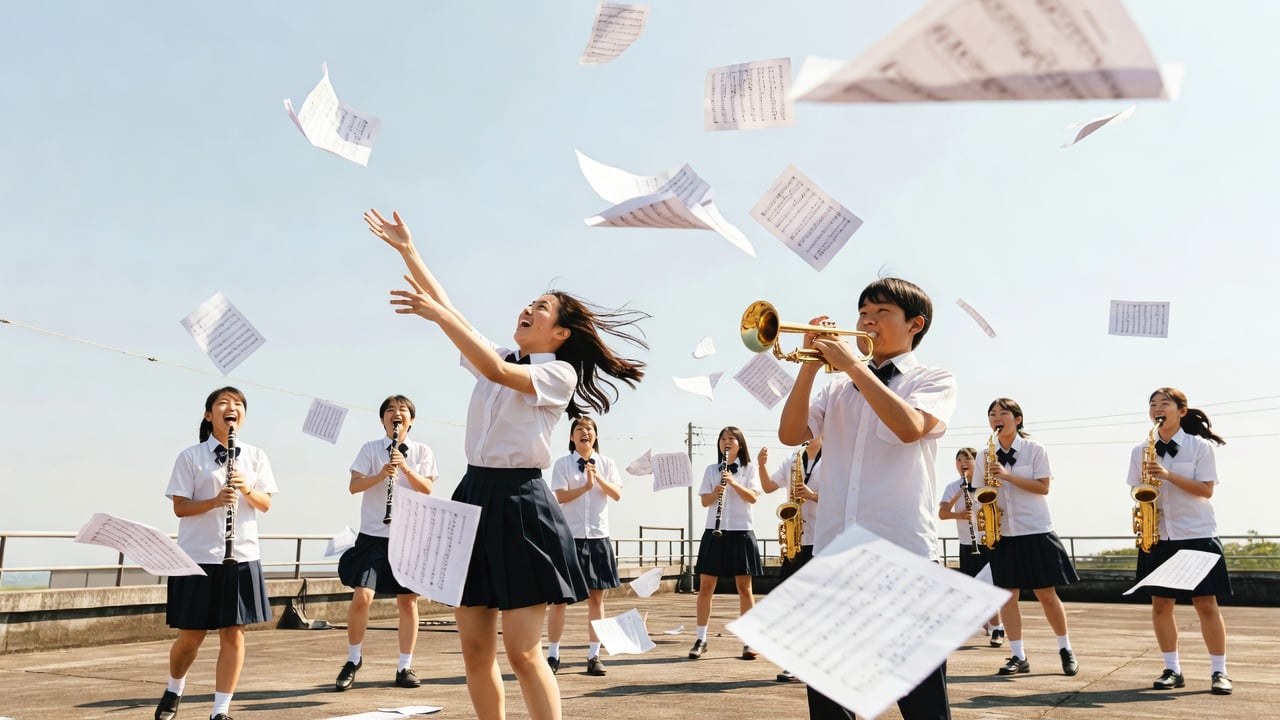
Generated with Grok Imagine Image Quality Text-to-Image on Atlas Cloud
Grok Imagine Image 2.0 Across Creative Workflows
From campaign concepts and product variants to editorial art and multi format assets, Grok Imagine Image 2.0 turns natural language prompts and up to three reference images into polished 1K or 2K visuals across 14 aspect ratios.

Campaign Visuals with Grok Imagine Image 2.0
Generate polished campaign visuals from natural language prompts at 1K or 2K resolution. Choose among 14 aspect ratios to prepare banners, landing page art, and social creative for varied placements.

Product Catalog Variants
Edit product images with natural language instructions and as many as three reference images. Create color variations, seasonal settings, or marketplace ready compositions for ecommerce teams and automated catalog workflows.

Social Assets in Grok Imagine Image 2.0
Select from 14 aspect ratios when generating visual assets for different screen shapes. Produce 1K drafts or 2K deliverables for social feeds, mobile layouts, display placements, and editorial publishing workflows.

Editorial Concept Art
Turn written concepts into polished 1K or 2K images through the text to image endpoint. This supports editorial illustrations, pitch visuals, mood boards, and early creative exploration across product teams.

Multi Reference Edits with Grok Imagine Image 2.0
Supply up to three reference images, then describe the required edit in natural language. Developers can build guided transformation tools for creators, merchandising teams, design reviews, and reusable content pipelines.

Draft to Delivery Workflows
Move between low and medium quality tiers as each image progresses from exploration to delivery. Pair either tier with 1K or 2K output for prototyping, review cycles, and production ready assets.
Grok Imagine Image 2.0 Across Today’s Image APIs
Compare Grok Imagine Image 2.0 with three Atlas Cloud alternatives by provider, maximum resolution, framing controls, and standard per-image pricing.
| Model | Provider | Max Resolution | Aspect Ratio Control | Standard Price |
|---|---|---|---|---|
| Grok Imagine Image 2.0 Developer Text-to-Image | xAI | 2K | 14 presets | $0.04 per image |
| Qwen Image 2.0 Text-to-image | Qwen | 2048 × 2048 | 7 presets plus custom dimensions | $0.035 per image |
| Nano Banana 2 Lite Text-to-image | 1K | 14 presets | $0.04 per image | |
| MAI-Image-2.5-Flash Text-to-image | Microsoft | Up to 1360 px per side | Custom dimensions | $0.03 per image |
How to Use Grok Imagine Image 2.0 on Atlas Cloud
Get started in minutes — follow these simple steps to integrate and deploy models through Atlas Cloud's platform.
Create an Atlas Cloud Account
Sign up at atlascloud.ai and complete verification. New users receive free credits to explore the platform and test models.
Why Use Grok Imagine Image 2.0 on Atlas Cloud
Combining the advanced Grok Imagine Image 2.0 models with Atlas Cloud's GPU-accelerated platform provides unmatched performance, scalability, and developer experience.
Performance & flexibility
Low Latency:
GPU-optimized inference for real-time reasoning.
Unified API:
Run Grok Imagine Image 2.0, GPT, Gemini, and DeepSeek with one integration.
Transparent Pricing:
Predictable per-token billing with serverless options.
Enterprise & Scale
Developer Experience:
SDKs, analytics, fine-tuning tools, and templates.
Reliability:
99.99% uptime, RBAC, and compliance-ready logging.
Security & Compliance:
SOC 2 Type II, HIPAA alignment, data sovereignty in US.
Grok Imagine Image 2.0 API Questions, Answered
Grok Imagine Image 2.0 is an xAI image model for generating and editing visuals with natural language. Atlas Cloud provides separate text to image and editing endpoints, with 1K or 2K output and selectable low or medium quality.
Create polished visuals from written prompts or modify existing images through natural language instructions. Text to image generation offers 14 aspect ratios, while the editing workflow can use up to three reference images.
Choose the text to image endpoint for a new visual or the edit endpoint when working from reference images. Submit your prompt with the required resolution, quality, and aspect ratio settings defined in the corresponding Atlas Cloud schema.
Both workflows support 1K and 2K resolution with low or medium quality tiers. The text to image endpoint includes 14 aspect ratios, allowing developers to produce square, portrait, landscape, and other layouts.
The edit endpoint accepts up to three reference images in one request. Describe the intended role of each reference and state which visual elements should change or remain consistent.
Atlas Cloud lists a standard base price of $0.04 per image for the available generation and editing endpoints. Usage follows pay as you go pricing, so costs scale with the number of requests.
Use a text to image endpoint when the output should be created entirely from a prompt. Select an edit endpoint when you need to transform, combine, or refine supplied reference images.
No, the endpoints covered on this family page produce images. Video generation requires a separate Grok Imagine video model rather than these image routes.
State the requested change and the elements that must remain untouched as separate, explicit instructions. For multi-image edits, explain what each reference contributes and test one major change before combining several transformations.
Explore More Families
Seedance 2.5
Seedance 2.5 API is now available on Atlas Cloud! It gives developers ByteDance's newest video model. It generates up to 30 seconds of native video in a single pass from text, a single image, or as many as 50 multimodal references, with synchronized audio and in-frame multilingual text. On Atlas Cloud you reach it through one key, with subject consistency and improved physics keeping long shots coherent. (Update: Seedance 2.5 1080P API Is Available NOW!)

Wan 3.0
Wan 3.0 API is the next generation of Alibaba's Wan video family, built to push long-form generation, multi-reference control, and audiovisual quality to new heights. Atlas Cloud already hosts Wan 2.7, 2.6, and 2.5, and Wan 3.0 runs on the same unified key with no separate setup. Start building today. Scroll down to the showcase to see what Wan 3.0 can create.
MiniMax H3
MiniMax H3 is MiniMax's multimodal video family for text, image, and reference guided creation. Across supported routes, it preserves subjects from reference media, offers flexible aspect ratios, and pairs generated sound with visuals through H3 Developer, with output profiles selected by endpoint. Atlas Cloud unifies the family behind one OpenAI-compatible key with transparent pay-as-you-go pricing from the standard rate of $0.038 per second. Start building today.
Seedream 5.0 Pro
Seedream 5.0 Pro API gives developers ByteDance's controllable image editing model on Atlas Cloud. It places edits precisely with anchors and coordinates, separates images into editable layers, fuses multiple references, and matches exact colors and materials, with multilingual text at 2K and 3K. On Atlas Cloud you reach it through one key!
Seedance 2.0
Seedance 2.0 is ByteDance’s production video model for precise shot creation. Turn prompts into video, animate a first-frame image with optional last-frame guidance, or shape results with reference media and optional web search. Atlas Cloud brings these workflows into one unified API with transparent pay-as-you-go pricing and one OpenAI-compatible key. Start building today.
GPT Image 2.5
The gpt-image-2.5 family from OpenAI gives developers a choice of Flare and Sunburst for production image workflows. Render at arbitrary resolutions up to 3840x2160 and select from five quality tiers, including xhigh and max, to match specific output requirements. Atlas Cloud provides ready-to-use REST inference with no cold starts and standard pricing from $0.004 per generation. Start building today.
GPT Image 2
The GPT Image 2 API gives developers access to OpenAI's latest image model, the successor to GPT Image 1.5. It generates and edits images with accurate text rendering across Latin and CJK scripts, plus strong composition for posters, mockups, and infographics. On Atlas Cloud you reach it through one unified API alongside 300+ models, with free credits, 99.99% uptime, and no OpenAI organization verification required.
Gemini Omni Flash
The gemini omni API brings Google DeepMind's natively multimodal Gemini Omni Flash family, including Gemini Omni 1.1 Flash, to developers. Create cinematic video with synchronized native audio, animate still images with precise start and end frame control, or revise existing footage through text guided edits that preserve untouched content. Atlas Cloud provides one OpenAI-compatible key, unified access, and transparent pay-as-you-go pricing. Start building today.
Grok Imagine
Grok Imagine Image is xAI's family for generating polished visuals and revising one or more reference images through natural language instructions. Its standard and quality endpoints cover text to image creation, single image changes, and indexed multi-image composition. Atlas Cloud brings these workflows into one API, with standard generation and editing priced at $0.02 per image. Start building today.
Google's most powerful creative models are all available on Atlas Cloud. Veo 3.1 delivers cinematic video generation, Nano Banana 2 powers high-fidelity image creation, and Gemini brings multimodal intelligence to every workflow. Access the full Google model suite through one API key with Day-0 availability and pay-as-you-go pricing.
Seedance 2.0 Mini
The Seedance 2.0 Mini API is the lightest, lowest-cost tier of ByteDance's Seedance video line, built for teams where throughput and unit cost matter more than maximum polish. Use it for batch generation, rapid prototyping, and draft passes, all through one OpenAI-compatible key on Atlas Cloud.
ByteDance
From cinematic video generation to high-fidelity image creation, ByteDance's most powerful models are live on Atlas Cloud. Run Seedance and Seedream at scale with the lowest inference pricing and zero infrastructure overhead.
Recommended Articles
Guides, tutorials, and product updates to help you get the most out of Atlas Cloud.





