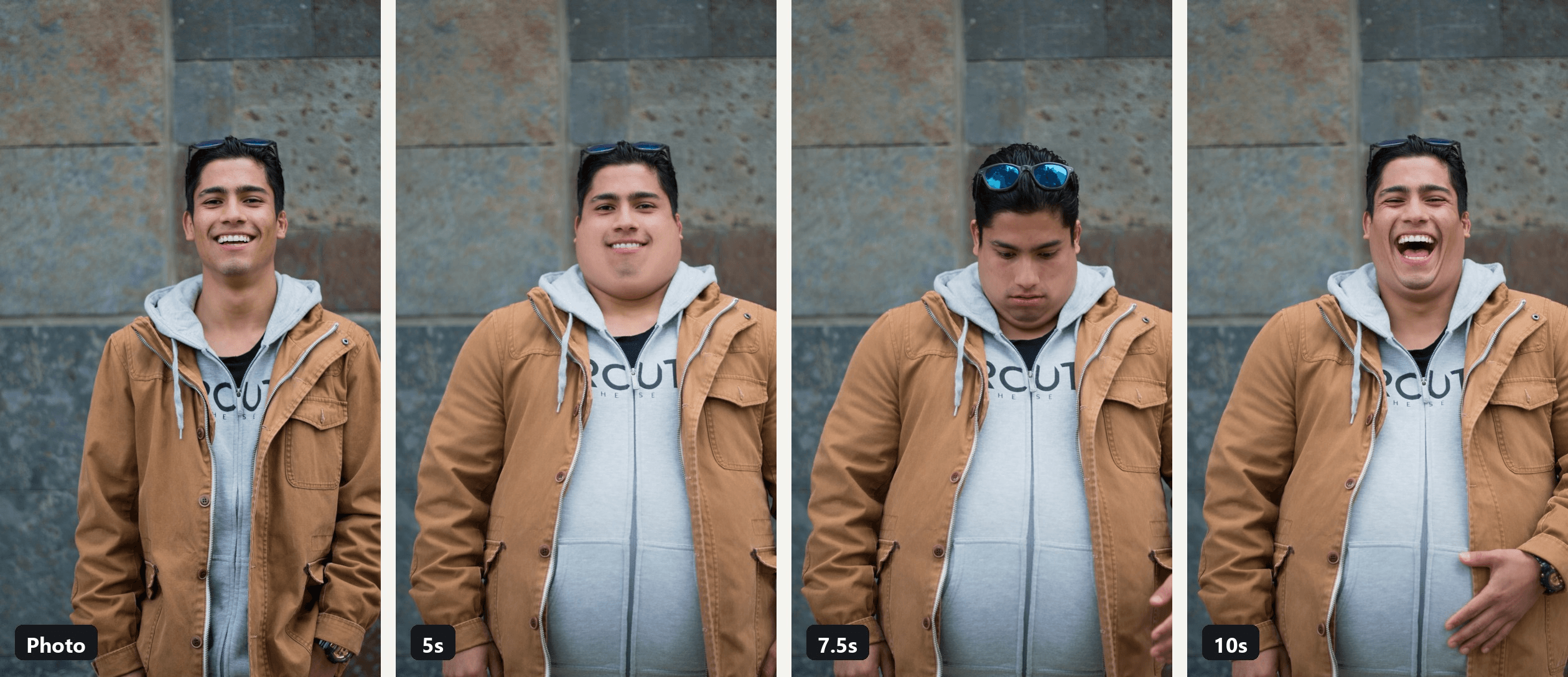
Three seconds in, the jacket still fits. By seven it hangs open over a belly that was not in the photo, and the guy on screen is laughing at himself.
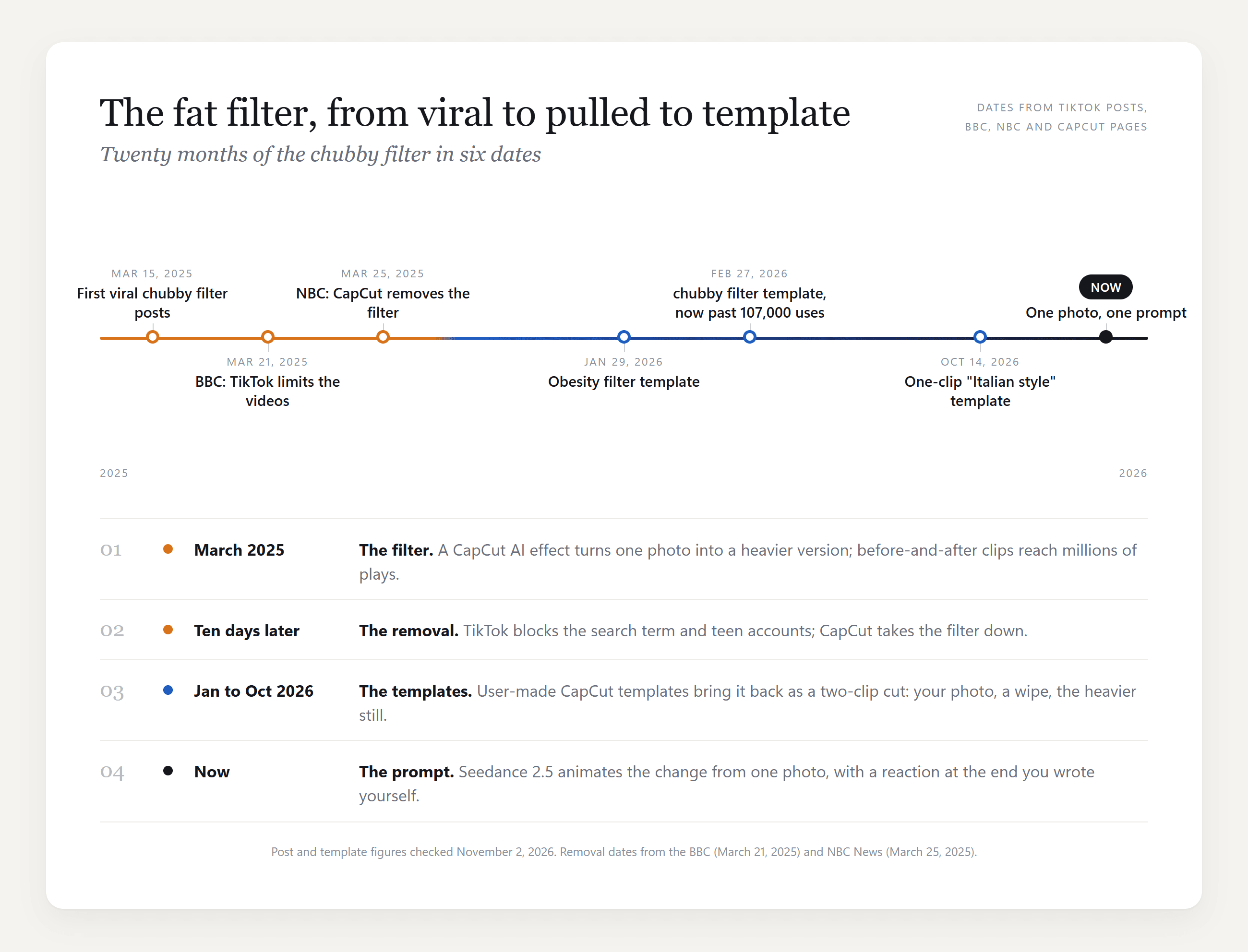
That is the AI fat filter in its 2026 form. The chubby filter that CapCut pulled in March 2025 came back as user templates, and the biggest we found has passed 107,000 uses. Below is where the fat filter trend stands now, which templates and apps are behind it, and how to make the video version from one photo with a prompt you can copy.
Key Takeaways
- The AI fat filter started as a CapCut chubby filter in March 2025 and was pulled within ten days of going viral.
- In 2026 it lives on as CapCut templates;thebiggest wefound,chubby filter by BangPenn, is past 107,000 uses.
- One photo and the AI video generator turn the effect into a 10-second clip of you getting heavier.
- The prompt locks your face, clothes and background, so the heavier version still readsasyou.
- Use your own photo or a consenting adult's, and keep the joke on yourself.
What Is the AI Fat Filter Trend on TikTok?
In March 2025 the format was a before and after: a normal photo, then the same person edited to look much heavier, often over a Doechii sample. The effect was an AI filter inside CapCut. One tutorial post from March 16, 2025 had reached 605,000 plays when we checked it on November 2, 2026, and the template page it links to now comes up empty.
The backlash moved just as fast. The BBC reported on March 21, 2025 that TikTok was making the videos ineligible for recommendation and blocking them from teen accounts, and NBC News reported on March 25 that CapCut had removed the filter.
From the Chubby Filter to the 2026 CapCut Templates
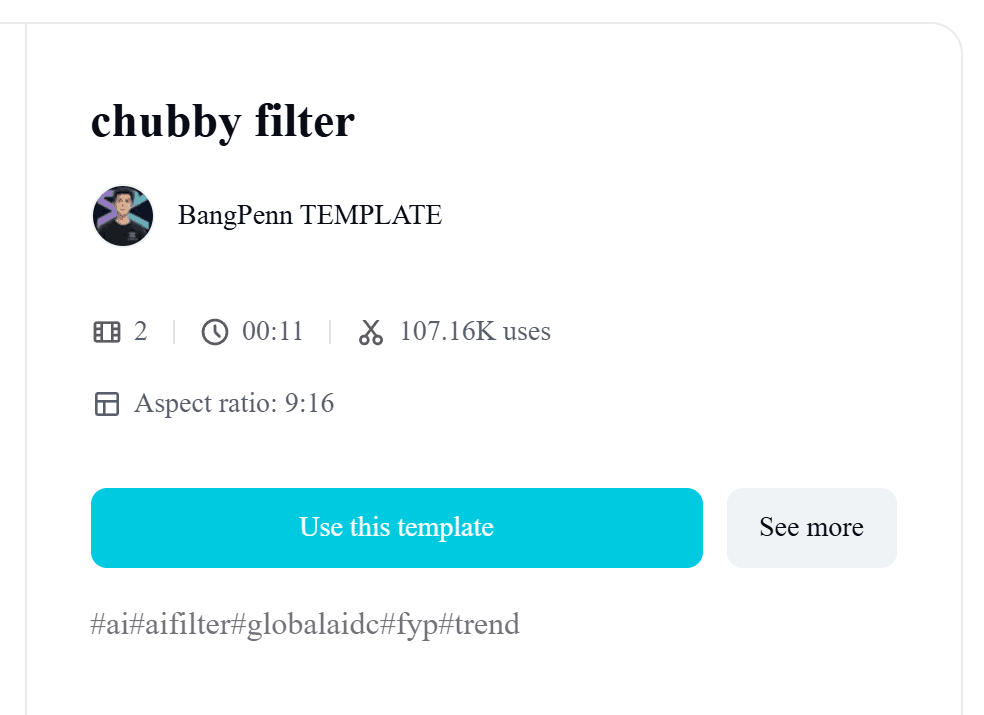
Template makers filled the gap. The chubby filter template by BangPenn TEMPLATE, published on February 27, 2026, takes two clips, runs 11 seconds and had passed 107,000 uses and 1.3 million plays by November 2.
An Obesity filter template from January has 16,000 uses, and in October a one-clip template surfaced in CapCut promo posts captioned "Skinny dude rocking that Italian style!".
The live-camera version kept going too. Snapchat lists a Fat Face Filter lens, TikTok has an effect named FAT, and a face fat trend post from April 2026 using it sat at 68,000 plays. Those apply while you record rather than being rendered from a photo.
How to Make an AI Fat Filter Video From One Photo
A template gives you a before, an after and a wipe between them. To watch the change happen, with a reaction at the end, you need a prompt. Atlas Cloud runs Seedance 2.5, which takes one photo as the first frame and animates the next 10 seconds from your description. "Make me fat, AI" becomes a line of text instead of a slider.
We gave it the photo from the hero image:
The change runs from 3 to 6 seconds: cheeks, then the neck, then a belly that pushes the jacket open. At 7 he looks down at it and pats it, and the last second is the laugh. The wall, the jacket and his face stay put, which is what keeps it from looking like a sticker.
Method 1: Turn Your Photo Into a Fat Version of You in the Generator
Sign in, open the Video Generation tab and follow the numbers on the screenshot:
- Stay on the Video Generation tab.
- Keep Seedance 2.5 under Models.
- Upload your photo to First Frame. Crop it to 9:16 first so the clip comes out in portrait. Leave Last Frame empty.
- Paste the prompt below into the Prompt box.
- Under Settings, pick 1080p.
- Set Duration to 10 and keep Audio on.
- Click Run.
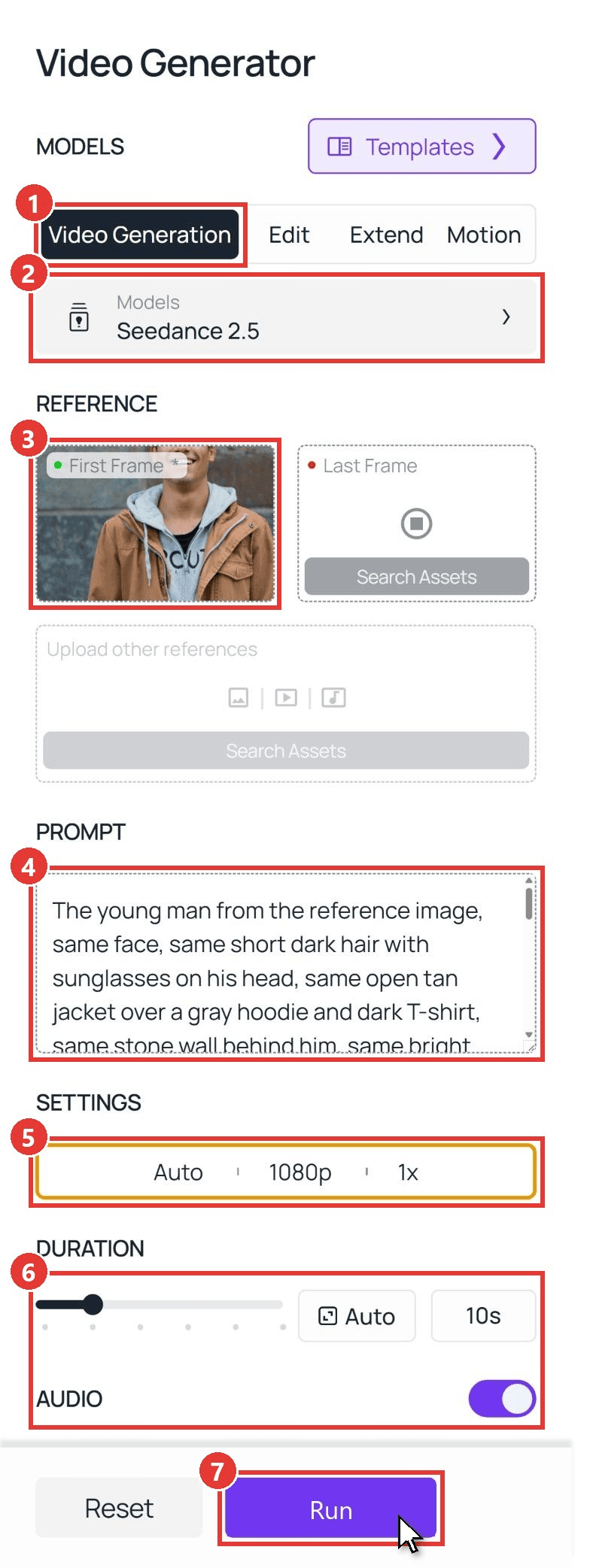
This is the prompt behind the clip above:
plaintext1The young man from the reference image, same face, same short dark hair with sunglasses on his head, same open tan jacket over a gray hoodie and dark T-shirt, same stone wall behind him, same bright smile, waist-up framing, the camera does not move. 0-2s: he stands relaxed and smiles at the camera. 2-7s: he slowly and steadily gains weight: his cheeks and neck fill out into a soft double chin, his shoulders and arms get thicker, and a large round belly swells under the hoodie and pushes the jacket wide open, the fabric stretching tight. 7-8.5s: he looks down at his new belly in surprise and pats it with one hand. 8.5-10s: he looks back up at the camera and bursts out laughing, and the heavier body stays exactly like that to the final frame. His eyes, nose, mouth, hairstyle, clothes and the wall never change. Realistic skin and fabric, no text on screen. Sound: quiet street ambience, then his laugh.
Swap the jacket, the wall and the hair for what is in your photo and keep the time codes. Our guide to writing Seedance 2.5 prompts explains why the closing line matters.
Method 2: Run the Fat Filter Prompt Through the API
Making one for the whole group chat, or adding a fat filter online to your own app? The API takes the same photo and prompt in one request.
Step 1: Create an API key. In the console, open Settings and create a key under API Keys. One key covers every model on the platform.

Step 2: Check the request format. The Atlas Cloud API docs cover authentication and the video endpoint.
Step 3: Send the request and poll. Put a public URL of your 9:16 photo in the image field:
plaintext1curl -X POST https://api.atlascloud.ai/api/v1/model/generateVideo \ 2 -H "Authorization: Bearer $ATLASCLOUD_API_KEY" \ 3 -H "Content-Type: application/json" \ 4 -d '{ 5 "model": "bytedance/seedance-2.5/image-to-video", 6 "prompt": "<paste the Method 1 prompt here>", 7 "image": "https://your-cdn.com/your-photo-9x16.jpg", 8 "duration": 10, 9 "resolution": "1080p", 10 "generate_audio": true 11 }'
The response returns a prediction ID. Poll it until the status reads completed, then download the MP4 from the outputs array:
plaintext1curl https://api.atlascloud.ai/api/v1/model/prediction/<prediction_id> \ 2 -H "Authorization: Bearer $ATLASCLOUD_API_KEY"
Same endpoint and same key for every video model, so trying the clip on another model is a one-line change to the model string.
Which Fat Filter Templates and Apps Match the Trend?
Search for a fat filter app and you get photo tools; search the trend and you get CapCut templates. Here is what each takes in and gives back, as listed on its page on November 2, 2026.
| Template or tool | Input | Output | Model named | Notes |
|---|---|---|---|---|
| CapCut, chubby filter by BangPenn TEMPLATE | 2 clips | 11 s, 9:16 | Not stated | Published February 27, 2026 |
| CapCut, Obesity filter by niuniu | 2 clips | 3 s, 9:16 | Not stated | Published January 29, 2026 |
| CapCut, Ai by Future301 | 1 clip | 6 s, 9:16 | Not stated | Published October 14, 2026; the "Italian style" promo posts |
| Dreamina, Fat Face Filter | 1 photo | Image only | Seedream 5.0 | Free daily credits |
| Pippit, Free AI Fat Filter Online | Photo plus prompt | Image only | Nano Banana Pro and Seedream 4.0 | Free, no card needed |
| Magic Hour, AI Fat Filter | 1 photo | 768 x 1376 image | Nano Banana 2 | Free daily credits |
| YouCam Makeup, Fat Filter | Selfie or full-body photo | Image only | Not stated | Free app |
| Snapchat Fat Face Filter lens, TikTok FAT effect | Live camera | Live effect | None | Applies while you record |
| Atlas Cloud, Seedance 2.5 | 1 photo, optional last frame | 4 to 30 s, native 1080p | Seedance 2.5 | Ratio follows your photo |
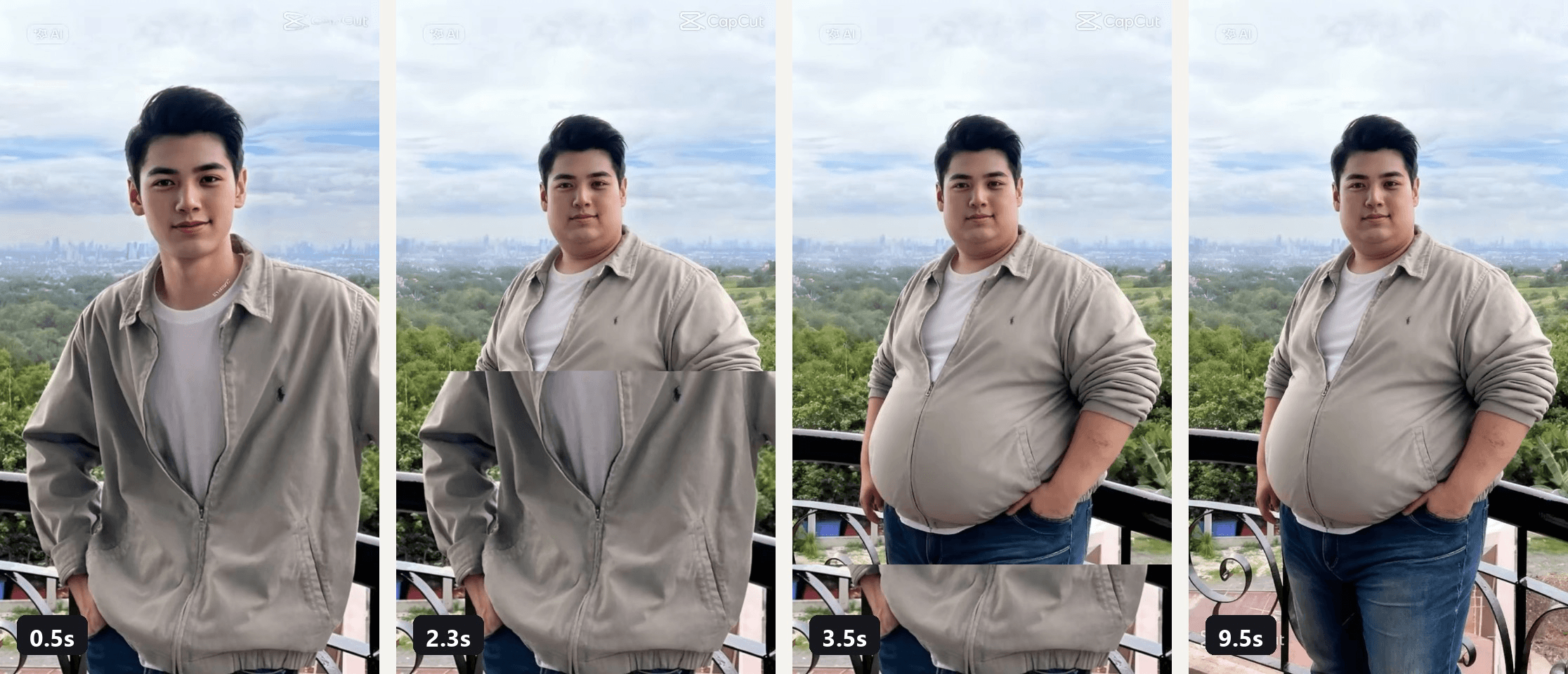
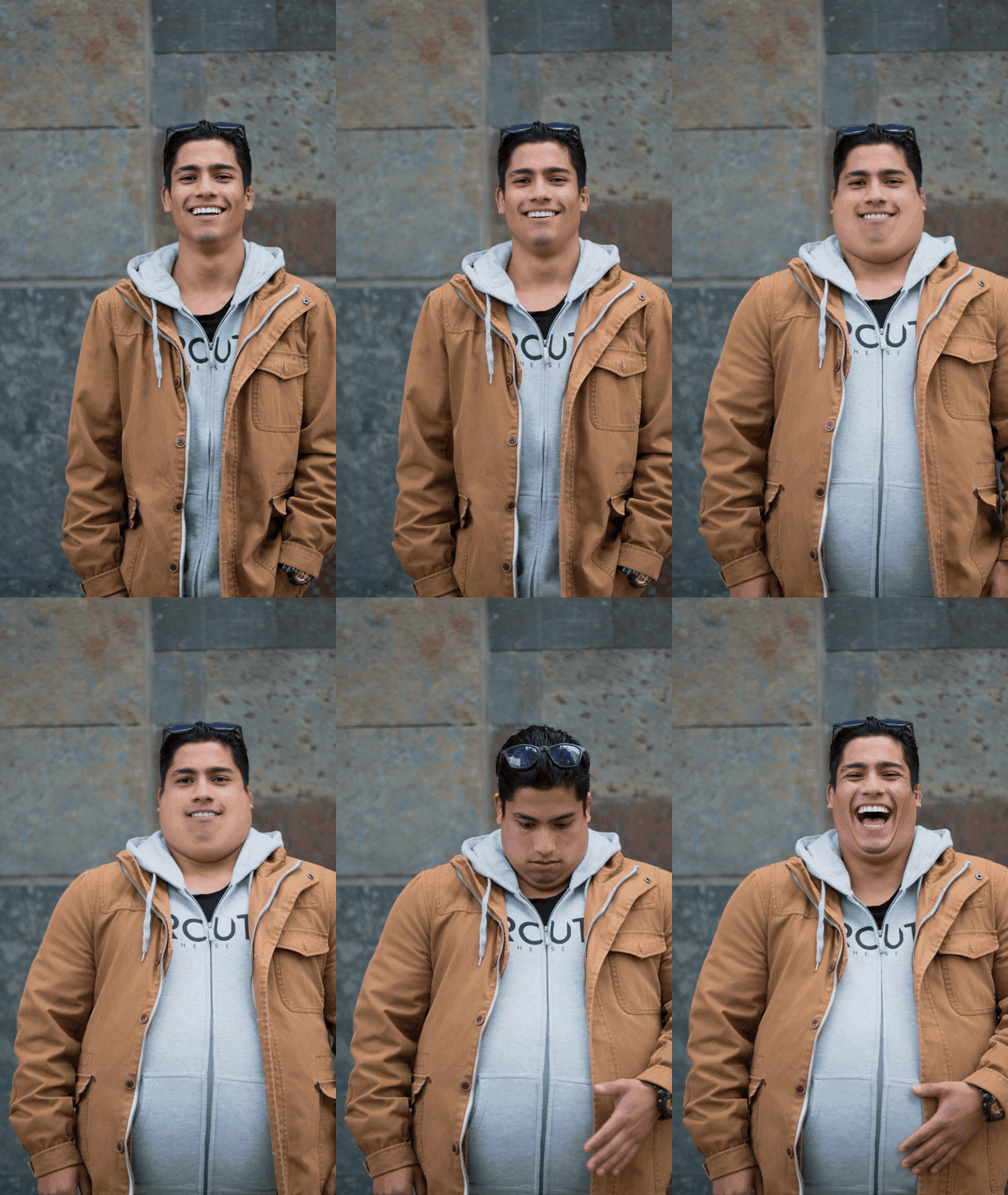
Frames from the preview video of the CapCut template chubby filter by BangPenn TEMPLATE.
In the rows we could check, the change itself stays off screen: one still, or a before clip cut to an after clip. The prompt route is where you watch it happen.
An AI Fat Filter Prompt That Keeps Your Face
The hard part is not adding weight. It is adding weight without turning you into someone else. The prompt above does that with two lists: what may not move, and what changes, second by second.
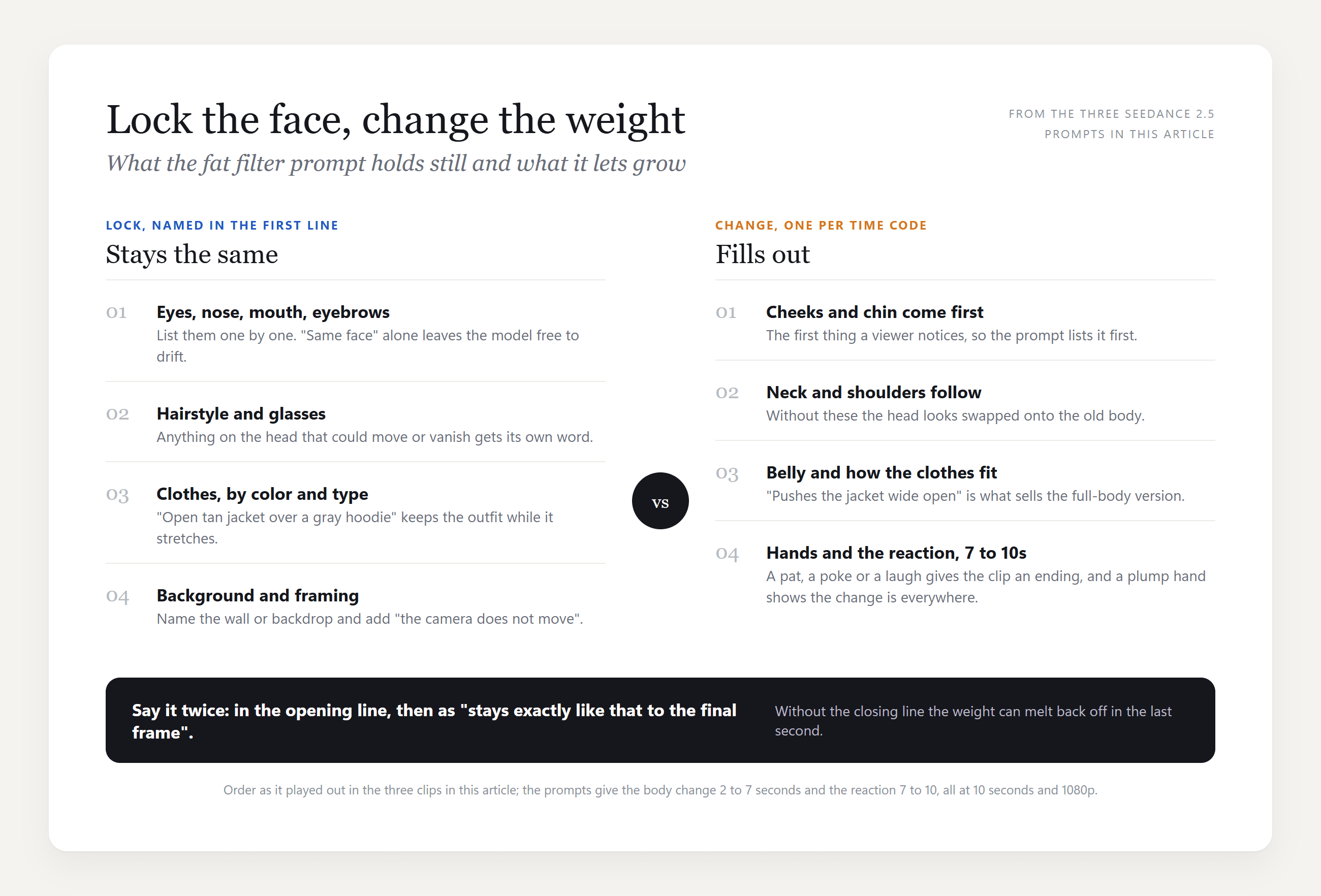
Name the face parts one by one, name the clothes and the wall, then spend the time codes on what grows and end on an action, a pat or a laugh, so the clip has somewhere to land.
The Fat Face Filter Version for Selfies
The Snapchat and TikTok effects work on the face, so the selfie version puts the change there, with the neck, shoulders and hands following so it reads as one body.
Her cheeks fill out between 3 and 6 seconds, the double chin settles into the fur collar, and the jacket pulls tight across her shoulders. At 7 the hand that comes up to poke her cheek is heavier too.
plaintext1The young woman from the reference image, same face, same long straight brown hair, same thin rectangular glasses, same black leather jacket with a brown fur collar, same plain beige studio background, selfie framing with one arm reaching toward the camera, the framing does not change. She stays alive the whole time: she blinks naturally every two or three seconds, breathes, tilts her head a little and her eyes move behind the glasses. 0-2s: she pouts her lips at the camera and blinks. 2-7s: her whole visible body slowly and steadily gains weight, not just her face: her cheeks grow round and full, a soft double chin pushes down into the fur collar, her neck gets thick and short, her shoulders and arms fill out until the leather jacket stretches tight across them, and the hand reaching toward the camera gets plump with thick fingers. While this happens she blinks twice, glances to the side and back, and her pout turns into a small smirk. Her eyes, nose, lips, eyebrows, glasses and hairstyle stay exactly the same. 7-8.5s: she raises her free hand, its fingers now visibly plump, and pokes her round cheek with one finger. 8.5-10s: she bursts out laughing with her eyes crinkling behind the glasses, and the heavier face, neck, arms and hands stay like that to the final frame. Realistic skin, hair and leather texture, no text on screen. Sound: quiet studio room tone, then her laugh.
The line "she stays alive the whole time" is there because an earlier run froze her face while it changed; the written-in blinks keep it from reading as a morph between two photos.
The Fat Cat Filter Version for Pets
CapCut's pet templates, Chubby Dog and fat cat, had 9,000 and 1,700 uses on November 2. The prompt version works on a long-haired cat because the fur carries the change.
plaintext1The fluffy ginger cat from the reference image, same long orange fur, same amber eyes, same white chest patch, same garden background with green plants, sitting and facing the camera, the camera does not move. The cat stays alive the whole time: it blinks slowly, its ears swivel, its whiskers twitch, its tail tip flicks and it breathes. 0-2s: the cat sits and looks at the camera, blinks once. 2-7s: it slowly and steadily grows into an enormously chunky, fluffy cat, the way a famously fat long-haired house cat looks: its body becomes a wide, round ball of fur from neck to hips, its chest and neck merge into one big fluffy mass, its cheeks puff out until its face looks small on top of the body, and its paws peek out from under the round belly, but it stays clearly a real cat with soft, natural long fur, never a smooth balloon. While this happens it blinks, glances to the side and back, and its expression turns slightly grumpy. 7-10s: the chunky cat shifts its weight, settles its heavy round body down a little wider, slowly blinks at the camera with a grumpy face and flicks its tail, and it stays this chunky to the final frame. Realistic fur texture and lighting, no text on screen. Sound: quiet garden ambience with birds, one short grumpy meow at the end.
The phrase "never a smooth balloon" earns its place: our first pet run, on a short-haired dog, inflated it into a shiny barrel.
Why the Chubby Filter Was Pulled, and How to Keep Yours Harmless
The BBC quoted a food and nutrition scientist calling the 2025 trend "a huge step backwards" on weight stigma, and the complaint was that the heavier body itself was the punchline. Our aging filter trend guide lands on the same rule: your own adult photo, or one you have the right to use.
| Do | Don't |
|---|---|
| Run it on your own photo, or on a friend who asked for it | Run it on a stranger's photo or a creator's clip |
| Keep the joke on the change itself, with a laugh at the end | Caption it as a warning or a worst case |
| Post it with the AI label on | Cut the reaction and post the after frame alone |
Each clip in this article uses a photo we had the right to use, and each one ends with the subject laughing at the result.
Frequently Asked Questions
Is there a fat filter on Snapchat or TikTok right now?
Yes, as live camera effects. Snapchat lists a Fat Face Filter lens and TikTok has an effect named FAT, and both apply while you record. A clip where the body itself changes shape over a few seconds was rendered from a photo instead, usually through a CapCut template, which is where the fat body filter posts come from.
What app has the fat filter?
For photos, CapCut's own Dreamina and Pippit tools, Magic Hour and YouCam Makeup each list a fat filter, and the first three publish which model draws it. For video, the CapCut app runs the templates in the table above, and the Atlas Cloud video generator takes one photo and a prompt when you want the change on screen.
Is the AI chubby filter the same as the AI fat filter?
Same effect, two names. The 2025 wave called it the chubby filter, and the 2026 photo tools in the table above call it a fat filter. The BangPenn template kept the older name, which is why either search leads to it.
Does the AI fat filter work on a full-body photo?
Yes, and it is more believable than a face crop, because the clothes get to react. In our man clip the belly pushing the jacket open sold the change more than the double chin did. Keep the body in frame and crop to 9:16 before uploading.
Can I make a before-and-after cut instead of a slow change?
Yes. Seedance 2.5 Image-to-Video also takes a Last Frame, so if you make the heavier still with any image model first, the clip transitions between the two photos the way the templates do. The beard filter guide uses the same trick for a shave.
Conclusion
The fat filter trend outlived the filter that started it. The March 2025 chubby filter is gone from CapCut, and in its place sit a user template past 100,000 uses, photo tools that name the model behind them, and the Snapchat and TikTok effects that stretch your face live. In the ones we checked, the change itself never plays, which is the part people actually watch.
One photo, one prompt and 10 seconds of Seedance 2.5 give you that: the cheeks, the neck, the belly and the laugh, on your own face, with everything else held still. Keep it on yourself, keep the reaction in, and your AI fat filter clip is the version of this trend nobody will ask to have taken down.


