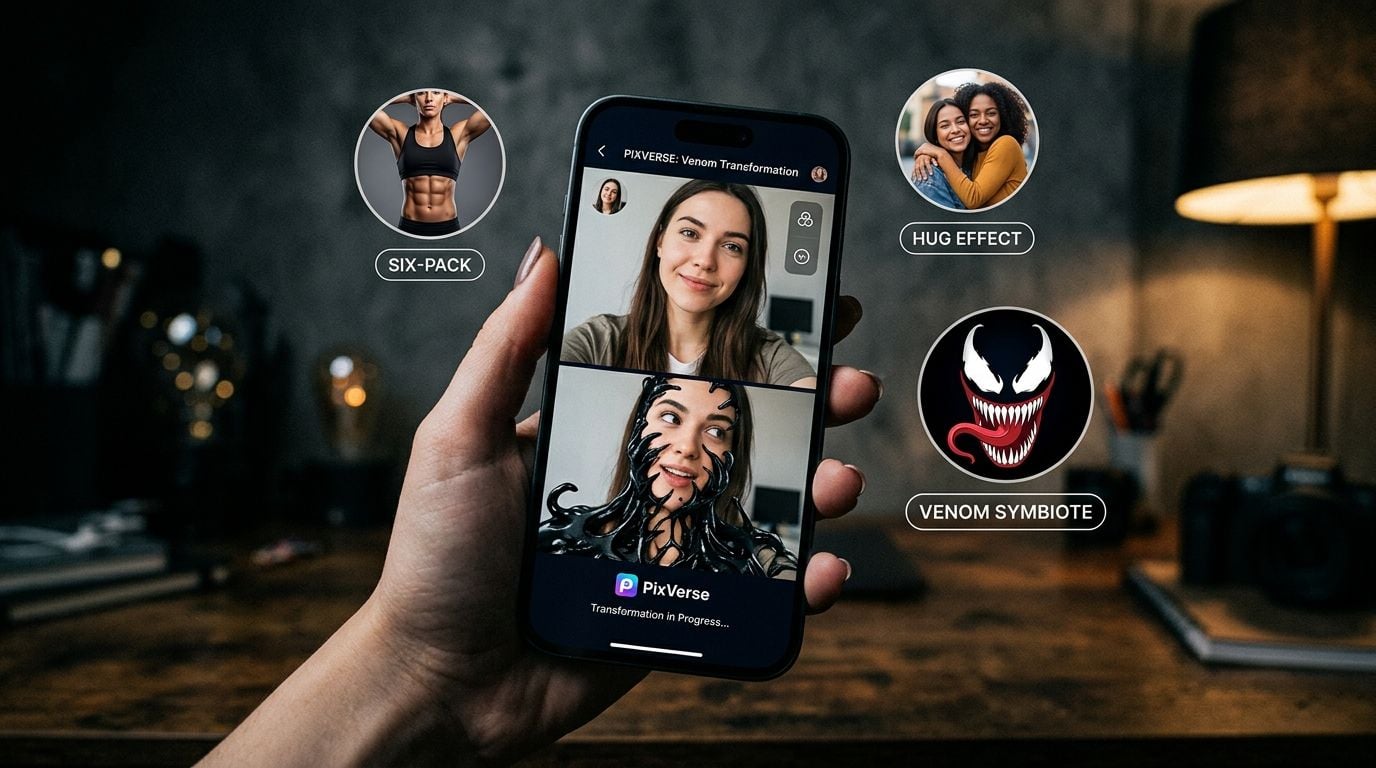
Upload one selfie, tap once, and watch black symbiote goo crawl up your neck and swallow your face. No prompt to write, no timeline to edit. That is the whole appeal of a PixVerse AI effect, and it is why your feed filled up with Venom clips, sudden six-packs, and hugging relatives who were never in the same room.
The effects are the fun part. The frustrating part comes when you upload a perfectly normal photo and PixVerse throws back a moderation error instead of a video. This guide covers both sides: what the effects actually are, the Venom trend that made them famous, how to run them at volume, and why the content filter feels so aggressive.
Key Takeaways
- PixVerse AI effects are one-click templates in the app's Effect Center. You pick an effect, add a photo, and the model turns it into a short video, no prompt writing required.
- "We Are Venom!" was an official PixVerse effect launched November 1, 2024, days after Venom: The Last Dance hit theaters, and it drove a wave of symbiote transformation clips across TikTok.
- Moderation runs at both the input and output stage. PixVerse returns error 500063 for a prompt with "sensitive information" and status 7 for a blocked generation, and refunds the credits when it happens.
- The same PixVerse V6 and C1 models are hosted on Atlas Cloud, billed per second from $0.025, watermark-free, with no per-effect fee and no active discount as of July 2026.
What Are PixVerse AI Effects and Templates?
A PixVerse AI effect is a preset video template, not a filter and not a prompt you have to write yourself. PixVerse calls effects its "signature feature," a one-click way to turn your images or ideas into a finished clip (PixVerse Platform Effects docs). You give it a photo, the template supplies the motion and transformation, and you get back a short clip.
Here is what happens under the hood. Every effect is a template_id living in the app's Effect Center. When you tap one, PixVerse pairs that template with your uploaded image and runs an image-to-video generation. Some effects, like two-person interactions, take more than one photo. The output is a moving clip, not a retouched still, which is why the results read as AI video rather than Photoshop.
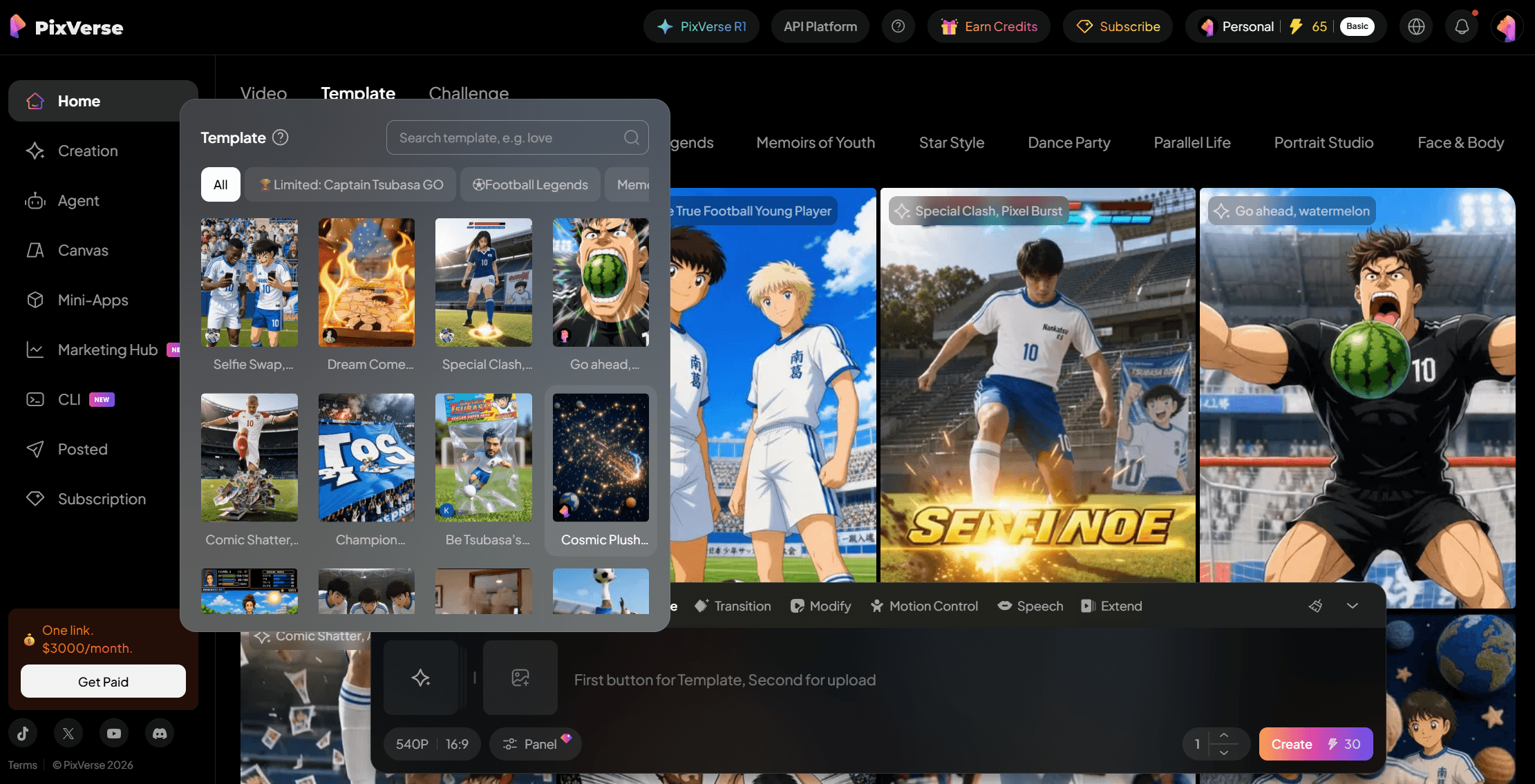 That packaging is the entire point. Most people reaching for PixVerse AI templates are not editors. They are creators who want a five-second clip for TikTok without learning prompt syntax. The template handles lighting, motion, and the transformation automatically.
The effects that break out almost always ride a cultural moment, and PixVerse has run that play for years:
| Effect | What it does | The moment it rode |
|---|---|---|
| Captain Tsubasa signature shot | Drops you into an anime football scene from one photo, recreating moves like Hyuga's Tiger Shot | FIFA World Cup 2026 |
| We Are Venom! | Wraps a person or animal in the Venom symbiote | Venom: The Last Dance opening |
Both are official PixVerse effects tied to a moment: the Captain Tsubasa template is IP-licensed and ran June through July 26, 2026; We Are Venom launched November 2024. The Effect Center rotates dozens more in and out over time.
The PixVerse Venom Effect and Its TikTok Trend
No single template shows the effect playbook better than Venom. On November 1, 2024, the official PixVerse account announced the effect by name: "Simply upload a photo of any person or animal, and transform them into Venom with a single click" (PixVerse on X, 2024). It was called "We Are Venom!"
The timing was not an accident. Venom: The Last Dance opened in theaters on October 25, 2024. PixVerse shipped the effect a week later and leaned straight into the movie, telling users to "come and enjoy your Last Dance." A week after that, on November 8, it added a hidden laser variant, posting that "generating any Venom video has a chance to reveal this effect" (PixVerse on X, 2024).
That is the pixverse ai tiktok trend formula in one move: ride a cultural moment, package it as one tap, and let creators flood the feed. The Venom clips spread fast across TikTok and Instagram in late 2024, spawning their own tutorial ecosystem and hashtags. Precise view counts float around online, but none hold up to checking, so treat the reach as "went genuinely viral" rather than any specific number.
One honest caveat applies if you are chasing the pixverse ai venom effect today. The 2024 launch is well documented, but effects rotate, and there is no guarantee any given trend template is still featured in the Effect Center months later. If Venom is not in search, check the trending shelf. The same transformation can also be prompted directly on the underlying model, which the next section covers.
Run PixVerse Effects at Scale With the Atlas Cloud API
Tapping through the app is fine for one clip. It falls apart the moment you need ten Venom variations for a campaign, a batch for a meme account, or the effect baked into your own product. It also leaves a watermark on free exports and hides the model behind a fixed template with no settings.
That is the gap Atlas Cloud fills. It hosts the PixVerse model family, both V6 and C1, behind one pay-as-you-go API key with no monthly minimum and no watermark. You lose the one-tap preset, but you gain control over resolution, duration, aspect ratio, and audio, plus the ability to write the transformation prompt yourself. Two ways to run it:
Method 1: Generate PixVerse Effects in the Playground
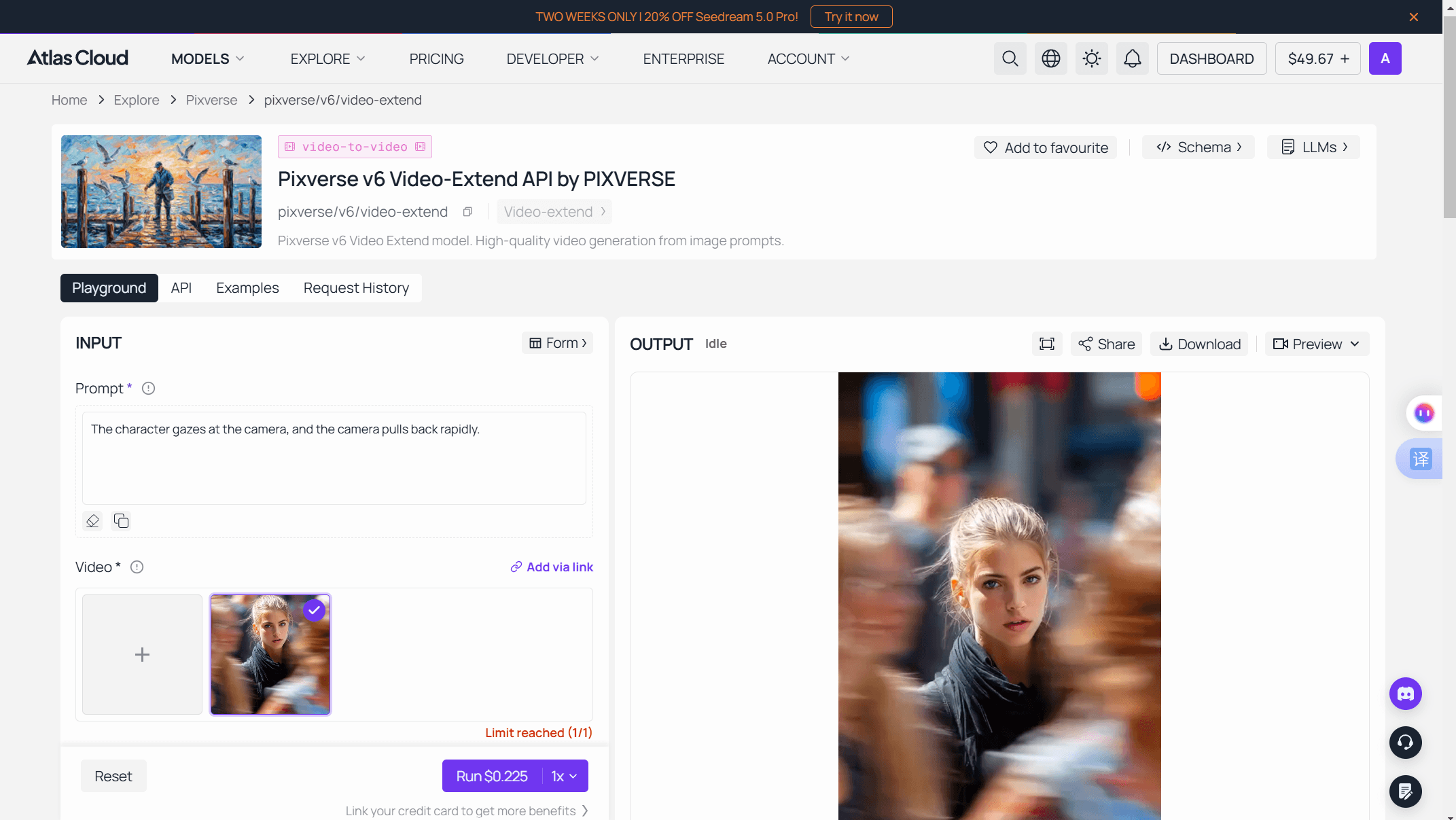
Open the PixVerse V6 image-to-video playground and generate right on the page, no code required. Upload your photo, describe the transformation in a prompt (a symbiote crawling over the subject, muscle definition appearing, whatever the effect did), set resolution and duration up to 15 seconds, and hit run. V6 supports eight aspect ratios, so you can render vertical 9:16 straight for TikTok instead of cropping later.
Method 2: Call the PixVerse Effect API
When one clip becomes a hundred, move to the API. Three steps get you from zero to a first video:
-
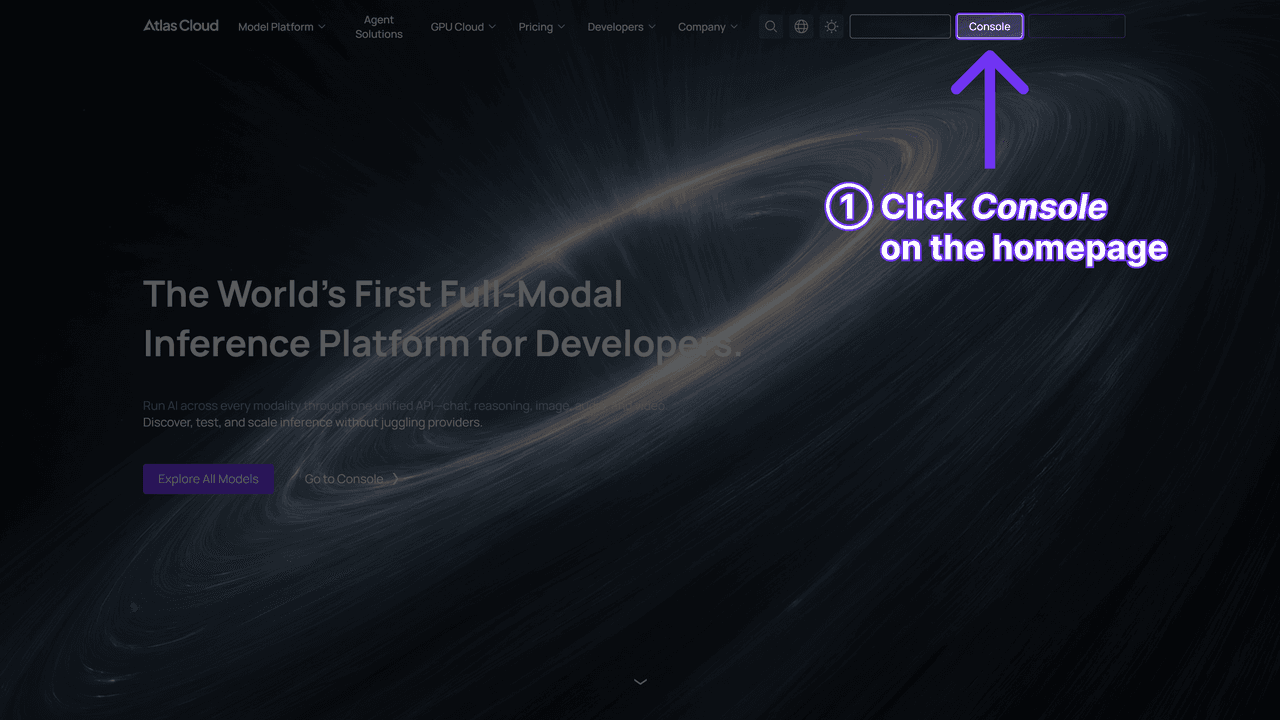
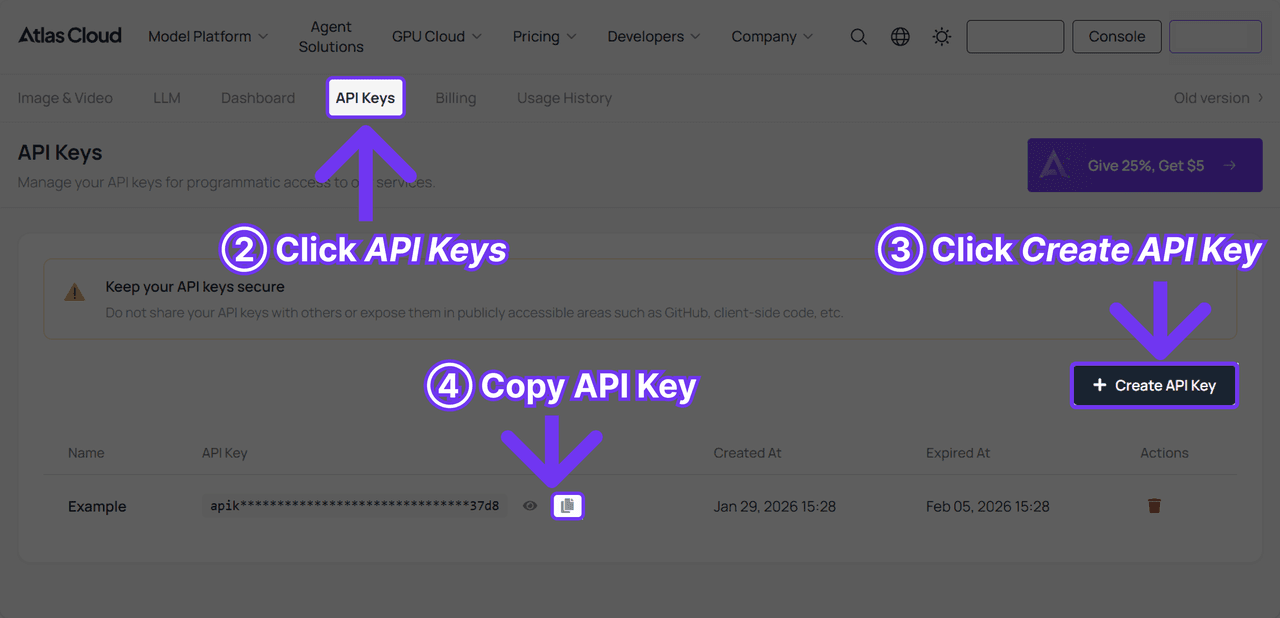
Get your API key. Create one in the console dashboard and copy it.
-
Check the API docs. The Atlas Cloud API documentation lists the endpoint, parameters, and authentication in one place.
-
Make your first request. Call the video endpoint with pixverse/v6/image-to-video as the model, your image, and a transformation prompt, then poll for the result.
Through Atlas Cloud's One API, a single calling convention drives every model on the platform. Switching to a newer model, or over to C1, means changing the model string in the request, not re-integrating.
Now the money question. PixVerse effects on Atlas bill per second of output, with no separate per-effect charge, and PixVerse V6 sits at standard list price with no active discount as of July 2026.
| Model and resolution | Without audio | With audio |
|---|---|---|
| PixVerse V6, 360p | $0.025 /sec | $0.035 /sec |
| PixVerse V6, 720p | $0.045 /sec | $0.060 /sec |
| PixVerse V6, 1080p | $0.090 /sec | $0.115 /sec |
| PixVerse C1, 720p | $0.050 /sec | $0.065 /sec |
Atlas Cloud PixVerse pricing, verified from the model pages on 2026-07-23. C1 runs slightly higher than V6 at every tier.
In plain dollars, a 5-second 720p V6 clip without audio costs about $0.23, and roughly $0.30 with audio. Nothing is charged until you generate, and there is no prepaid credit block to burn down.
More Popular PixVerse Effects Worth Trying
Venom is the headline act, but it is one of many. PixVerse runs dozens of effects and adds new ones constantly. Here are some of the most popular ones creators keep reaching for, most with a full walkthrough of their own.
| Effect | What it does |
|---|---|
| Earth Zoom | Zooms the camera out from your photo all the way to Earth seen from space |
| Pardon Dance | Sets the subject dancing to the viral "pardon" meme |
| Face Swap | Swaps one face onto the subject of an existing clip |
| Muscle Surge | Adds visible muscle and a six-pack from one photo |
| AI Hug | Animates two people in a photo into a warm hug |
| AI Kiss | Brings two subjects together for a kiss |
| Transition | Morphs one scene, outfit, or face into the next |
Linked effects have a full Atlas Cloud walkthrough; AI Kiss and Transition are recurring template categories in the Effect Center. Which effects are featured shifts month to month.
Every one of these is a one-tap template in the app, and every one can also be recreated as a prompt on the V6 model through the API. Whichever route you take, the same snag can hit any of them: the content filter.
Why the PixVerse Content Filter Feels So Strict
Now the part that ruins the fun. You upload a normal photo, tap an effect, and instead of a video you get a rejection. PixVerse runs one of the stricter content filters among mainstream video apps, and it checks your work twice: once on the way in, once on the way out.
The input check screens your prompt, uploaded image, and any input video before generation starts. The output check screens the finished render. PixVerse's own error tables spell out exactly what each rejection means:
| Stage | Code | What PixVerse returns |
|---|---|---|
| Input text | 500063 | "The text you entered contains sensitive information. Please re-enter" |
| Input image | 500063 | "The uploaded image is not compliant, please replace it and try again" |
| Output generation | Status 7 | Check if your prompt contains prohibited content, then modify it |
| Output image | 500054 | "Content moderation failure. Image maybe contains inappropriate content." |
Error messages from PixVerse Platform error codes and common errors docs, retrieved 2026-07-23.
There is real friction underneath the annoyance. On the API side, PixVerse refunds your credits when a generation fails moderation, which is fair. But its FAQ carries a blunt warning: "If your account makes too many requests that get moderated, we will suspend your account." So repeated rejections are not free of consequence, and PixVerse tells developers to add their own moderation before calling the API.
A few practical moves cut down false rejections:
- Rephrase the prompt. Swap vague or edgy wording for concrete, neutral description of the action.
- Clean up the input photo. Well-lit, clearly clothed, single-subject shots trip the filter far less than ambiguous crops.
- Avoid real celebrities and logos. Likeness and brand policies are separate from the skin filter and apply regardless of how the clip looks.
- Do not hammer retry. Repeated moderated requests risk the suspension flag, so change the input before trying again.
For the full picture on what PixVerse does and does not allow, and how the policy differs from a pure NSFW ban, see our breakdown on PixVerse content moderation.
Editing PixVerse Effects in CapCut
Search "pixverse ai capcut" and you will find endless tutorials pairing the two. It is worth being clear about what that pairing actually is, because it is not an integration.
There is no official PixVerse effect inside CapCut. CapCut runs a landing page that targets the PixVerse search term, but PixVerse does not appear in CapCut's actual in-app model roster, which leans on ByteDance's own generators. CapCut is a competitor to PixVerse on the generation side, not a partner. Anyone promising a built-in "PixVerse model" in CapCut is describing marketing, not a feature.
What creators really do is a two-tool handoff, and PixVerse's own blog recommends it: generate the effect in PixVerse, then finish in CapCut. Each tool does the half it is good at.
| Step | Tool | Job |
|---|---|---|
| Generate the effect | PixVerse | Turn a photo into the effect clip, Venom or otherwise |
| Trim and sequence | CapCut | Cut, reorder, and time the clips |
| Package for the feed | CapCut | Captions, trending transitions, music, aspect ratio |
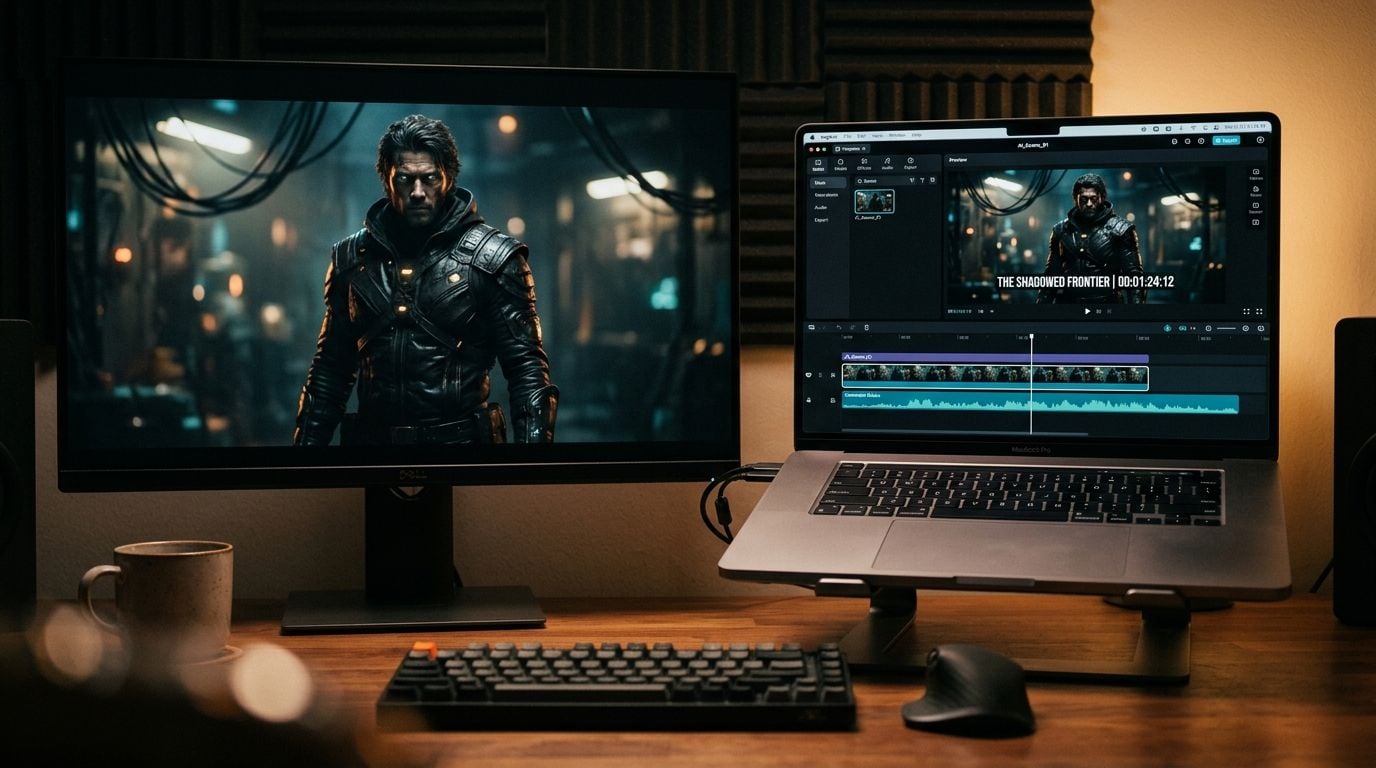
The takeaway is simple. PixVerse makes the moment, CapCut makes it postable. If you are generating at volume through the API, the same handoff works: pull the watermark-free clips from Atlas Cloud and drop them into whatever editor your team already uses.
Frequently Asked Questions
Is the PixVerse Venom effect free to use?
Within limits, yes. New PixVerse accounts get free signup and daily credits, enough for a few effect generations a day, but free exports carry a watermark. Removing the watermark and the daily ceiling means a paid plan or generating through the metered API instead. Note that any given effect, Venom included, may have rotated out of the current Effect Center since its 2024 launch.
Why does PixVerse keep saying my prompt contains sensitive information?
That is error 500063, PixVerse's input-level moderation, telling you the text failed its check. It fires on adult or prohibited wording, but it also misfires on ambiguous phrasing. Rephrase the prompt in plain, concrete terms describing the action, and avoid edgy or suggestive language even when the intended clip is harmless.
Can I make PixVerse effects like Venom through an API?
Yes. The one-click templates live in the app, but the underlying PixVerse V6 and C1 models are available as an API on Atlas Cloud. You write the transformation prompt yourself instead of using the preset, which gives you control over resolution, duration, and audio, plus watermark-free output for commercial use.
Does PixVerse work inside CapCut?
Not as a built-in feature. There is no official PixVerse effect in CapCut. The real workflow is to generate the clip in PixVerse, then import it into CapCut for editing, captions, and formatting. Any "PixVerse in CapCut" tutorial is describing that manual handoff, not an integration.
What is the difference between a PixVerse effect and a normal generation?
An effect is a preset template with the motion and transformation locked in, built for one-tap use with no prompt. A normal generation gives you the raw model and a blank prompt box, so you describe everything yourself. Effects are faster; direct generation is far more flexible.
Conclusion
PixVerse effects are a masterclass in packaging. Wrap a capable video model in a one-tap template, tie it to a movie opening, and you get the Venom trend. That simplicity is also the ceiling. The preset gives you no control, the free export wears a watermark, and the content filter will reject inputs you consider perfectly tame.
When the tap-and-wait app stops being enough, the same PixVerse models are one API call away, metered by the second and free of both the watermark and the template. Start with the effect. Move to the model when you outgrow it.





