

Meshy 7 Multi-View 3D Reconstruction
Meshy 7 is Meshy's 3D generation family for turning prompts, single images, or multiple references into textured assets. Its workflows support independent multi-view texture references, adjustable polygon budgets, optional PBR maps up to 8K, six export formats, and A or T poses for characters. Access text-to-3D, image-to-3D, and multi-image-to-3D through Atlas Cloud with pay-as-you-go pricing and one OpenAI-compatible key. Start building today.
Atlas Cloud (operated by Atlas Cloud AI LLC) provides access to third-party AI models developed and owned by their respective providers. Atlas Cloud does not own these models, and all model names, product names, and trademarks belong to their respective owners.
Explore the Leading Meshy 7
Atlas Cloud provides you with the latest industry-leading creative models.


Compare Meshy 7 Paths from Ideas and Images to 3D
Choose the Meshy 7 endpoint that matches your available inputs, texture requirements, and 3D production workflow.
| Modality | Description |
|---|---|
| Meshy 7 Multi-Image-to-3D API | Combine up to four views of the same object into one textured 3D model, preserving referenced sides and backs instead of inferring them. Independent multiview texture references and optional PBR maps up to 8K support detailed object reconstruction. |
| Meshy 7 Image-to-3D API | A single image becomes a textured 3D model in one request, with GLB, OBJ, FBX, STL, USDZ, and 3MF output options. Set the polygon budget, request PBR maps up to 8K, or generate four-angle previews for asset review. |
| Meshy 7 Text-to-3D API | Start with a text prompt to produce untextured geometry in the preview stage, then refine the selected preview with textures. Choose among six output formats, configure the polygon budget and optional 8K PBR maps, or create characters in A-pose or T-pose. |
Meshy 7: Three Paths to Production 3D
Meshy 7 moves from text, one image, or up to four views to textured 3D assets, with 8K PBR maps, adjustable polygon budgets, six export formats, and unified pay-as-you-go access through Atlas Cloud.
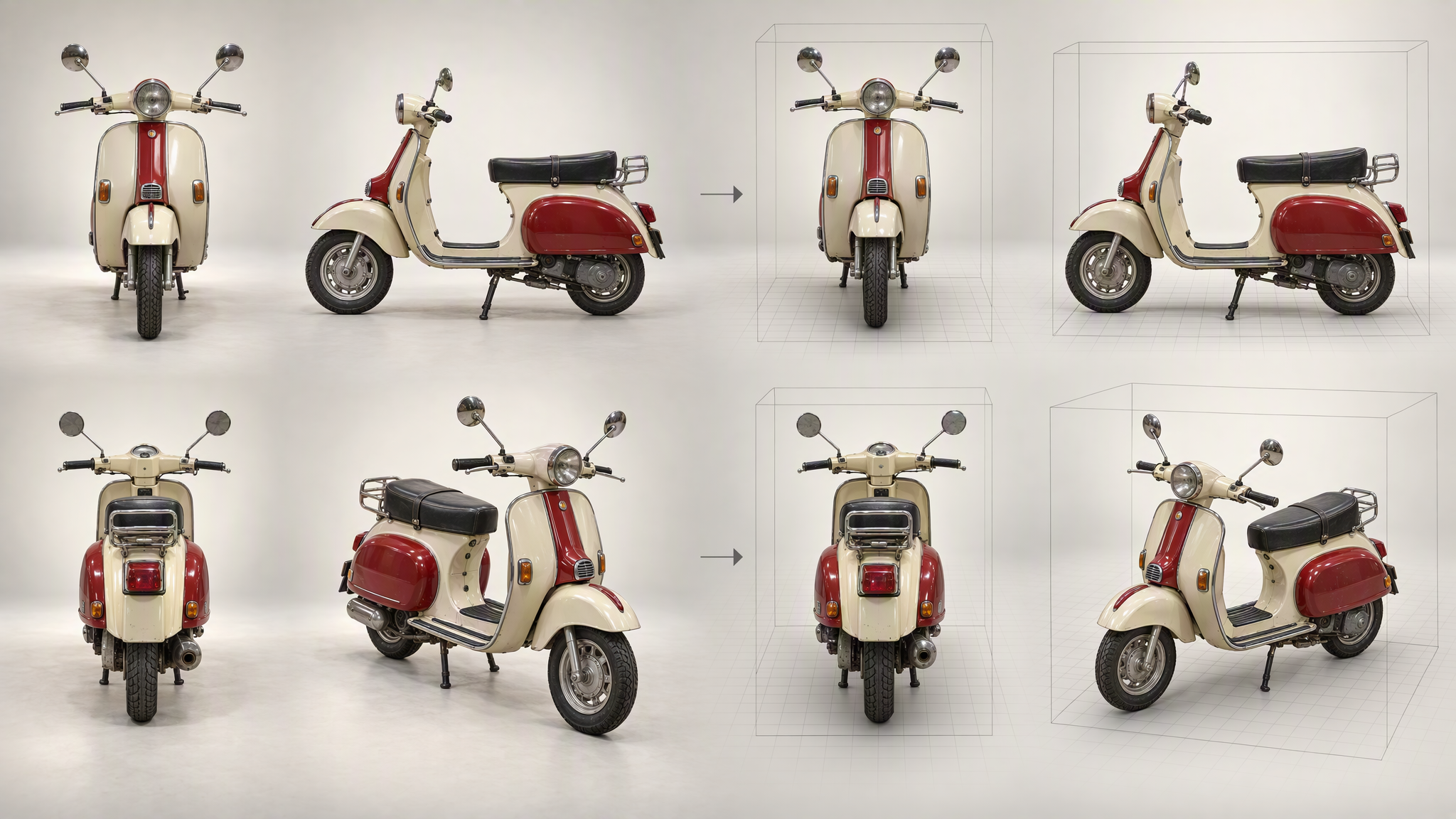
Meshy 7 Multi-View Reconstruction
Meshy 7 Multi-Image-to-3D reconstructs one textured model from as many as four views of the same object. Side and rear geometry follow supplied references instead of being inferred from the front alone. Independent multi-view texture references add separate guidance for surface appearance. This workflow suits products, vehicles, and asymmetric props that need consistent coverage from every angle.
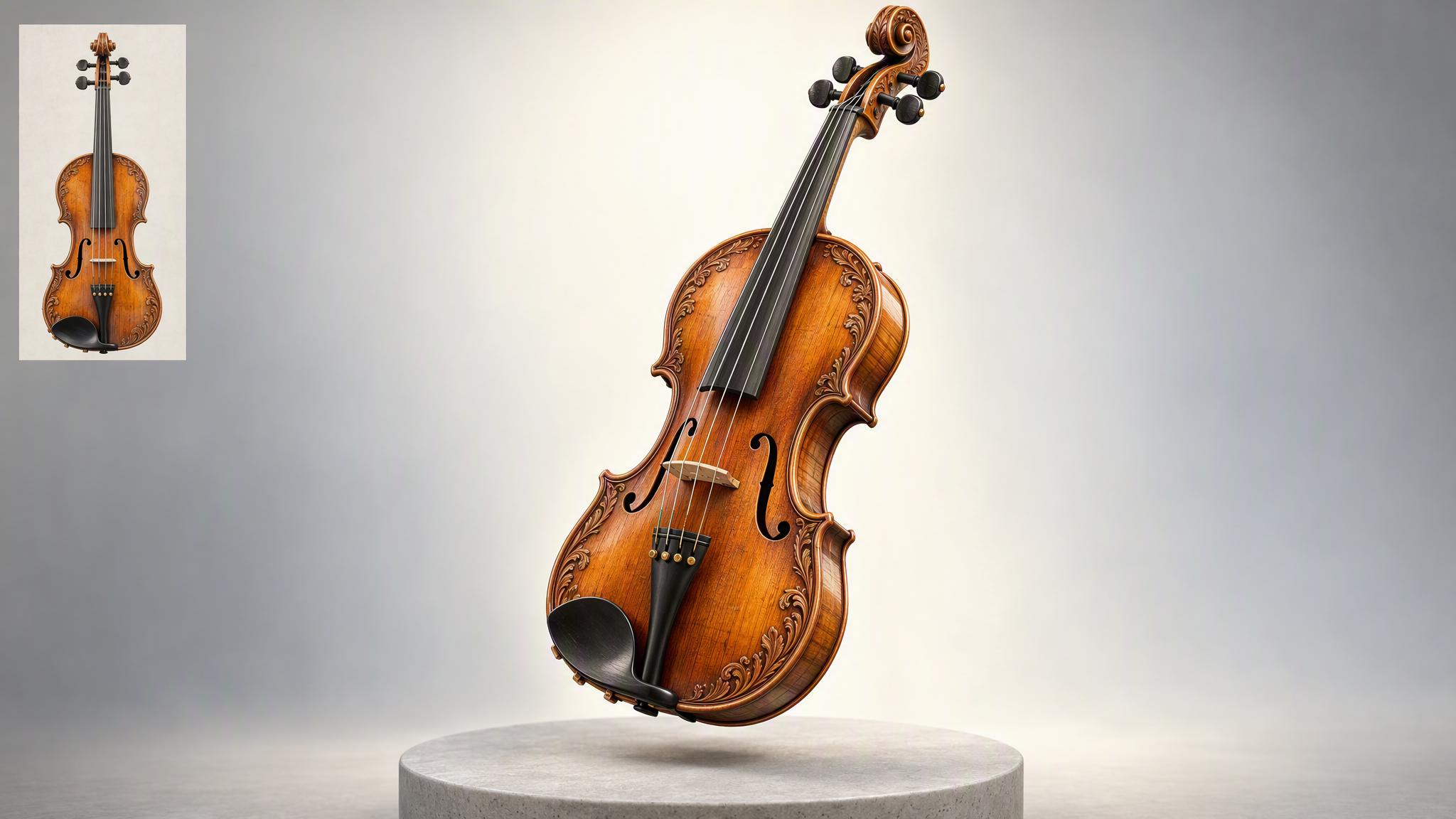
One Image, One 3D Asset
Start with a single reference image and Meshy 7 returns a textured 3D model in one request. Optional four-angle preview renders make it easier to inspect the result before moving it downstream. This compact input path supports rapid asset prototyping, product visualization, and concept art conversion when additional viewpoints are unavailable, while keeping the source workflow straightforward for developers.
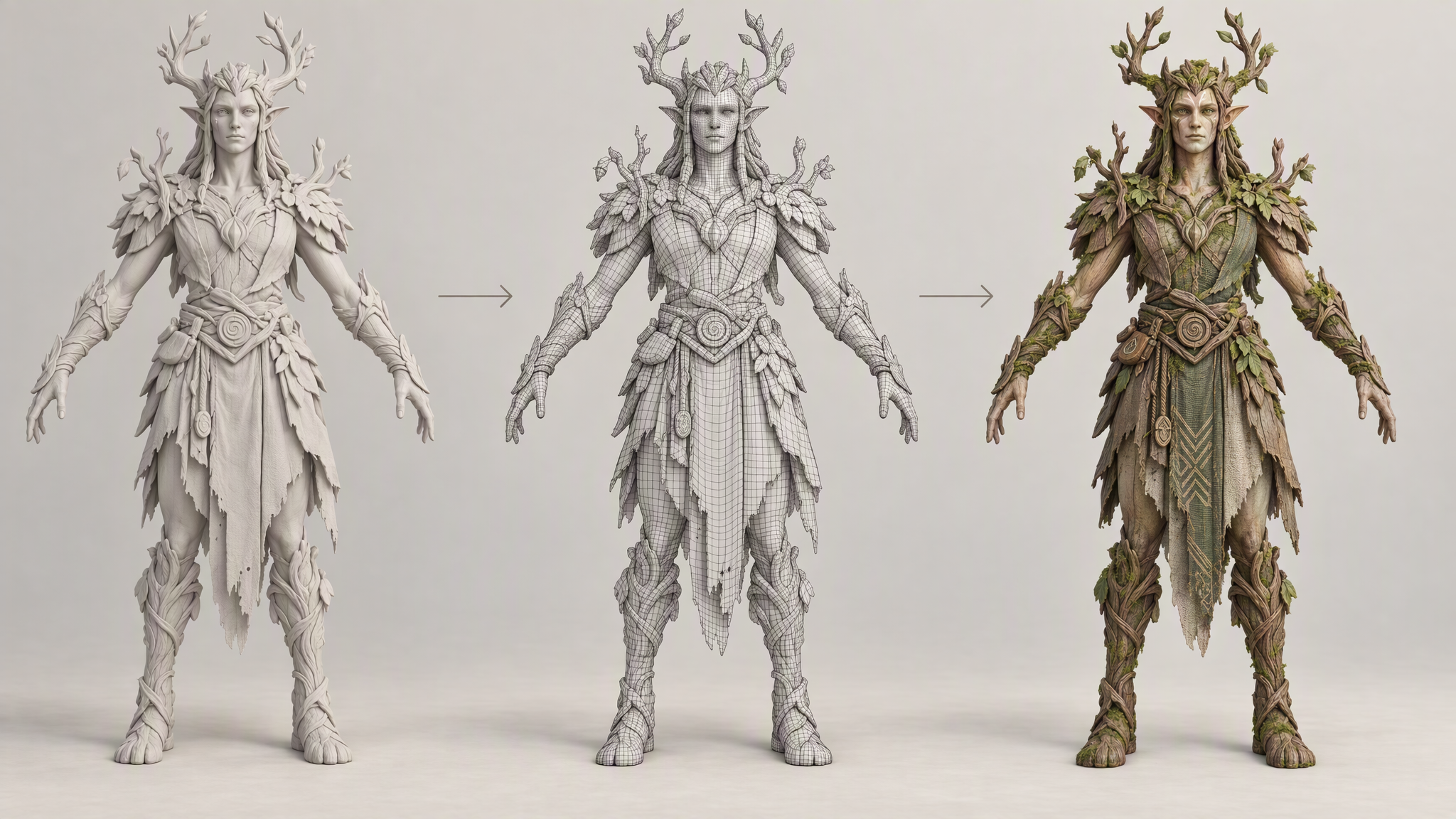
Meshy 7 Preview-to-Refine
Turn a written concept into geometry through Meshy 7 Text-to-3D's two-stage workflow. Preview first produces an untextured mesh, then refine applies textures only to the version you keep. Character requests can specify A-pose or T-pose output. The staged process supports deliberate iteration for game characters, sculpted props, and early design exploration.
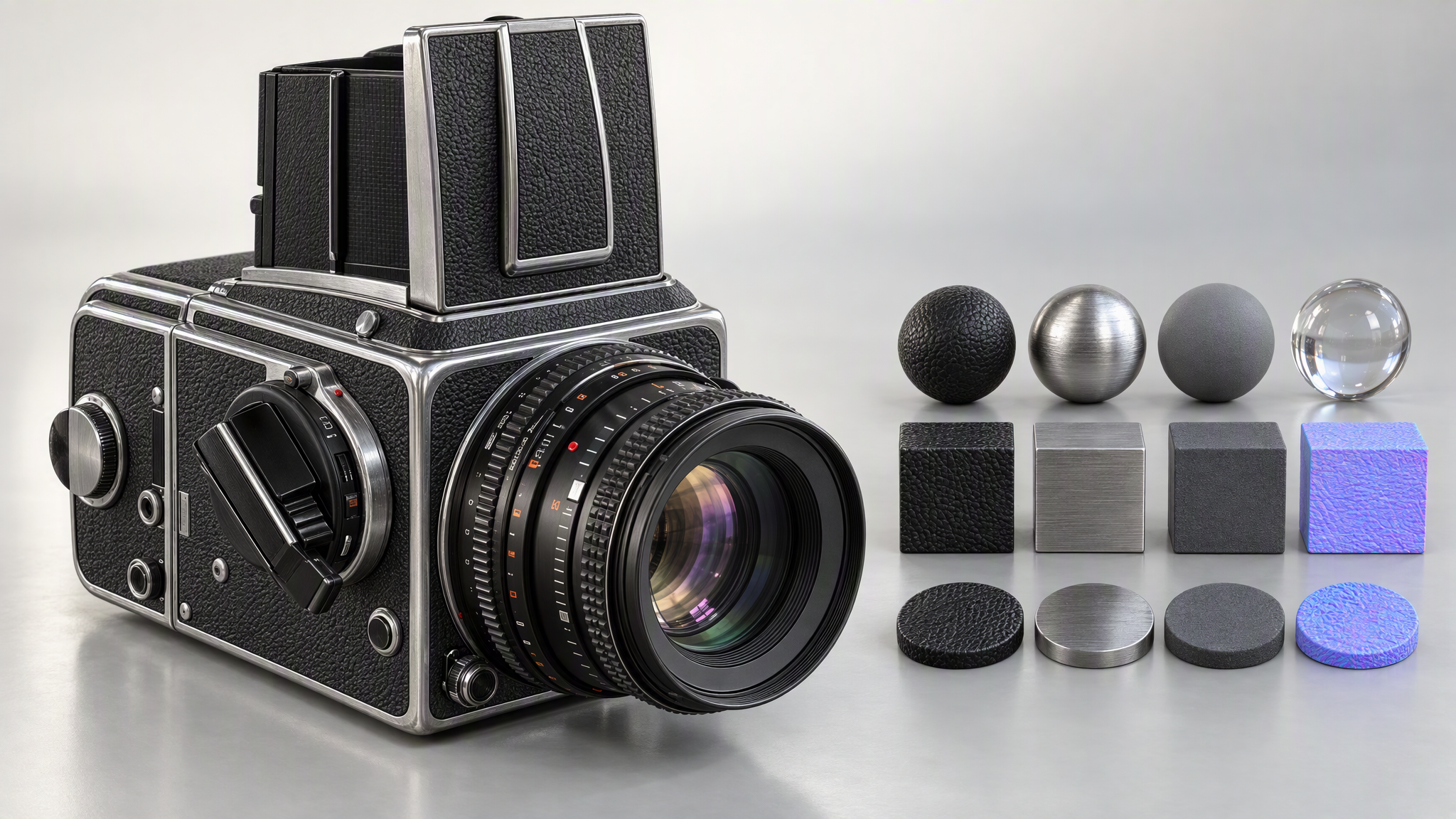
8K PBR Material Detail
PBR output can include maps up to 8K across Meshy 7's image, multi-image, and text workflows. For multi-view reconstruction, independent texture references let developers guide surface appearance separately from geometric views. Fine material information becomes available in production pipelines for close product renders, detailed collectibles, and assets that depend on convincing metal, fabric, or painted finishes.
Polygon and Export Control
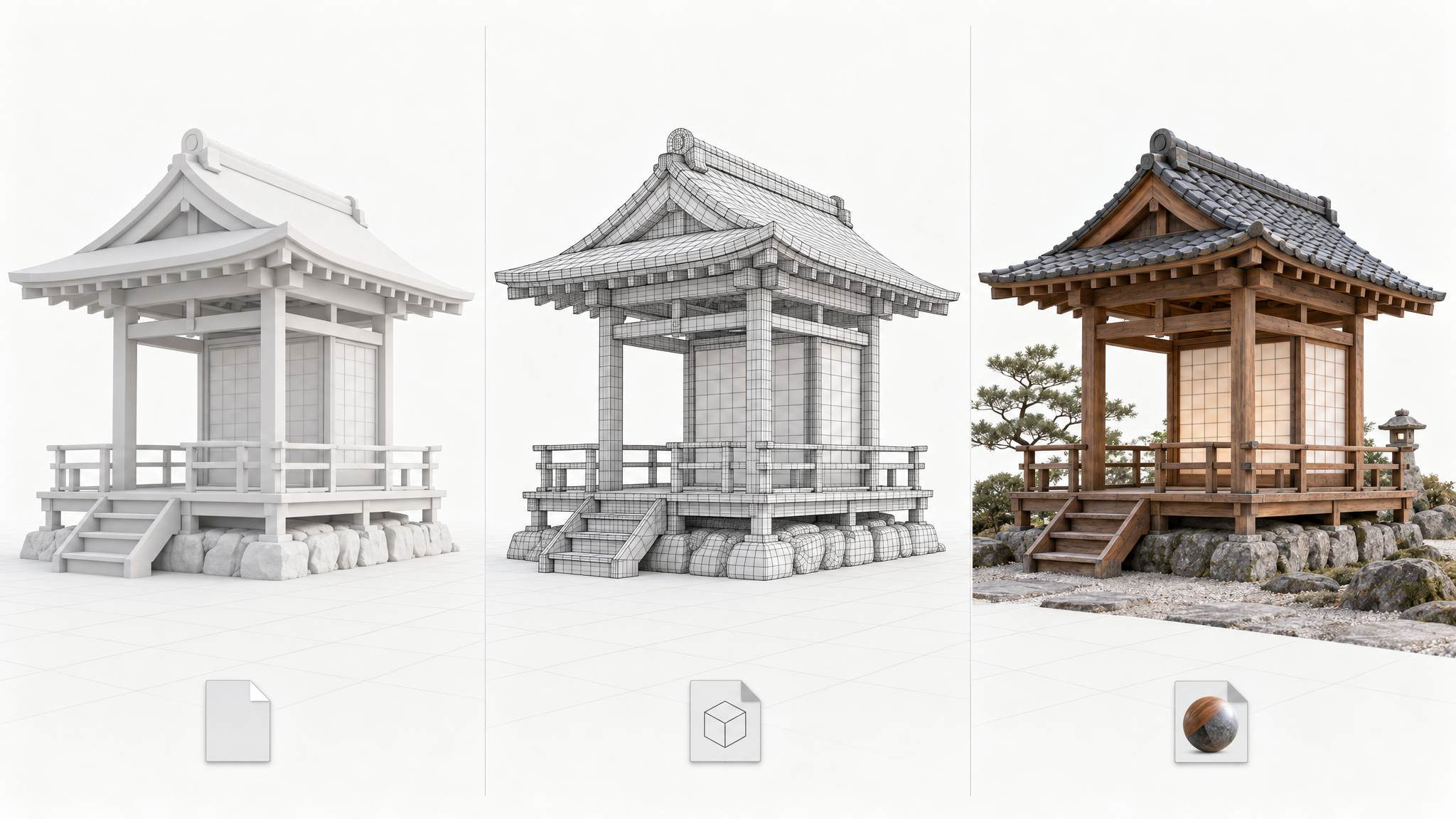
Set the polygon budget to align generated geometry with the needs of your downstream pipeline. Meshy 7 Image-to-3D and Text-to-3D can deliver GLB, OBJ, FBX, STL, USDZ, or 3MF files, so generated assets can feed web, DCC, AR, and printing workflows. This combination reduces manual conversion work when teams need the same design prepared for several destinations.
Meshy 7 Through One API
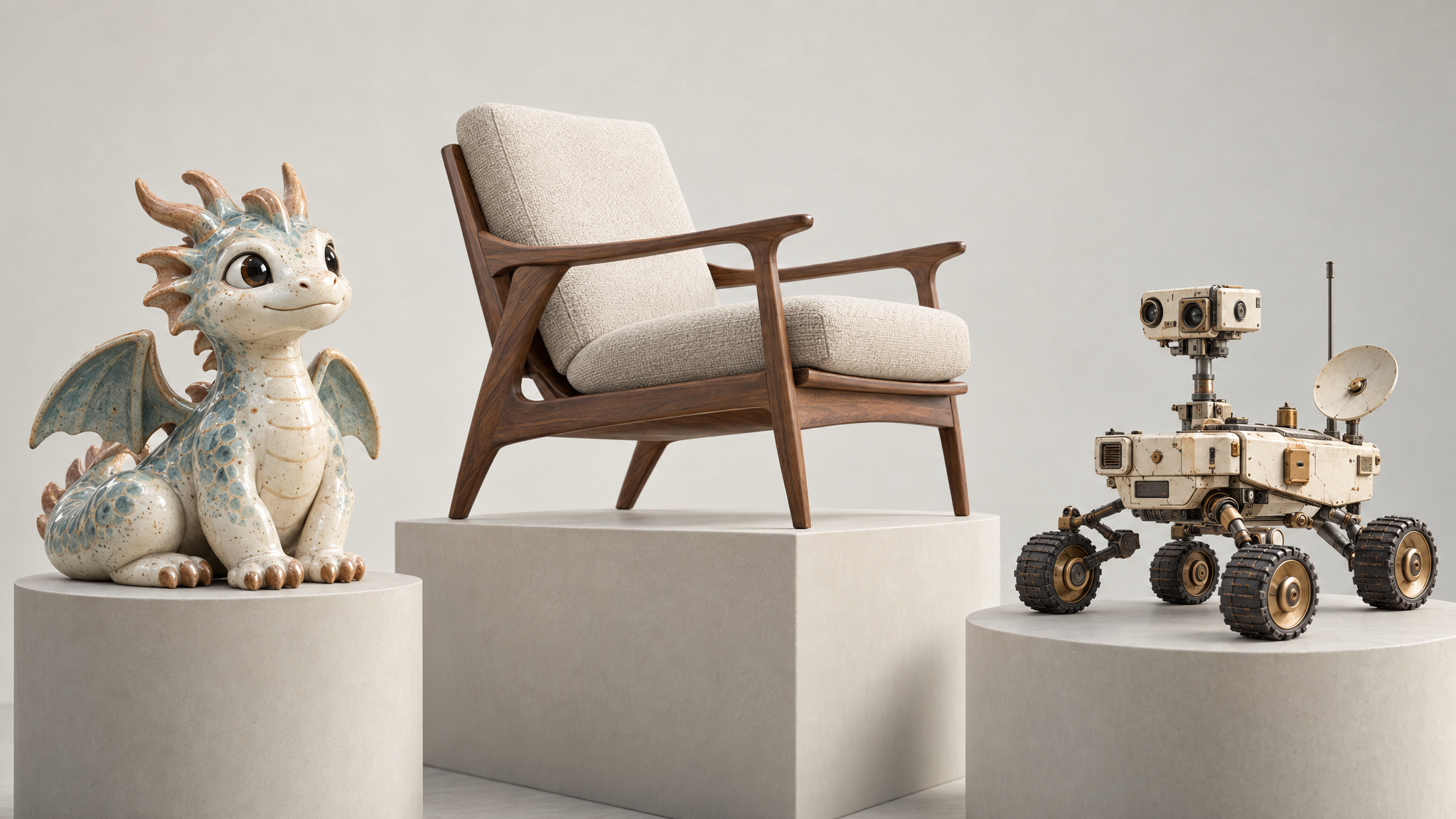
Access all three Meshy 7 workflows through one unified Atlas Cloud API, with a verified standard price of $0.02 per request for each listed model. Pay-as-you-go billing keeps usage costs transparent as projects scale. Developers can move among text, single-image, and multi-image inputs while preserving one integration, making it practical to add several 3D creation paths to the same product.
Meshy 7 One Prompt 3D Model Face-Off
See how Meshy 7 and comparable image-to-3D models reconstruct the same detailed reference across complex shapes, layered materials, and fine surface features.
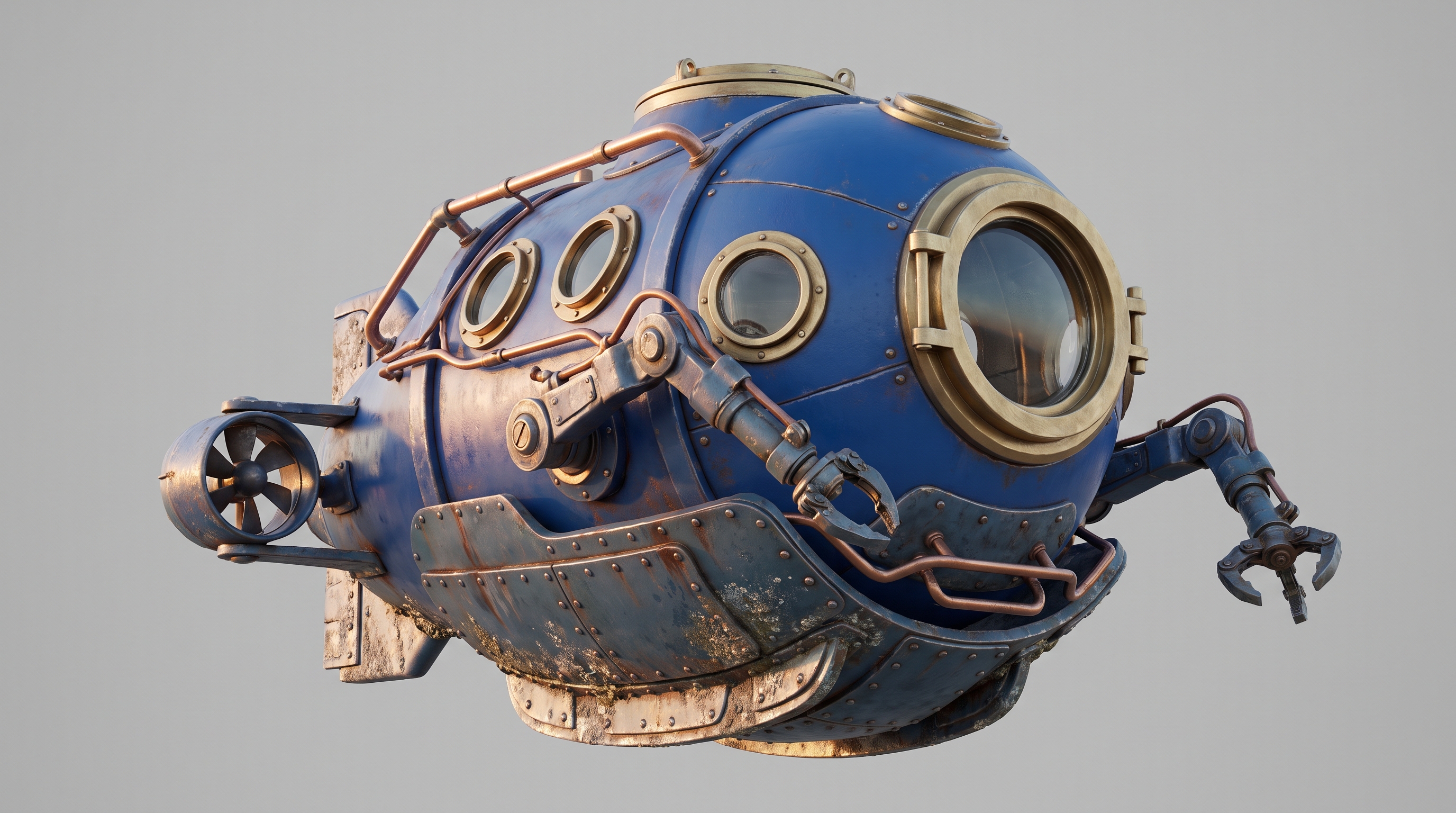
A retro-futuristic deep-sea exploration submersible with a rounded cobalt blue pressure hull, brushed brass viewport frames, articulated robotic arms, exposed copper pipes, compact side thrusters, layered armor plates, and realistic signs of saltwater wear. Show the complete vehicle from a slightly elevated three-quarter angle, with soft directional lighting revealing every mechanical joint and material transition, single object, centered, full view, clean soft neutral studio background, photorealistic product photography
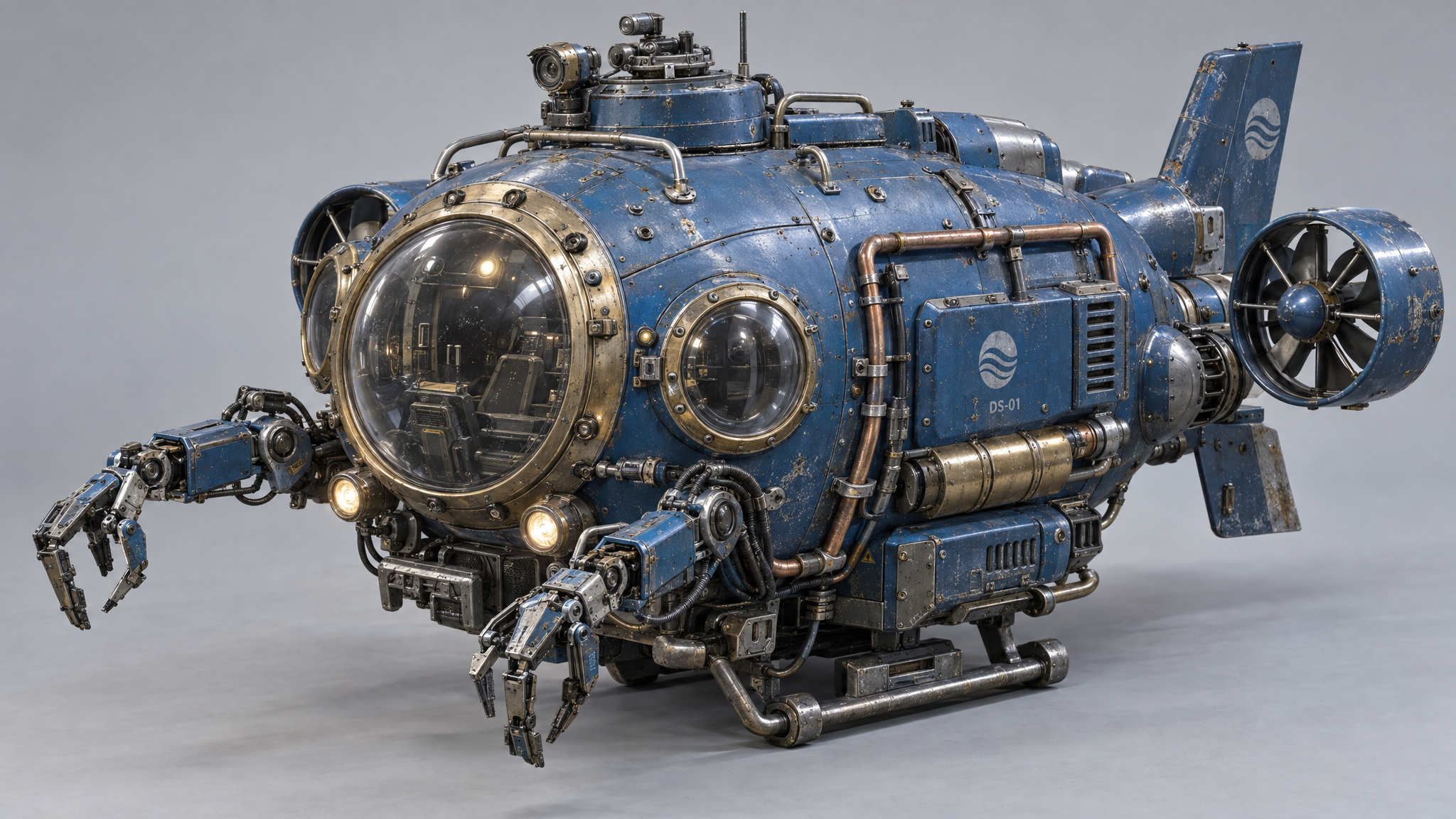
Generated with Meshy v7 Multi-Image-to-3D on Atlas Cloud
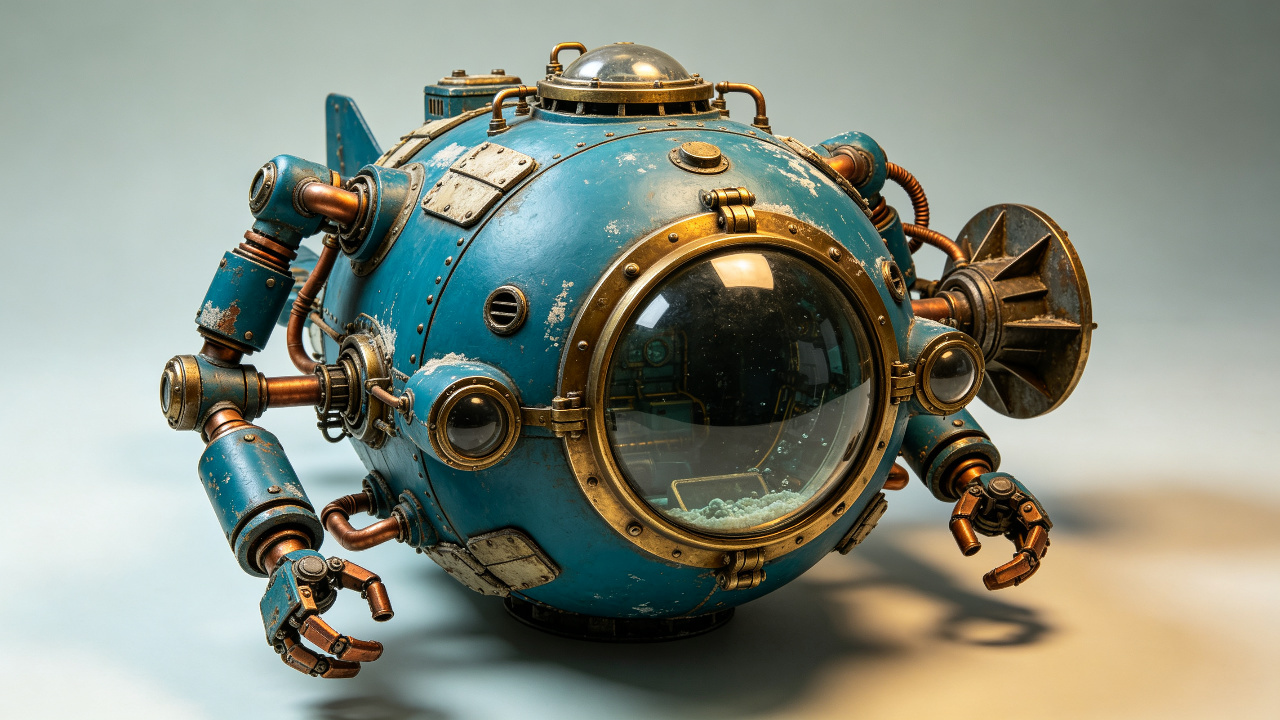
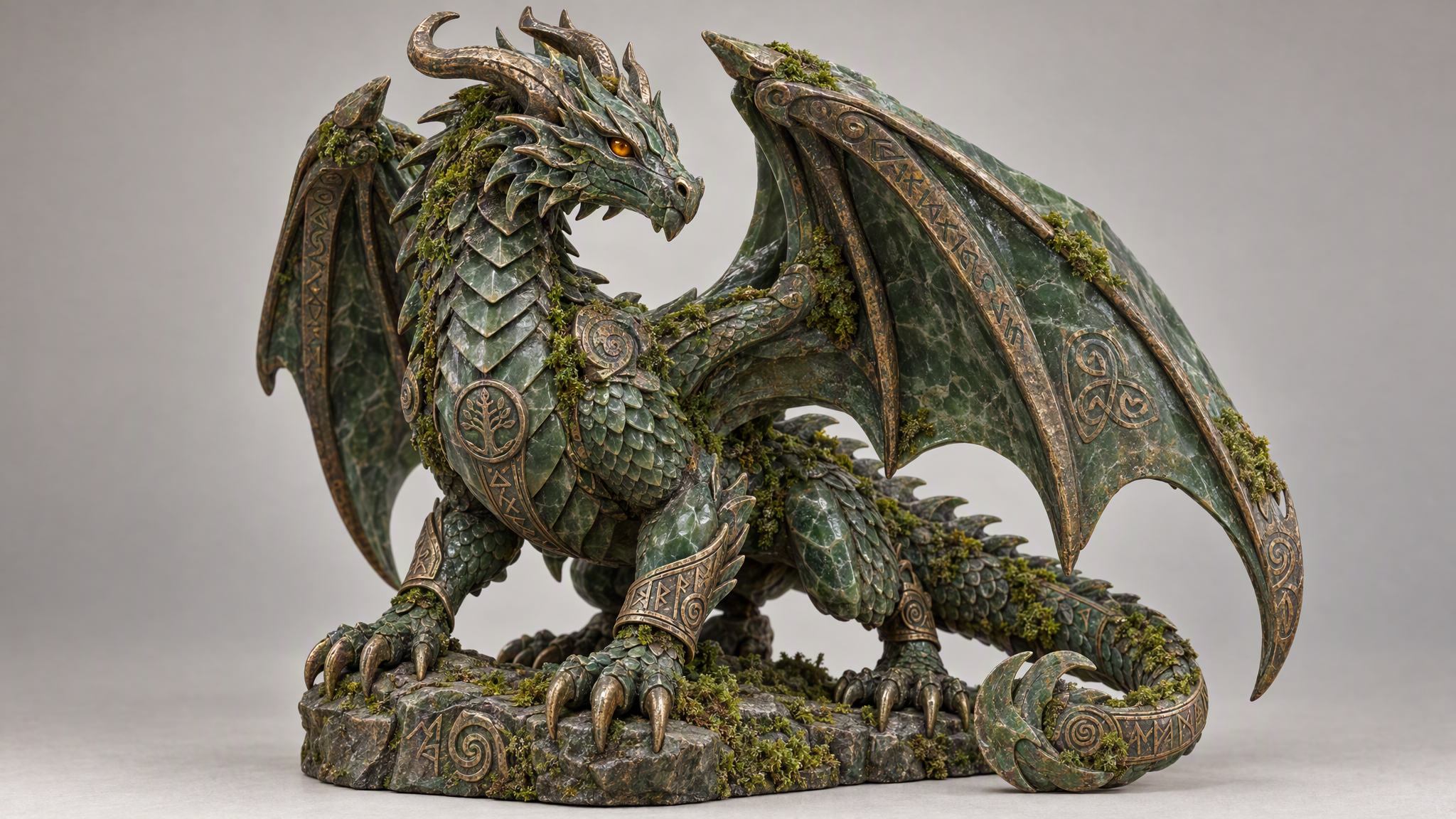
Generated with Seed3D 2.0 Image-to-3D on Atlas Cloud
Generated with Meshy v7 Image-to-3D on Atlas Cloud
An ancient forest dragon guardian figurine carved from dark green jade and weathered bronze, featuring overlapping scales, curled horns, layered wings, clawed feet, inset amber eyes, engraved runes, and patches of moss nestled inside the sculpted crevices. Present the entire creature in a grounded three-quarter pose under soft directional light that clearly separates the stone, metal, glass, and organic textures, single object, centered, full view, clean soft neutral studio background, photorealistic product photography
Generated with Meshy v7 Multi-Image-to-3D on Atlas Cloud
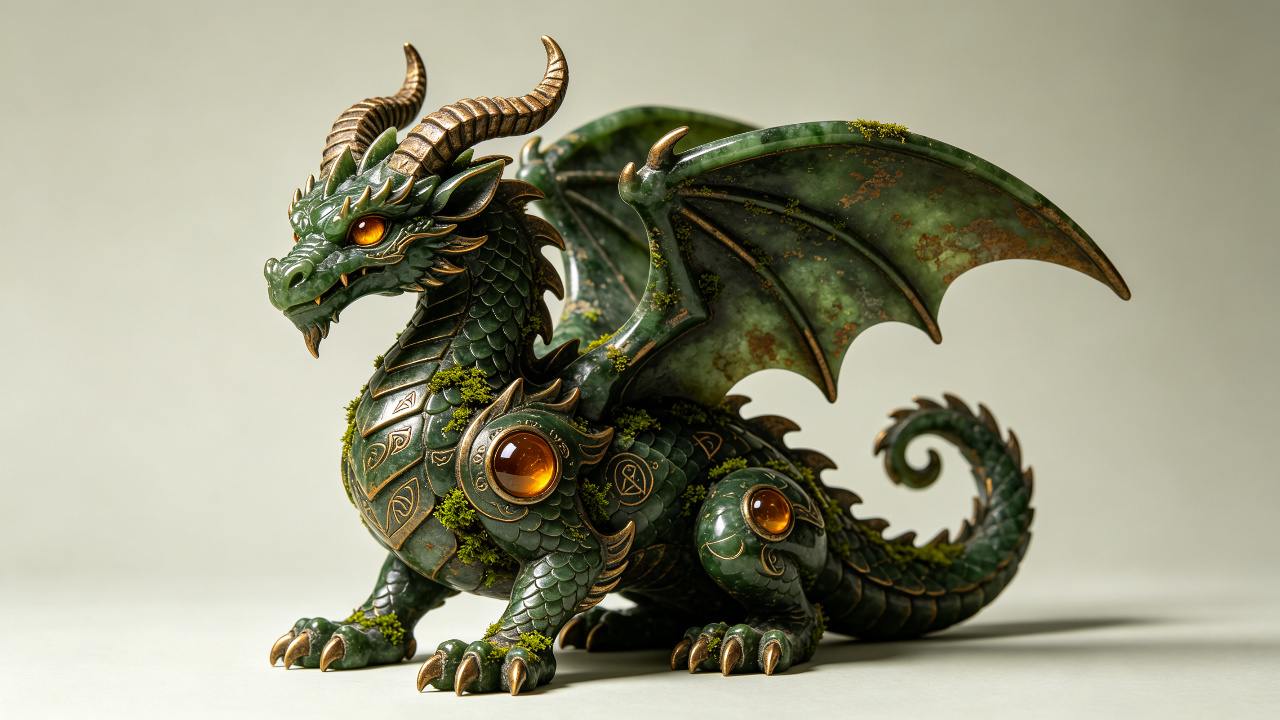
Generated with Seed3D 2.0 Image-to-3D on Atlas Cloud
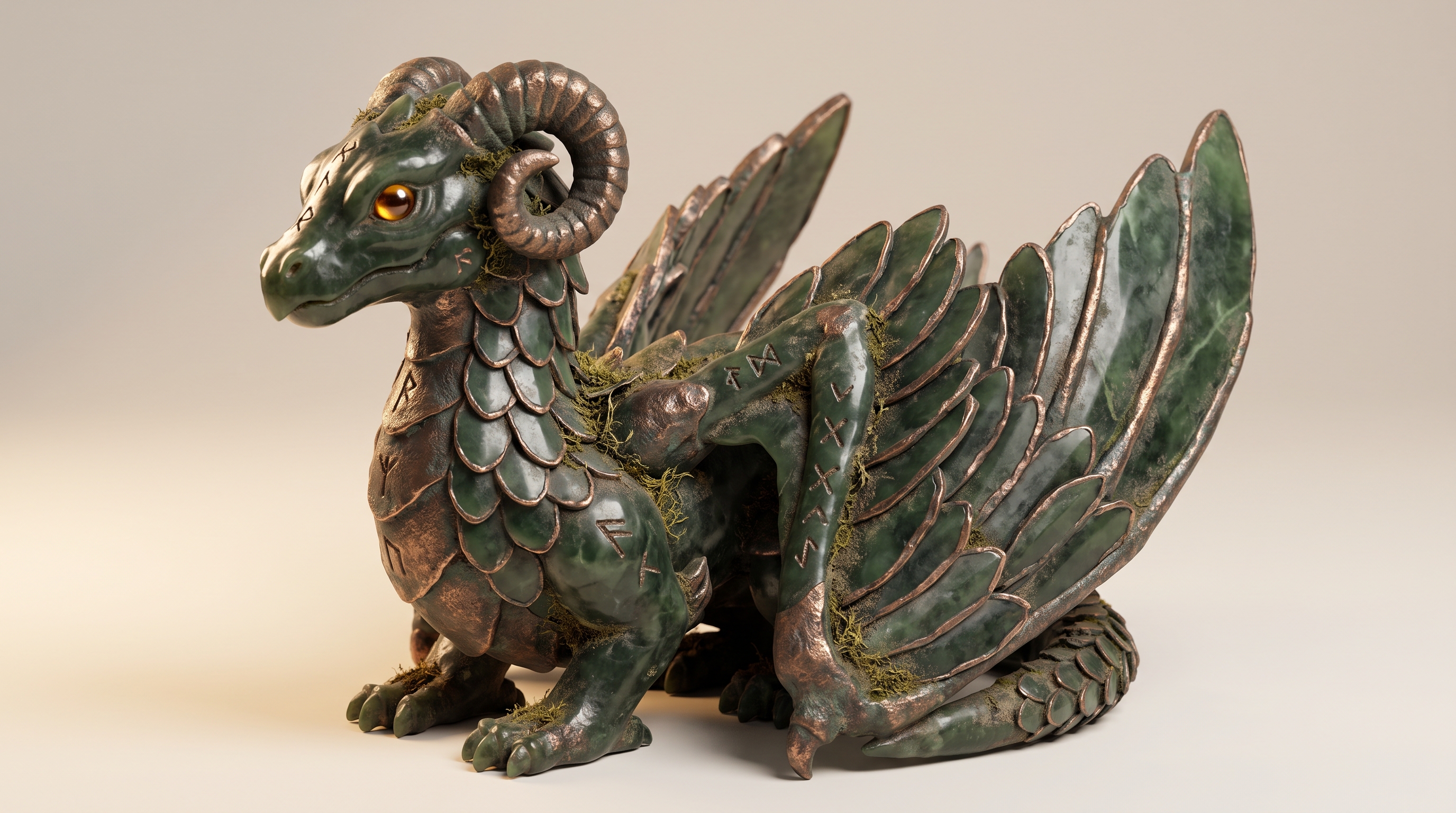
Generated with Meshy v7 Image-to-3D on Atlas Cloud
From References to Ready Assets with Meshy 7
Meshy 7 supports product visualization, multi-view reconstruction, concept modeling, production asset delivery, and detailed material workflows by turning text or reference images into textured 3D models with controlled polygon budgets and optional 8K PBR maps.

Meshy 7 Product Visuals
Meshy 7 turns a single product image into a textured 3D model with optional PBR maps up to 8K. Export versatile assets for interactive product pages, catalogs, or design reviews.

Multi View Object Reconstruction
Provide up to four views of the same object, and the model reconstructs its sides and back from references. Create more faithful digital props, collectibles, or archival object models for display.

Text Driven Concept Modeling
Start with a written concept, then use preview geometry before refining the selected mesh with textures. This staged workflow supports rapid exploration for game props, characters, and product ideas in 3D.

Meshy 7 From One Image
When only one reference is available, Meshy 7 reconstructs a textured model in one request. Teams can move photographs or concept art into editable 3D workflows without preparing multiple camera angles.

Production Format Delivery
Choose a polygon budget and export the result as GLB, OBJ, FBX, STL, USDZ, or 3MF. Feed tailored assets into visualization, prototyping, printing, or downstream content pipelines for different production teams and tools.

Meshy 7 Material Detail
Apply optional PBR maps up to 8K when surface detail matters across a 3D asset. Produce material-rich models for close product inspection, polished presentations, or reusable environment assets in production.
Meshy 7 Compared with Other 3D Models
Compare Meshy 7 workflows, multi-view support, PBR materials, and standard Atlas Cloud pricing with selected 3D generation alternatives.
| Model | Generation Input | Multi-View Input | PBR Materials | Standard Price |
|---|---|---|---|---|
| Meshy v7 Multi-Image-to-3D | Up to 4 images | √ | √ | $0.02 |
| Meshy v7 Image-to-3D | 1 image | - | √ | $0.02 |
| Meshy v7 Text-to-3D | Text prompt | - | √ | $0.02 |
| Seed3D 2.0 Image-to-3D | 1 image | - | √ | $0.353 |
| Tripo H3.1 Image-to-3D | 1 image | - | √ | $0.10 |
| Hunyuan 3D Rapid Image-to-3D | 1 image | - | √ | $0.02 |
How to Use Meshy 7 on Atlas Cloud
Get started in minutes — follow these simple steps to integrate and deploy models through Atlas Cloud's platform.
Create an Atlas Cloud Account
Sign up at atlascloud.ai and complete verification. New users receive free credits to explore the platform and test models.
Why Use Meshy 7 on Atlas Cloud
Combining the advanced Meshy 7 models with Atlas Cloud's GPU-accelerated platform provides unmatched performance, scalability, and developer experience.
Performance & flexibility
Low Latency:
GPU-optimized inference for real-time reasoning.
Unified API:
Run Meshy 7, GPT, Gemini, and DeepSeek with one integration.
Transparent Pricing:
Predictable per-token billing with serverless options.
Enterprise & Scale
Developer Experience:
SDKs, analytics, fine-tuning tools, and templates.
Reliability:
99.99% uptime, RBAC, and compliance-ready logging.
Security & Compliance:
SOC 2 Type II, HIPAA alignment, data sovereignty in US.
Meshy 7 API Questions, Answered
Meshy 7 is a 3D generation model family available through Atlas Cloud. It can create textured models from text, a single image, or up to four views of the same object. Optional PBR maps support resolutions up to 8K.
Turn written concepts or reference images into textured 3D assets for product visualization, games, prototyping, spatial experiences, and printing workflows. Available geometry controls and standard export formats help move results into existing production tools.
Choose the text, single image, or multiple image endpoint for your source material. Authenticate with one OpenAI compatible Atlas Cloud key, then send the parameters defined in the corresponding model schema. Use the returned files in your preferred 3D application or downstream pipeline.
Three input workflows are available on Atlas Cloud. Text to 3D starts from a prompt, Image to 3D uses one reference image, and Multi Image to 3D combines up to four views of the same object. Choose multiple views when the sides or back must follow supplied references.
Text to 3D uses two stages: preview generates untextured geometry, while refine applies textures to a preview you keep. This structure lets you evaluate the shape before continuing with texturing.
Image to 3D and Text to 3D can output GLB, OBJ, FBX, STL, USDZ, and 3MF files. Optional PBR maps are available at resolutions up to 8K. Text and single image requests also let you set a polygon budget, while character prompts can request an A pose or T pose.
The verified standard base price is $0.02 per call for each listed Meshy 7 endpoint on Atlas Cloud. Pay as you go pricing lets you select text, single image, or multiple image generation without a subscription commitment.
Supply multiple views of the same object instead of relying on one front facing reference. Include distinct side and back views among the maximum of four inputs so those surfaces follow visible evidence rather than being inferred. Keep every image focused on the same object.
Set an appropriate polygon budget when using the single image or text workflow. Lower budgets can make assets easier to use in real time applications, while larger budgets preserve more geometry for detailed workflows. Always inspect the exported model in its intended engine or 3D tool.
Explore More Families
Kling 4.0
The Kling 4 API delivers Kling 4.0, the video model Kuaishou released on October 15, 2026. It generates up to 30 seconds in a single pass, follows up to 10 keyframes, blends 15 images, videos, and subjects through Omni Reference, and adds stereo audio with lip sync. Atlas Cloud serves all four endpoints, including video editing, on one OpenAI-compatible key from $0.11 per second. Start building today.

Seedance 2.5
The Seedance 2.5 API gives developers ByteDance Seed’s joint audio and video model, generating 4 to 30 seconds in one pass from text, a first frame, or up to 50 references across images, video, and audio. It edits selected regions, extends clips, and follows white-model and green-screen inputs. Atlas Cloud, an authorized U.S. reseller, adds a 480p draft mode, native 1080p finals, and enhanced 4K delivery with pay-as-you-go pricing.
Wan 3.0
Wan 3.0 is Alibaba’s newest video model, producing up to 30 seconds of 1080p video at 30fps with audio in one generation. Steer it with a text prompt, a first frame, up to 10 reference images, or a document. Standard costs less per second, while Prime keeps the same capabilities and returns results faster. Both run on the same Atlas Cloud key as Wan 2.7, 2.6, and 2.5.
MiniMax H3
MiniMax H3 is MiniMax's multimodal video family for text, image, and reference guided creation. Across supported routes, it preserves subjects from reference media, offers flexible aspect ratios, and pairs generated sound with visuals through H3 Developer, with output profiles selected by endpoint. Atlas Cloud unifies the family behind one OpenAI-compatible key with transparent pay-as-you-go pricing from the standard rate of $0.038 per second. Start building today.
GPT Image 2.5
GPT Image 2.5 is OpenAI’s image generation and editing model, released on September 8, 2026 in two API versions. Flare is the default, with up to 50% lower latency than GPT Image 2, while Sunburst takes longer to give finer control over detailed edits. Both support up to 16 reference images, five quality tiers, transparent backgrounds, and custom sizes up to 3840px. Atlas Cloud serves the GPT Image 2.5 API at OpenAI’s per token rates, or at a flat price per image by 1K, 2K, or 4K tier.
Seedream 5.0 Pro
Seedream 5.0 Pro API gives developers ByteDance's controllable image editing model on Atlas Cloud. It places edits precisely with anchors and coordinates, separates images into editable layers, fuses multiple references, and matches exact colors and materials, with multilingual text at 2K and 3K. On Atlas Cloud you reach it through one key!
Seedance 2.0
Seedance 2.0 is ByteDance’s production video model for precise shot creation. Turn prompts into video, animate a first-frame image with optional last-frame guidance, or shape results with reference media and optional web search. Atlas Cloud brings these workflows into one unified API with transparent pay-as-you-go pricing and one OpenAI-compatible key. Start building today.
Kling V3.0
From Kuaishou, the Kling V3 API family supports text, image, and reference video workflows. Transfer motion while preserving character identity, guide generation with visual references, and edit videos through natural language commands. Atlas Cloud offers Standard and Pro endpoints for different production needs. Update: Kling V4 is now available on Atlas Cloud. Explore it on the[Kling V4](https://www.atlascloud.ai/zh/models/kling-v4) page.
Grok Imagine Video
Grok Imagine Video gives developers access to xAI’s video family for creating, animating, extending, and editing clips. Generate 1 to 15 second videos from prompts, guide people, objects, or styles with up to seven reference images, and work at 480p or 720p. Atlas Cloud brings these capabilities together through OpenAI-compatible endpoints with transparent pay-as-you-go pricing. Start building today.
Vidu Q4 Preview
Vidu Q4 is Vidu's latest flagship video model, designed for image-to-video and reference-to-video generation. It can animate a single still image and create automatic scene transitions, giving developers two input paths for different product workflows. Atlas Cloud provides dedicated API endpoints with published parameter schemas at the verified standard price of $0.04 per second. Start building today.
Gemini Omni 1.1 Flash
Gemini Omni 1.1 Flash is Google DeepMind’s natively multimodal video family for flexible production workflows. Edit existing footage through text instructions, maintain visual consistency with up to 10 reference images and 3 video clips, or extend a shot in chainable segments to 40 seconds. Access every workflow on Atlas Cloud with one OpenAI-compatible API key, pay-as-you-go pricing, and Day-0 availability. Start building today.
Nano Banana 2.1
Nano Banana 2.1 is Google's image model family built on Gemini 3.6 Flash. It delivers Pro-level generation and editing at Flash-level speed, supports natural-language edits and merges across 1 to 14 input images, and maintains consistency for up to 4 characters and 10 objects. Through Atlas Cloud, developers can access the family with one OpenAI-compatible key, reliable uptime, and Day-0 availability. Start building today.
Recommended Articles
Guides, tutorials, and product updates to help you get the most out of Atlas Cloud.





