Most people who want to start a talking-head channel get stuck on the same few things: being on camera, the set, multiple camera angles, and editing.
None of that is hard anymore.
The person talking to you in this video is generated. So is the room, and so are the four camera angles. The voice is my own cloned voice. And I didn't open an editing app once for the whole video.
What's making me talk is OmniHuman 2, ByteDance's new avatar model, now live on Atlas Cloud. The listed price is $0.056 a second, less than half of what OmniHuman 1.5 costs.
But the avatar is only one piece. The hard part is doing it episode after episode: where each episode's footage comes from, which visual goes with which line and when it comes in and out, and where the motion, sound effects and music go.
So this post is about a whole talking-head IP system. I ran all of it in a single Claude conversation. Claude Opus 5.5, with the Remix skill, breaks down the reference and builds the storyboard. Opus 5.5 also writes the script and puts the video together. And everything AI-generated comes from the 400+ models it calls through the Atlas Cloud MCP.
It comes in two parts:
- Part 1, done once: the look, the set, the camera angles and the voice. When it's done, that's your avatar.
- Part 2, every episode: script → avatar video → storyboard → B-roll → edit.
Let's start with the reference.
1. Find a reference, then break it down
Step one: find a good reference. It can be a creator you love, or the talking-head video that's doing really well in your niche.
The one I picked is an editing tutorial by Adli (shout-out).
Then I hand it to the Remix skill to break it down. A talking-head video has two parts:
- A-roll: the person talking to camera
- B-roll: everything cut in between
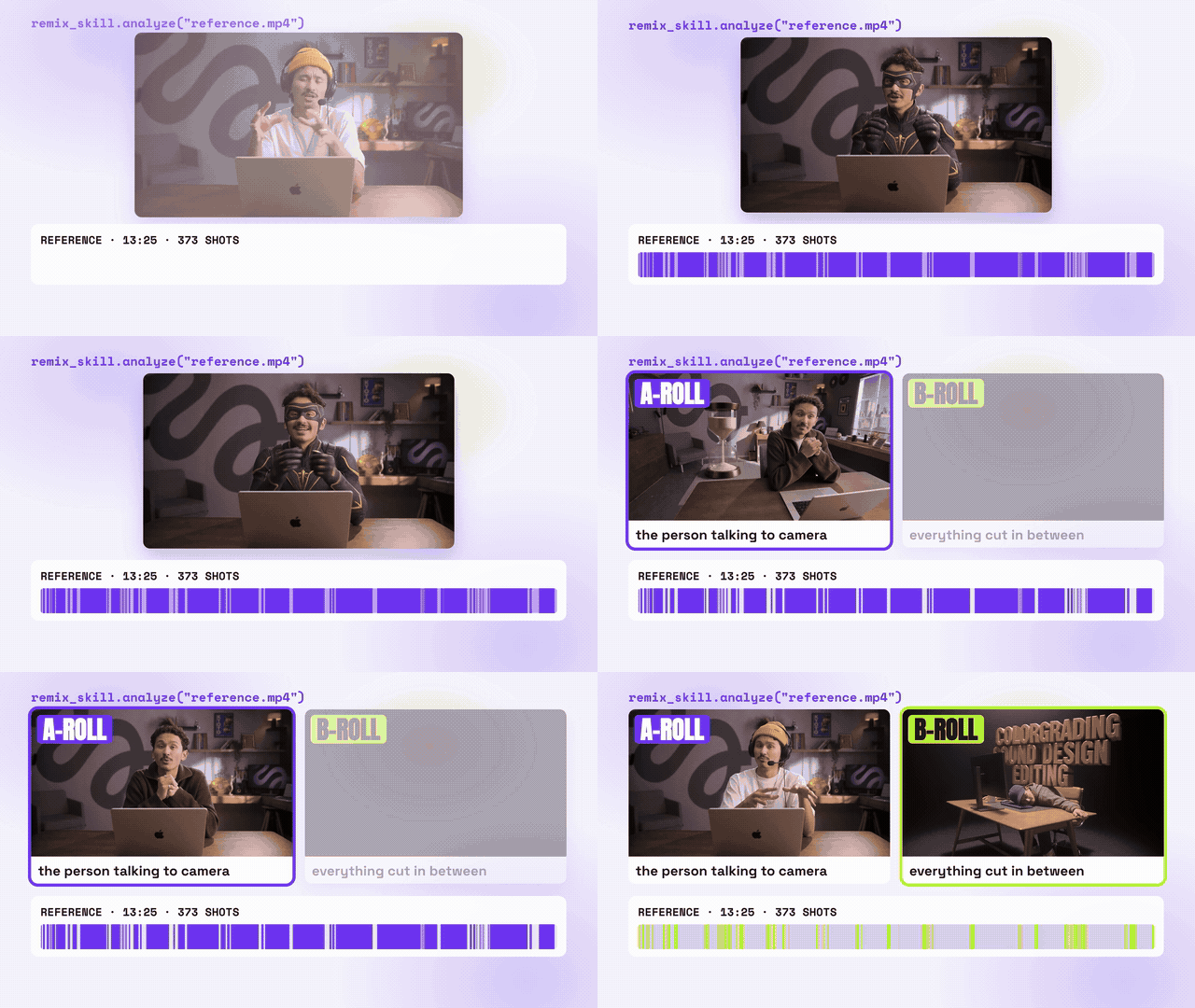
The analysis pulled out three signature traits, and they're exactly what hooked me:
- The person is on screen about 80% of the time.
- There are several camera angles, cutting roughly every two seconds.
- All the info sits right next to the person, who never leaves the frame.
Those three traits decide what you need to prepare. If 80% of the video is A-roll, the person and the set have to be solid first. If you want several angles, you need several angles. And if the info sits next to the person, the set needs clean space on both sides of them.
2. Part 1: A-roll assets (done once)
The look: a model card
First, make yourself a minimal model card: full body from the front, full body from the back, and a face close-up.
Grab one clear front-facing photo (a full-body shot helps too) and have Opus 5.5 call GPT Image 2.5 through the Atlas Cloud MCP. You can lock in your hair and outfit right here. I added a hairstyle reference (with the face hidden) and a picture of the outfit.
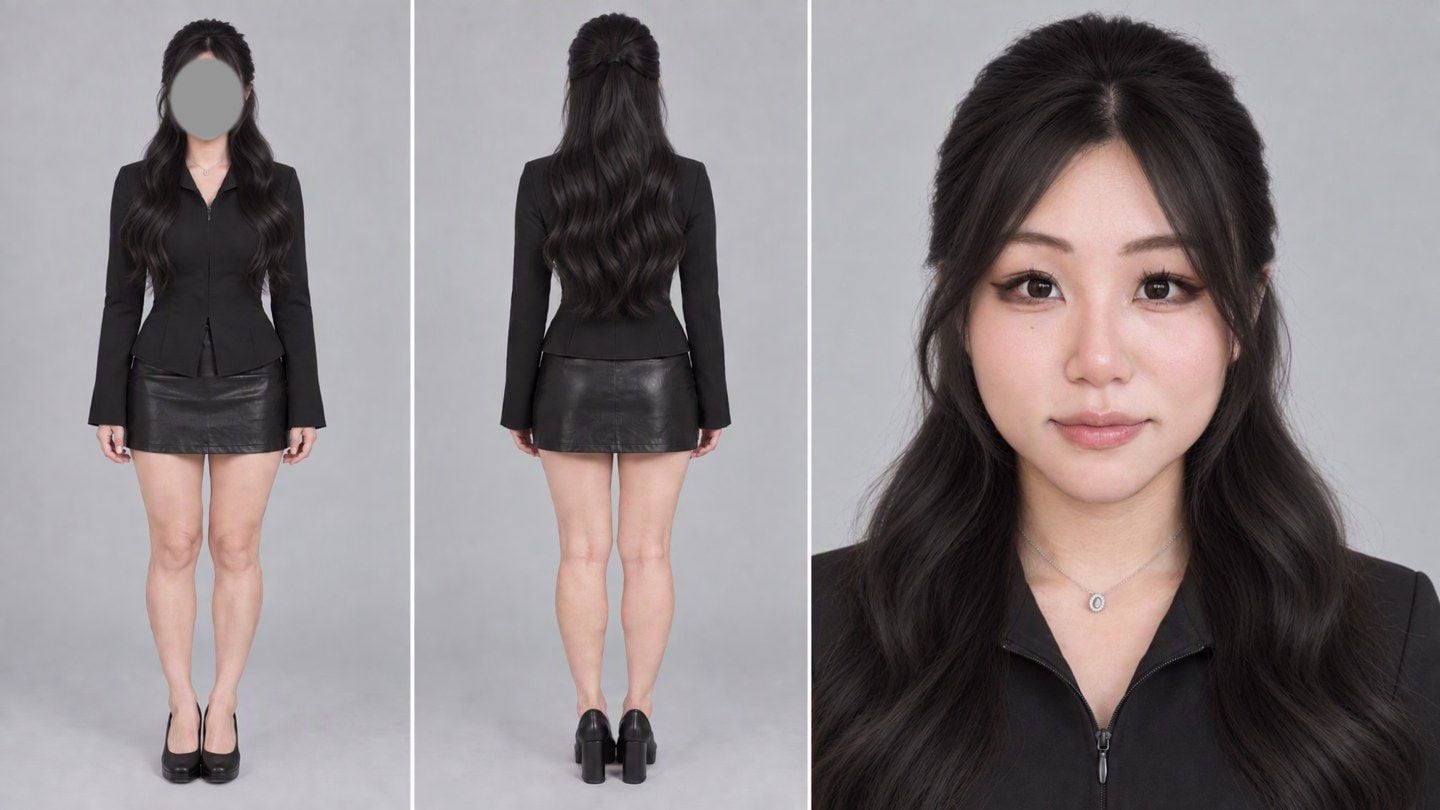
The prompt, with four inputs: face photo / full-body photo / hairstyle reference / outfit:
text1Image 1 is the only authority on this woman's identity: her face, facial features, skin tone. Image 2 is ONLY a reference for her real body shape and proportions — ignore its pose, clothes, phone, mirror and room. Image 3 is ONLY a hairstyle reference — the face in it is hidden on purpose; take nothing from that person except the hairstyle. Image 4 is ONLY the outfit. 2 3Same woman in every panel, one consistent person. Keep her face from Image 1: same eye shape and spacing, eyebrows, nose, lip shape, jawline and chin, same skin tone. Light, natural retouching like a good portrait photographer: gently even out the skin and remove small blemishes, a slightly slimmer face and a slightly slimmer figure, but keep real skin texture with visible pores — not plastic, not waxy, not oily, no glossy AI shine, no enlarged eyes, no doll face. She must still be clearly recognisable as the woman in Image 1. 4 5Hair, identical in every panel, from Image 3: long soft loose waves past the chest, half-up with the top section pulled back smoothly at the crown, soft wispy see-through curtain bangs framing the face, natural dark brown. 6 7Wardrobe, identical in every panel, from Image 4, entirely solid black: a fitted black long-sleeve jacket-shirt with a pointed collar and a concealed front zip, cinched at the waist, with a short peplum hem; the front of the hem has only a small, narrow split — the jacket stays closed, no skin at the waist. Long, slightly flared sleeves. A plain black leather mini skirt. Simple black shoes. No jewellery except what is in Image 1. 8 9Neutral relaxed expression, lips closed, calm eyes looking into the camera. 10 11ONE minimal model casting card, 16:9, three clean panels edge to edge with thin light gaps, NO text, NO logos, NO labels, NO numbers: left panel — full-body standing shot from the FRONT, arms relaxed at her sides, head to shoes in frame; middle panel — full-body standing shot from directly BEHIND, back of the head and the half-up hair visible, head to shoes in frame; right panel — the widest panel, head-and-shoulders face close-up facing the camera. 12 13Uniform flat light-grey seamless studio background, soft even diffused light, sharp focus, realistic photographic look, natural colour, no CG look.
The idea behind this prompt is simple: each of the four images does one job, and the first lines say which is which. The face photo only sets identity, the body photo only sets proportions, the hairstyle reference only sets the hair, and the outfit picture only sets the clothes. Leave that out, and the model will happily carry over the face from the hair reference, or the mirror and phone from the body shot.
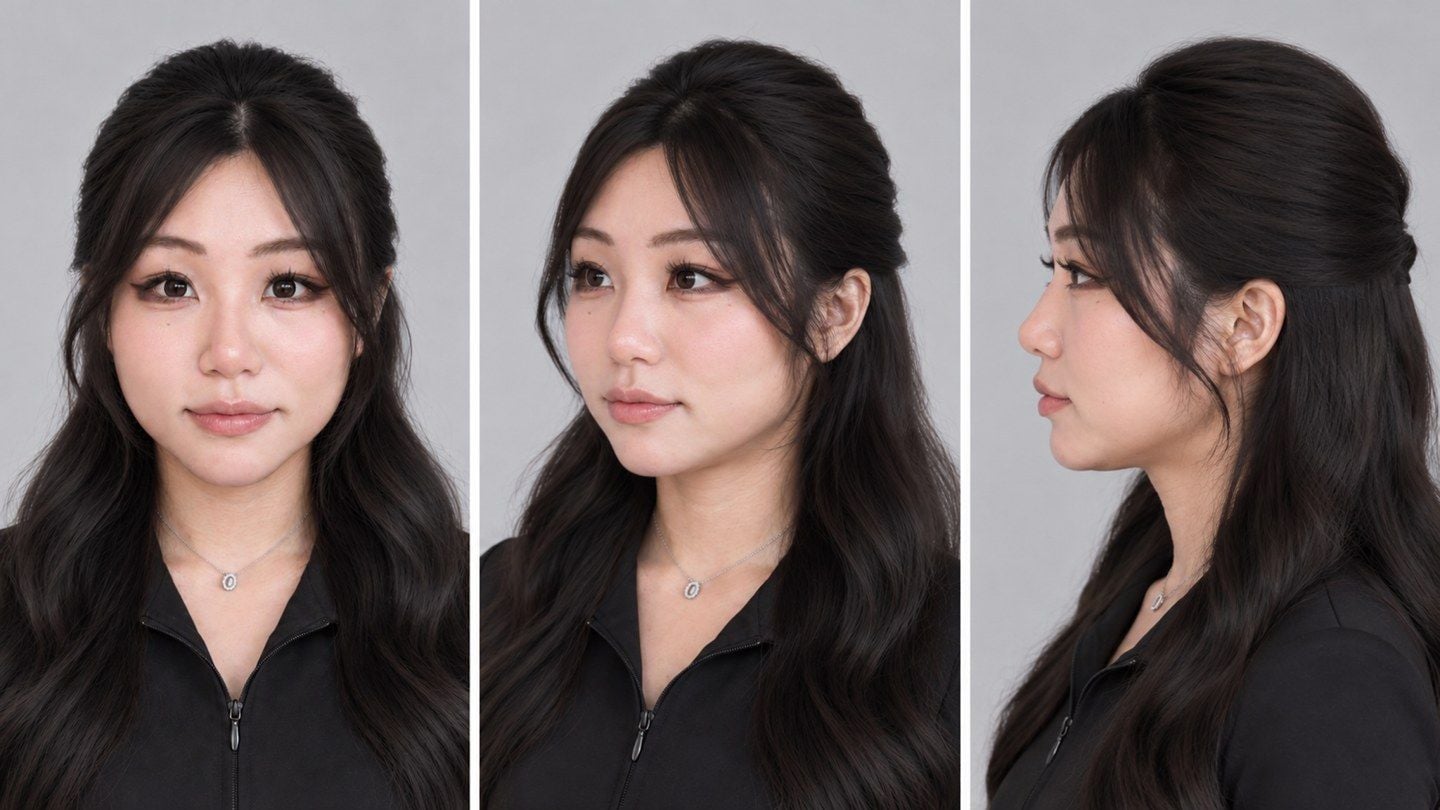
If you want multiple camera angles later, add a three-quarter view and a full profile to your model card. That's what keeps your face consistent from the side. I made this one from the face close-up only:
text1Image 1 is a close-up portrait of a woman. Create a clean head-and-shoulders turnaround reference sheet of this exact same woman, 16:9, three equal panels side by side with thin light gaps, no text, no labels: left — facing the camera straight on; middle — a three-quarter view, head turned about 45 degrees to her left; right — a pure side profile, head turned 90 degrees to her left. Same framing and scale in all three panels (from the top of the hair to the shoulders), same neutral relaxed expression with lips closed, same long dark half-up wavy hair with soft see-through bangs, same black collared zip top and small necklace. Keep her identity exactly: same face width, soft rounded jawline and chin, cheek fullness, eye shape, nose bridge and tip, lip shape, skin tone. In the three-quarter and profile views her face keeps the same proportions — do not make the face narrower, the chin pointier or the neck longer. Plain light-grey seamless background, soft even studio light, realistic photographic skin with natural texture, light natural retouching, no plastic or waxy look.
The set: find what good shots share, then write the prompt
Here's how I did the set. Screenshot a few talking-head shots you like, and send them to Opus 5.5 along with what you want. It finds what those shots have in common first:
| What they share | In how many of 6 |
|---|---|
| Host centered, at eye level, facing the camera, medium close-up, taking about a third of the frame width | 6/6 |
| Sitting behind a desk, desk edge along the bottom of the frame, a laptop on the desk | 5/6 |
| Depth behind the host, with real distance to the back wall | 6/6 |
| Shallow depth of field, soft background | 6/6 |
| Small warm lamps in frame as highlights | 5/6 |
| The face is the brightest, cleanest part of the frame | 6/6 |
| One or two personal objects that say who this is | 6/6 |
Compared with asking a model for "a nice-looking studio", this table can go straight into the prompt.
My asks were simple: a MacBook on the desk, the Atlas Cloud logo on the wall in purple light, and a room with a bit of a feminine touch. The model card plus this prompt gave me my main front angle:
text1Image 1 is a model card of one woman: take her face ONLY from the large close-up on the right (the face in the left panel is hidden on purpose), and take her hairstyle, hair colour, outfit and body from the card. Image 2 is ONLY the shape of a logo for a glowing wall sign. 2 3Create a photorealistic 16:9 still of her as a YouTube creator talking to the camera in her own home studio, like a frame from a well-shot talking-head video. 4 5Framing: locked-off camera at her eye level, facing her straight on, medium close-up from about mid-thigh up — she sits behind a desk, centred, her body takes about one third of the frame width, her head in the upper third. The desk edge runs along the bottom of the frame. Space and depth: a real, spacious room — the back wall and shelves are several metres behind her, with clear distance between her and the background, and a little of the ceiling is visible at the top of the frame. Very shallow depth of field, like a portrait lens wide open at about f/1.4, slightly stronger blur than a normal portrait: she is sharp, and the room behind her falls into a strong, creamy blur with soft round bokeh from the lamps, while the glowing A and the big shapes of the room are still recognisable. 6 7Her: same face as the close-up in Image 1, same long dark half-up wavy hair with the soft see-through bangs, same black fitted zip jacket with the pointed collar. She sits upright and centred, shoulders square to the camera, head level and straight — not tilted. Relaxed, warm, natural expression, lips gently closed or a slight smile, looking into the lens, hands resting lightly on the desk. Light natural retouching: even skin, real skin texture with pores, slightly slim face and figure, no plastic or oily AI look. 8 9Desk: a light oak desk. A silver laptop sits on the desk to one side of her (you choose the side), opened, its lid facing the camera, angled so it never covers her body. A ceramic mug and one or two small things a creator would have; tidy, not cluttered. 10 11Back wall: a large glowing Atlas "A" sign in the exact shape of Image 2, mounted on the wall behind her, lit as a soft violet-purple neon / backlit light that washes the wall around it in purple. It sits behind her, partly framed beside her head, never cut by her head in an awkward way. 12 13The room should feel like it belongs to a woman creator with taste — soft, warm, gentle and aesthetic, not cute or childish — but keep it a little more minimal, with fewer objects and calm empty space between them: an open shelf with just a few art books, one ceramic vase with a couple of dried stems, one small sculptural object or film camera, and one warm glowing table lamp or mushroom lamp as a practical light. No more than that. Colour palette: soft lavender and purple from the sign mixed with warm amber pools from the lamps, cream and light wood. The room is a bit darker than her face; her face is the brightest, cleanest part of the frame, lit by a soft key light from the front. 14 15Realistic photography, natural colour, believable lens and light, no text, no other logos, no watermark.
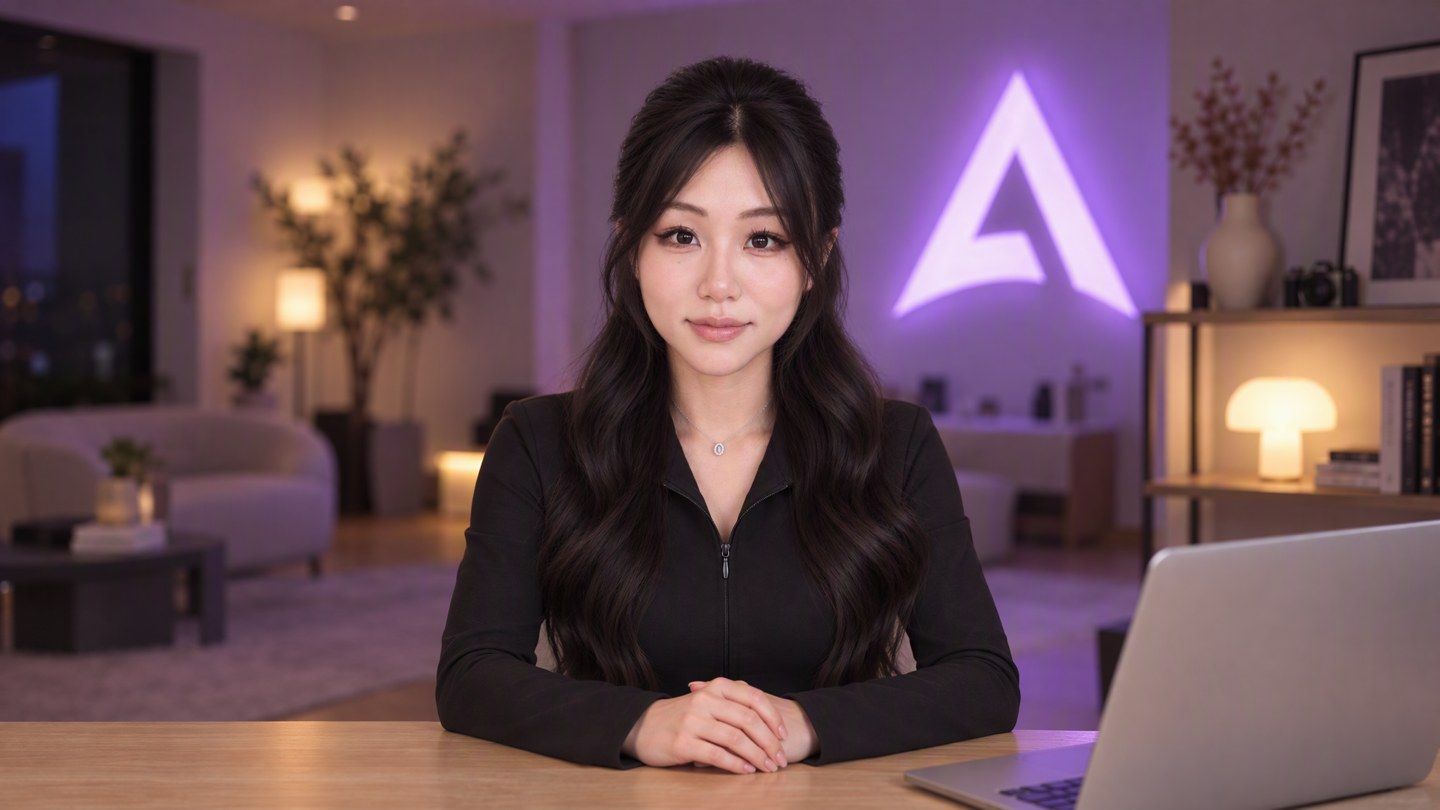
You'll notice the framing, the depth, the blur and "the face is the brightest" all come straight from that table. The only things I added were the laptop, the Atlas Cloud sign, and the feminine touch.
The camera angles: four of them
The reference uses several angles, so I made four: front, side-front, a side close-up, and a high wide shot.
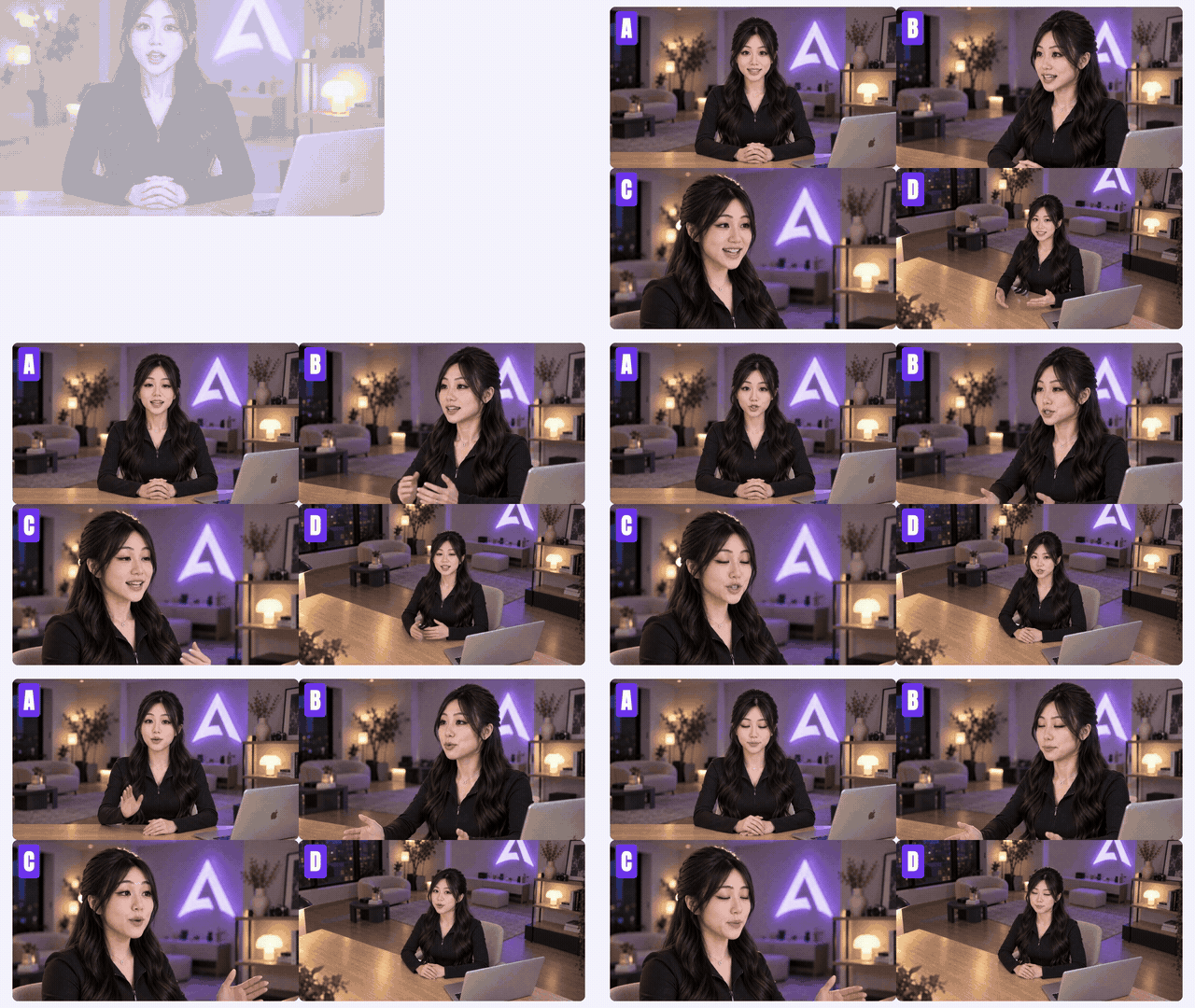
All four are the same room at the same moment, "reshot" from different positions. The head turnaround above is what the side angles use. If your model card only has a front-facing face, the model has to guess what you look like from the side.
The voice: one recording is enough
The voice is my own clone, also made by Opus 5.5, calling Seed Audio 1.0 through the MCP.
All you need is one recording of your real voice. Switch languages, and it still sounds like you. I recorded mine in Chinese, and that's what speaks English in this video. The prompt:
text1Speaker A @audio1 keeps her own vocal timbre and speaks fluent natural English with a neutral accent, upbeat pace, crisp articulation, friendly and energetic like a YouTube tutorial creator. Clean dry studio vocal only — no background music, no sound effects, no room noise or reverb. She says: "…"
Put the line you want spoken inside the quotes. @audio1 is the recording you uploaded.
The look, the set, four angles, the voice: your avatar is done, and you reuse it for every episode.
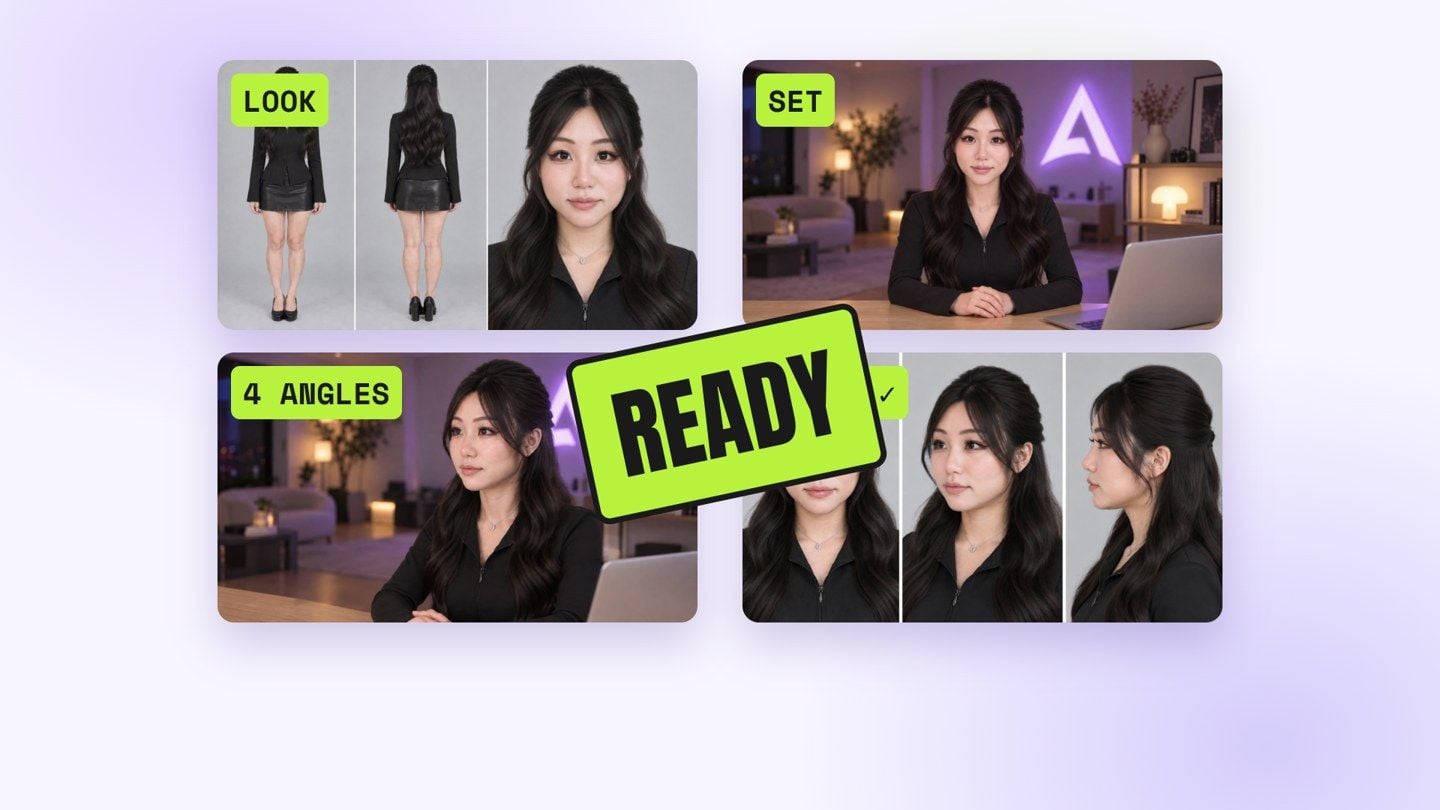
3. Part 2: every episode
Write the script first
Opus 5.5 wrote the script based on this episode's topic.
Heads up: finish the script before you generate any avatar video. The avatar moves to the audio of this script. Change one line, and the avatar video has to be run again.
Generate the avatar video: OmniHuman 2
The avatar runs on OmniHuman 2. It's dead simple: one image, one audio file. That's it.
The prompt is optional, but it makes the performance more alive. Skip the script, and just describe the expression and movement. This is the one I used for the front angle:
text1Locked-off static camera, same framing as the image, no zoom, no camera movement, no cuts. She sits at the desk and talks straight to the camera like an engaged, relaxed YouTube host. Her performance feels natural and alive: expressive face with eyebrows, eyes and smile reacting to what she says, natural blinks, head moving freely with the rhythm of her speech, shoulders shifting with her breath. She uses her hands naturally while talking, with relaxed conversational gestures that rise on the stressed words and settle back on the desk in the pauses; hands keep natural anatomy with five fingers. Movements stay subtle and believable, never exaggerated. Clear mouth shapes that match every word. Background stays softly out of focus and unchanged.
For the side angles, change one sentence: instead of talking straight to the camera, she keeps her head and eyes facing the same direction as in the image, towards a camera off to the side, not into this lens. When you cut to a side angle, she's still talking to the front camera instead of suddenly turning to look at you.
It takes up to five minutes of audio in one go. So here's what I do: run the full script once for each angle, then cut between them however the storyboard says. The lip sync always lines up.
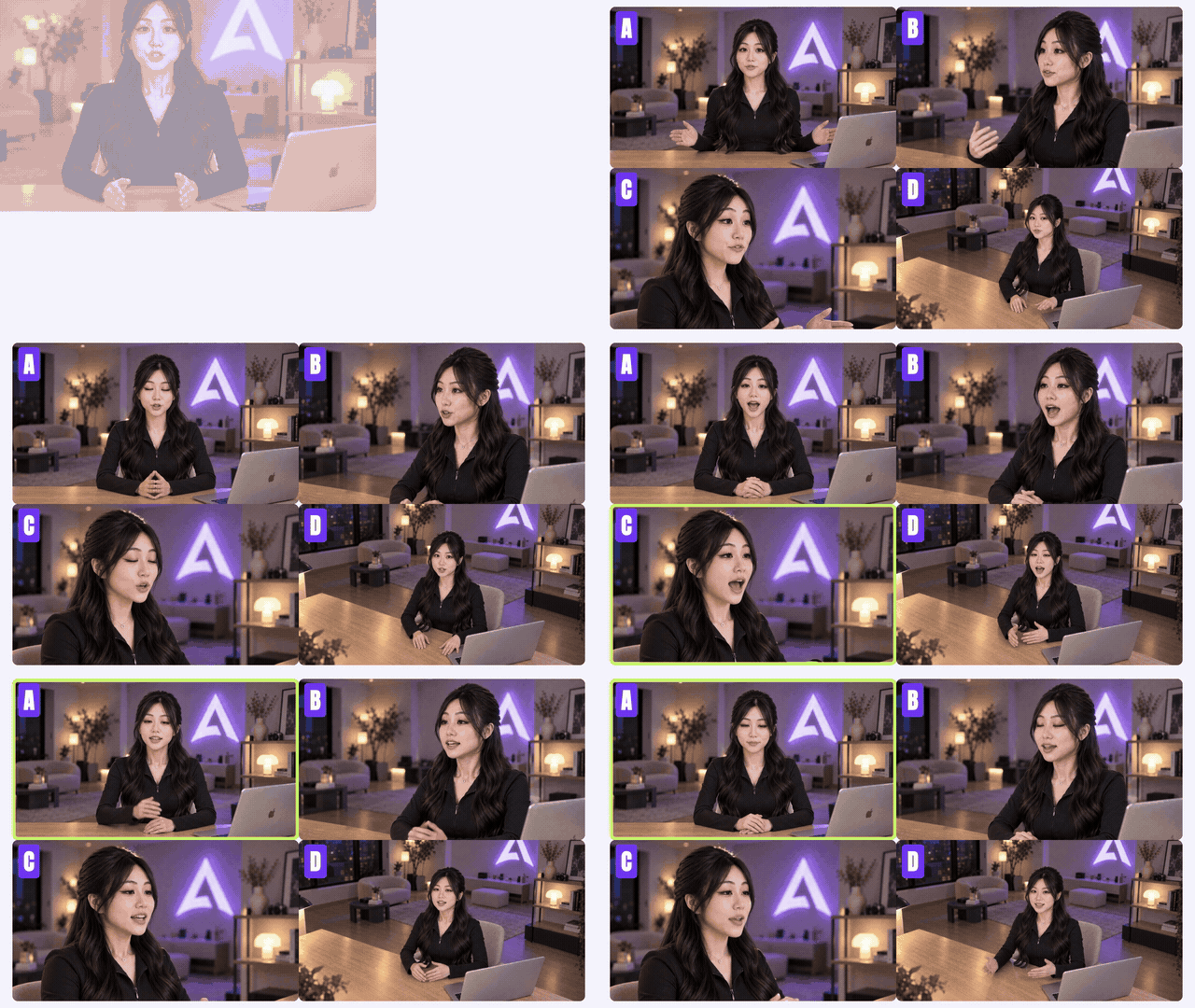
I also ran the same image and the same 30-second audio through a few other avatar models:
| Model | Listed price (720p) | Generation time, this run |
|---|---|---|
| OmniHuman 2 | $0.056 / s | 5 min 28 s |
| OmniHuman 1.5 | $0.12 / s | 8 min 29 s |
| Kling 2.6 Pro (avatar) | $0.0952 / s | 13 min 12 s |
| InfiniteTalk | $0.06 / s | 9 min 23 s |
| VEED Fabric 1.0 | $0.165 / s | 4 min 01 s |
At the listed price, OmniHuman 2 comes to $1.68 for a 30-second clip, and it's done in about five minutes.
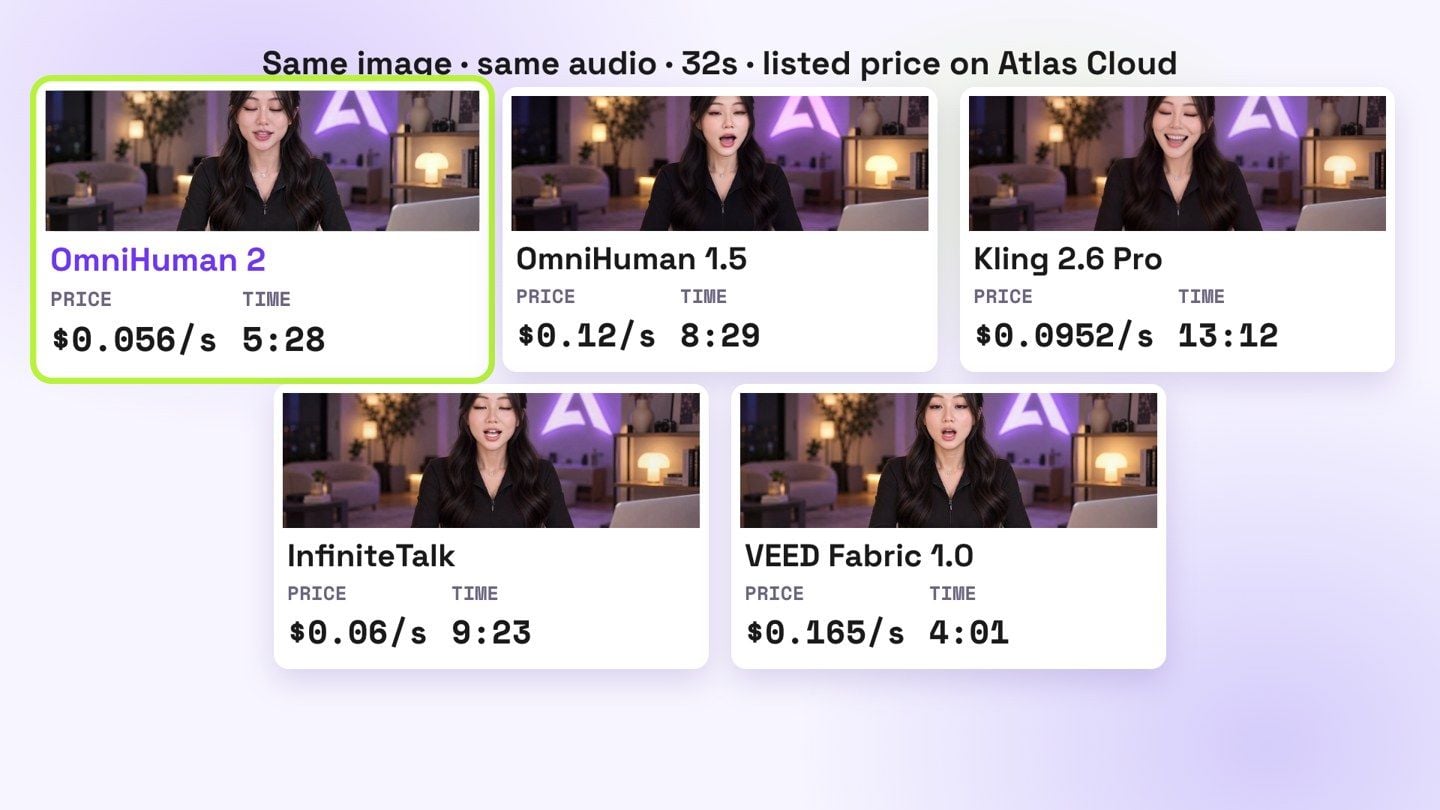
Prices are Atlas Cloud's listed prices as of October 21, 2026. Generation times are from this one run and vary with the queue.
The storyboard: the Remix skill lays it out
The Remix skill takes our script and lays out the storyboard, following the reference's structure and pacing: which angle each line uses, and what info sits next to me.
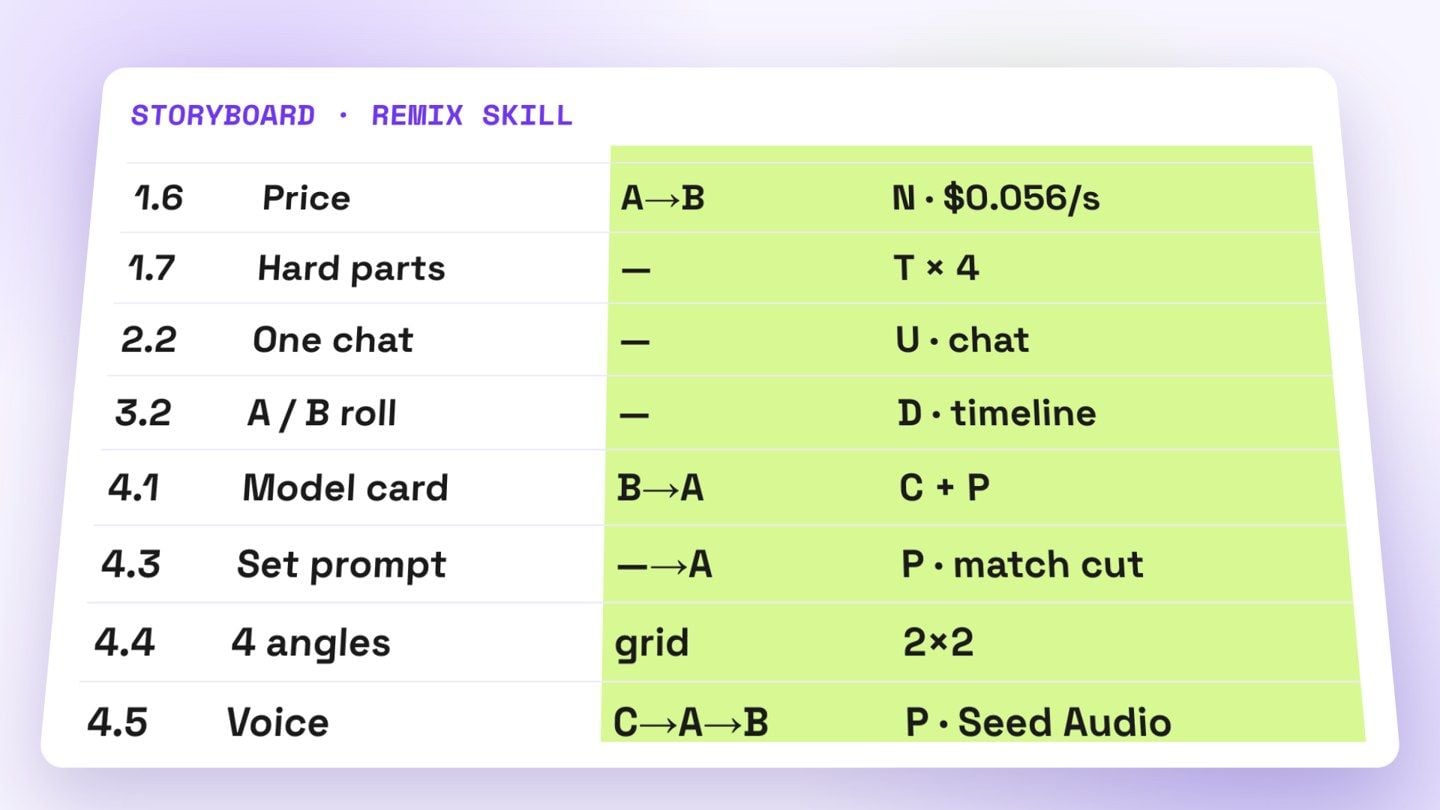
This is where the reference's three signature traits land on each line: which line cuts to a new angle, which one gets a card next to me, and which one goes full-screen B-roll.
Download the Remix skill (free, .zip). Unzip it and copy the three folders inside skills/ into your Claude skills folder (~/.claude/skills/ for Claude Code). Then hand Claude a reference video and ask it to remix.
B-roll: three sources
B-roll comes from three places:
- Your own footage. Let Opus 5.5 pick the shots.
- Anything you don't have. Generate it straight through the Atlas Cloud MCP.
- Charts, UI, animated text. Opus 5.5 just draws them in code.
How to pick and generate all of that is covered in depth in my last post, No Editing Software: Claude Opus 5.5 Remakes Viral Videos in 7 Steps.
The edit: HyperFrames
For the last step, putting it together, I use HyperFrames.
Setup is easy. Just tell Claude, "install HyperFrames for me." Opus 5.5 follows the reference analysis and the Remix skill's storyboard, and handles the layout, motion, sound effects and music in one pass.
Remember the hard parts from the start, where the footage comes from, how it's arranged, the motion and the sound? This is where they get solved.
Last
The video you're watching was made exactly this way. For the next episode, I just swap the topic.
Building an IP on your own used to stall on being on camera, the set, the edit, on having no team and no budget. You can hand all of that off now.
Everyone has the same tools. What makes people remember you is your judgment, and what you actually want to say.
So go make your own episode.
Everything in this post:
More on OmniHuman 2.0: what it needs before you generate full-body gestures and matching a sad voice with the right face.





