
Kling Image 4.0 High-Resolution Image Generation
Kling Image 4.0 is Kling AI's image generation model for detailed visual design. Reference images guide compositions, while long layouts bring product imagery and brand messaging into complete page visuals. High resolution output provides room for cropping and display. Atlas Cloud simplifies integration with a unified API and transparent pay-as-you-go pricing. Start building today.
Kling Image 4.0 is developed by Kuaishou. Atlas Cloud (operated by Atlas Cloud AI LLC) provides access to it and does not own it. All trademarks belong to their respective owners.
Explore the Leading Kling Image 4.0(3)


Kling Image 4.0: From Prompts and References to Images
Explore text and image inputs for detailed visuals, coordinated image sets, and long-form designs.
| Modality | Description |
|---|---|
| Kling Image 4.0 | Turn text prompts and reference images into detailed visuals with Kling Image 4.0, combining natural lighting, refined textures, and integrated typography. Consistent image sets and long-form compositions support storyboards, product presentations, and e-commerce page designs. |
Kling Image 4.0 Brings Realism, Typography, and Series Together
With photographic detail, expressive typography, reference guided creation, cohesive image sets, and continuous layouts, Kling Image 4.0 connects individual image design with broader visual storytelling.

Kling Image 4.0 Photographic Realism
Kling Image 4.0 brings natural lighting, detailed skin, and convincing material textures into photographic compositions. Describe the subject, setting, expression, and lighting to establish the atmosphere of each image. Soft transitions between highlights and shadows help connect people with their surroundings. This visual approach suits editorial portraits, lifestyle product imagery, and scenes where an authentic everyday feeling matters.

Typography Integrated with the Composition
Clear lettering and expressive typography share the same composition, with attention to small text and visual hierarchy. Specify the wording, placement, and desired letterforms in your prompt to guide the design. Headings, supporting copy, and imagery can work together within a structured layout. The result supports promotional artwork, product introductions, and information rich visuals that need both readability and character.

Reference Guided Visual Direction
When a visual brief starts with existing images, reference inputs help establish the intended subject, composition, and style. Describe which characteristics should carry into the result and which elements should change. References can guide color, lighting, and texture without requiring every visual detail to be expressed in words. This approach suits product concepts, character development, and explorations of a shared art direction.

Kling Image 4.0 Cohesive Image Sets
Plan a connected image series with Kling Image 4.0 while keeping subjects and visual style consistent across the collection. A shared prompt can describe the overall intent alongside the focus of individual images. Vary viewpoints, compositions, and narrative moments to give each frame a distinct purpose. Coordinated sets suit storyboards, product showcases, and presentation imagery that should read as a unified visual sequence.
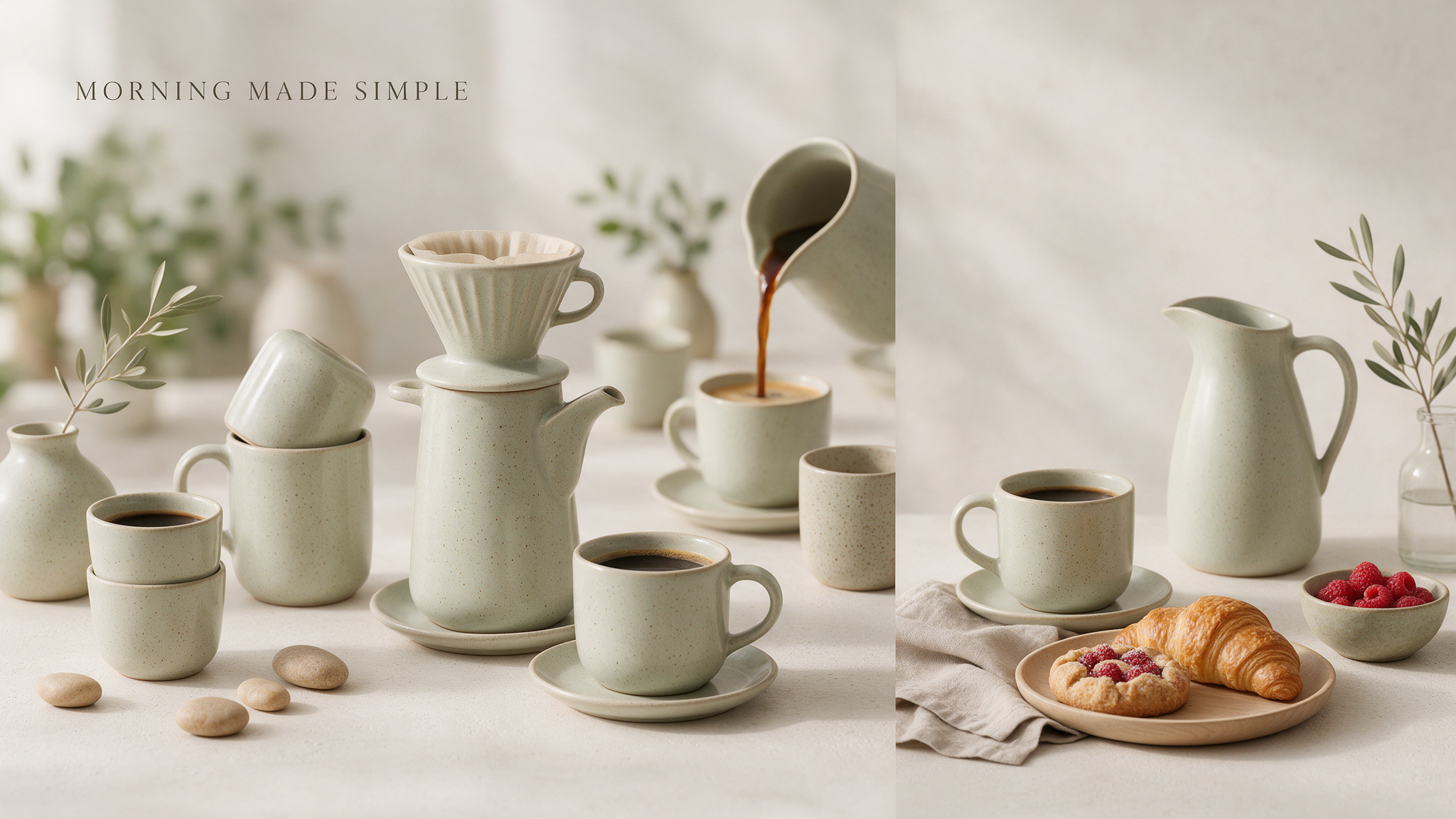
Long Form Compositions with Clear Hierarchy
Long form image generation combines product imagery, supporting text, and brand direction within a continuous visual layout. Define the page concept and information priorities so the composition can organize content into connected sections. Consistent styling links the opening visual with the details that follow. This capability suits ecommerce page concepts and website design visuals intended for creative review before implementation.
Kling Image 4.0: How Models Interpret One Prompt
Compare image outputs from identical prompts, examining typography, realistic textures, composition, and adherence to visual instructions.
Create a polished editorial advertisement for a fictional perfume brand named LUMA. A transparent rectangular perfume bottle containing pale amber liquid stands on cream travertine beside two fresh limes and a loosely folded olive linen cloth. Afternoon sunlight enters from the upper right, producing coherent shadows, delicate glass reflections, visible citrus pores, and natural fabric texture. Use an elegant magazine layout with generous margins and a restrained palette of ivory, olive, and charcoal. Place the headline "A QUIETER KIND OF SUMMER" above the product. Below it, include exactly these three separate lines: "LUMA CITRUS", "Eau de Parfum", and "Notes of lime, cedar, and soft musk." Keep every word legible, preserve the specified spelling and capitalization, and establish a clear hierarchy between headline, product name, and supporting copy. Render one complete advertisement without additional text or watermarks.
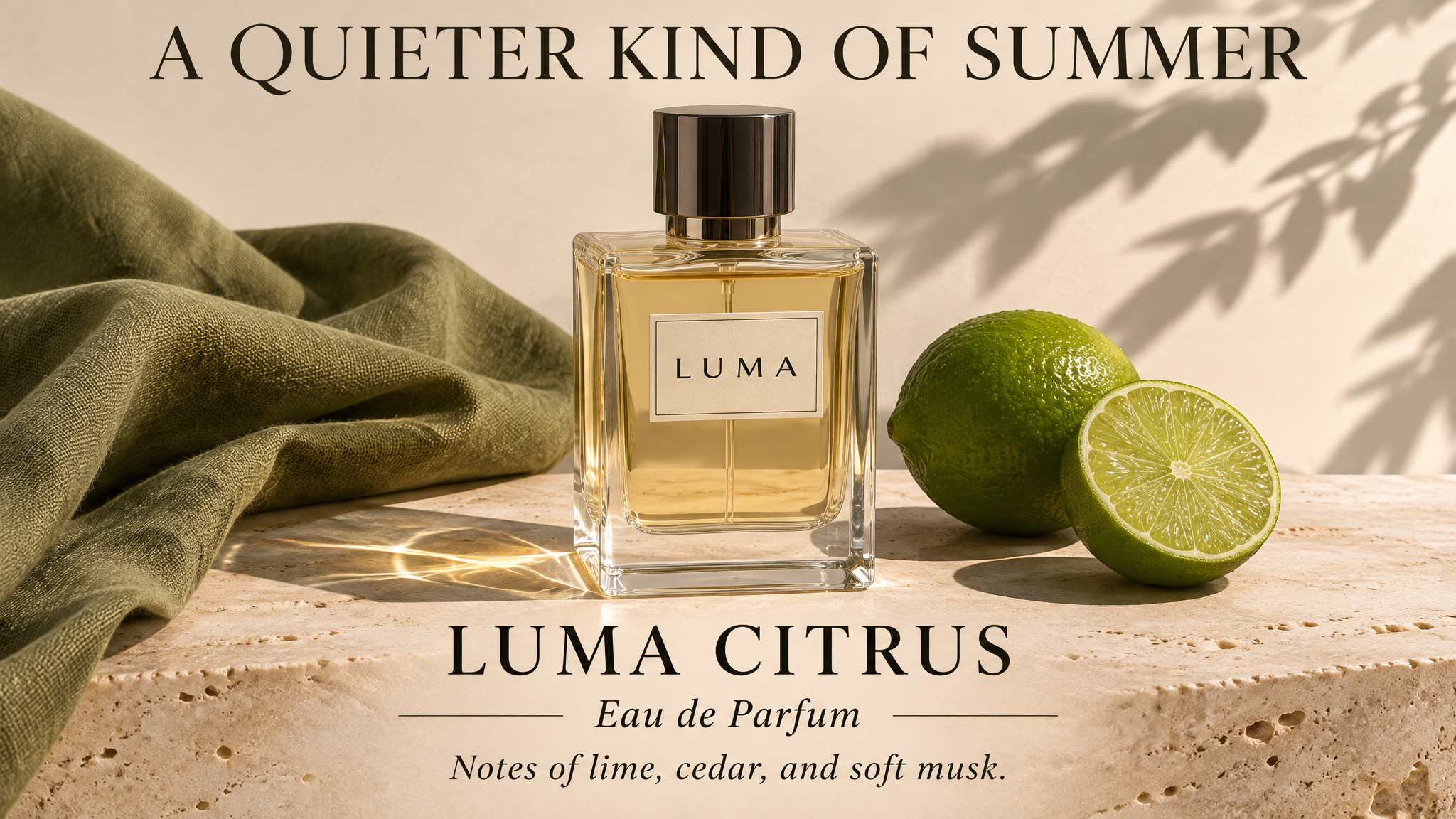
Generated with Kling Image 4.0 on Atlas Cloud
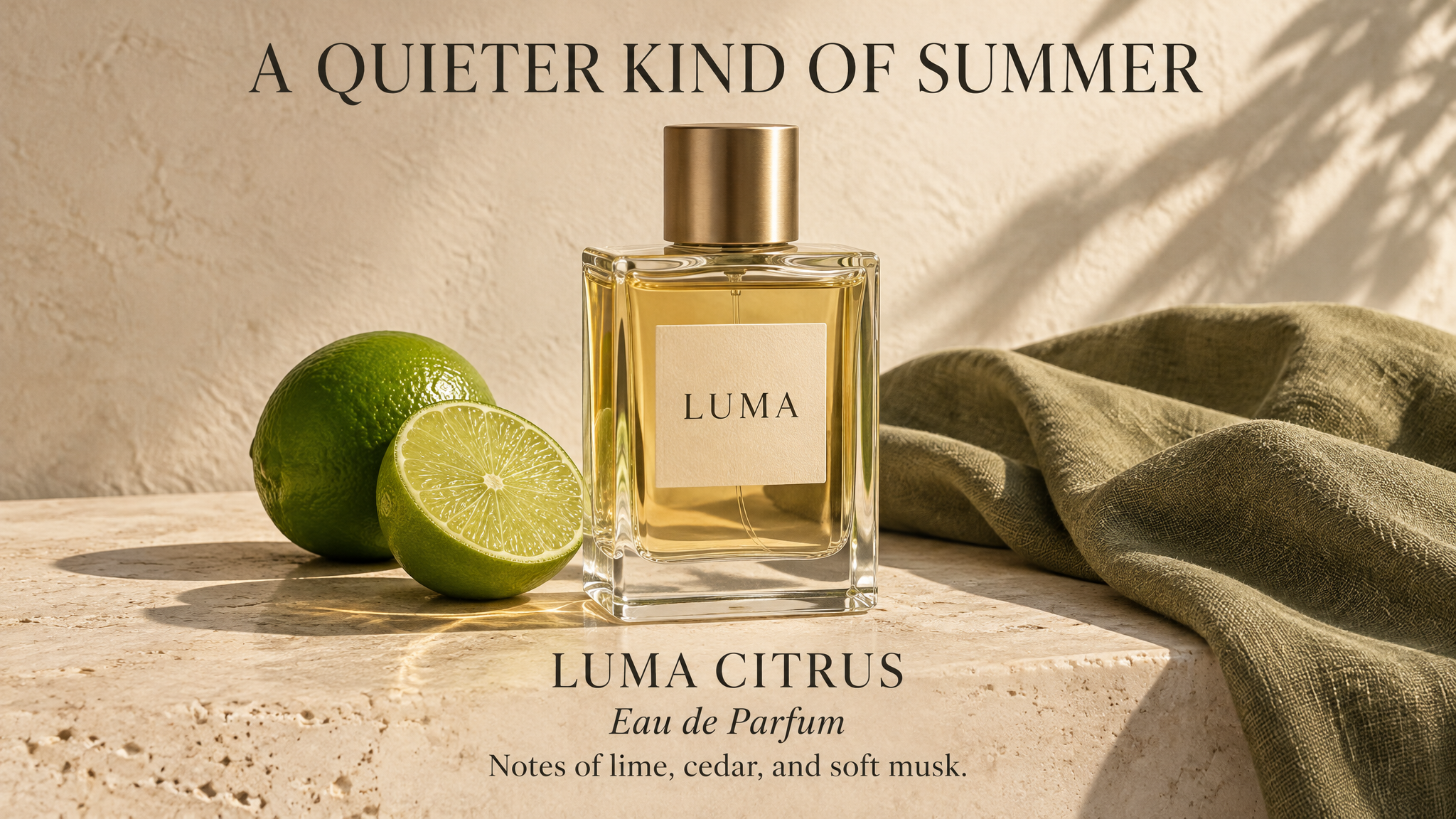
Generated with Nano Banana 2 Text-to-Image Developer on Atlas Cloud
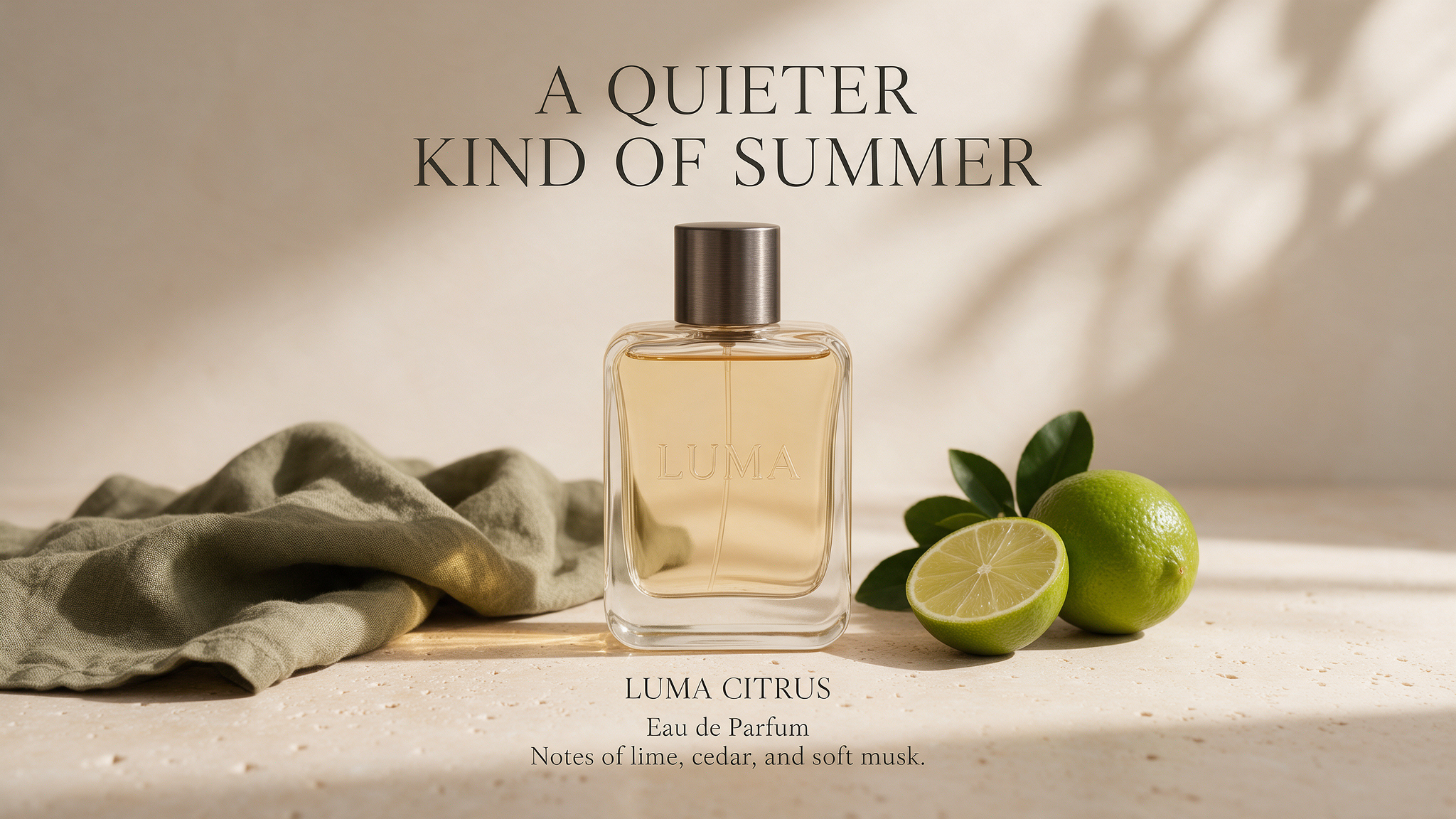
Generated with GPT Image 2.5 Sunburst Text-to-Image on Atlas Cloud
Photograph a candid moment inside a neighborhood ceramics studio after a rain shower. Exactly five adults gather around one wooden worktable: an older woman with short silver hair shapes a bowl at the center; a young man with curly black hair holds a blue mug on the left; a woman with freckles and round glasses examines a clay plate on the right; two other adults stand behind the table, smiling at each other. Give everyone distinct facial features, clothing, and expressions. Show anatomically plausible hands with natural contact between fingers and objects. Cool window light enters from the left while a warm pendant lamp illuminates the tabletop. Preserve realistic skin texture, damp window reflections, clay residue, linen aprons, and subtle wood grain. Use an eye-level documentary composition with all five faces visible and believable foreground, middle ground, and background depth. No text, logos, or watermarks.

Generated with Kling Image 4.0 on Atlas Cloud

Generated with Nano Banana 2 Text-to-Image Developer on Atlas Cloud

Generated with GPT Image 2.5 Sunburst Text-to-Image on Atlas Cloud
From Brief to Revision: Kling Image 4.0
Explore Kling Image 4.0 for campaign concepts, editorial illustrations, and creative revisions through text prompts and image editing.

Kling Image 4.0 Campaign Concepts
Turn campaign briefs into image concepts with Kling Image 4.0, using text prompts to describe visual direction. Compare draft artwork for launch presentations, advertising pitches, and client discussions before committing to production.

Kling Image 4.0 Editorial Illustrations
For articles needing original imagery, text prompts can guide the generation of accompanying illustrations. Editors and independent publishers can develop visual drafts for blog headers, newsletter stories, and feature pitches during editorial planning.

Creative Revision Workflows
An existing image becomes the starting point for revisions guided by written instructions. Designers can explore visual alternatives, compare edited drafts, and choose a direction for the next round of creative review.

Product Staging Mockups
When a shop needs a visual direction, text prompts can generate draft product scene concepts. Merchants can use these mockups to discuss props, backgrounds, and presentation with photographers before arranging a shoot.

Kling Image 4.0 Storyboard Planning
Scene descriptions become draft storyboard images through text prompts specifying setting, framing, and atmosphere. Filmmakers can arrange selected stills into shot outlines for discussions with collaborators before filming or commissioning animation.

Game Environment Studies
Imagine a fictional location and describe it in a text prompt to generate environment imagery. Independent game teams can collect these studies into visual references for level planning, mood boards, and artist briefs.
Kling Image 4.0: Resolution, References, and Image Sets
Review the supplied Kling Image 4.0 specifications for output resolution, reference inputs, and coordinated image sets.
| Model | Native Output Resolution | Max Reference Images | Max Images per Set | Max Text Characters per Image |
|---|---|---|---|---|
| Kling Image 4.0 | 2K, 4K, 8K | 10 | 10 | 2,000 |
How to Use Kling Image 4.0 on Atlas Cloud
Get started in minutes — follow these simple steps to integrate and deploy models through Atlas Cloud's platform.
Create an Atlas Cloud Account
Sign up at atlascloud.ai and complete verification. New users receive free credits to explore the platform and test models.
Why Use Kling Image 4.0 on Atlas Cloud
Combining the advanced Kling Image 4.0 models with Atlas Cloud's GPU-accelerated platform provides unmatched performance, scalability, and developer experience.
Performance & flexibility
Low Latency:
GPU-optimized inference for real-time reasoning.
Unified API:
Run Kling Image 4.0, GPT, Gemini, and DeepSeek with one integration.
Transparent Pricing:
Predictable per-token billing with serverless options.
Enterprise & Scale
Developer Experience:
SDKs, analytics, fine-tuning tools, and templates.
Reliability:
99.99% uptime, RBAC, and compliance-ready logging.
Security & Compliance:
SOC 2 Type II, HIPAA alignment, data sovereignty in US.
Kling Image 4.0: Questions Before Integration
Kling Image 4.0 is an image model in the Kling AI lineup. Its image capabilities and API specifications should be evaluated separately from those of Kling's video models.
No, the image model and the video model are separate products. Video duration, audio generation, and keyframe specifications do not establish what the image model supports.
First, confirm that Atlas Cloud provides an active endpoint for this model and review its request documentation. Use the documented model identifier, authentication method, and required fields for your initial request.
Select input formats, output sizes, and reference options from the documentation for the exact endpoint you intend to call. Parameters shown for earlier Kling image models or third-party preview workspaces should not be treated as confirmed support.
Check the model's standard Atlas Cloud rate and billing unit before submitting requests. Avoid using another Kling model's price or a temporary promotional rate to estimate ongoing costs.
Compare your existing request fields and response handling with the target endpoint's documented schema before reusing the integration. Confirm parameter names, supported values, and result retrieval behavior rather than assuming compatibility.
Commercial permissions depend on the applicable model and service terms. Before publishing outputs in advertisements, products, or client projects, confirm that those terms cover your intended use and that you have permission to use any reference assets.
Artificial Analysis lists a preview version on its text-to-image and image editing leaderboards, providing independent evidence of image quality. Treat these evaluations as a starting point, then compare results on your own prompts once API access is available. Assess prompt adherence, visual defects, and consistency separately from integration requirements.
When a request fails, save its HTTP status, error message, and X-Request-ID response header if present. For generation jobs, include the prediction ID when contacting Atlas Cloud support, and remove API keys from shared logs.
Explore More Families
Seedance 2.5
The Seedance 2.5 API gives developers ByteDance Seed’s joint audio and video model, generating 4 to 30 seconds in one pass at up to native 4K from text, a first frame, or up to 50 references across images, video, and audio. It edits selected regions, extends clips, and follows white-model and green-screen inputs.

Seedance 2.5 Flash
The Seedance 2.5 Flash API gives developers the faster, lower-cost tier of ByteDance Seed’s Seedance 2.5, released on November 12, 2026. It generates video at nearly twice the speed of Seedance 2.5, renders up to 30 seconds per clip at 480p or 720p, and takes up to 10 images, 5 videos, and 5 audio clips per request, with video editing for quick variants.
Kling 4.0
The Kling 4 API delivers Kling 4.0, the video model Kuaishou released on October 15, 2026. It generates up to 30 seconds in a single pass, follows up to 10 keyframes, blends 15 images, videos, and subjects through Omni Reference, and adds stereo audio with lip sync. Atlas Cloud serves all four endpoints, including video editing, on one OpenAI-compatible key from $0.11 per second. Start building today.
Seedream 5.5
Seedream 5.5 is ByteDance Seed's image generation and editing family. Guide edits with up to 10 reference images, or split an image into a base image and up to 99 editable layers, with optional OCR for text layers. On Atlas Cloud, generation, editing, and layer decomposition each cost a standard $0.02 per image, helping developers plan image workflow budgets. Start building today.
Kling 4.0 Flash
As a lower-cost option in the Kling 4.0 family, Kling 4.0 Flash combines images, videos, and subjects to create consistent 720p clips lasting 3 to 20 seconds. Start from a text prompt or animate a first-frame image to suit different production workflows. Atlas Cloud offers all four model variants at a standard price of $0.094 per second. Start building today.
Wan 3.0
Wan 3.0 is Alibaba’s newest video model, producing up to 30 seconds of 1080p video at 30fps with audio in one generation. Steer it with a text prompt, a first frame, up to 10 reference images, or a document. Standard costs less per second, while Prime keeps the same capabilities and returns results faster. Both run on the same Atlas Cloud key as Wan 2.7, 2.6, and 2.5.
GPT Image 2.6
The GPT Image 2.6 API gives developers OpenAI’s image model released on November 4, 2026, in two versions: Flare for fast iteration and Sunburst for detailed visual work. It generates images 50% faster than before and adds animated GIF output, SVG export, markup edits that target the area you circle, and a complexity setting. Atlas Cloud serves both models on one OpenAI-compatible key with pay-as-you-go pricing.
Kling Image 4.0
Kling Image 4.0 is Kling AI's image generation model for detailed visual design. Reference images guide compositions, while long layouts bring product imagery and brand messaging into complete page visuals. High resolution output provides room for cropping and display. Atlas Cloud simplifies integration with a unified API and transparent pay-as-you-go pricing. Start building today.
MiniMax H3 Image
MiniMax H3-Image builds on MiniMax's H3 family, combining image generation and editing in one checkpoint. Detailed prompts guide characters, scenes, and composition, while reference inputs steer visual changes. Atlas Cloud offers hosted access with pay-as-you-go billing, helping you integrate image workflows without managing model infrastructure. Start building today.
MiniMax H3
MiniMax H3 is MiniMax's multimodal video family for text, image, and reference guided creation. Across supported routes, it preserves subjects from reference media, offers flexible aspect ratios, and pairs generated sound with visuals through H3 Developer, with output profiles selected by endpoint. Atlas Cloud unifies the family behind one OpenAI-compatible key with transparent pay-as-you-go pricing from the standard rate of $0.038 per second. Start building today.
GPT Image 2.5
GPT Image 2.5 is OpenAI’s image generation and editing model, released on September 8, 2026 in two API versions. Flare is the default, with up to 50% lower latency than GPT Image 2, while Sunburst takes longer to give finer control over detailed edits. Both support up to 16 reference images, five quality tiers, transparent backgrounds, and custom sizes up to 3840px. Atlas Cloud serves the GPT Image 2.5 API at OpenAI’s per token rates, or at a flat price per image by 1K, 2K, or 4K tier.
Seedream 5.0 Pro
Seedream 5.0 Pro API gives developers ByteDance's controllable image editing model on Atlas Cloud. It places edits precisely with anchors and coordinates, separates images into editable layers, fuses multiple references, and matches exact colors and materials, with multilingual text at 2K and 3K. On Atlas Cloud you reach it through one key!
Recommended Articles
Guides, tutorials, and product updates to help you get the most out of Atlas Cloud.


